100 Best Productivity Hacks for Busy Professionals [2026]
Your calendar is the most underused productivity tool you have. It’s not your to-do app. It’s not your project management software. It’s your calendar. Mastering calendar productivity is the foundation of getting more done.
What are productivity hacks? Productivity hacks are proven strategies, techniques, and tools that help you accomplish more meaningful work in less time. Unlike generic advice, these are specific, actionable tactics you can implement immediately to boost your efficiency and reduce wasted effort.
While most professionals drown in tasks, meetings, and scheduling chaos, the most productive people treat their calendar as mission control. They block time for deep work. They protect their energy. They automate the logistics so they can focus on what matters.
These 100 productivity hacks will help you reclaim your time and get more done with less stress. We’ve organized them into seven categories covering everything from time management to mindset. These productivity tips for 2026 are tested, practical, and ready to implement today.
Whether you’re a sales rep juggling prospect calls, a recruiter coordinating interviews, a founder wearing too many hats, or a parent balancing work and family, these strategies will transform how you work.
Let’s start with the foundation: your calendar.
Time Management Hacks (1-25)
The best productivity hacks start with how you manage time. Your calendar isn’t a record of what happened. It’s a blueprint for what will happen.
Time Blocking and Calendar Management (1-10)
1. Time-block your entire week. According to Harvard Business Review, timeboxing is the single most useful productivity technique. Block every hour for specific activities, not just meetings.
2. Schedule your most important work during peak energy hours. Your brain has 2-4 hours of prime cognitive capacity each day. Don’t waste them on email.
3. Block “no meeting” days. Protect at least one or two days per week for uninterrupted work. Many top performers use this strategy to protect their most important projects.
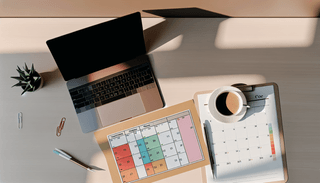
4. Use calendar colors for task types. Green for deep work. Blue for meetings. Red for administrative tasks. Visual distinction helps you see patterns and imbalances.
5. Build buffer time between meetings. Back-to-back meetings drain energy and eliminate transition time. Add 10-15 minutes between calls to reset.
6. Set meeting duration defaults to 25 or 50 minutes. This creates natural buffers and keeps conversations focused. You’ll be surprised how much faster meetings end when there’s less time.
7. Forward scheduling emails to your AI assistant. Instead of copy-pasting event details, forward the email and let Carly add it to your calendar automatically. It takes two seconds.
8. Batch meetings on specific days. Group all external meetings on Tuesday and Thursday. Keep Monday, Wednesday, and Friday for focused work.
9. Schedule focus time first, then meetings around it. Most people do this backward. Block your deep work hours first, then allow meetings to fill the gaps.
10. Review your calendar weekly. Every Friday, spend 15 minutes examining next week. What can you delegate, decline, or shorten?
Task Prioritization (11-20)
11. Apply the Eisenhower Matrix. Sort tasks by urgent/not urgent and important/not important. Focus on important-but-not-urgent work before it becomes a crisis.
12. Use the 1-3-5 Rule daily. Commit to completing one big task, three medium tasks, and five small tasks each day. This creates a realistic workload.
13. Identify your “one thing” each morning. What’s the single task that would make today a success? Do that first.
14. Apply the 80/20 rule ruthlessly. Twenty percent of your activities produce 80% of your results. Identify and double down on them.
15. Set three daily outcomes, not tasks. “Complete sales proposal” beats “work on proposal.” Outcomes create accountability.
16. Tackle your “frog” first. Mark Twain said if you eat a live frog first thing in the morning, nothing worse will happen the rest of the day. Do your hardest task first.
17. Use ABCD prioritization. Label tasks A (must do today), B (should do today), C (nice to do), D (delegate). Work through them in order.
18. Schedule deep work before shallow work. Administrative tasks expand to fill available time. Complete creative and strategic work while your mind is fresh.
19. Create a “not-to-do” list. List activities you’re actively avoiding: checking email first thing, attending optional meetings, saying yes by default.
20. Review priorities at day’s end. Spend five minutes each evening deciding tomorrow’s top three priorities. Sleep on them.
Time Efficiency (21-25)
21. Use the two-minute rule. If a task takes less than two minutes, do it immediately. The overhead of tracking it exceeds the effort of doing it.
22. Batch similar tasks together. Process all emails at once. Make all phone calls back-to-back. Context-switching costs up to 40% of productive time, according to the American Psychological Association.
23. Set stricter deadlines. Parkinson’s Law says work expands to fill available time. Cut your deadline in half and watch your focus intensify.
24. Keep meetings to 15-25 minutes by default. Most meetings don’t need 30 or 60 minutes. Start with 15 and extend only if necessary.
25. Work 35 focused hours, not 50 distracted ones. Stanford research shows productivity per hour declines sharply after 50 hours per week. Intensity beats duration.
Focus and Attention Hacks (26-50)
Work productivity suffers when distraction takes over. These focus productivity hacks protect your attention. It isn’t selfish. It’s essential.
Eliminating Distractions (26-35)
26. Turn off notifications completely. Every ping fragments your focus. Batch your notifications into specific check-in times.
27. Use “Do Not Disturb” during focus time. Schedule DND mode on your phone and computer during deep work blocks.
28. Block distracting websites. Tools like Freedom, Cold Turkey, or built-in Screen Time features can eliminate temptation.
29. Put your phone in another room. Out of sight, out of mind. Even having your phone visible reduces cognitive capacity.
30. Use noise-canceling headphones. They signal “do not disturb” to colleagues and block ambient noise that fragments concentration.
31. Close unnecessary browser tabs. Each open tab is a potential distraction. Keep only what you need for the current task.
32. Set specific times to check email. Twice or three times daily is enough for most roles. Constant email checking destroys focus.
33. Use airplane mode while working. For truly important work, disconnect entirely. Your messages can wait.
34. Communicate your availability windows. Tell colleagues when you’re available and when you’re not. Most people will respect boundaries if you set them clearly.
35. Create a dedicated workspace. Your brain associates locations with activities. A consistent workspace triggers focus mode.
Deep Work Techniques (36-45)
36. Use the Pomodoro Technique. Work for 25 minutes, then take a 5-minute break. After four cycles, take a longer 15-30 minute break. Try it with our free pomodoro timer.
37. Schedule 90-minute deep work blocks. This matches your brain’s natural ultradian rhythm. One focused 90-minute session beats three distracted hours.
38. Match task difficulty to energy level. Save analytical work for high-energy periods. Do administrative tasks when you’re naturally slower. Understanding deep work principles transforms your output.
39. Create transition rituals between tasks. A short walk, a glass of water, or five deep breaths helps your brain shift gears cleanly.
40. Work in flow states. Flow requires challenge slightly above your skill level, clear goals, and immediate feedback. Design your work to hit these conditions.
41. Meditate for 5 minutes before deep work. Brief meditation clears mental clutter and improves subsequent focus.
42. Use ambient background sounds. Coffee shop noise, rain sounds, or instrumental music can boost focus for some people. Experiment to find what works for you.
43. Set a timer for accountability. The countdown creates urgency and commitment. Your brain knows idle time counts against you.
44. Single-task religiously. Multitasking is a myth. Your brain switches between tasks, losing efficiency with each switch. Do one thing completely before moving to the next.
45. Practice saying “no” to interruptions. “I’m in the middle of something. Can we talk at 3pm?” protects your focus without damaging relationships.
Mental Clarity (46-50)
46. Keep a “brain dump” list. When random thoughts interrupt your work, capture them on a list and return to focus. Your brain can let go when it knows the thought is saved.
47. Capture ideas immediately. Great ideas disappear within minutes. Use a notes app or voice memo to capture them the moment they arrive.
48. Clear your desk daily. Physical clutter creates mental clutter. Spend two minutes at day’s end putting things away.
49. Practice “clear to neutral.” Reset your workspace, browser, and tools after each task so you start fresh next time.
50. Write down worries to release mental loops. Anxious thoughts consume cognitive resources. Writing them down signals your brain to stop rehearsing them.
Energy and Wellness Hacks (51-70)
The most effective productivity hacks address energy, not just time. Work productivity depends on energy management. Your body and mind are the engines that power your output.
Physical Energy (51-60)
51. Exercise in the morning. Morning exercise boosts mood, energy, and focus for the entire day. Even 20 minutes makes a difference.
52. Take walking breaks. A brief walk increases blood flow to the brain and sparks creativity. Step away from your desk hourly.
53. Drink 16oz of water upon waking. You’re dehydrated after sleep. Hydration improves cognitive performance immediately.
54. Eat brain-boosting foods. Omega-3s, blueberries, nuts, and dark leafy greens support cognitive function. Sugar and processed foods create energy crashes.
55. Get 7-9 hours of sleep. Sleep deprivation is productivity’s worst enemy. Protect your sleep like you protect your most important meeting.
56. Take strategic power naps. A 10-20 minute nap between 1-3pm can restore alertness and performance. Longer naps cause grogginess.
57. Stand or walk during calls. Movement during meetings increases energy and often improves thinking. Use a headset and pace.
58. Stretch every hour. Sitting compresses your spine and tightens muscles. Brief stretches prevent fatigue and discomfort.
59. Avoid caffeine after 2pm. Caffeine has a 6-hour half-life. Afternoon coffee disrupts sleep even when you don’t notice.
60. Optimize your sleep environment. Cool temperature, complete darkness, and no screens before bed dramatically improve sleep quality.
Mental Energy (61-70)
61. Track your energy patterns. Note when you feel sharp and when you feel sluggish for two weeks. This reveals your “Biological Prime Time” for scheduling important work.
62. Schedule creative work during peak hours. Your best creative thinking happens in limited windows. Don’t waste them on meetings or email.
63. Take real breaks. Scrolling your phone isn’t a break. Step outside, talk to someone, or stare out a window. Your brain needs actual rest.
64. Spend time in nature. Even 20 minutes in a park or natural setting reduces stress and restores attention. Build it into your routine.
65. Practice gratitude. Starting or ending the day with three things you’re grateful for shifts your mental state toward positivity and resilience.
66. Limit decision fatigue. Automate or pre-decide routine choices: what to wear, what to eat, when to exercise. Save your decision-making energy for important matters.
67. Create morning routines. A consistent morning sequence reduces cognitive load and creates momentum. Even 30 minutes of routine helps.
68. Establish shutdown rituals. A clear end to your workday signals your brain to disengage. Review tomorrow’s priorities, close all apps, and verbally declare “shutdown complete.”
69. Protect your “golden hours.” Identify your highest-energy hours and guard them fiercely. Executive time management depends on this principle.
70. Build recovery into your day. You’re not a machine. Short recovery periods throughout the day sustain energy better than pushing through exhaustion.
Planning and Organization Hacks (71-85)
The best productivity hacks for planning create systems that free your mind. Calendar productivity depends on solid organization habits that eliminate friction.
Daily Planning (71-77)
71. Plan tomorrow tonight. Spend 10 minutes each evening planning the next day. You’ll sleep better knowing your priorities are clear.
72. Review your calendar every morning. Before checking email, look at your calendar. This orients your day around what matters.
73. Time-audit your week monthly. Track how you actually spend time for a week each month. The gap between intention and reality reveals improvement opportunities. Learn more about time-blocking strategies to close this gap.
74. Use a single to-do list. Multiple lists create confusion. Consolidate everything into one system you trust.
75. Organize tasks by context. Group tasks by location (home, office), tool (phone, computer), or energy required (high-focus, low-focus).
76. Set weekly themes. Assign general themes to each day: Monday for planning, Tuesday for external meetings, Wednesday for deep work. Themes reduce daily decision-making.
77. Review and adjust plans daily. No plan survives contact with reality. Spend five minutes each day adapting to what actually happened.
Tools and Systems (78-85)
78. Use a single calendar system. Fragmented calendars cause conflicts and confusion. Consolidate personal and work calendars into one view.
79. Automate scheduling with AI assistants. AI calendar tools can handle meeting coordination, event creation, and schedule management automatically.
80. Forward emails to your calendar automatically. Got a conference invite? Flight confirmation? Appointment reminder? Forward it to Carly and move on. The event appears on your calendar without any manual entry.
81. Use keyboard shortcuts everywhere. Learning 10-15 shortcuts in your most-used apps saves hours weekly. The initial learning curve pays dividends forever.
82. Automate recurring tasks. Set up templates, auto-replies, and scheduled messages for predictable workflows.
83. Sync calendars across all devices. Your calendar should be accessible everywhere. Enable sync so you’re never wondering about your schedule.
84. Use templates for common communications. Meeting agendas, follow-up emails, and status updates can be templated. Don’t reinvent the wheel.
85. Let AI handle meeting coordination. CC your AI assistant on scheduling emails. It proposes times, handles responses, and sends calendar invites. You just show up.
Communication and Collaboration Hacks (86-95)
Communication productivity hacks determine how much time you spend in back-and-forth versus actual work. Efficient communication protects your calendar and your sanity.
Email Management (86-90)
86. Process email in batches. Check email two to three times daily at specific times. Constant checking fragments your attention.
87. Keep emails under five sentences. Brevity forces clarity. If it requires more than five sentences, it probably requires a call.
88. Use canned responses. Create templates for common replies: acknowledgments, scheduling requests, standard information. Personalize as needed.
89. Unsubscribe ruthlessly. Every newsletter you don’t read is inbox clutter. Spend 10 minutes unsubscribing from everything you consistently ignore.
90. Archive instead of organizing into folders. Search is faster than filing. Archive everything and use search when you need to find something.
Meeting Efficiency (91-95)
91. Require agendas for all meetings. No agenda means no meeting. This simple rule eliminates half of unnecessary meetings.
92. End meetings five minutes early. Build buffer time into meetings themselves. Participants appreciate the gift of time back.
93. Decline meetings without clear purpose. “What decision will this meeting make?” If there’s no clear answer, propose async communication instead.
94. Send pre-reads, not meeting recaps. Distribute information before the meeting so discussion time focuses on decisions and actions.
95. Use async communication when possible. Many “meetings” are actually status updates that could be an email, document, or video message.
Mindset and Habits Hacks (96-100)
Productivity hacks only work when built on the right mindset. These final tips shape how you think about work productivity itself.
96. Embrace imperfection. Done beats perfect. Ship the 80% solution today rather than the 100% solution never.
97. Build habits with “atomic” changes. Start tiny. Two minutes of exercise. One page of reading. One email processed. Small starts build momentum.
98. Track your progress. What gets measured gets managed. Weekly reviews of your productivity habits reveal what’s working and what isn’t.
99. Review and optimize weekly. Every Sunday, spend 30 minutes reviewing the previous week and planning the next. This ritual compounds over time.
100. Protect your time like it’s worth $1,000 per hour. Because it might be. Every hour you waste on low-value work is an hour not spent on high-value work. Guard it accordingly.
Put These Productivity Hacks Into Action
These 100 productivity hacks share a common theme: your calendar is your productivity command center. Time-blocking, meeting management, energy scheduling, and planning all flow through your calendar.
Here’s how to start today:
Pick three hacks from this list. Don’t try to implement everything at once. Choose one time management hack, one focus hack, and one planning hack. Practice them for two weeks before adding more.
Make your calendar work harder. Forward scheduling emails instead of manually entering events. Block focus time before it gets stolen by meetings. Color-code your activities to spot imbalances.
Automate the scheduling overhead. Tools like Carly can implement multiple hacks automatically. Forward emails, get events on your calendar. CC Carly on scheduling threads, she handles the back-and-forth. Text a quick reminder, it appears on your calendar instantly.
The busiest professionals aren’t productive because they work more hours. They’re productive because they protect the hours they have. Start with your calendar. The rest follows.
Frequently Asked Questions
What is the single best productivity hack?
According to Harvard Business Review, time-blocking (scheduling specific activities into calendar blocks) is the most effective productivity technique. It forces you to be intentional about how you spend every hour.
How many hours can you really be productive per day?
Research shows most people have 4-6 hours of peak cognitive performance daily. Stanford research indicates productivity per hour declines sharply after 50 hours per week. Quality beats quantity.
What is the 2-minute rule for productivity?
If a task takes less than two minutes to complete, do it immediately. The overhead of tracking, scheduling, and remembering small tasks exceeds the effort of just completing them. This hack comes from David Allen’s Getting Things Done methodology.
How do you stay productive when working from home?
Create a dedicated workspace, maintain consistent morning routines, block focus time on your calendar, turn off notifications during deep work, and establish clear shutdown rituals at day’s end. The key is treating your home office like a real office with real boundaries.
What productivity hacks do executives use?
Top executives protect their “golden hours” for strategic thinking, batch meetings on specific days, delegate calendar management to assistants (or AI tools like Carly), and maintain strict boundaries around their time. They treat their schedule like it’s worth $1,000 per hour.
Ready to implement these productivity hacks? Try Carly and automate your calendar management. Forward your first email today.
Ready to automate your busywork?
Carly schedules, researches, and briefs you—so you can focus on what matters.
Get Carly Today →Or try our Free Group Scheduling Tool