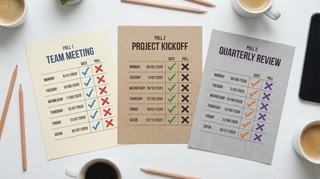
20 Best Group Scheduling Tools in 2026 — Free Doodle & When2Meet Alternatives
Finding a time that works for a group shouldn’t require a paid subscription, a clunky interface from 2008, or selecting your availability from memory. But that’s what most scheduling tools still offer.
Doodle’s free tier keeps shrinking and is littered with upsells. When2Meet works but looks and feels ancient. Most alternatives are minor variations on the same idea.
Here are 20 tools actually worth considering.
1. Carly
Drag-select availability grid — share a link and people mark when they’re free. Participants can also connect their Google Calendar or Outlook to auto-fill busy times, or skip the link entirely and respond over email. The system ranks overlapping times and lets you finalize with a calendar invite.
Gray cells are auto-filled from connected calendars. Teal intensity shows group overlap.
No account required. Works on mobile.
If your group scheduling needs go beyond one-off polls — say, a recurring intake process, recruiting pipeline, or client onboarding flow — Carly is also a full AI agent platform with 70+ integrations across 25 categories. You can build custom AI agents from the Carly dashboard, each with its own email address, custom instructions, and memory. Agents connect to calendars (Google, Outlook), video conferencing (Zoom, Google Meet, Teams, Webex), CRM (HubSpot, Salesforce, Attio), messaging (Slack, Discord, WhatsApp), project management (Asana, Linear, Monday), and more. No app needed; everything runs over email.
2. When2Meet
The original drag-select availability grid. You create an event, share the link, and everyone paints the times they’re free. A heat map shows where the group overlaps. No login, no account, nothing to install. The UI hasn’t changed since 2008 and barely works on phones, but it’s still the fastest way to get a group’s availability with zero friction.
3. Doodle
Instead of a time grid, you propose specific time slots and participants vote yes, no, or if-need-be on each one. Better than a grid when you already have a few candidate times and just need to confirm which works best. Integrates with Google Calendar and Outlook so you can see your own schedule while voting. Has become increasingly ad-heavy and feature-gated over the years.
4. LettuceMeet
A modern take on When2Meet. Same drag-select grid concept, but with a clean interface that actually works on mobile. You can toggle between week and specific-date views, and the overlap visualization is more readable. No login required.
5. Calendly
Primarily a 1:1 booking tool, but offers Meeting Polls that let you propose times to a group and have them vote. Deep integrations with Zoom, Google Meet, Teams, and most CRMs. The group polling feature isn’t available on the free tier — it’s more useful if you already use Calendly for other scheduling.
6. Rallly
Open-source scheduling polls. You propose a set of dates or times, share the link, and participants vote on what works. Clean, minimal interface with no tracking or ads. Can be self-hosted if you want full control over your data. The hosted version works out of the box with no account needed.
7. Cal.com
Open-source scheduling infrastructure with collective availability, round-robin routing, and a full API. Supports team event types where all members need to be free. More of a booking platform than a simple group poll — better suited if you need embeddable scheduling pages, workflows, or webhook integrations alongside group coordination.
8. Timeful (Schej)
Mobile-first scheduling polls with a Google Calendar overlay. You can see your own events while selecting availability, which helps avoid double-booking yourself. The calendar view is private — other participants just see the grid. Supports recurring events and has a clean, app-like interface.
9. WhenIsGood
Stripped-down availability grid with a strict no-tracking policy. No ads, no cookies, no analytics scripts — the page loads fast and collects nothing beyond the availability data. The UI is dated and not optimized for mobile, but if privacy is your priority, it’s one of the cleanest options.
10. NeedToMeet
Group availability grid with automatic time zone detection and conversion. Each participant sees slots in their local time, which eliminates the back-and-forth of coordinating across zones. Simple interface, no account required. Particularly useful for distributed teams or groups spanning multiple time zones.
11. Crab.fit
Open-source When2Meet replacement with a live-updating heat map, automatic timezone support, and a modern interface. Built as a community project with the source code on GitHub. Has a native Android app in addition to the web version. No account needed, no tracking.
12. SavvyCal
Lets recipients overlay their own calendar on top of yours to visually find mutual free times. Also offers meeting polls where participants rank their preferred slots rather than just voting yes/no. Calendar overlay works with Google, Outlook, and iCloud. The ranked-preference model helps surface the best time rather than just the most available one.
13. Xoyondo
A Doodle-style polling tool with yes/no/maybe voting, but also supports anonymous polls, sign-up sheets with limited slots, and a built-in message board for coordination. Multilingual with support for dozens of languages. No feature limits on the free tier — the premium version just removes branding.
14. StrawPoll Meetings
Date polling with permission controls — you can restrict who can see responses, require email verification, or limit voting. Integrates with Google Calendar for viewing your schedule while voting and Slack for sharing polls in channels. Straightforward interface without extra features getting in the way.
15. zcal
Design-focused scheduling tool with customizable booking pages. Supports group invites and meeting polls alongside standard 1:1 booking. Integrates with Google Calendar, Outlook, and Zoom. The interface is notably polished compared to most scheduling tools — custom colors, fonts, and branded URLs.
16. YouCanBook.me
Team scheduling with branded booking pages. Participants can choose a specific team member or get routed to the first available person. Supports SMS and email reminders, Zoom auto-provisioning, and basic analytics on booking patterns. More oriented toward client-facing bookings than internal group coordination.
17. Framadate
Open-source date polling from Framasoft, a French non-profit. Create a poll with candidate dates or free-text options, share the link, and participants vote. No tracking, no ads, no account required. Can be self-hosted. The interface is simple and functional — focused on doing one thing without extras.
18. Dudle
Open-source scheduling poll from TU Dresden, hosted in Germany under strict EU data protection rules. Similar concept to Framadate — propose dates, collect votes, pick the winner. No ads, no tracking, no registration. A solid option if you want a European-hosted, privacy-first polling tool.
19. Google Calendar (Find a Time)
Built into Google Workspace. When creating an event, the “Find a Time” tab shows overlapping free/busy blocks across all invited attendees’ calendars. Useful for quickly finding open slots within your organization, but only works when everyone is on the same Google Workspace domain — not an option for external participants.
20. PollUnit
General-purpose polling platform that works well for scheduling. Supports dates, free text, or images as options with multiple voting methods — ranked choice, dot voting, or simple yes/no. Participants can suggest additional options. More flexible than a dedicated scheduling tool, which makes it useful when you need to decide on more than just a time.
Some tools on this list offer calendar visibility while you pick times — but Carly is the only one that auto-fills busy times on the shared grid and lets participants respond over email, so you get accurate availability even from the people who won’t click a link.
More on scheduling: Doodle alternatives · When2Meet alternatives · Rallly alternatives · LettuceMeet alternatives · Doodle vs When2Meet · Calendly alternatives · How to schedule a meeting with multiple people · How to create a meeting poll in Google Calendar · How to create a meeting poll in Outlook · How to send an availability email · Best AI calendar assistants · Best AI appointment scheduling software
Ready to automate your busywork?
Carly schedules, researches, and briefs you—so you can focus on what matters.
See what people say
"Before Carly, I relied on a Calendly link, but the whole process felt impersonal and not very professional. Carly changed that by handling all the back-and-forth, so I'm no longer stuck in endless email threads trying to line up schedules.
Now Carly reaches out to candidates, shares my real-time availability, lets them pick a slot, then sends a Zoom link and drops it straight into my calendar. She sends reminders to both of us before each call, which has significantly reduced no-shows and last-minute confusion.
On top of scheduling, Carly acts like a full executive assistant, sending me my schedule the night before so I can prepare for each call. It reminds me of the old x.ai assistant, but Carly is noticeably smarter, faster, and better suited to my healthcare recruitment business."