What Are AI Agents? The Complete Guide to Autonomous AI Assistants
You’ve probably heard the buzz: AI agents are everywhere now. But here’s what most people get wrong. AI agents aren’t just fancier chatbots. They’re something fundamentally different. Something that can actually do work for you.
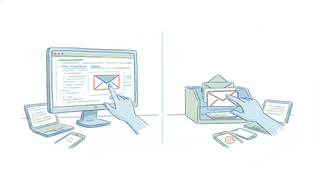
Think about the last time you scheduled a meeting. The back-and-forth emails. The timezone confusion. The calendar conflicts. Now imagine forwarding that email to an AI scheduling assistant that handles everything. You show up. That’s it.
This guide breaks down what AI agents actually are, how they work, and why they’re changing how busy people manage their time. No jargon. No enterprise speak. Just practical information you can use.
What Is an AI Agent?
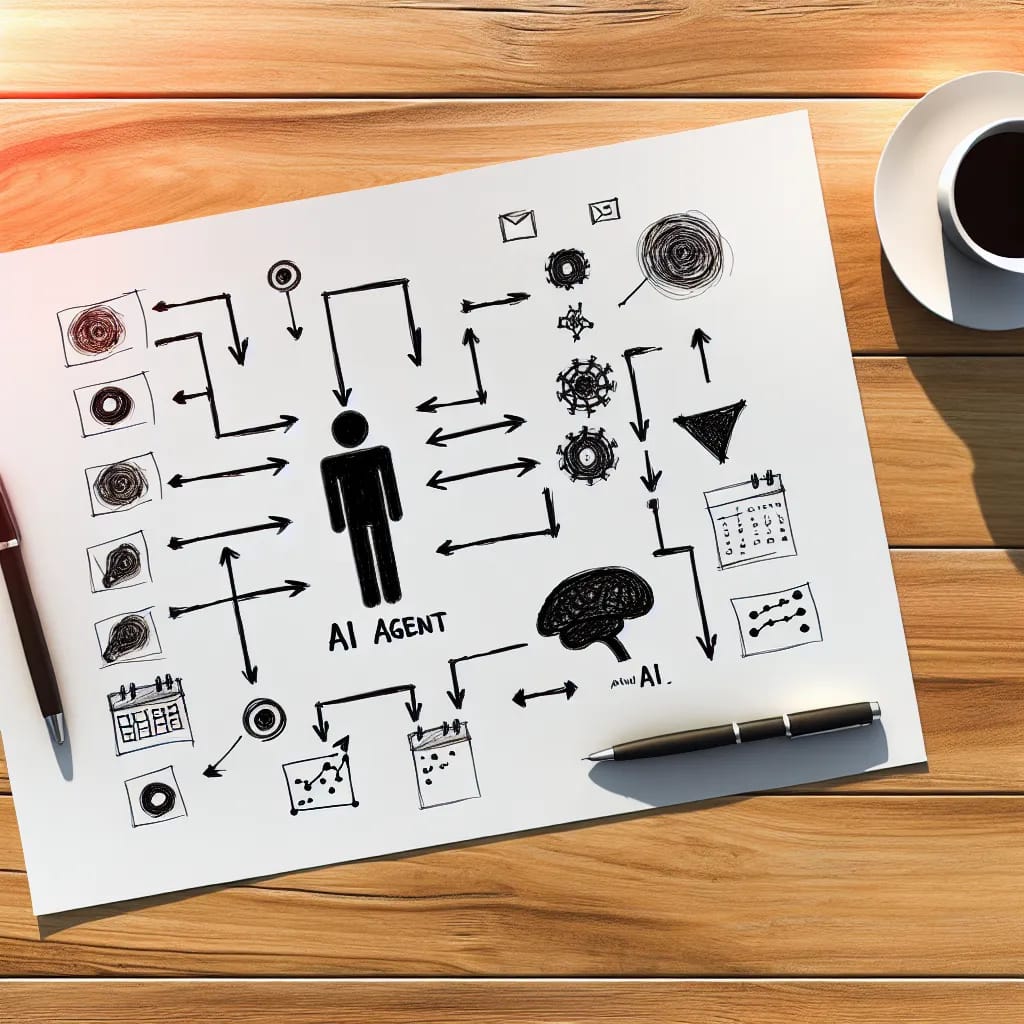
An AI agent is software that can perceive its environment, make decisions, and take actions to achieve specific goals. Unlike a chatbot that waits for your next message, an AI agent works autonomously once you give it a task.
Here’s the simplest way to think about it: A chatbot responds. An AI agent resolves.
When you ask a chatbot to schedule a meeting, it might give you tips or send you a calendar link. When you ask an AI agent to schedule a meeting, it actually schedules the meeting. It checks availability. It proposes times. It handles the back-and-forth. It sends the invite.
The four core capabilities that make AI agents different:
- Perceive: They take in information from emails, messages, calendars, and other sources
- Decide: They break down goals into actionable steps
- Act: They use tools and integrations to execute tasks
- Learn: They improve from feedback and remember your preferences
This combination transforms AI from a tool you use into an assistant that works for you.
How AI Agents Work
The 4-Step Process
Every AI agent follows a similar pattern, whether it’s managing your calendar or handling customer support.
Step 1: Perceive
The agent receives information. This could be an email you forward, a text message you send, or a screenshot of an itinerary. Modern AI agents can process natural language, images, and structured data. They understand context, not just keywords.
Step 2: Plan
The agent breaks down your goal into steps. If you forward a meeting request, it might plan: check my calendar, identify available slots, draft a response, and wait for confirmation. This planning happens in milliseconds.
Step 3: Act
Here’s where agents separate from chatbots. They actually do things. They access your calendar through APIs. They send emails on your behalf. They create events. They coordinate with other people. Real actions, not just suggestions.
Step 4: Learn
The best AI agents remember. They notice you never schedule meetings before 9am. They learn you prefer 30-minute calls over hour-long ones. They remember that “lunch” means 12-1pm for you. This learning compounds over time.
What Powers an AI Agent
Three technologies make modern AI agents possible:
Large Language Models (LLMs)
These are the brains. Models like GPT-4 and Claude understand natural language, reason through problems, and generate human-like responses. They’re why you can say “schedule something next week” instead of filling out a form.
Memory Systems
AI agents maintain both short-term memory (the current conversation) and long-term memory (your preferences, past interactions, patterns). This is how they get better at serving you specifically.
Tool Access
AI agents connect to external services through APIs. They can read your Google Calendar, send emails through your account, check availability across multiple calendars, and create events. This tool access is what enables real-world action.
AI Agents vs. Chatbots: What’s the Difference?
The confusion between AI agents and chatbots costs people time. Here’s how to tell them apart.
The Key Distinction
Chatbots are reactive. They wait for your input and respond to it. Even sophisticated ones with natural language processing are essentially sophisticated answering machines. They might understand your question better than older systems, but they still just answer questions.
AI agents are proactive. They take your goal and work toward it. They make decisions. They use tools. They complete multi-step tasks without you managing each step.
A Salesforce product director put it well: a chatbot is like a vending machine. You select what you want, it gives you exactly that. An AI agent is like a personal chef. You say “I want something healthy for dinner” and it handles everything from there.
Comparison at a Glance
| Capability | Chatbot | AI Agent |
|---|---|---|
| Responds to questions | Yes | Yes |
| Takes autonomous actions | No | Yes |
| Uses external tools | Limited | Yes |
| Learns from interactions | Sometimes | Yes |
| Completes multi-step tasks | No | Yes |
| Works without constant input | No | Yes |
When to Use Each
Use chatbots for:
- Answering FAQs
- Providing information
- Simple, scripted interactions
- High-volume, low-complexity queries
Use AI agents for:
- Multi-step task completion
- Coordination between parties
- Tasks requiring judgment
- Work that needs to happen without your oversight
5 Types of AI Agents
Not all AI agents work the same way. Understanding these types helps you choose the right tool for your needs.
1. Simple Reflex Agents
These agents follow if-then rules. If a meeting request comes in, send available times. No complex reasoning, just pattern matching and responses. They’re fast and reliable for simple, predictable tasks.
Example: An auto-reply that adds meetings to your calendar when they match certain criteria.
2. Model-Based Agents
These agents maintain an internal model of how the world works. They understand that your calendar changes, that people have different time zones, that meetings can be rescheduled. This model helps them make better decisions.
Example: A scheduling agent that knows your calendar and can reason about conflicts.
3. Goal-Based Agents
These agents work backward from a goal. You say “find a time for a team meeting next week” and they figure out how to make it happen. They can handle more complex scenarios because they understand the objective, not just the rules.
Example: An agent that coordinates a multi-person meeting by checking everyone’s availability and finding optimal times.
4. Utility-Based Agents
These agents don’t just achieve goals; they optimize for preferences. They learn that you prefer morning meetings, that you like buffer time between calls, that Fridays are for deep work. They find solutions that maximize your satisfaction.
Example: A calendar assistant that schedules around your energy patterns and preferences.
5. Learning Agents
The most sophisticated type. These agents improve through experience. They notice what works and what doesn’t. They adapt to changes in your behavior. Over time, they become genuinely personalized to how you work.
Example: An AI assistant that starts scheduling like everyone else but eventually knows you never take calls during lunch and prefer video for first-time meetings.
AI Agents in Action: Real-World Examples
Scheduling and Calendar Management
This is where AI agents shine brightest for busy professionals. The traditional scheduling process involves too much friction: email chains, availability checks, timezone math, calendar updates. AI agents eliminate all of it.
Here’s how a scheduling AI agent works in practice:
- You receive a meeting request via email
- You forward it to your AI agent
- The agent reads the email, understands the context
- It checks your calendar for availability
- It proposes times that work for you
- It handles the back-and-forth with the other party
- Once confirmed, it creates the calendar event
- You show up
Some AI scheduling agents work entirely through email and text. No new platforms to learn. No scheduling links to share. You forward an email or send a text, and the agent handles everything. This approach means no behavior change required. If you can email, you can use the agent.
Even better, these agents handle the messy stuff too. Flight itineraries. Conference schedules. That photo of your kid’s school calendar. Forward it, and everything gets added automatically.
Customer Service
AI agents now handle complex customer inquiries end-to-end. They access order histories, process returns, update accounts, and escalate appropriately. Companies report 25-40% reductions in support costs while improving response times.
Sales Automation
Sales teams use AI agents to research prospects, personalize outreach, schedule demos, and follow up on leads. The agent works around the clock while reps focus on conversations.
Research and Analysis
AI agents can gather information across multiple sources, synthesize findings, and produce reports. What once took analysts hours now takes minutes.
Benefits of Using AI Agents
Save Significant Time
According to BCG research, AI agents reduce time spent on low-value work by 25-40%. For scheduling specifically, an AI calendar assistant can save 4-5 hours per week for busy professionals. That’s an extra half-day every week.
24/7 Availability
AI agents don’t sleep. They handle requests at 2am as easily as 2pm. For global teams or anyone with contacts in different time zones, this matters.
Consistent Execution
AI agents don’t forget. They don’t make typos. They don’t accidentally double-book you. They follow the same process every time, eliminating human error from routine tasks.
Continuous Improvement
The best AI agents learn from every interaction. They get better at predicting your preferences. They become more accurate over time. This compounds the value the longer you use them.
Scale Without Headcount
One AI agent can handle what would require multiple assistants. For growing teams or individuals who need support but can’t justify a full-time hire, AI agents fill the gap. Our guide on how to build AI employees walks through turning agents into persistent digital workers that handle entire job functions.
Challenges and Limitations
AI agents aren’t magic. Understanding their limitations helps you use them effectively.
When Human Oversight Matters
AI agents can make mistakes, especially in ambiguous situations. High-stakes decisions should still involve human review. Most well-designed agents ask for confirmation when they’re uncertain.
Privacy Considerations
AI agents need access to your calendar, email, and other data to work. Choose agents from companies with clear privacy policies. Understand what data they access and how it’s used. The best agents access only what’s necessary and keep your information secure.
Current Technology Limits
AI agents work best on well-defined tasks with clear success criteria. Open-ended creative work, complex negotiations, and highly nuanced situations still require human judgment. The technology improves constantly, but knowing these limits helps set expectations.
Integration Complexity
Some AI agents require extensive setup, technical configuration, or new platform adoption. The best ones avoid this entirely by working through existing channels like email and text. If an agent requires significant behavior change, it might not stick.
The Future of AI Agents
The numbers point one direction: AI agents are becoming mainstream.
According to McKinsey, 62% of organizations are now experimenting with AI agents. The market is projected to grow from $5.4 billion in 2024 to over $50 billion by 2030. This isn’t speculation. It’s capital flowing into technology that works.
Three trends to watch:
Simpler, More Accessible Agents
The early AI agents required technical expertise to deploy. The next generation works out of the box. Email an agent. Text an agent. No apps to install, no platforms to learn.
Deeper Integration with Workflows
AI agents will become invisible infrastructure. They’ll work in the background, handling coordination and logistics while you focus on higher-value work. The goal is for AI to disappear into your existing tools.
Specialization
General-purpose AI agents are giving way to specialists. Scheduling agents. Research agents. Customer service agents. Each optimized for specific workflows and use cases. The best AI agent platforms now make it possible to build, deploy, and manage these specialized agents without writing code.
How to Get Started with AI Agents
For Scheduling and Calendar
Start here. Scheduling is a perfect first use case because:
- The task is clearly defined (coordinate a meeting)
- Success is measurable (meeting gets scheduled)
- Time savings are immediate and obvious
- Low risk if something goes wrong
Look for these qualities in a scheduling AI agent:
Works within existing channels. The best scheduling agents like Carly AI work through email or text. No new apps to learn. No behavior change required. Forward an email, send a text, that’s it.
Handles incoming requests. Many scheduling tools only help you send links for others to book. A true AI agent handles meeting requests that come to you, not just those you initiate.
Learns your preferences. Over time, the agent should know when you prefer meetings, how much buffer you want between calls, and which days you reserve for focused work.
Communicates naturally. When your AI agent emails someone on your behalf, it should sound like a person, not a robot.
Questions to Ask Before Choosing
-
Does it require a new platform? If you have to log into another system daily, adoption is harder.
-
How does it handle mistakes? Good agents ask for confirmation when uncertain and make corrections easy.
-
What’s the learning curve? If you need training to use it, it’s probably too complicated.
-
Does it actually take action? Many tools labeled as “agents” are really just chatbots with suggestions. Real agents execute.
-
What data does it access? Understand the privacy implications before connecting accounts.
Conclusion
AI agents represent a genuine shift in how technology helps us work. They don’t just answer questions or make suggestions. They complete tasks. They learn preferences. They work autonomously.
For scheduling specifically, this means no more back-and-forth emails. No more timezone confusion. No more manually entering events from screenshots. Forward the email, text the instruction, and move on with your day.
The best AI agents disappear into your workflow. Tools like Carly AI work through email and text. They learn how you like things done. They handle the logistics so you can focus on work that matters.
The technology is ready. Millions are already using AI agents for scheduling, customer service, sales, and more. The question isn’t whether AI agents will become standard tools for busy professionals. It’s whether you’ll start using them now or later.
Ready to see what AI agents can do for your calendar? Try Carly AI and forward your next scheduling email to experience the difference between a chatbot that responds and an agent that resolves.
Ready to automate your busywork?
Carly schedules, researches, and briefs you—so you can focus on what matters.
See what people say
"Before Carly, I relied on a Calendly link, but the whole process felt impersonal and not very professional. Carly changed that by handling all the back-and-forth, so I'm no longer stuck in endless email threads trying to line up schedules.
Now Carly reaches out to candidates, shares my real-time availability, lets them pick a slot, then sends a Zoom link and drops it straight into my calendar. She sends reminders to both of us before each call, which has significantly reduced no-shows and last-minute confusion.
On top of scheduling, Carly acts like a full executive assistant, sending me my schedule the night before so I can prepare for each call. It reminds me of the old x.ai assistant, but Carly is noticeably smarter, faster, and better suited to my healthcare recruitment business."