What Are AI Employees? The 2026 Guide to Digital Workers
What Are AI Employees? The Busy Professional’s Guide to Your New Digital Teammate
Your inbox is overflowing. Three people want to schedule meetings this week. Someone just forwarded a conference itinerary with 12 sessions you need to add to your calendar. And your phone keeps buzzing with texts about soccer practice changes.
Sound familiar?
This is exactly the kind of chaos that AI employees were built to handle. Not by replacing you, but by taking the repetitive digital busywork off your plate so you can focus on what actually matters.
Heading into 2026, AI employees have moved from sci-fi concept to practical reality. The shift is clear: 2024–2025 proved that agents exist; 2026 is when they get managed like employees—with governance, dashboards, and access controls. Microsoft literally launched Agent 365, a platform positioned around managing AI agents like people.
According to Gallup, 45% of U.S. employees used AI at work in Q3 2025. McKinsey’s November 2025 survey reports 88% of organizations now use AI regularly in at least one business function. These aren’t just chatbots answering FAQs. They’re digital workers that read your emails, manage your calendar, and handle multi-step tasks across the systems you already use.
This guide explains what AI employees actually are, how they work, what they can and can’t do, and how to get started with your first one. We’ll use real examples throughout, including Carly, an AI scheduling assistant that handles calendar management through email and text.
What Is an AI Employee?
An AI employee is software powered by artificial intelligence that performs digital tasks within a business. Unlike simple chatbots that follow scripted responses, AI employees read requests, break them into steps, and work across email, CRM, calendar, and other tools until tasks are complete. They combine large language models with reasoning capabilities to handle complex, context-driven work.
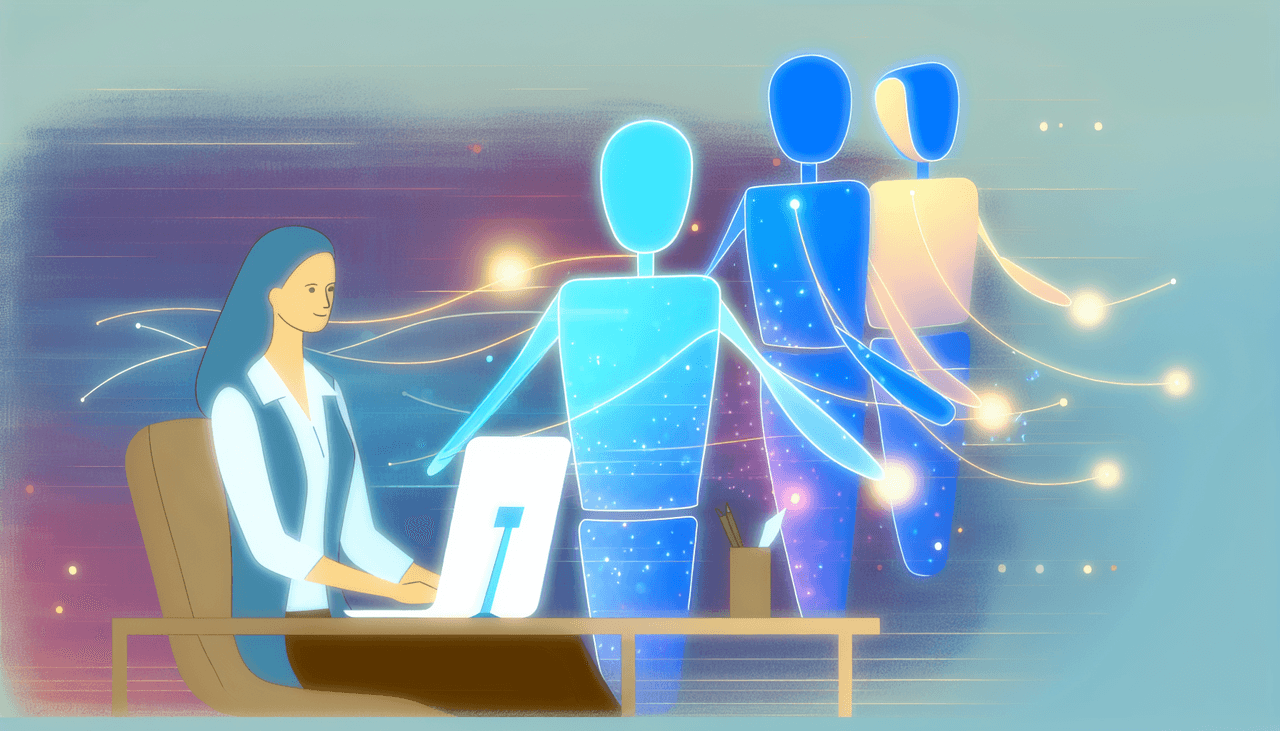
Think of an AI employee as a digital colleague that shows up every day, never takes vacation, and handles the tasks you’d rather not do yourself.
How AI Employees Differ from Chatbots and RPA
Traditional automation falls into two camps: chatbots and RPA (robotic process automation). Both have limits that AI employees overcome.
Chatbots respond to specific prompts with pre-programmed answers. They’re reactive, single-turn, and break down when conversations get complex. Ask a chatbot to “schedule a meeting with John next week, but not during my lunch break, and make sure it doesn’t conflict with my dentist appointment on Thursday” and it’s likely to give up.
RPA bots follow rigid, rule-based scripts. They’re great for clicking through the same sequence of buttons repeatedly, but they can’t handle variation. If a form layout changes or an email uses slightly different wording, RPA breaks.
AI employees sit in a different category entirely. They:
- Understand natural language with all its ambiguity
- Maintain context across multiple interactions
- Work across different systems and tools
- Can be configured to follow your preferences and improve from corrections
- Take action autonomously within defined permission boundaries
When you forward an email to an AI employee like Carly, it doesn’t just read the words. It understands that “coffee next Tuesday” means a 30-minute meeting, that “after 4pm” means late afternoon is preferred, and that it needs to check your calendar for conflicts before proposing times.
AI Employees Already Working in 2025-2026
AI employees aren’t hypothetical—they’re deployed, they have names, and they’re generating real revenue. Here are the standouts:
Manus — The General-Purpose AI Agent Just acquired by Meta for over $2 billion, Manus is the first general-purpose AI agent that works autonomously without constant human guidance. Tell Manus what you need—research, planning, execution—and it figures out the steps and does them. The startup hit $100M ARR in under a year. Meta plans to fold Manus capabilities into WhatsApp, Instagram, and other products.
Devin — The AI Software Engineer Built by Cognition Labs, Devin is the world’s first fully autonomous software developer. It plans, codes, debugs, and deploys. Goldman Sachs deployed Devin as what their CIO called “like our new employee.” The numbers: 67% of Devin’s PRs get merged, test coverage typically jumps from 50-60% to 80-90%, and Cognition’s ARR grew from $1M to $73M in nine months.
Harvey — The AI Lawyer A legal AI that’s now valued at $8 billion after its December 2025 Series F. Harvey builds custom LLMs for elite law firms to handle contract review, legal research, and document drafting. The founders’ vision: an autonomous AI legal agent capable of end-to-end legal work. Major firms are already using it across every practice area.
11x Alice — The AI Sales Rep Alice is an AI SDR that handles outbound prospecting 24/7. She researches leads, writes personalized outreach, follows up, and books meetings—across email, LinkedIn, and phone. 11x positions Alice as working at “11x the scale” of your best human SDR.
Lindy — Build Your Own AI Employee Lindy lets you create AI employees by describing what you need in plain English. No code. Truemed uses Lindy for support and reduced costs by 67%, processing over 6,000 emails through their AI agent. Lindy 3.0 (August 2025) introduced Autopilot—AI agents that use their own cloud computers to execute tasks beyond API integrations.
Sandra AI — The AI Receptionist Built specifically for car dealerships, where 30% of customer calls go unanswered. Sandra handles calls, emails, and texts 24/7, schedules appointments directly, and never puts anyone on hold. A focused AI employee for a specific industry with a specific problem.
Carly — The AI Scheduling Assistant Forward an email, send a text, or CC Carly on a thread—she handles the back-and-forth, proposes times, sends calendar invites, and manages reschedules. No apps to install, no links to share. The entry-level AI employee most people can start with today.
How AI Employees Actually Work
Behind every AI employee is a loop that mirrors how a human assistant would approach a task: understand, plan, act, and check.
The Understand-Plan-Act-Check Loop
Understand: The AI employee reads your request and interprets what you need. This happens through natural language processing, which lets it parse everything from formal emails to casual texts. “Hey, can you set up a call with the marketing team sometime next week?” gets understood just as well as “Please schedule a meeting with Marketing Department stakeholders at their earliest convenience.”
Plan: Once it understands the goal, the AI employee breaks it down into steps. For a meeting request, that might mean: check your calendar availability, identify the other attendees, find overlapping free time, draft an invite, and send it.
Act: The AI employee executes each step, often working across multiple systems. It might check your Google Calendar, send emails, update a CRM, and create calendar events, all without you clicking a button.
Check: After acting, the AI employee verifies the outcome. Did the calendar event get created? Did the email send? If something went wrong, it adjusts or asks for clarification.
A Real Example: How Carly Handles a Scheduling Request
Let’s say you get an email from a client asking to meet next week. Here’s how an AI scheduling assistant like Carly handles it:
- You forward the email to Carly
- Carly reads the email and identifies it as a meeting request
- She checks your calendar for availability next week
- She notes your configured preferences (no meetings before 9am, buffer time between calls)
- She emails the client with three available time slots
- When the client replies with their preference, Carly sends the calendar invite
- You show up to the meeting. That’s it.
No back-and-forth emails. No manual calendar checking. No copy-pasting event details.
Another Example: Support Triage with Lindy
Truemed, a healthcare payment company, uses Lindy for customer support. Here’s how it works:
- A customer emails about an issue
- Lindy reads the email and categorizes the request
- It pulls relevant account context from connected systems
- It drafts a response based on the specific situation
- For straightforward cases (36% of their volume), Lindy handles it end-to-end
- For complex cases, it escalates with full context attached
Result: 67% reduction in support costs. Over 6,000 emails processed through the AI agent. The human support team focuses on edge cases and relationship-building instead of routine tickets.
What AI Employees Can (and Can’t) Do
AI employees excel at specific types of work. Understanding their strengths and limits helps you use them effectively.
What They Excel At
Repetitive digital tasks: Anything you do the same way multiple times, like processing meeting requests, triaging emails, updating records, or generating standard reports, is ideal for AI employees.
Pattern recognition and triage: AI employees can scan hundreds of emails and surface the ones that need your attention. They can categorize support tickets, prioritize leads, or flag calendar conflicts.
24/7 availability: Unlike human assistants, AI employees work around the clock. A meeting request that comes in at midnight still gets processed before you wake up.
Multi-step workflows across systems: AI employees can chain together actions. Read an email, check a calendar, send a response, create an event, update a CRM—all from a single request.
Following configured preferences: Good AI employees can be set up to follow your preferences. If you configure them to block Friday afternoons for deep work, they won’t schedule meetings then. If you set a default meeting length, they’ll use it consistently.
What Still Requires Humans
Relationship building: AI employees can schedule meetings, but they can’t build trust with a client over lunch. The human elements of business—empathy, rapport, negotiation—require human presence.
Creative strategy: AI can draft content and suggest options, but strategic decisions about positioning, messaging, and differentiation need human judgment.
Nuanced judgment calls: Should you take this meeting even though you’re busy? Is this client worth prioritizing over others? AI employees can present information, but the final call is yours.
High-stakes decisions: Firing an employee, negotiating a major contract, or handling a PR crisis all require human accountability.
The pattern is clear: AI employees handle the logistics so you can focus on the relationships and decisions that actually drive outcomes.
AI Employees by the Numbers: Late 2025 Data
The shift toward AI employees isn’t a future trend. It’s happening now. Here’s the latest data heading into 2026.
According to the St. Louis Federal Reserve, generative AI has reached a 54.6% adoption rate among U.S. adults aged 18-64—up 10 percentage points in 12 months. At the three-years-after-launch mark, this outpaces both personal computers and the internet. This is the fastest technology adoption in modern history.
Here’s what the sourced data shows:
| Metric | Statistic | Source |
|---|---|---|
| U.S. employees using AI at work (Q3 2025) | 45% | Gallup |
| Organizations using AI regularly in at least one function | 88% | McKinsey (Nov 2025) |
| GenAI adoption rate (U.S. adults 18-64) | 54.6% | St. Louis Fed |
| Work hours saved by GenAI users | ~5.4% (~2.2 hrs/week) | St. Louis Fed |
| Enterprise users reporting improved speed/quality | 75% | OpenAI Enterprise Report |
| Time saved per active day (enterprise users) | 40-60 min | OpenAI Enterprise Report |
| UK workers using unapproved “shadow AI” | 71% | Microsoft Research |
| Added productivity potential from corporate use cases | $4.4 trillion | McKinsey |
That shadow AI statistic is telling. When 71% of employees are using AI tools their company hasn’t officially approved, it signals that people are desperate for help with their workload. They’re finding solutions whether their company provides them or not.
McKinsey’s research on “superagency in the workplace” points to AI employees as a key driver of productivity. The potential isn’t just incremental improvement—it’s a fundamental shift in how work gets done.
Real-World Use Cases for AI Employees
AI employees are already working across departments. Here’s where they’re making the biggest impact.
Scheduling and Calendar Management
This is where AI employees shine brightest, and it’s often the best place to start.
Calendar management is a universal time sink. The average professional spends hours each week on scheduling logistics: finding times, sending emails, handling reschedules, adding events manually. It’s tedious, repetitive, and exactly what AI employees were built for.
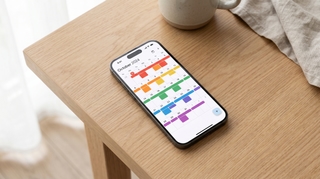
Carly is a prime example. As an AI scheduling assistant, Carly works through the channels you already use:
- Email: Forward any scheduling email to Carly. Conference invites, client requests, appointment confirmations. She reads them and adds events to your calendar.
- Text/SMS: Text Carly like you’d text an assistant. “Add dinner with Mom on Saturday at 7” works perfectly.
- Screenshots: Send photos of travel itineraries, school schedules, or event flyers. Carly extracts every event.
- CC on threads: CC Carly on email chains where scheduling needs to happen. She handles the back-and-forth.
For busy professionals, founders, and anyone juggling multiple calendars, this kind of executive time management support was previously only available through human assistants charging $25-50+ per hour.
Customer Support
AI employees can handle first-line support tasks:
- Categorizing and routing tickets
- Answering common questions
- Escalating complex issues with full context
- Following up on resolved tickets
This doesn’t replace support teams. It lets them focus on the challenging cases that need human expertise.
Sales Operations
This is where AI employees like 11x Alice are replacing entire SDR functions:
- Lead research: Alice researches prospects and companies automatically
- Personalized outreach: Custom emails and LinkedIn messages at scale
- Follow-up sequences: Persistent, optimized timing across channels
- Meeting booking: When a prospect responds, Alice schedules the call
11x claims Alice works at “11x the scale” of a human SDR. The tradeoff: AI SDRs excel at volume and consistency but can’t handle nuanced objections or complex relationship-building. Most companies use them for initial outreach, then hand off to humans for actual conversations.
Administrative Tasks
General administrative work is a natural fit:
- Inbox management and triage
- Data entry and updates
- Report generation
- Document organization
These tasks are necessary but not valuable. AI employees handle them in the background while you focus on strategic work.
AI Employees vs. Human Assistants vs. Traditional Tools
Understanding the tradeoffs helps you choose the right solution.
| Factor | AI Employee | Human Assistant | Traditional Tools |
|---|---|---|---|
| Cost | $10-50/month typically | $2,000-5,000+/month | $0-200/month |
| Availability | 24/7, instant response | Business hours, response delays | Always on, but manual |
| Learning Curve | Low (email/text) | Low (natural communication) | Varies (often high) |
| Personalization | Configurable preferences, may improve from corrections | High from day one | Manual configuration |
| Judgment | Limited to defined boundaries | Full human judgment | None |
| Scalability | Handles any volume | Limited by hours | Depends on tool |
When to use AI employees: Repetitive tasks, 24/7 coverage needs, limited budget, tasks with clear boundaries
When to use human assistants: High-stakes work, relationship-heavy tasks, complex judgment calls, roles requiring broad discretion
When to use traditional tools: Simple, one-off tasks, situations where AI isn’t available, highly specialized workflows
For most busy professionals, the answer is often “all three.” AI employees handle the volume, human judgment handles the important decisions, and traditional tools fill specific gaps.
Getting Started: Your First AI Employee
If you’ve never used an AI employee, here’s how to start.
Step 1: Pick One Clear Use Case
Don’t try to automate everything at once. Choose a single, well-defined task that:
- Happens frequently (daily or weekly)
- Follows a predictable pattern
- Takes time you’d rather spend elsewhere
- Has a clear success metric
Scheduling is an ideal first use case because it’s universal, time-consuming, and easy to verify (events appear on your calendar or they don’t).
Step 2: Choose a Tool That Matches Your Workflow
The best AI employee is one you’ll actually use. If you live in email, choose an AI employee that works via email forwarding. If you’re always on your phone, text-based tools make sense.
Carly works through both email and text precisely because that’s how busy people already communicate. No new apps to download. No dashboards to check. Just forward, text, or CC.
Step 3: Set Clear Boundaries and Permissions
AI employees should only access what they need. For scheduling:
- Calendar read/write access: necessary
- Email access: typically just for scheduling-related messages
- Other systems: only if needed for specific tasks
A good permissions checklist:
- Calendar: Read availability, create/modify events
- Email: Process forwarded messages, send on your behalf (for scheduling only)
- CRM: Read contact info (if integrating with sales workflows)
- Ticketing: Read/write ticket status (if using for support triage)
Start with minimal permissions and expand as trust builds.
Step 4: Review and Refine
In the first week or two, pay attention to how your AI employee performs:
- Are events being added correctly?
- Are your configured preferences being respected?
- Are there edge cases it’s missing?
Provide corrections when needed—many AI employees can be configured to handle similar situations better in the future.
The “Trust Ladder” Approach
Build trust gradually:
- Monitor mode: Let the AI employee suggest actions but require your approval
- Assisted mode: AI takes action but you review results
- Autonomous mode: AI handles tasks end-to-end within clear boundaries
For scheduling, this might mean starting by reviewing every calendar event Carly creates, then moving to only reviewing new meeting requests, then trusting Carly to handle routine scheduling entirely.
Safety, Privacy, and Common Concerns
AI employees raise legitimate questions about data security and control. Here’s how to think about it.
Data Security Considerations
Any tool that accesses your calendar or email handles sensitive data. Before using an AI employee:
- Understand what data it accesses and stores
- Review privacy policies and data handling practices
- Check if data is used to train AI models (and if you can opt out)
- Confirm encryption standards for data in transit and at rest
Reputable AI employee providers are transparent about these practices. If a company can’t clearly explain how they handle your data, that’s a red flag.
What AI Employees Should NOT Have Access To
Some data is too sensitive for AI access:
- Financial account credentials
- Healthcare records (unless specifically HIPAA-compliant)
- Legal documents requiring confidentiality
- Personal information about third parties without consent
For scheduling, calendar access is necessary. But that doesn’t mean an AI employee needs access to your entire email history or file storage.
Shadow AI Risks
Microsoft research found that 71% of UK workers use AI tools their employer hasn’t approved. This “shadow AI” creates risks:
- Data leaving the organization through unapproved channels
- Compliance violations if regulated data is processed
- Inconsistent security practices across teams
The solution isn’t to ban AI. It’s to provide approved AI employees that meet security standards while addressing real workflow needs.
How Carly Handles Privacy
Carly takes a permission-based approach. You control what Carly can access, and actions happen only when you initiate them (by forwarding an email, sending a text, or CCing Carly). There’s no background scanning of your inbox or automatic actions without your input.
The Future: AI Employees and Your Career
A common fear is that AI employees will replace human workers. The data tells a different story.
Time management research consistently shows that knowledge workers spend 40-60% of their time on administrative tasks, coordination, and communication overhead. AI employees target this overhead, not the core work that creates value.
Augmentation, Not Replacement
The professionals who thrive alongside AI employees are those who:
- Focus on relationship-building (AI can schedule the meeting, but you build the trust)
- Make strategic decisions (AI can present options, but you choose the direction)
- Bring creative thinking (AI can generate drafts, but you shape the vision)
- Exercise judgment (AI can flag issues, but you decide what matters)
Skills That Matter More
As AI handles more administrative work, certain human skills become more valuable:
- Emotional intelligence: Understanding what clients and colleagues really need
- Strategic thinking: Seeing patterns and making long-term decisions
- Creative problem-solving: Finding solutions AI hasn’t been trained on
- Leadership: Inspiring and directing human teams
Working Alongside AI Colleagues
The best approach is collaboration. Let AI employees handle the tasks they’re good at (scheduling, data entry, triage) so you can focus on the tasks you’re good at (relationships, strategy, judgment).
To learn more about how AI agents fit into this picture, including the difference between agents and employees, see our detailed guide.
Conclusion
AI employees are here, and they’re practical. They’re not science fiction. They’re software that handles scheduling, email, and admin tasks so you can focus on work that actually matters.
The data is clear: GenAI users save around 2.2 hours per week, and 75% of enterprise users report improved speed or quality. With 88% of organizations already using AI regularly in at least one function, the question isn’t whether to adopt AI employees. It’s which tasks to delegate first.
Start with scheduling. It’s universal, time-consuming, and easy to automate. Forward your next meeting request to an AI employee and see how it feels to have the back-and-forth handled for you.
Try Carly and experience what it’s like to have an AI employee manage your calendar.
Ready to automate your busywork?
Carly schedules, researches, and briefs you—so you can focus on what matters.
Get Carly Today →Or explore our free tools