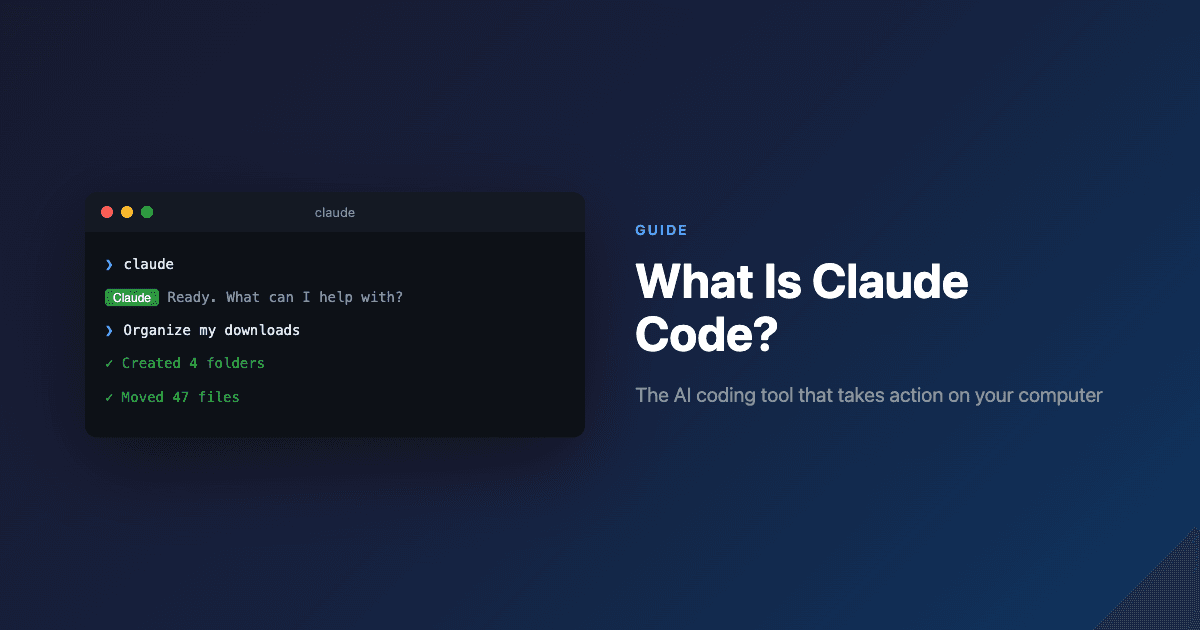
What Is Claude Code? The AI Tool Everyone's Talking About
On January 3, 2026, Jaana Dogan—a principal engineer on Google’s Gemini API team—posted something that rattled Silicon Valley. She’d given Claude Code a three-paragraph description of a distributed agent orchestration problem her team had been working on for a year. The AI generated a working version in one hour.
“I’m not joking and this isn’t funny,” she wrote on X, generating 5.4 million views within hours. “We have been trying to build distributed agent orchestrators at Google since last year. There are various options, not everyone is aligned… I gave Claude Code a description of the problem, it generated what we built last year in an hour.”
She later clarified: the output was “a toy version, but a useful starting point”—not production-grade. But the point had landed. Quality and efficiency gains in AI-assisted programming are now “beyond what anyone could have imagined.”
That post became part of what Fortune called Claude Code’s “viral moment.” Here’s what you need to know about the tool that’s gone from developer-only utility to mainstream phenomenon.
What Claude Code Actually Is
Claude Code is an AI assistant that runs in your computer’s terminal and can take direct action on your files and system. Built by Anthropic (the AI safety company founded by former OpenAI researchers), it launched as a research preview in February 2025.
The key difference from regular AI chatbots: Claude Code doesn’t just discuss your work—it does your work. When you point it at a folder and ask it to organize your files, it doesn’t explain how. It reads the files, renames them, and moves them.
According to Anthropic’s documentation, the design principle was simple: give Claude the same tools programmers use every day. It can find files in a codebase, write and edit them, run code, debug errors, and iterate until things work. By running in the terminal, it has direct access to your file system.
Timeline:
- February 2025: Launched as a command-line research preview alongside Claude Sonnet 3.7
- May 2025: Claude 4 models released; Claude Code usage explodes
- October 2025: Web version launched—no terminal required
- January 2026: Viral moment; Cowork launched for non-technical users
The Numbers Behind the Hype
Claude Code now holds over half of the AI coding market. Since Anthropic introduced Claude 4 models in May, the tool has seen:
- 300% growth in active users
- 5.5x increase in run-rate revenue
- Enterprise adoption by Uber, Netflix, Spotify, Salesforce, Accenture, and Snowflake
Anthropic projects over $500 million in annualized revenue from Claude Code alone—a tenfold increase from early 2025. The top 3 AI coding tools (GitHub Copilot, Claude Code, and Cursor maker Anysphere) have all crossed $1 billion ARR, capturing 70%+ of the $4 billion market.
According to research from UC San Diego and Cornell, among 99 professional developers surveyed in January 2026, Claude Code was the most widely adopted platform (58 respondents), ahead of GitHub Copilot (53) and Cursor (51).
What Anthropic’s Own Data Shows
Anthropic published internal research showing how Claude has transformed their own company:
- Employees use Claude in 60% of their daily work (up from 28% a year ago)
- They report a 50% average productivity boost—a 2-3x increase from the previous year
- 55% use Claude for debugging daily; 42% for code understanding; 37% for implementing new features
- Even though Anthropic has tripled headcount, productivity per engineer grew 70% because of Claude Code
The most interesting finding: 27% of Claude-assisted work consists of tasks that wouldn’t have been done otherwise. These are “nice to have” projects—building internal dashboards, cleaning up technical debt, creating quick tools—that were too tedious to justify before.
Boris Cherny, the creator and head of Claude Code, told Fortune that some teams at Anthropic now have 90% of their code written by Claude Code.
Why Non-Coders Started Using It
The tool was built for software engineers. But something unexpected happened: regular people figured out they could use plain English to automate tedious tasks.
The viral use cases that spread weren’t about programming:
- Filing taxes by organizing receipts and invoices
- Booking theater tickets through automated research
- Monitoring tomato plants in a garden with sensors
- Recovering wedding photos from a failing hard drive
- Canceling unused subscriptions by analyzing bank statements
One user on Medium documented 20+ non-code use cases. The common thread: tasks that require looking at lots of information and taking action on it.
“Using Claude Code isn’t about being technical—it’s about being willing to try three to four simple commands. If you can organize files in folders and create text files, you can use Claude Code.”
Anthropic noticed this trend. Cherny told Fortune: “It was just kind of obvious that Cowork is the next step. We just want to make it much easier for non-programmers.”
Jensen Huang’s Endorsement
At the World Economic Forum in Davos, NVIDIA CEO Jensen Huang gave Claude a direct endorsement:
“Claude is incredible. Anthropic has made a huge progress, a huge leap in developing Claude. We use it all over our company. The coding capability of Claude, its reasoning capability.”
During NVIDIA’s November 2025 earnings call, Huang specifically named Claude Code alongside Cursor, GitHub Copilot, and OpenAI’s tools as “the fastest growing applications in history.” He noted these tools aren’t just for engineers anymore—“Because of vibe coding, it’s used by engineers, marketeers and supply chain planners all over companies.”
Cowork: Claude Code for Everyone
On January 12, 2026, Anthropic launched Cowork—a visual interface that brings Claude Code’s capabilities to people who’ve never touched a terminal.
Built into the Claude Desktop app, Cowork lets you:
- Point Claude at a specific folder on your computer
- Describe what you want in chat
- Watch it plan and execute tasks autonomously
VentureBeat reported that Cowork can create spreadsheets from piles of receipt screenshots, organize messy downloads folders by analyzing and renaming files, and compile scattered notes into formatted reports.
The development story is remarkable: according to company insiders, the team built Cowork in approximately ten days—largely using Claude Code itself.
Availability: Cowork is currently a research preview for Claude Max subscribers ($100-200/month) on macOS. Windows support is planned.
How It Actually Works
Claude Code runs in your terminal—the text-based interface on your computer. When you start it in a folder, it can see and modify everything there.
Key Features in 2026
Checkpoints
Automatically saves your state before each change. Roll back instantly if something goes wrong.
Press Esc twice or use /rewind Subagents
Delegates specialized tasks in parallel—spinning up a backend while building a frontend simultaneously.
Hooks
Automatically triggers actions like running tests after code changes or linting before commits.
VS Code Extension
Native IDE integration now in beta, showing Claude's changes in real-time with inline diffs.
Long-term Memory
Claude can now remember architectural decisions and preferences across sessions.
Background Tasks
Keep long-running processes like dev servers active without blocking other work.
Developer reviews consistently describe Claude Code as the best for “deep reasoning, debugging, and architectural changes”—the hardest problems where other tools struggle.
Pricing
Claude Code requires a subscription or API credits:
| Plan | Price | Best For |
|---|---|---|
| Claude Pro | $20/month | Learning, small projects, occasional use |
| Claude Max 5x | $100/month | Regular professional use, includes Cowork |
| Claude Max 20x | $200/month | Heavy usage, power users |
| Teams | $150/user/month (min 5 seats) | Enterprise teams |
According to Anthropic’s documentation, the average daily cost is $6/day, with 90% of developers under $12/day. Most developers start with Pro and upgrade to Max once they’ve validated the productivity gains.
Claude Code vs. Regular Claude
| Regular Claude | Claude Code |
|---|---|
| Lives in browser/app | Runs locally on your machine |
| You paste text, it responds | Sees your entire file system |
| Gives suggestions | Takes direct action |
| Copy-paste required | Edits files, runs commands |
| Session-based context | Can remember across sessions |
Think of regular Claude as calling customer service for advice. Claude Code is like someone coming to your house and fixing the thing.
Getting Started
What you need:
- A computer (Mac, Windows, or Linux)
- Node.js installed
- An Anthropic account with Claude Pro/Max, or API credits
Installation:
Tips from power users:
- Be specific: “Look at all screenshots in Downloads, rename based on content, sort into folders by topic” beats “organize my files”
- Use
/clearwhen switching tasks to keep context focused - Create a CLAUDE.md file in project folders to brief Claude on context automatically
- Start with small tasks to build trust before tackling major file reorganizations
Want to explore more AI productivity tools? Check out our guide to the best AI agents for productivity or learn how AI agents actually work.
Ready to automate your busywork?
Carly schedules, researches, and briefs you—so you can focus on what matters.
See what people say
"Before Carly, I relied on a Calendly link, but the whole process felt impersonal and not very professional. Carly changed that by handling all the back-and-forth, so I'm no longer stuck in endless email threads trying to line up schedules.
Now Carly reaches out to candidates, shares my real-time availability, lets them pick a slot, then sends a Zoom link and drops it straight into my calendar. She sends reminders to both of us before each call, which has significantly reduced no-shows and last-minute confusion.
On top of scheduling, Carly acts like a full executive assistant, sending me my schedule the night before so I can prepare for each call. It reminds me of the old x.ai assistant, but Carly is noticeably smarter, faster, and better suited to my healthcare recruitment business."