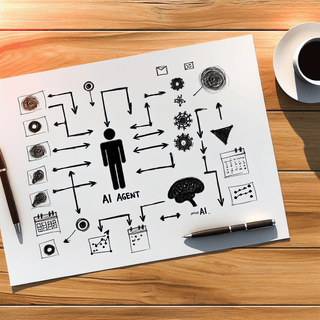
Best Alternative to Google CC: AI That Actually Manages Your Calendar
Google just dropped CC, their new AI productivity agent from Google Labs. The pitch sounds promising: an AI that sends you daily briefings, synthesizes your calendar, and helps you stay on top of your day.
But here’s what the press releases don’t emphasize: CC can’t actually schedule meetings.
It can tell you about your day. It can suggest email drafts. It can prepare calendar links. What it can’t do is the thing most busy professionals actually need - handle the endless back-and-forth of scheduling so you don’t have to.
If you’re looking for a Google CC alternative that goes beyond briefings and actually takes action on your calendar, you’re in the right place. This guide breaks down what CC does, where it falls short, and what to look for in an AI calendar assistant that works.
What Is Google CC?
CC is an experimental AI productivity agent from Google Labs, launched December 16, 2025. Think of it as a daily assistant that lives in your email inbox.
Here’s how it works: CC connects to your Gmail, Google Calendar, and Google Drive. Each morning, it sends you a “Your Day Ahead” email that synthesizes your schedule, pending tasks, and relevant updates into one summary.
CC’s Core Features
- Daily briefing emails: Get a morning summary of your day
- Calendar synthesis: See meetings, deadlines, and scheduling conflicts
- Email suggestions: CC prepares draft responses you can review
- Calendar link preparation: Creates links for scheduling (but you still send them)
- Preference learning: Adapts to your habits over time
- Reply-based requests: Email CC with custom questions about your day
The concept is solid. Instead of opening three apps to understand your morning, CC consolidates everything into one email.
But here’s the catch: CC is read-only when it comes to action. It tells you what’s happening. It doesn’t do anything about it.
Google CC Limitations: What It Can’t Do
This is where things get interesting for anyone evaluating CC as a productivity solution.
CC Cannot Schedule Meetings
This is the biggest gap. CC can tell you that you have a scheduling request in your inbox. It can prepare a calendar link for you to send. But it cannot:
- Coordinate meeting times with other people
- Send scheduling emails on your behalf
- Find available slots that work for everyone
- Handle the back-and-forth that scheduling requires
You still have to do the work. CC just tells you the work exists.
CC Cannot Reschedule or Manage Changes
Plans change. Meetings get moved. Flights get delayed.
CC cannot automatically update your calendar when things shift. If someone reschedules a meeting, you’re still manually adjusting your calendar. If you need to move a call, CC can’t send that update to attendees.
CC Cannot Send Emails to Others
CC prepares drafts. You review and send them. This might save a few minutes of writing, but it doesn’t eliminate the task itself.
For actual delegation - where an assistant sends emails, coordinates with contacts, and manages responses - CC doesn’t deliver.
CC Only Works Within Google’s Ecosystem
If you use Outlook for work and Google Calendar for personal life, CC won’t help with your Outlook calendar. It’s designed for users fully embedded in Google Workspace.
For anyone juggling multiple calendar systems, this is a hard limitation.
CC Requires Google AI Ultra ($250/month)
Here’s the pricing reality: CC is currently available to Google AI Ultra subscribers. That’s $250 per month.
For a tool that provides briefings but can’t take action, that’s a significant investment. And since CC is experimental, there’s no guarantee it will exist in its current form six months from now.
CC Is Geographically Limited
Currently, CC is only available in the US and Canada. If you’re outside those regions, you can’t access it yet.
Who Google CC Is Actually For
CC makes sense for a specific type of user:
You might like CC if you:
- Want a passive daily summary of your schedule
- Use Gmail, Google Calendar, and Google Drive exclusively
- Are comfortable with suggestion-only AI that doesn’t take autonomous action
- Have Google AI Ultra subscription for other reasons
- Prefer to maintain full manual control over your calendar
CC probably isn’t for you if you:
- Need actual meeting scheduling handled for you
- Want to eliminate the back-and-forth of calendar coordination
- Use multiple calendar systems (Outlook + Google, for example)
- Don’t want to pay $250/month for briefings
- Need an assistant that can communicate with others on your behalf
The fundamental question: Do you want an AI that tells you about your day, or one that manages it?
What to Look for in a Google CC Alternative
If CC’s limitations don’t match your needs, here’s what to prioritize when evaluating alternatives.
1. Actual Scheduling Capability
The best AI calendar assistants don’t just summarize your meetings - they schedule them. Look for tools that can:
- Coordinate with other people to find meeting times
- Send scheduling communications on your behalf
- Handle cancellations and reschedules automatically
- Work without requiring you to send links or copy availability
2. Multiple Communication Channels
Email is great, but it’s not the only way people communicate. A flexible AI scheduling assistant should work across:
- Email forwarding (forward scheduling requests and they’re handled)
- Text/SMS (text instructions like you would to a human)
- Email CC (include your assistant on threads to coordinate)
3. Cross-Platform Calendar Support
Your productivity tool shouldn’t lock you into one ecosystem. Look for solutions that work with:
- Google Calendar
- Microsoft Outlook/365
- Apple Calendar
- Multiple calendars simultaneously
4. Customizable Daily Briefings
If you want daily briefings, they should be tailored to what you actually need - not a one-size-fits-all summary. Look for tools that let you customize what information you receive.
5. Accessible Pricing
$250/month is enterprise-level pricing for a productivity tool. Effective AI scheduling shouldn’t require a premium subscription to a broader platform.
6. Actually Available
Waitlists and experimental status mean uncertainty. Prioritize tools that are stable, available, and have a track record of reliability.
Carly: The AI Calendar Assistant That Takes Action
Here’s where the Google CC alternative conversation gets practical.
Carly is an AI calendar assistant designed around a simple principle: if you can email or text, you can manage your calendar.
Where CC tells you about your day, Carly handles it.
How Carly Works
Forward emails to schedule meetings. Got a scheduling request in your inbox? Forward it to Carly. She reads the email, checks everyone’s availability, and coordinates the meeting. You show up. That’s it.
Text Carly like a human assistant. Need to add a reminder? Block focus time? Schedule a call? Text Carly the way you’d text a real assistant: “Add dentist appointment Thursday at 2pm” or “Block 9-11am tomorrow for deep work.”
CC Carly on email threads. When you’re in a scheduling conversation, CC Carly. She follows the thread, proposes times that work for everyone, and handles the back-and-forth until a meeting is booked.
Send screenshots and photos. Got a conference schedule? Travel itinerary? School activity calendar? Send Carly a photo. She extracts every event and adds them to your calendar automatically.
Carly’s Customizable Daily Briefing
Here’s where Carly goes beyond CC’s generic briefing. Carly’s daily briefing is fully customizable - you decide what information matters to you each morning.
Configure your briefing to include:
- Who you’re meeting: Get context on each person you’ll see that day, not just meeting titles
- News and updates: Stay informed on topics that matter to you
- Weather and commute info: Know what to expect before you leave
- Task reminders: Surface the most important items for your attention
- Custom topics: Add whatever context helps you start your day prepared
Unlike CC’s fixed format, Carly adapts to how you work. Some users want a quick schedule overview. Others want detailed context on everyone they’re meeting. Sales reps want pipeline updates. Parents want school pickup reminders. Carly delivers what you need, not a generic summary.
Why Carly Works as a CC Alternative
The fundamental difference between Carly and Google CC is action vs. information.
CC gives you a briefing. Carly handles the scheduling.
CC prepares a draft. Carly sends the email.
CC suggests you schedule a meeting. Carly schedules the meeting.
For busy professionals who need actual calendar management - not just a summary of what’s on their plate - Carly delivers what CC promises but doesn’t provide.
Google CC vs. Carly: Feature Comparison
| Feature | Google CC | Carly |
|---|---|---|
| Daily briefing | Yes (fixed format) | Yes (customizable) |
| Schedule meetings | No | Yes |
| Reschedule meetings | No | Yes |
| Add events from emails | Suggests only | Actually adds them |
| Works via text/SMS | No | Yes |
| Screenshot/photo to calendar | No | Yes |
| Works outside Google | No | Yes - any calendar |
| Send emails to others | No | Yes |
| Briefing on who you’re meeting | Basic | Detailed context |
| News/custom briefing topics | No | Yes |
| Price | $250/month (AI Ultra) | Accessible pricing |
| Availability | US/Canada, waitlist | Generally available |
What Each Tool Does Best
Google CC excels at: Providing a consolidated morning view of your Google Workspace. If you want a passive summary without autonomous action, CC delivers that.
Carly excels at: Eliminating the actual work of calendar management. Scheduling, rescheduling, coordinating with others, adding events from any source - the tasks that eat into productive time. Plus customizable briefings that adapt to your needs.
How to Choose Between CC and a Scheduling Assistant
The choice comes down to what problem you’re actually solving.
Choose Google CC if:
- You want a daily digest of your schedule
- You’re fully invested in Google Workspace
- You prefer AI that suggests but doesn’t act autonomously
- You already have Google AI Ultra for other features
- Manual scheduling control matters more than time savings
Choose Carly if:
- You need actual meeting scheduling handled for you
- You want to eliminate back-and-forth calendar coordination
- You use multiple calendar systems
- You want an assistant that can communicate with others
- You want customizable daily briefings tailored to your needs
- Time saved on scheduling is more valuable than maintaining manual control
- You want something available now without waitlists
The Busy Professional Test
Ask yourself: What takes more of your time - not knowing what’s on your calendar, or actually managing that calendar?
If it’s the former, CC might help. If it’s the latter - the endless emails to find a time, the manual event entry, the coordination across multiple people - a scheduling-focused tool like Carly is the better fit.
The Bigger Picture: Briefings vs. Actions
Google CC represents one philosophy of AI productivity: give users better information so they can make better decisions.
That’s valuable. But it still leaves the execution to you.
The alternative philosophy - represented by tools like Carly, and scheduling-focused solutions that have emerged as Calendly alternatives - is that AI should do the work, not just describe it.
Think about what top performers actually do with their calendars. They protect their time. They delegate scheduling. They focus on the work that matters, not the logistics around it.
CC tells you about the logistics. It doesn’t eliminate them.
According to Counterpoint Research, email-related workflow accounts for 25-30% of daily worker productivity. That’s a significant chunk of time. A briefing about that workload helps you understand it. An assistant that handles scheduling actually reduces it.
Getting Started with a Google CC Alternative
If you’ve decided that action-oriented AI is what you need, here’s how to make the switch:
Step 1: Connect Your Calendar
Link your Google Calendar, Outlook, or Apple Calendar. Most AI scheduling assistants support multiple calendar systems simultaneously.
Step 2: Forward Your First Scheduling Email
Take a meeting request sitting in your inbox right now. Forward it to your AI assistant. Watch what happens. The back-and-forth you would have handled? Delegated.
Step 3: Try Text-Based Scheduling
Text a simple request: “Add team standup every Tuesday at 10am.” No app to open. No forms to fill. Just a message.
Step 4: Customize Your Daily Briefing
Set up your morning briefing with the information that matters to you. Choose whether you want news updates, detailed meeting context, weather, or just a simple schedule overview. Make it yours.
Step 5: Evaluate the Time Savings
Track how many scheduling tasks your AI handles in a week. Compare that to what you were doing manually. The difference is your productivity reclaimed.
Conclusion
Google CC is an interesting experiment in AI productivity. The daily briefing concept has merit, and for users deeply embedded in Google’s ecosystem who want passive summaries, it may prove useful.
But for the core problem most busy professionals face - the hours lost to scheduling logistics - CC doesn’t solve it. It describes the problem. It doesn’t fix it.
If you’re looking for a Google CC alternative that actually manages your calendar, the criteria are clear: schedule meetings, handle changes, work across platforms, and communicate on your behalf. And if you want daily briefings, they should be customizable to your needs - not a one-size-fits-all summary.
Carly does all of that. Action-oriented scheduling plus customizable briefings that adapt to how you work.
Stop reading about your schedule. Start having it managed for you. Try Carly and see what actual AI calendar management looks like.
Ready to automate your busywork?
Carly schedules, researches, and briefs you—so you can focus on what matters.
Get Carly Today →Or try our Free Group Scheduling Tool or Free Booking Page