Best AI Calendar Tools in 2026
“AI calendar” has become a catch-all label for tools that do very different things. Some reorganize your existing schedule. Others handle the coordination that fills your calendar in the first place. A few just add a chatbot to a booking page and call it AI.
The distinction matters because picking the wrong category means solving a problem you don’t have.
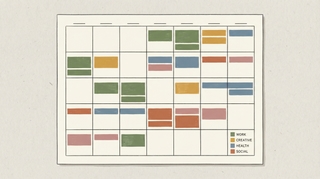
Calendar optimization tools rearrange what’s already on your calendar — protecting focus time, auto-scheduling tasks, moving flexible meetings. Think of them as a layout engine for your week.
Calendar coordination tools handle the back-and-forth of actually booking meetings — reading emails, proposing times, sending invites. They reduce the work that creates calendar entries.
Here’s what’s actually worth using in each category.
1. Carly
Carly is an AI calendar assistant that goes well beyond simple scheduling. CC it on an email, text it, or message it from the dashboard — Carly reads the context, checks your calendar, proposes times, handles the back-and-forth, and books the meeting with a Google Meet, Zoom, or Teams link attached.
What sets it apart: Carly can do delegated outreach — reaching out to contacts on your behalf, starting new threads, and handling the entire coordination without you on the email. It keeps you updated, but you don’t have to be involved. It also handles group scheduling for 10+ people with availability polls, sends meeting reminders to attendees, gives you a daily briefing with your schedule and attendee research, and tracks to-dos mentioned in your messages.
Works across email, SMS, a Chrome extension for Gmail, and connects to Google Calendar and Outlook natively.
Best for: Executives, salespeople, consultants, recruiters — anyone who needs a true AI assistant managing their calendar, not just a booking page.
Pricing: Free plan available; paid plans from $20/month
2. Reclaim.ai
Reclaim auto-schedules habits (lunch, exercise, deep work), time-blocks tasks from your to-do list, and defends focus time by shifting flexible meetings around. It also has smart scheduling links that pick optimal times based on your priorities, not just raw availability.
Integrates with Todoist, Asana, Linear, Slack, and Google Calendar.
Best for: Individual knowledge workers who want their calendar actively managed — tasks time-blocked, habits protected, focus time defended.
Pricing: Free tier (limited); paid from $8/user/month
3. Motion
Motion treats your entire calendar as an optimization problem. Add tasks with deadlines and it continuously reschedules your day as priorities shift. It’s the most aggressive automation in this category — your schedule is always being recalculated.
The tradeoff: some people find the constant reshuffling stressful. If you open your calendar and today looks different than it did an hour ago, that’s by design. At $34/month, it’s also the most expensive option. Worth a trial to see if the style fits you.
Best for: People who want full autopilot on their daily schedule and won’t be thrown off by constant rearrangement.
Pricing: From $34/month
4. Clockwise
Clockwise optimizes calendars across your entire team, not just yours. It finds opportunities to batch meetings together and create longer focus blocks for everyone simultaneously. Shows focus time status in Slack so teammates know when not to interrupt.
Works best when most of the team is on it — the more calendars it can see, the better the optimization.
Best for: Teams (especially engineering and product teams) who want collective calendar optimization.
Pricing: Free tier; paid from $6.75/user/month
5. Google Gemini (Google Calendar)
Gemini is progressively integrating into Google Calendar and Gmail. It can create events from email context, suggest scheduling based on your patterns, and surface relevant information before meetings. For Workspace users, it’s the lowest-friction AI calendar addition since there’s nothing new to install.
Still early — the capabilities are expanding quarterly, but it’s not yet a full scheduling assistant.
Best for: Google Workspace users who want incremental AI features without adding another tool.
Pricing: Requires Google One AI Premium ($19.99/month) or Workspace Business plans
6. Microsoft Copilot (Outlook)
Copilot in Outlook can summarize meeting context, suggest agenda items, find optimal times across large groups, and draft meeting invites from email threads. For organizations already on Microsoft 365, it’s the natural path to AI calendar features.
The scheduling suggestions work well for internal meetings across large teams. External coordination is less developed.
Best for: Microsoft 365 organizations that want AI calendar features built into their existing stack.
Pricing: Copilot license from $30/user/month (on top of M365)
7. Calendly
Calendly isn’t an AI calendar tool in the traditional sense, but its newer AI features are worth noting. Smart routing qualifies inbound leads and sends them to the right team member. Meeting intelligence tracks booking patterns. For teams that live on inbound scheduling, these features add genuine value on top of a proven booking page.
Best for: Sales and customer-facing teams who need smart inbound scheduling and lead routing.
Pricing: Free tier; paid from $10/user/month
8. Cal.com
Cal.com is an open-source Calendly alternative with an AI scheduling assistant (Cal.ai) that can handle booking requests via natural language. You can self-host it, which matters for teams with strict data requirements. The AI features are newer and less mature than dedicated tools, but the open-source model means rapid iteration.
Best for: Teams who want an open-source, self-hostable scheduling tool with emerging AI features.
Pricing: Free (self-hosted); cloud plans from $12/user/month
AI Calendar Tools Compared
| Tool | Handles email coordination | Auto-schedules tasks | Team optimization | Price |
|---|---|---|---|---|
| Carly | Yes (+ delegated outreach) | No | Group scheduling | Free / $20/mo |
| Reclaim.ai | Scheduling link | Yes | Yes | Free / $8/mo |
| Motion | No | Yes (full auto) | Yes | $34/mo |
| Clockwise | No | No | Yes | Free / $6.75/mo |
| Google Gemini | Partial | No | No | $19.99/mo |
| Microsoft Copilot | Yes | No | Yes | $30/mo add-on |
| Calendly | Booking page | No | Yes (routing) | Free / $10/mo |
| Cal.com | Cal.ai (basic) | No | No | Free / $12/mo |
Which Category Do You Need?
You can’t find time for deep work because meetings eat your calendar: Clockwise if you’re on a team. Reclaim if you’re individual. Motion if you want maximum automation and can stomach the price.
You spend hours coordinating meetings over email and messages: Carly. It handles the full coordination loop — including reaching out to people on your behalf, managing group polls, and sending reminders. The coordination itself is where most people actually lose time.
You need inbound booking for sales or client calls: Calendly or Cal.com. These handle the “let people book time with you” problem well, with increasingly smart routing and qualification.
You want AI built into tools you already use: Gemini for Google Workspace, Copilot for Microsoft 365. Neither is a full scheduling assistant yet, but both reduce friction without adding another subscription.
More on AI tools: Best AI scheduling tools · Best AI calendar assistants · Best calendar apps
Ready to automate your busywork?
Carly schedules, researches, and briefs you—so you can focus on what matters.
Get Carly Today →Or try our Free Group Scheduling Tool