After-Hours Answering Service: Options and Costs (2026)
Your phone doesn’t stop ringing at 5pm. Water heaters fail at night, people get arrested on Saturdays and teeth start throbbing on Sunday morning.
Whoever answers that call usually gets the job. The real questions are what answers it, what that costs, and what happens after the caller hangs up.
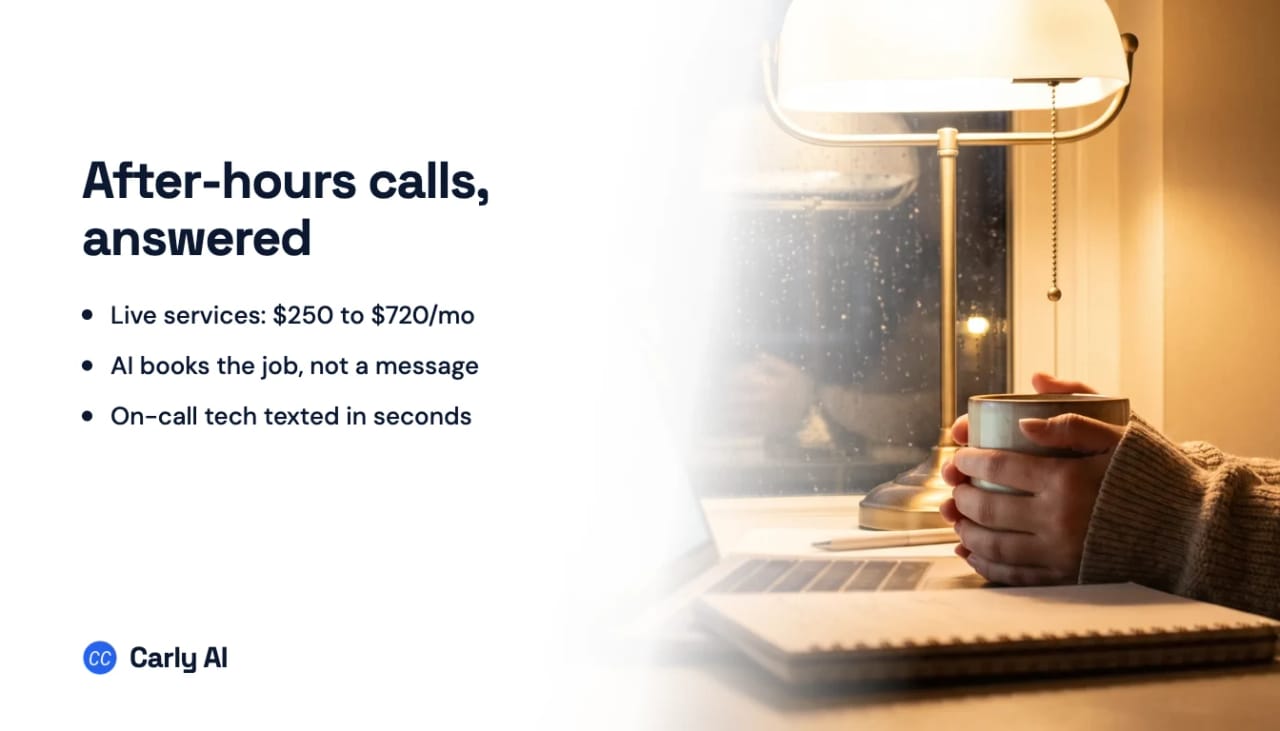
The quick answer: An after-hours answering service picks up your business line when the office is closed. You have three options: voicemail (free, but the caller with water on the floor won’t wait for a callback), a live answering service like Ruby, PATLive or MAP Communications (roughly $250 to $720 a month at 60 after-hours calls, and most calls end as a message), or an AI answering service. Carly is the pick: it answers on your own business number when nobody on your team picks up, texts the on-call teammate a summary the moment an urgent call ends, books routine callers into tomorrow’s calendar and hands the morning team one clean inbox.
After-hours answering service costs, side by side
US list prices from each vendor’s own pricing page, checked October 1, 2026. All are monthly. The last column is our estimate for a small service business: 60 after-hours calls a month (about two a night), each billed as 3 minutes, so 180 minutes.
| Option | Who answers | Entry price | Billing unit | At 60 after-hours calls |
|---|---|---|---|---|
| Carly | AI on your business number, after your team | Set on a short call | Scoped to your call volume | Set on a short call |
| Voicemail | Nobody | Included with your phone line | None | $0 |
| Smith.ai AI Receptionist | AI, with live staff as backup | $0 for 25 calls, Pro $150 for 75 | Per call ($3.00 past 25 on the free plan) | $105 (free plan) or $150 (Pro) |
| MAP Communications | Humans | $49 plus $1.37/min, or $179 for 125 min | Per minute | $250.50 ($179 + 55 min at $1.30) |
| Abby Connect | Humans, AI or both | $165 for 50 Abby Minutes | Abby Minute (an AI minute counts as half) | $329 all AI, $599 all human |
| PATLive | Humans only | $49 plus $2.99/min, or $99 for 50 min | Per minute | $349 (200-minute plan) |
| AnswerConnect | Humans | $350 for 200 min + $49.99 setup | Per minute, rounded up | $350 + one-time setup |
| Smith.ai live receptionists | Humans | $300 for 30 calls | Per call | $645 ($300 + 30 calls at $11.50), before add-ons |
| Ruby | Humans | $250 for 50 min | Per minute | $720 (200-minute plan) |
Per-minute human answering lands between $250 and $720 at this volume, per-call AI between $105 and $150. Neither number says what happened on the call, which is what decides whether the 9pm caller becomes a job. For daytime overflow too, see our AI answering service guide.
What each option does with a 9pm call
| Emergency caller | Routine caller | What you see at 8am | |
|---|---|---|---|
| Voicemail | A beep, then maybe a call to the next company | A beep, maybe a message | Voicemails to play back and return |
| Live answering service | Message relayed or on-call person paged, per your script | Message taken, sometimes a booking through a scheduling tool | Messages by email or in the vendor’s app |
| AI message-taker | Name, number and reason captured | Same | Transcripts and a callback list |
| Carly | On-call teammate texted the summary as the call ends | Qualified, booked on a real calendar, confirmation texted | One team inbox with summaries, bookings and assignments |
The gap is longest after hours. Harvard Business Review’s audit of 2,241 US companies found that firms contacting a web lead within an hour were nearly seven times as likely to qualify it as firms that waited even an hour longer, and more than 60 times as likely as firms that waited 24 hours or more. A voicemail left at 8pm and returned at 8am has already waited twelve hours.
Four jobs an after-hours setup has to do
Whatever you buy, test it against these four.
1. Tell a real emergency from a routine call
A leaking water heater and a request for a quote should not get the same treatment. A good setup asks the questions you choose (“Is water coming in right now?”, “Is anyone without heat?”) and sorts the call. Write your emergency list before you set anything up:
- Plumbing, HVAC, electrical, restoration: active leaks, sewage backups, no heat or cooling in extreme weather, sparking or burning smells, flood or fire damage. A gas smell gets “leave the house and call 911 or the gas company,” never a booking.
- Law firms: someone in custody, a hearing tomorrow, a fresh injury case. New clients often call the night it happens.
- Medical and dental offices: the greeting sends true medical emergencies to 911 first. Swelling, uncontrolled pain and post-op questions go to the on-call provider.
- Property managers: water through a ceiling, no heat, lockouts, a broken entry door. A dripping faucet waits for business hours.
2. Get the on-call person moving in minutes
Sorting the call is worth nothing if the on-call tech finds out at breakfast. The alert has to reach a phone with enough to act on: who called, where they are, what’s wrong and the callback number. Ask every vendor how that alert travels and what it costs. Smith.ai’s live plans charge $0.50 per text or Slack alert for transfers, while PATLive lists emergency dispatch by email, text or app on every plan.
3. Book routine callers into tomorrow
Most after-hours calls aren’t emergencies. They’re people who finally had a minute to call about a quote, a cleaning or a consultation. The best outcome is an appointment on tomorrow’s calendar before they hang up, because a caller holding a confirmed 9am slot stops calling around.
4. Hand the morning team a clean list
At 8am someone needs every after-hours call, text and voicemail in one place: what was booked, what was escalated, what still needs a person. Otherwise the first hour of the day goes to reconstructing the night from email, voicemail and a vendor app.
How Carly covers your phones after close
Carly runs a business’s phone, texting and team email in one place. Carly Phone gives you a business number for calls and texts (a new one, or the one you already have) and an AI voice agent that answers 24/7, or only when nobody on your team picks up. The Carly team sets it up with you.
Here is a Tuesday night at Whitaker Plumbing, a five-person shop run by Josh. Ryan is on call this week, and Megan runs the office.
9:40pm, an emergency. Emily calls because her water heater is leaking into the garage. Nobody at Whitaker picks up, so Carly answers in the company’s name. Emily’s number matches last year’s install in the CRM and her email history, so Carly already has her address. It asks Josh’s emergency questions, confirms water is actively leaking, reads her the shutoff steps from Josh’s instructions and tells her a tech will call within minutes.
The call ends, and a workflow Josh set up once, in plain English, fires on “call summarized”: when a call is summarized and the caller has an emergency, text Ryan the summary and the caller’s number. Ryan’s phone shows “Emily Carter, 14 Oak Lane, water heater leaking into garage, water shut off, wants someone tonight.” He calls her back before she can search for anyone else. Carly connects to thousands of apps, so the same workflow can post the alert to the team’s Slack as well.
10:15pm, a routine call. Michael wants a quote to replace two old toilets. Carly answers his questions on service area and trip fee, asks Josh’s qualifying questions, checks the team’s calendars and books him with Tom at 9am Thursday, round robin across whoever is free. Michael gets a confirmation text from Whitaker’s own number.
11:05pm, a text. Claire texts the business number to ask whether Whitaker works Saturdays. Carly answers from Josh’s knowledge files and books her Saturday slot in the same thread.
8:00am, the morning list. Megan opens one team inbox. Every call, text and transcribed voicemail from the night sits on the customer’s timeline, with a summary for each call Carly took. Ryan’s internal comment on Emily’s conversation says the leak is stopped and a new heater is quoted. Megan assigns the one call that needs Josh to him with an @mention. Everything is also logged on the person in Carly’s CRM, and written back to HubSpot, Salesforce or Dynamics 365 if that’s where the team works. When a teammate replies to a conversation by hand, Carly pauses on it, so the AI and a person never talk over each other.
What you set up once
- The call flow. Have Carly answer every call, or only the ones your team doesn’t pick up. When a caller asks for a person, Carly rings the right teammate through your ring groups and phone menus.
- The instructions. Your emergency list, qualifying questions (soft or hard disqualification), what to say about pricing and the voice (OpenAI or ElevenLabs voices).
- The calendars. The Google or Outlook calendars of whoever takes bookings, with round robin across the team.
- The workflows. “Call summarized” for the on-call text, plus “voicemail received” and “text received” if urgent voicemails and texts should alert Ryan too. Each sees the call outcome and whether the caller qualified and booked, so “move the deal stage when a call books” is one more sentence. See Carly’s workflows.
- The test. Call the number from your own phone at 10pm, play Emily, then read the log. Our tutorial on testing an AI receptionist with a call to your phone walks through it.
Carly Phone is priced on a short call, scoped to your call volume and routing. Book a call with the Carly team to see it run on your after-hours flow, or get started with Carly. Not ready to change who answers? Start by texting every missed caller back within seconds, as our missed-call text-back guide explains.
Questions to ask any after-hours answering service
- Do nights, weekends and holidays cost more? Smith.ai says a call at 2am costs the same as one at 2pm, Abby lists no weekend upcharge, and Ruby charges nothing extra for coverage periods. PATLive warns that some providers advertise 24/7 but only price weekday hours into the plan. Get it in writing.
- How does the on-call person hear about an emergency, and is that extra? A text with the summary beats an app nobody checks at night.
- What exactly is billed? Minutes or calls, rounding (AnswerConnect rounds every interaction up to the next minute) and spam (Smith.ai’s live plans don’t charge for it, and its AI plans let you strike up to 10% of calls as spam).
- Can it book, or only take a message? And on whose calendar: a scheduling link is not the same as reading your team’s real calendars.
- Where does the record land? Your CRM and one shared inbox, or an email per call.
- Medical and dental offices: Ruby, MAP Communications and Abby (for human answering) list HIPAA-compliant options. Confirm a BAA with whichever vendor you pick.
Our best AI receptionist ranking compares more tools, and best small business phone systems covers the phone line itself. Or see how Carly answers your business calls.
FAQ
How much does an after-hours answering service cost?
At about 60 after-hours calls a month, live answering services run from roughly $250 (MAP Communications) to $720 (Ruby), based on list prices checked October 1, 2026. AI answering costs less: Smith.ai’s AI Receptionist covers that volume for $105 to $150. Carly Phone is priced on a short call with the Carly team.
What’s the difference between an after-hours answering service and voicemail?
Voicemail records a message and waits for you. An answering service talks to the caller: a live one usually takes a detailed message or pages your on-call person, and an AI one like Carly can also sort emergencies from routine calls and book the routine ones on your calendar during the call.
Can an AI answering service handle emergency calls after hours?
It can sort them and get a person moving. With Carly, you write what counts as an emergency into its instructions, and a workflow texts the on-call teammate the call summary and the caller’s number as soon as the call ends. For anything life-threatening, the greeting should send callers to 911 first, whatever service you use.
Do answering services charge extra for nights and weekends?
Smith.ai, Abby Connect, Ruby and PATLive all say they price nights, weekends and holidays the same as weekdays. PATLive notes that some providers do charge extra, so ask before you sign.
Can I use an answering service only after hours?
Yes. Live services take calls forwarded on a schedule or when nobody answers. Carly can answer every call or only the ones your team doesn’t pick up, so once the office empties out, Carly takes them all.
Can I keep my business number?
Usually. Carly Phone runs on the number you already have or a new one, with calls and texts on the same line. PATLive and Smith.ai also let you port your existing number.
Ready to automate your busywork?
Carly schedules, researches, and briefs you—so you can focus on what matters.
See the prompt
Set up Carly for me. Carly connects to thousands of apps, from Gmail, Outlook and my calendars to Slack, HubSpot and QuickBooks, and keeps working after this chat is closed: answering email, booking meetings, following up and running workflows the moment something happens.

1. Add the Carly MCP server (https://carlyassistant.com/mcp/) and sign me in. Use the one that matches you:
   - Claude Code: claude mcp add --transport http --scope user carly https://carlyassistant.com/mcp/  (then I run /mcp, pick carly, and authenticate)
   - Codex: codex mcp add carly --url https://carlyassistant.com/mcp/  then  codex mcp login carly
   - Claude (claude.ai, Claude Desktop, or Cowork): Customize > Connectors > Add custom connector, paste the URL, and sign in. Carly is also in Claude's connector directory at claude.ai/directory/carly.
   - ChatGPT: open Plugins, search for "Carly" and add it (or click + and paste the URL), then sign in.
   - Cursor: add {"mcpServers": {"carly": {"url": "https://carlyassistant.com/mcp/"}}} to ~/.cursor/mcp.json, then sign in to carly from Customize.
   - Muse: I will create a Carly API key at carlyassistant.com/integrations (Advanced > API Keys > Create a new key, with Select all scopes). Build a custom connector to https://carlyassistant.com/mcp/ using an API key as a bearer token, and ask me for the key in your secure credential prompt.
   - Grok: go to grok.com/connectors, choose New Connector, then Custom, paste the URL, and sign in.
   - Grok Bot: open Plugins, add a custom remote MCP server named carly with the URL, then I approve it and sign in.
   - Perplexity: Settings > Connectors > Custom connector > Remote, paste the URL, and sign in.
   - Anything else: add a remote MCP server (streamable HTTP) named carly with the URL. It signs in with OAuth.
   I sign in with my Carly account, or create one at carlyassistant.com.

2. Walk me through connecting my accounts at https://carlyassistant.com/integrations. Under Accounts, I type each email address I use and click Add Email. On each new address, I click Connect Gmail or Connect Outlook, tick what Carly can reach (Email, Calendar, Contacts, Drive or OneDrive), then click Connect with Google or Connect with Microsoft and grant access. For an address that is already connected, I open Manage access and click Connect next to anything missing. Repeat for every address. Then ask which of my other apps I want connected too.

3. Check it worked: list my connected mailboxes and calendars and tell me every account you can see.

4. Then ask me what to hand off first, for example: "Check all my inboxes for anything that needs a reply today."
See what people say
"Before Carly, I relied on a Calendly link, but the whole process felt impersonal and not very professional. Carly changed that by handling all the back-and-forth, so I'm no longer stuck in endless email threads trying to line up schedules.
Now Carly reaches out to candidates, shares my real-time availability, lets them pick a slot, then sends a Zoom link and drops it straight into my calendar. She sends reminders to both of us before each call, which has significantly reduced no-shows and last-minute confusion.
On top of scheduling, Carly acts like a full executive assistant, sending me my schedule the night before so I can prepare for each call. It reminds me of the old x.ai assistant, but Carly is noticeably smarter, faster, and better suited to my healthcare recruitment business."