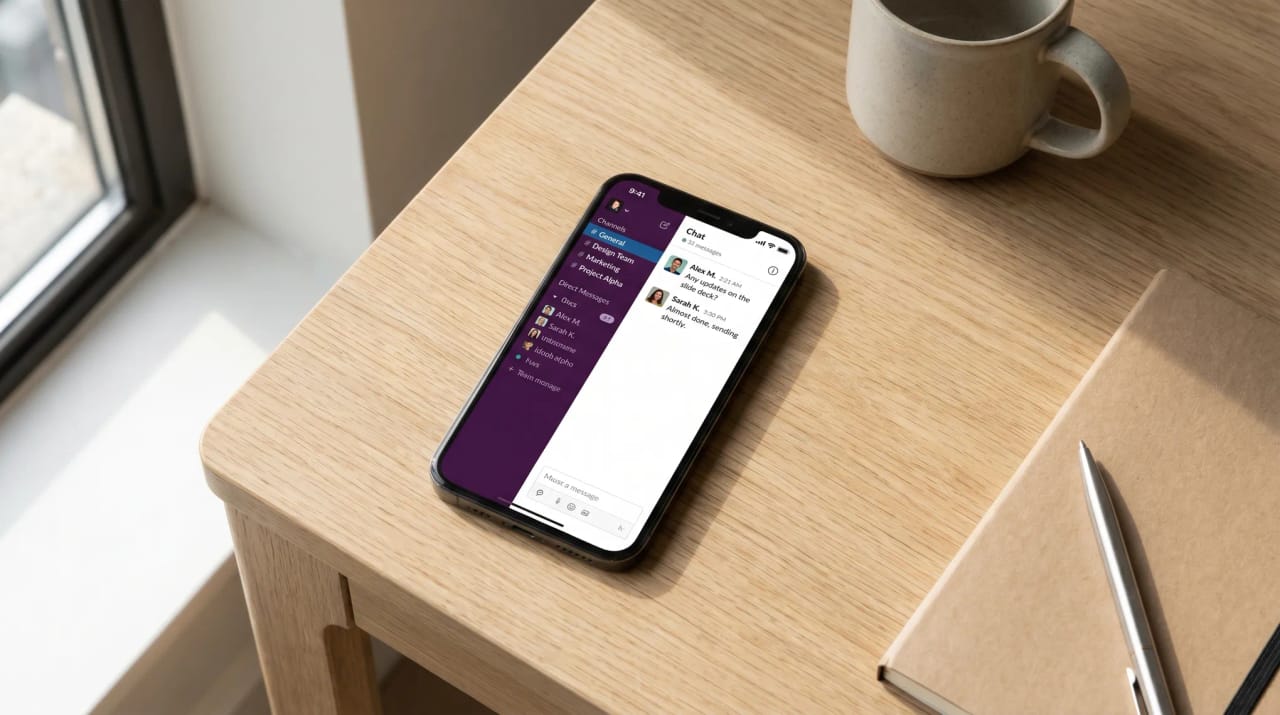
12 Best AI Assistants for Slack (2026 Rankings)
Every Slack workspace has a graveyard of AI bots someone installed with high hopes and nobody touched after week two. A flashy install, a few impressed messages in #general, then silence. The bots that stick solve a real workflow — answering questions from your knowledge, summarizing what you missed, taking action on what you decide.
We tested 12 AI assistants that work in Slack for two weeks each. We tracked time saved, adoption across the team, which bots got mentioned in real workflows, and which ones quietly died. We also tracked something nobody else measures: how much noise each bot adds to channels.
Slack-native summarization is useful, but the biggest wins come from agents that act across Slack and your other tools — answering a question in #sales and updating the CRM in the same step. Bots that only do one thing in Slack (chat with ChatGPT, read meeting notes) are nice-to-haves. Bots that turn Slack into a control plane for your work are the ones that stick.
What “AI in Slack” Actually Means
Five different categories get lumped together, and they don’t solve the same problem.
1. AI agent platforms turn Slack into a command surface — you @mention the agent and it acts across your tools (Carly, Lindy).
2. Slack-native AI is built by Slack itself or wraps the Slack workspace in AI features like channel summarization and search (Slack AI).
3. Knowledge / enterprise search indexes your company’s docs, wiki, and Slack history so you can ask questions and get answers from your real content (Glean, Cassidy).
4. Meeting notes in Slack post AI-generated summaries from Zoom/Meet/Teams calls into channels (Read AI, Otter).
5. Conversational AI in Slack is just a wrapper that lets you chat with ChatGPT or Claude inside Slack instead of switching apps.
The right answer depends on whether you want Slack to be a better thread or a control plane.
How We Evaluated
Each tool ran for two weeks in a 30-person Slack workspace. We measured:
Adoption: Was the team still using it on day 14, or did it drop out of conversations?
Time saved per team member on Q&A, summarization, and action-taking.
Noise: How much new traffic did the bot add to channels?
Setup friction: Could a non-admin get value within 10 minutes?
Integration depth: Does it just chat in Slack, or does it act across your other tools?
AI Agent Platforms
The category that turns Slack into a control plane for your work — instead of just a chat surface.
1. Carly AI
Carly AI is an AI agent platform where you build agents that connect to Slack and to whichever other tools they need — CRM, calendar, project management, file storage, transcription, the rest. From Slack, you @mention an agent or DM it; the agent reads, decides, and acts across your stack. From email, the same agent works the same way — read a forwarded thread, take action, post a status update back to the right Slack channel.
For Slack users, the value is that an agent isn’t just in Slack. The same scheduling agent that books a meeting via email can post the booking confirmation to a Slack channel. The same CRM agent that updates a HubSpot deal from a forwarded email can post the deal update to #sales. You’re not adding a chatbot to Slack — you’re adding a worker that uses Slack as one of its surfaces.
Carly’s 200+ integrations across 40+ categories cover the surrounding work that Slack notifications usually point to — CRM (HubSpot, Salesforce, Attio, Pipedrive), project management (Asana, Linear, Monday, ClickUp), email (Gmail, Outlook), calendar (Google Calendar, Outlook calendar), file storage (Google Drive, Dropbox, Box), transcription (Fathom, Fireflies, Gong), accounting, design, and more. One agent can move work across all of them.
A concrete workflow we ran: a sales rep @mentions a Carly agent in #sales with “follow up with ACME — they wanted pricing for 50 seats.” The agent drafts the email reply, sends it from the user’s Gmail, updates the deal stage and notes in HubSpot, creates a follow-up task in Asana for the AE, and posts a one-line status back to the channel: “Sent pricing for 50 seats, deal updated to Negotiation, follow-up task created for Tuesday.” Total user time: 30 seconds.
Best for: Teams that want Slack to be a control plane for their work, not just a chat tool
Key features:
- Build specialized AI agents — each with its own name, instructions, and memory
- 200+ integrations across 40+ categories — Slack plus CRM, calendar, project management, file storage, and more
- Agents work via Slack, email, and SMS — same agent across all surfaces
- Handles cross-tool workflows: scheduling, CRM updates, lead enrichment, document processing, task creation, follow-ups
- Agents learn your patterns — channel etiquette, team conventions, frequent contacts
- Multiple agents in parallel — sales, recruiting, ops, internal admin
Pricing: $35/month
Limitations: Setup involves authorizing Slack, your email, and other tools. The first agent is most valuable after a few days of refinement. If your only Slack need is a ChatGPT wrapper, simpler chat-only tools are cheaper.
Why it stands out: In testing, a single Carly agent saving each team member 4.2+ hours per week wasn’t from chat — it was from collapsing multi-app workflows into single Slack mentions. The team stopped switching apps to handle the long tail of small actions that come out of Slack conversations.
For more, see how to build AI employees, the best AI agent platforms ranking, and the full Carly use cases directory.
2. Lindy
Lindy is an AI executive assistant that runs your inbox and calendar and connects to Slack alongside Gmail, Outlook, and your other tools. It drafts replies in your voice, schedules meetings, takes notes, and texts you what matters from iMessage.
Best for: People who want a proactive inbox assistant that also reaches into Slack, and are happy reviewing and sending its drafts
Key features:
- Inbox triage and voice-matched draft replies
- Slack, email, and calendar connections
- Meeting scheduling, prep, and notes
- Proactive iMessage/SMS alerts
Pricing: 7-day free trial, paid plans from $29.99/month
Limitations: Lindy drafts and waits for your approval, so you’re still the last step on every action, and it can stall on multi-step work. If you’d rather the work just get done, Carly is the more reliable alternative — its agents finish the job end-to-end. See Lindy alternatives.
Slack-Native AI
Built by Slack or designed to live inside the Slack UI as a first-class feature.
3. Slack AI
Slack AI is Slack’s own AI feature set — channel summarization, thread recap, AI-powered search across your workspace, and “catch me up” daily summaries. Available as an add-on for paid Slack plans.
Best for: Teams already on Slack paid plans who want AI features inside Slack itself
Key features:
- Channel and thread summarization
- AI-powered Slack search
- Daily recaps of unread channels
- Available across web, desktop, mobile
- Enterprise compliance (data stays in your Slack tenant)
Pricing: $10/user/month add-on (requires paid Slack plan)
Limitations: Slack-only — won’t act on your CRM, calendar, or other tools. Recap quality is solid for short timeframes; large-channel summaries can miss nuance. Pricing adds up fast for larger teams.
Knowledge / Enterprise Search
These tools index your company’s documents, wiki, and Slack history so you can ask questions and get answers from your actual content.
4. Glean
Glean is an enterprise search and AI assistant that indexes your company’s tools — Slack, Google Drive, Notion, Confluence, Jira, Salesforce, and more — and answers questions from that content. The Slack app brings it directly into channels and DMs.
Best for: Mid-to-large companies with knowledge scattered across many tools
Key features:
- Indexes Slack, Drive, Notion, Confluence, Jira, Salesforce, and 100+ more
- Answers questions citing source documents
- Slack app for in-channel queries
- Permission-aware (only surfaces what you can already access)
- Enterprise compliance and SSO
Pricing: Custom pricing (typically $30-50/user/month for enterprise)
Limitations: Designed for larger orgs — overkill for small teams. Pricing is high. Setup and indexing take time. See Glean alternatives for related tools.
5. Cassidy AI
Cassidy AI is a smaller-team-friendly enterprise AI that connects to your tools (Slack, Drive, Notion, etc.) and lets you build custom AI assistants on top of your knowledge. The Slack integration brings answers into channels.
Best for: Small-to-mid teams that want a Glean-style knowledge AI without enterprise pricing
Key features:
- Connects Slack, Drive, Notion, and other tools
- Build custom assistants from prompts and knowledge
- Slack integration for in-channel queries
- Workflow automation
Pricing: From $50/month (team plans)
Limitations: Smaller integration library than Glean. Custom assistant building has a learning curve. See Cassidy AI alternatives.
6. Notion AI in Slack
Notion AI extends Notion’s workspace AI into Slack — you can query your Notion workspace from a Slack channel and get back answers, page links, and summaries.
Best for: Teams whose company knowledge already lives in Notion
Key features:
- Query Notion content from Slack
- Page summaries and Q&A
- Workspace-aware context
- Native Notion + Slack integration
Pricing: $10/member/month (Notion AI add-on)
Limitations: Only valuable if Notion is your knowledge base. Won’t answer questions from sources outside Notion. Slack integration is functional but lighter than dedicated knowledge tools.
Meeting Notes in Slack
These tools sit on Zoom, Meet, or Teams calls and post AI-generated summaries into Slack channels.
7. Read AI
Read AI joins meetings, transcribes them, and posts AI summaries with action items into Slack channels. It also generates engagement scores for meetings (controversial — useful for some, off-putting for others).
Best for: Teams who want meeting summaries automatically posted to relevant Slack channels
Key features:
- Auto-joins Zoom, Meet, Teams calls
- AI summaries with action items posted to Slack
- Engagement and sentiment scoring
- Searchable meeting library
Pricing: Free tier available, paid plans from $19.75/user/month
Limitations: Engagement scoring is divisive — some teams find it useful, others find it intrusive. Quality of summaries varies on noisy calls. See Read AI alternatives.
8. Otter.ai
Otter joins meetings, transcribes them in real time, and posts summaries with action items. The Slack integration sends notes directly to channels after the meeting ends.
Best for: Teams who run a lot of meetings and want searchable notes auto-posted to Slack
Key features:
- Real-time meeting transcription
- AI summaries and action items
- Slack integration for auto-posting notes
- Salesforce, HubSpot, Notion integrations
- Searchable transcript library
Pricing: Free tier available, Pro at $16.99/month
Limitations: Notes-focused — doesn’t take action on what was discussed. Speaker identification falters on noisy calls. Privacy and consent norms vary by org.
Conversational AI in Slack
These tools let you chat with general-purpose AI from inside Slack — useful for ad-hoc questions but not workflow-changing.
9. Claude in Slack
Claude (from Anthropic) has a native Slack app that lets you @claude in any channel or DM for drafting, analysis, summarization, or research. The strength is Claude’s writing quality and reasoning — when you need a thoughtful answer in-channel, this is among the best.
Best for: Teams that want a high-quality drafting and reasoning AI inside Slack
Key features:
- Claude AI directly in Slack via @claude
- Strong at writing, analysis, complex reasoning
- Large context for long threads
- Available on Anthropic’s API or as a Slack-installed app
Pricing: Claude Pro at $20/month (individual), Team plans available
Limitations: Reactive — doesn’t take action across your tools. For workflow automation, you’ll want an agent platform instead.
10. ChatGPT in Slack
ChatGPT has a Slack app that lets you @chatgpt in channels and DMs. Useful for drafting, summarizing threads, and ad-hoc questions. The OpenAI integration also supports Custom GPTs in Slack.
Best for: Teams that already use ChatGPT and want it inside Slack for ad-hoc tasks
Key features:
- @chatgpt in any Slack channel or DM
- Custom GPTs accessible from Slack
- Drafting, summarization, brainstorming
- Voice mode and image generation
Pricing: Free tier available, Plus at $20/month, Team at $25/user/month
Limitations: Reactive only — won’t act on your tools. Channel noise can build up if the team @mentions it heavily.
11. Zapier AI
Zapier AI lets you build workflow automations triggered from Slack — when someone posts in #leads, run a chain of actions across other tools. The Zapier Slack app also includes a built-in AI chatbot.
Best for: Teams already using Zapier who want to add AI steps to existing workflows
Key features:
- Slack triggers and actions across 7,000+ apps
- AI steps inside Zaps (drafting, classification, extraction)
- Slack chatbot for ad-hoc queries
- Mature integration ecosystem
Pricing: Free tier available, paid plans from $19.99/month
Limitations: Zapier’s flow-based model is best for linear automations — complex multi-step workflows feel awkward. AI steps are useful but feel bolted-on. See Zapier alternatives for related tools.
12. Cluely
Cluely is an AI assistant that watches your screen and listens to your calls (with permission) to answer questions in real time. The Slack integration sends summaries and action items to channels.
Best for: Sales reps and consultants who want real-time AI help during live calls
Key features:
- Real-time AI assistance during calls
- Slack integration for summaries
- Screen and audio context
- Call coaching features
Pricing: From $20/month
Limitations: Real-time call assistance raises consent and privacy questions — check your org’s policies. Best for specific roles (sales, consulting) rather than general use.
How to Pick the Right AI Assistant for Slack
If you want Slack to be a control plane, not just a chat tool: Carly AI is the strongest choice. Agents work across Slack and your other tools, so a Slack mention can trigger work in your CRM, calendar, project tracker, and email — and the result gets posted back to the channel. Build one agent for the workflow that costs your team the most app-switching, and let it run for two weeks. The first 30 days guide is the fastest path.
If you just want better summarization and search inside Slack: Slack AI is the natural pick — native, no third-party app, $10/user/month on top of paid Slack. Won’t act on your tools, but solid at what it does.
If your team’s knowledge is scattered and people keep asking the same questions: Glean for larger orgs willing to pay enterprise pricing. Cassidy AI for smaller teams on a budget. Notion AI if your knowledge already lives in Notion.
If meeting notes are the bottleneck: Read AI or Otter for auto-posting summaries to channels. Both are solid; Read AI’s engagement scoring is the differentiator (love-it-or-hate-it).
If you just want ChatGPT or Claude in Slack: Claude for writing quality, ChatGPT for ecosystem and Custom GPTs, Zapier AI if you also want to trigger automations.
Smarter Slack is what most tools deliver. Slack as a place where work actually happens across all your tools is what an agent platform delivers.
Quick Comparison: All 12 AI Assistants for Slack
| Tool | Category | Best For | Price | Time Saved/Member/Week |
|---|---|---|---|---|
| Carly AI | Agent Platform | Slack as a control plane across tools | $35/mo | 4.2+ hrs |
| Lindy | AI executive assistant | Drafts you review and send | From $29.99/mo | 3.0 hrs |
| Slack AI | Slack-Native | Channel summarization and search | $10/user/mo | 2.8 hrs |
| Glean | Knowledge | Enterprise search across many sources | $30-50/user/mo | 2.6 hrs |
| Cassidy AI | Knowledge | SMB knowledge AI | From $50/mo | 2.4 hrs |
| Notion AI | Knowledge | Notion-based knowledge | $10/member/mo | 2.0 hrs |
| Read AI | Meeting Notes | Auto-post with engagement scoring | Free–$19.75/user/mo | 2.0 hrs |
| Otter.ai | Meeting Notes | Broad transcription integrations | Free–$16.99/mo | 1.8 hrs |
| Claude in Slack | Conversational | Writing quality and reasoning | From $20/mo | 1.4 hrs |
| ChatGPT in Slack | Conversational | Custom GPTs and ecosystem | Free–$25/user/mo | 1.4 hrs |
| Zapier AI | Conversational | AI inside Slack-triggered Zaps | Free–$19.99/mo | 1.6 hrs |
| Cluely | Conversational | Real-time call assistance | From $20/mo | 1.2 hrs |
FAQ
What’s the best AI assistant for Slack in 2026?
For a single platform that acts across Slack and your other tools — CRM, calendar, project management, email — Carly AI is the strongest pick. For native channel summarization and search inside Slack, Slack AI. For company-wide knowledge Q&A, Glean (enterprise) or Cassidy (SMB).
How is Carly different from Slack AI?
Slack AI summarizes channels and searches your Slack workspace. Carly is an agent platform — you @mention or DM a Carly agent and it acts across Slack and your other tools (CRM, calendar, email, project management). Slack AI makes Slack smarter; Carly makes Slack a place where cross-tool work happens.
Will an AI assistant add a lot of noise to our channels?
It can, depending on configuration. Tools that auto-post (Read AI, Otter, some Slack AI features) generate the most noise. Agent platforms like Carly are configurable — you decide which channels they post to and what triggers a message. We recommend dedicating a #ai or #ops channel for agent activity instead of letting bots post in #general.
Are these tools secure for enterprise Slack?
The reputable ones are SOC 2 compliant and integrate with Slack’s enterprise admin controls. Glean, Carly, Slack AI, Notion AI, Otter, and Read AI all support enterprise SSO and admin consent flows. Always have your IT team review the OAuth scopes before broad rollout.
What’s the difference between an AI assistant and an AI agent in Slack?
An AI assistant responds when you ask — chat, summarize, search. An AI agent takes action across your tools based on what’s said in Slack. ChatGPT, Claude, and Slack AI are assistants. Carly is an agent platform. The difference is reactive vs. proactive.
Should we use Slack AI and an agent platform together?
Often yes. Slack AI handles the in-Slack experience (summaries, search, recap). An agent platform handles cross-tool actions triggered from Slack (CRM updates, scheduling, task creation). They don’t overlap — one makes Slack smarter, the other makes Slack actionable.
How many AI tools should a team add to Slack?
Fewer than the marketing makes it look. Pick one platform that covers the core use case — for most teams that’s an agent platform like Carly that lets Slack trigger cross-tool work — plus Slack AI for native summarization and search. Layer in a meeting notes tool (Otter or Read AI) if meetings are heavy. That’s three tools covering 90% of team Slack workflows. And if your team is still choosing its core chat platform, see Slack vs Microsoft Teams.
Ready to automate your busywork?
Carly schedules, researches, and briefs you—so you can focus on what matters.
See what people say
"Before Carly, I relied on a Calendly link, but the whole process felt impersonal and not very professional. Carly changed that by handling all the back-and-forth, so I'm no longer stuck in endless email threads trying to line up schedules.
Now Carly reaches out to candidates, shares my real-time availability, lets them pick a slot, then sends a Zoom link and drops it straight into my calendar. She sends reminders to both of us before each call, which has significantly reduced no-shows and last-minute confusion.
On top of scheduling, Carly acts like a full executive assistant, sending me my schedule the night before so I can prepare for each call. It reminds me of the old x.ai assistant, but Carly is noticeably smarter, faster, and better suited to my healthcare recruitment business."