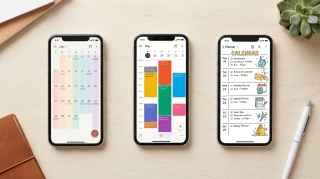
12 AI Tools That Actually Help Busy Working Parents Manage the Chaos (2026)
Most “AI for parents” lists are useless. They rank toy apps with cute names that promise to “revolutionize family life” and deliver a shared grocery list with a chatbot stapled on top. Smart fridges. AI bedtime story generators. None of that touches the actual problem.
We took a different approach. Twelve tools, each judged against the same real working-parent scenarios: school emails coming in at 7:43 a.m., a sick kid rearranging the entire week, soccer carpool falling apart on Tuesday, the orthodontist’s office calling to reschedule. The question for each one: does it actually help, or does it just add another app to ignore?
The short version: the parenting problem isn’t a hardware problem. It’s a mental-load problem. The tools worth paying for are the ones that take coordination work off your plate, not the ones that ask you to do more inputting in exchange for a prettier interface.
Here’s the breakdown.
The main point: the single biggest time sink in working-parent life isn’t cooking or driving. It’s the coordination layer: emails to schedule, calls to confirm, texts to grandparents, replies to the dance teacher, rescheduling everything when one kid spikes a fever. An AI assistant that handles the back-and-forth takes more off your plate than any calendar or meal planner.
What Working Parents Actually Need from AI
A “smart” anything that requires you to set it up perfectly is not going to survive contact with a Tuesday morning where one kid forgot their library book and the dog threw up on the rug.
The real wins come from tools that absorb mental load: things you’re already tracking in your head (pediatrician appointments, the email chain about the birthday party, the form due Friday, who’s picking up from soccer Thursday) and either store them in one shared place or just handle them outright.
We split this into five buckets:
- Email and scheduling overflow. This is the worst one. Every kid activity, doctor visit, parent-teacher conference, and playdate is an email thread, and somebody has to answer them.
- Family calendar chaos. Two adults, multiple kids, multiple activities, multiple after-school people. If it’s not in a shared place, it doesn’t exist.
- Meal planning + groceries. The weekly question that never goes away.
- School communications. Newsletters, sign-ups, permission slips, the PTA, the teacher portal, the district notification system.
- Mental load tracking. The running list of “remember to” that lives in one parent’s brain.
The tools below map to those five problems. We’ll be honest about which solve them and which just dress them up.
For more context, see our roundup of AI tools for daily planning and AI tools for task management.
How We Evaluated
Every tool was judged against the same household scenarios, on these criteria:
- Time saved: How many hours a week it can realistically take off scheduling, email, planning, and admin.
- Setup friction: Can a tired parent get value in 10 minutes? Long onboarding loses points fast.
- Partner buy-in: Will the other adult in the household actually use it, or does it become a one-parent app?
- Kid-proofing: Does it survive a sick day, a forgotten activity, and last-minute schedule chaos?
- Mental load offload: Does it actually take something out of your head, or just give you another place to type it in?
- Price-to-value ratio: What does the time saved cost per dollar spent?
AI Executive Assistant — The Category That Changes Everything
This is the category most working parents have never tried, because the marketing for these tools targets executives at companies. But a household with two working parents and school-age kids has roughly the same coordination volume as a small business, and the same need for someone (or something) to handle the back-and-forth.
1. Carly AI
Carly AI is a full-service AI executive assistant that connects to thousands of apps. You don’t get one assistant: you build as many specialized AI agents as you need, each with its own name, email address, instructions, and memory. For a working parent, that means you can have one agent that handles family logistics and another that handles work email, with completely separate rules.
The interaction model is the killer feature for parents: you forward an email or CC the agent, and it handles it. The orthodontist’s office emails about rescheduling? Forward to your agent. It checks the family calendar, finds three options that work, and replies on your behalf. Soccer coach sends a Doodle for the make-up game? Forward to your agent. Grandma asking what time Friday’s recital is? CC your agent on the reply. The doctor’s portal sends a confirmation? Auto-forwarded to a parent agent that drops it on the calendar.
A single agent handles kid-activity scheduling, doctor and dentist appointments, parent-teacher conferences, babysitter coordination, and birthday-party RSVPs. The win isn’t mainly the time spent typing replies. It’s the cognitive cost of switching from work mode into “deal with the soccer email” mode and back, twelve times a day. The agent takes that off your plate.
A few parent workflows it handles:
- Rebooks a pediatrician appointment when a kid spikes a fever the night before: the agent emails the office, gets new options, replies to confirm, and updates the shared family calendar.
- Coordinates with two sets of grandparents on holiday logistics: three calendars, two cities, a series of long email threads, all handled by a single agent that knows everyone’s preferences.
- Manages birthday party RSVPs across the school year: the agent confirms attendance, adds the dates, asks clarifying questions about drop-off vs. stay, and notes dietary restrictions.
- Runs babysitter coordination: an agent keeps a small roster of trusted sitters, sends availability requests, and confirms bookings without the parent ever opening the texting thread.
Best for: Any working parent who feels like a third of their week is spent answering emails and texts about kid logistics
Key features:
- Build specialized AI agents for family logistics, work, school comms, or a specific kid’s activities
- Connects to thousands of apps, including Gmail, Outlook, Google Calendar, Slack, WhatsApp, Telegram, Zoom, and more
- Works through email, so there’s no app for grandparents or the soccer coach to learn
- Handles scheduling, rescheduling, confirmations, RSVPs, document collection, and calendar updates
- Agents learn your preferences: bedtime windows, school pickup times, which kid does which activity
- Give different agents different scopes, like one for school year coordination and one for evenings and weekends
Pricing: Free Zapier-style workflows; AI agents from $35/month
Why it stands out: Every other tool on this list helps you track family logistics. Carly is the only one that does family logistics. For working parents, that’s the difference between “I have a beautiful color-coded calendar of how busy I am” and “someone else just handled the thing I was dreading.”
For a deeper look at the platform, see what Carly can do and our ranked list of the best AI personal assistants. For a parent-specific walkthrough, see how parents use Carly across the school year.
Shared Family Calendars
The shared calendar is the cornerstone of any working-parent household. The right one stops the “wait, who has the kids Tuesday?” conversation forever.
2. Cozi Family Organizer
Cozi is the long-standing default in this category. A single shared calendar, shared shopping and to-do lists, a meal planner, and a family journal, all under one account with color-coded entries per family member.
Best for: Households that want a single free app to centralize calendars, lists, and meals
Key features:
- Color-coded shared calendar for the whole family
- Shopping lists and to-do lists with real-time sync
- Meal planner with recipe box
- Family journal for memories and photos
- Reminders and birthday tracking
Pricing: Free plan; Gold at $39/year removes ads; Max at $79/year adds AI Event Import (forward an email, PDF, or flyer photo to create events) and an AI Meal Planner
Limitations: The free plan has ads and limits some features. The interface looks dated compared to newer competitors. Cozi shares its calendar to Google, Outlook, and Apple through read-only feeds, and Cozi’s help notes Google Calendar can take up to 48 hours to show changes.
3. Skylight Calendar
Skylight takes a hardware-first approach: a touch-screen wall display that lives in your kitchen and shows the whole family’s week. Everyone’s events sync in from Google, Apple, or Outlook calendars. Kids can check it without unlocking a phone.
Best for: Households where the visual, physical calendar in a shared space makes a real difference, especially for elementary-age kids
Key features:
- Touchscreen wall calendar (10”, 15”, or 27” sizes)
- Syncs with Google, Apple, iCloud, Outlook, Cozi, and Yahoo
- Chore charts and reward systems for kids
- Meal planner and shopping list view
- Photo display when not in calendar mode
Pricing: Hardware from $149.99 (10-inch); Calendar Plus at $79/year includes Sidekick, which turns forwarded emails, PDFs, and photos into events, plus meal planning
Limitations: It’s hardware, so there’s an upfront cost. The Calendar Plus subscription unlocks the meaningful extras (Sidekick and meal planning). Only useful in one location, and it doesn’t replace your phone calendar.
4. FamilyWall
FamilyWall is a private social network for families. Shared calendar, location tracking, shared lists, a family chat, a recipe vault, and a “memories” feed. It tries to be the one app the whole family lives in.
Best for: Families with older kids who can use the app themselves and want one place for chat, calendar, location, and lists
Key features:
- Shared family calendar with sync to Google, Apple, Outlook
- Family chat with read receipts
- Real-time location sharing for family members
- Shared shopping, to-do, and meal lists
- Family photo and memory feed
Pricing: Free tier available, Premium at $4.99/month or $44.99/year
Limitations: To get value, everyone in the family needs to actually use it. Younger kids don’t have phones. The location-tracking features make some teens uncomfortable. Premium features are gated more aggressively than the free version suggests.
Meal Planning & Groceries
This is the weekly question that never goes away: what are we eating, and who’s buying the food. These tools handle both.
5. Mealime
Heads up: Mealime’s site says the app shuts down on October 21, 2026. If you’re setting up a meal planner now, see the meal-planning advice in “How to Pick” below.
Mealime generates personalized weekly meal plans, builds the corresponding grocery list automatically, and sends you to Instacart, Amazon Fresh, or Walmart for delivery. The recipes are designed to be quick (30 minutes or less), and most don’t reuse a half-cup of obscure spice.
Best for: Parents who want a weekly meal plan without thinking about it
Key features:
- Personalized weekly meal plans (dietary restrictions, allergies, dislikes)
- Auto-generated, deduplicated grocery list
- One-tap export to Instacart, Amazon Fresh, Walmart
- 30-minute recipes designed for weeknights
- Kid-friendly preferences and family scaling
Pricing: Free tier; paid plans
Limitations: Recipe library is solid but not enormous. If your family has very picky eaters or specialized diets, the auto-plan needs more manual override than the marketing suggests.
6. Instacart
Instacart isn’t an AI tool in the strictest sense, but its smart features (Buy It Again, AI shopping lists, prescription orders, recurring deliveries, and Fast Cart) make it the de facto grocery autopilot for a huge number of working-parent households.
Best for: Parents who would rather pay a delivery fee than spend Saturday morning at the grocery store
Key features:
- Same-day delivery from local grocery stores
- AI-powered “Buy It Again” and recurring orders
- Smart shopping lists from recipes and meal planners
- Family Carts so two adults can add items in real-time
- Instacart+ for free delivery on orders over $35
Pricing: Pay per order, or Instacart+ at $9.99/month or $99/year
Limitations: Markups on individual items can add up. Substitutions sometimes miss the mark. The savings versus a physical store trip are real only if you value your time at more than $20/hour, which, as a working parent, you should.
School & Activity Communication
School communication is its own special hell: portals, newsletters, app notifications, paper flyers in backpacks, and emails from three different teachers.
7. ParentSquare
ParentSquare is the school comms platform that more and more districts are standardizing on. If your school uses it, you get one inbox for teacher messages, district notifications, sign-ups, permission slips, and forms, instead of six.
Best for: Parents whose school district already uses ParentSquare (you don’t pick this one; the district does)
Key features:
- Unified inbox for all school communications
- Permission slips and forms in-app
- Sign-up sheets for volunteering, conferences, snack day
- Translation into 100+ languages
- Direct messaging with teachers
Pricing: Free for parents (paid by school districts)
Limitations: Adoption is district-driven, not parent-driven. If your school doesn’t use it, you can’t get it. Even within ParentSquare, the inbox can pile up fast, which is why pairing it with a Carly agent that forwards and triages the messages is the higher-leverage move.
Task & Mental Load Tracking
The mental load is the running ledger of “remember to” that lives in one parent’s head. Putting it somewhere outside that head is half the battle.
8. Todoist
Todoist is a clean, focused task manager with natural language entry, shared projects, and AI-assisted task creation. For families, the value is in shared lists (a “Kids - This Week” project, a “House” project, a “Birthdays + Gifts” project) that both parents can edit, complete, and comment on.
Best for: Households where one parent is doing most of the mental load and wants to share it visibly
Key features:
- Natural language entry (“Pick up Maya from soccer Thursday at 5”)
- Shared projects with comments and file attachments
- Recurring tasks for chores, school deadlines, medication
- AI-assisted task breakdown and smart scheduling
- Integrations with calendar, email, and Slack
Pricing: Free tier available, Pro at $7/month or $60/year
Limitations: Both parents have to actually use it. If one parent dumps tasks into Todoist and the other doesn’t check, the mental load just moves into the app instead of getting shared.
9. Google Assistant / Alexa
The voice assistants on your phone and counter have quietly gotten more useful for parents. Quick-capture reminders (“remind me to refill Leo’s prescription Tuesday morning”), shared family lists, hands-free timers while cooking, and routines that bundle morning announcements together. On Android phones, Gemini is taking over from Google Assistant.
Best for: Quick voice capture during the chaos: hands full, kids underfoot, no time to type
Key features:
- Add to shared family shopping list by voice
- Reminders tied to time, location, or person
- Routines: “Good morning” can announce weather, calendar, school schedule
- Multi-device sync across phone and home speakers
- Hands-free while cooking or holding a baby
Pricing: Free (hardware required for in-home speakers: Echo or Nest)
Limitations: Voice transcription still misspells kids’ names. Cross-platform sharing between Google’s assistants (Gemini or Google Assistant) and Alexa is essentially nonexistent. Not a substitute for real planning, just a capture tool.
General Purpose AI for Parent Tasks
These are conversational AI tools, useful when you need a fast answer, a draft email, or help with a kid’s homework. They mostly work inside the chat window rather than inside your tools, but they’re great at thinking-out-loud tasks.
10. ChatGPT
ChatGPT is the versatile daily driver. Working parents use it for homework help (math word problems, essay outlines, science fair ideas), draft emails to the teacher, summer camp research, allergy-friendly recipe suggestions, and “what’s a reasonable bedtime for a 9-year-old who has soccer twice a week” type questions.
Best for: A general-purpose research and writing partner for the dozens of small questions parenting throws at you
Key features:
- Handles nearly any text-based task: homework help, drafting, research
- Voice mode for hands-free questions while driving
- Custom GPTs for repeated tasks (e.g., a “school email drafter”)
- Image input: snap the math homework and ask for help
- Code interpreter for data analysis (planning a family budget, comparing camps)
Pricing: Free plan; paid plans
Limitations: It’s a chatbot at heart. Scheduled tasks, opened to free accounts in August 2026, let it run a prompt on a timer, but it still waits for the clock or for you rather than jumping in when the school email lands. For more on getting value out of it, see our ChatGPT productivity guide.
Household Cleaning & Routines
11. Tody
Tody is a cleaning-schedule app that turns the never-ending list of household chores into something trackable. Each room has tasks at different intervals (daily, weekly, monthly, seasonal), and you mark them off as you do them. The app then knows what’s been neglected and bubbles it to the top.
Best for: Households where one parent wants to share cleaning duties more transparently, or genuinely doesn’t know what “deep clean” means
Key features:
- Pre-built or customizable cleaning schedules by room
- Difficulty and time estimates per task
- Multi-user support so both parents see the same state
- “Dirtiness” indicator that escalates neglected tasks
- Seasonal and quarterly chore reminders
Pricing: Free tier available, Premium at $9.99/year
Limitations: It’s not magic. You still have to do the cleaning. The accountability layer is what works: both parents seeing the same chart of what’s overdue. Younger parents-of-younger-kids may find the granularity excessive.
Family Knowledge Base
12. Notion AI
Notion becomes powerful for parents when you use it as a family wiki. Doctors and dentists with phone numbers and insurance info. Camp deadlines and packing lists. Each kid’s school dates, teacher names, classmates. Babysitter instructions. Bedtime routines. Notion AI lets you ask questions across all of it (“when’s Maya’s next dentist appointment?” or “what’s the camp packing list?”) and get answers without hunting.
Best for: Parents who love the idea of one searchable home for everything family-related, and will actually maintain it
Key features:
- AI writing and editing inside any Notion page
- Q&A that searches across your entire workspace
- Databases for camp deadlines, doctor info, kid milestones
- Shared workspaces for both parents (and the babysitter, if you want)
- Templates for family wikis, household manuals, school year planning
Pricing: Free plan with a Notion AI trial; full Notion AI comes with paid plans
Limitations: Notion only earns its keep if you maintain it. Many families set up beautiful Notion wikis and abandon them in three weeks. The AI features make it more forgiving (you can dump in unstructured info and search it later), but the maintenance question is real.
How to Pick the Right Tool for Your Family
Most working parents waste money installing five tools when one would do. Here’s an honest framework based on what’s actually breaking down:
If email and scheduling logistics are eating your week (kid appointments, activity sign-ups, parent-teacher emails, birthday RSVPs, babysitter coordination), start with Carly AI. It’s the only tool on this list that does the work instead of helping you track it. For working parents, the ROI shows up fast. See our walkthrough of how parents use AI across the school year and the first 30 days with an AI agent for what setup actually looks like.
If the shared calendar is the missing piece: Cozi if you want free, simple, and shared. Skylight if you want it visible in the kitchen and your kids are old enough to read it. FamilyWall if you have older kids and want chat plus location plus calendar in one app. For a deeper look at calendar options, see our AI calendar assistant roundup.
If meals and groceries are the weekly grind: Cozi Max’s AI Meal Planner or Skylight Calendar Plus meal planning for the plan, Instacart for the delivery. Skip Mealime for a new setup, since it shuts down on October 21, 2026. Together the subscriptions come in under $20/month and they remove the worst Saturday-morning task.
If school communications are scattered: ParentSquare if your district uses it. Layer a Carly agent on top to triage what’s actually actionable: most school emails are FYI, but the few that need a reply tend to get lost in the pile.
If one parent is carrying the mental load and you want to share it: Todoist for visible shared lists, Notion AI for the searchable family wiki. The act of putting it somewhere outside one parent’s head is the first step.
The question most parents should be asking: do you need another app to track family life, or do you need someone to do the family-life work? If it’s the second, Carly is the answer, and it pairs with everything else on this list. If you genuinely just need a calendar, pick one calendar.
Quick Comparison: 12 AI Tools for Busy Working Parents
| Tool | Category | Best For | Price |
|---|---|---|---|
| Carly AI | AI Executive Assistant | Handling email, scheduling, RSVPs, rescheduling, coordination across thousands of apps | From $35/mo |
| Cozi | Family Calendar | Free shared family calendar and lists | Free; $39-$79/yr |
| Skylight | Family Calendar | Kitchen-wall family calendar | $149.99+ hw, $79/yr |
| FamilyWall | Family Calendar | Calendar + chat + location | Free-$4.99/mo |
| Mealime | Meals | Weekly meal plan + auto grocery list (shutting down Oct 21, 2026) | Free; paid plans |
| Tody | Cleaning | Shared cleaning schedule | Free-$9.99/yr |
| ParentSquare | School Comms | Unified school inbox | Free (school-funded) |
| Todoist | Tasks | Shared family task lists | Free-$7/mo |
| Google Asst. or Gemini / Alexa | Voice | Quick capture and reminders | Free + hardware |
| ChatGPT | General AI | Homework help, research, draft emails | Free; paid plans |
| Instacart | Groceries | Grocery delivery autopilot | $10/mo or per-order |
| Notion AI | Family Wiki | Searchable home for family info | Free; paid plans |
FAQ
What’s the best AI tool for busy working parents in 2026?
It depends on the bottleneck. For most working parents, the biggest time drain is the constant low-grade scheduling and email coordination: kid activities, appointments, parent-teacher emails, RSVPs, babysitter texts, the orthodontist rescheduling. Carly AI is the only tool that actually does this work for you instead of giving you a prettier place to track it. If your bottleneck is something else (you have the email under control but the calendar is chaos, for instance), a shared family calendar like Cozi or Skylight will get you farther. The honest framework: pick the tool that solves the biggest pain point, not the most points.
Can AI handle kid scheduling email: pediatricians, schools, activities, birthday parties?
Yes, this is the headline use case. A Carly agent can read incoming emails about your kids’ appointments and activities, check the family calendar, reply with availability, confirm new times, and update the calendar automatically. Forward an email, CC the agent on a reply, or have schedulers email the agent directly. The doctor’s office, the activity coordinator, and the birthday-party host don’t need to install anything. They just send normal email and your agent handles it.
Is $35/month worth it for an AI assistant when I already have other apps?
Run the math on your own time. If Carly takes 5 hours of logistics off your week, that’s 20 hours a month. A babysitter at $25/hour costs $500 for 20 hours. A house cleaner saving you 4 hours costs $200. The mental-load math is even stronger: most working parents would pay considerably more than $35 a month to not have to answer the soccer-coach email at 9:47 p.m. on a Tuesday. The honest test is two weeks: set up one agent, hand it the most annoying logistics task in your week, and decide based on whether you’d voluntarily go back to handling it yourself.
Do I need a separate calendar app if I’m using Carly?
Probably yes, but a simpler one than you have now. Carly handles the coordination (replying to scheduling emails, booking, rescheduling) and writes events to your Google or Outlook calendar. Families on iPhones can add that Google or Outlook calendar to the iPhone Calendar app. Cozi or Skylight then provides the visual layer for the whole family. Carly does the work; the calendar is where the work shows up.
What about older kids, middle school, high school?
The needs shift. Younger kids’ schedules are driven by the parents, so Carly can take on most of the load. Older kids start handling their own scheduling, but the family-wide coordination (dinner, transportation, college visits, sports, college essays, doctor appointments that still go through the parents) is still parent work. A Carly agent scoped to “high schooler logistics” is a strong fit. FamilyWall and Todoist work better at this age too because kids can use them.
Can my partner and I share these tools?
Yes for all of them. Cozi, FamilyWall, Skylight, Todoist, Notion, and ChatGPT all have shared/multi-user setups. Carly takes a different approach: instead of “sharing” an agent, you give it the email addresses of both parents and it works with both of you transparently. Emails CC both, calendar events show on both calendars, and both parents can forward things to it. The right model depends on whether one parent or both parents are the coordination bottleneck.
Where should a working parent start if they’ve never used AI tools before?
Start with one thing. The single most leveraged move is offloading the kid-scheduling email burden: that’s a Carly agent, with the first 30 days laid out here. If you want to layer on calendar visibility for the whole family, add Cozi or Skylight second. Skip everything else until you actually feel the pain it solves. The single biggest mistake parents make is installing five new apps in a panic and using none of them.
Ready to automate your busywork?
Carly schedules, researches, and briefs you—so you can focus on what matters.
See what people say
"Before Carly, I relied on a Calendly link, but the whole process felt impersonal and not very professional. Carly changed that by handling all the back-and-forth, so I'm no longer stuck in endless email threads trying to line up schedules.
Now Carly reaches out to candidates, shares my real-time availability, lets them pick a slot, then sends a Zoom link and drops it straight into my calendar. She sends reminders to both of us before each call, which has significantly reduced no-shows and last-minute confusion.
On top of scheduling, Carly acts like a full executive assistant, sending me my schedule the night before so I can prepare for each call. It reminds me of the old x.ai assistant, but Carly is noticeably smarter, faster, and better suited to my healthcare recruitment business."