What Is Workflow Automation? A Clear Guide for 2026
Every job is full of small, repeatable processes: when a form comes in, add the person to a CRM and send a welcome email. When an invoice is paid, update the spreadsheet and notify the team. When a meeting ends, file the notes and create the follow-up tasks. Done by hand, these eat hours and invite mistakes. Workflow automation is the practice of handing them to software instead.
This guide explains what workflow automation is, how it works, where it pays off, and how AI is quietly rewriting the rules.
The Definition
Workflow automation is using software to carry out a multi-step process automatically, based on rules you define — without someone doing each step by hand.
A workflow is just a sequence of steps that gets work from start to finish. Automating it means a tool watches for a starting condition and then executes the following steps on its own. The classic shorthand is “when this happens, do that” — repeated across as many steps as the process needs.
It’s closely related to business process automation (BPA), which tends to describe larger, organization-wide processes. Workflow automation usually refers to the smaller, app-to-app automations individuals and teams set up themselves.
How It Works: Triggers, Actions, and Logic
Almost every automated workflow is built from three ingredients:
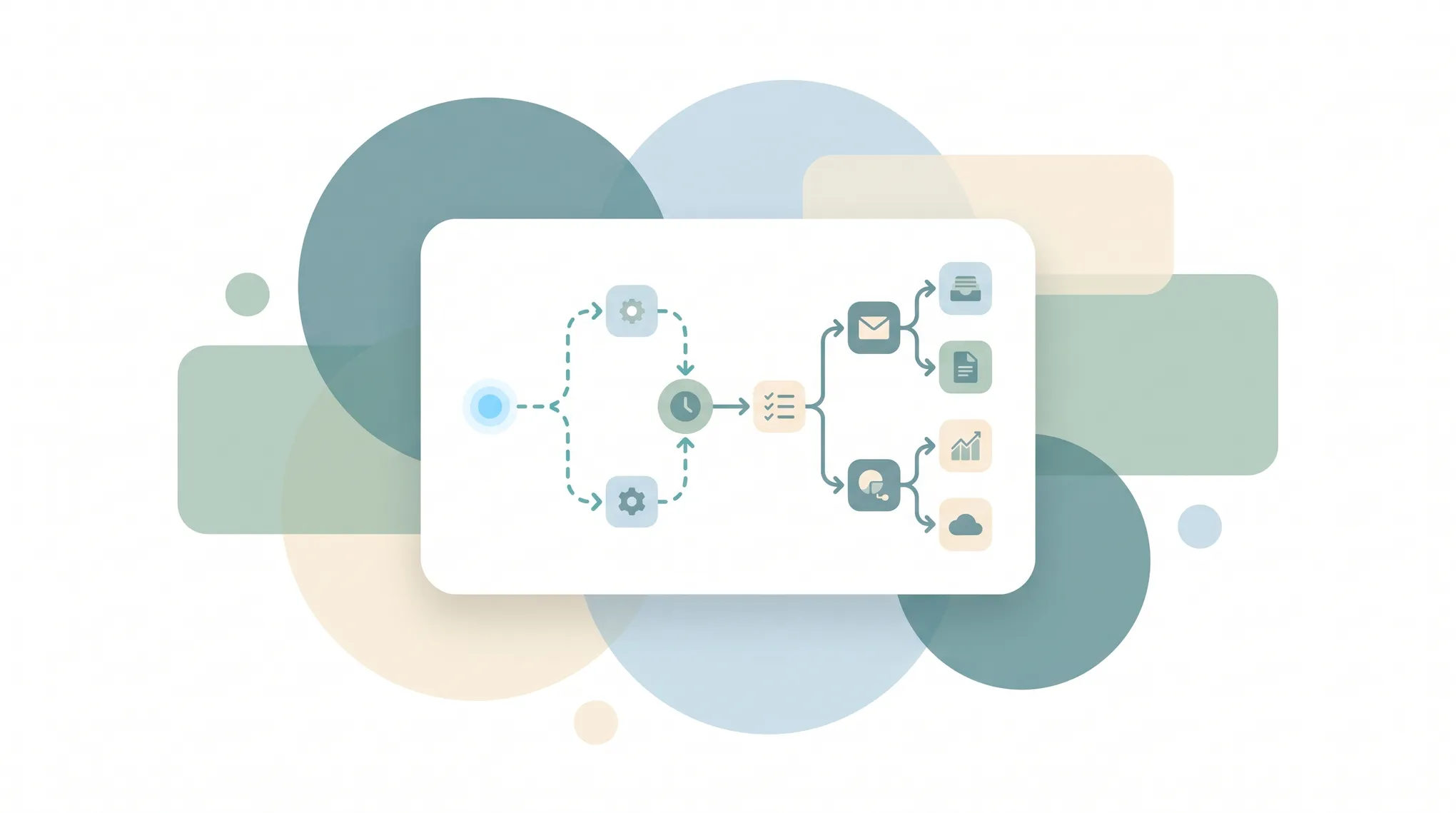
1. A trigger — the event that kicks things off. A new email arrives, a deal moves to “Won,” a file lands in a folder, a scheduled time hits, a customer fills out a form.
2. One or more actions — what happens next. Create a record, send a message, update a field, generate a document, move a file, post to Slack.
3. Logic and conditions — the rules that make it smart. If the deal is over $10k, route it to a senior rep; otherwise auto-assign it. Branches, filters, delays, and loops let one workflow handle many situations.
Strung together, those pieces turn a manual checklist into something that runs itself. A simple example:
Trigger: A new lead submits the website form → Action: Add them to the CRM → Condition: If they chose “Enterprise,” → Action: Notify the sales team in Slack and book a follow-up; otherwise send the self-serve onboarding email.
The Three Generations of Automation Tools
Workflow automation tools have evolved through three broad eras, and all three are still in use:
Trigger-action connectors
Tools like Zapier and Make popularized the “when this, then that” model — connecting two or more apps so data flows between them automatically. Great for simple, linear handoffs.
Visual workflow builders
Platforms like n8n and Microsoft Power Automate let you drag boxes onto a canvas and wire up complex, branching, multi-app processes. More powerful, but you’re essentially doing visual programming — and you have to design, debug, and maintain every path.
AI agents
The newest generation skips the flowchart. Instead of mapping every step yourself, you describe the goal in plain language and an AI agent figures out the steps, adapts when things change, and handles the judgment calls a rigid rule can’t. This is the biggest shift in the space in years.
What Workflow Automation Is Good At
Automation shines on work that is repetitive, rule-based, and high-volume:
- Data entry and syncing — keeping a CRM, spreadsheet, and email tool in agreement without copy-paste.
- Notifications and routing — making sure the right person hears about the right thing at the right time.
- Onboarding sequences — new customer, new hire, or new lead flows that fire the same steps every time.
- Document generation — turning a filled form into an invoice, contract, or report.
- Scheduling and reminders — booking, confirming, and following up without manual chasing.
- Reporting — pulling numbers from several sources into one digest on a schedule.
The payoff is consistent: fewer errors, faster turnaround, and hours of human time freed for work that actually needs a human.
Where Traditional Automation Falls Short
Rule-based automation is brittle by design. It does exactly what you told it — which is a problem the moment reality doesn’t match the rule. A renamed field breaks the Zap. An unexpected email format slips past the filter. A process with too many “if” branches becomes a tangle nobody wants to touch.
And someone has to build it. Mapping out every trigger, action, and condition is real work, and maintaining those flows as your tools change is an ongoing tax. For many people, the setup cost is exactly why the automation never gets built.
This is the gap AI closes. Instead of enumerating every rule, you delegate the outcome and let the system handle the variations — which is why “automation” increasingly means agents, not flowcharts.
How AI Changes the Equation
The defining shift of 2026 is from rules you write to goals you delegate.
A traditional automation needs you to specify: if X, do Y. An AI agent lets you say: “Keep my inbox triaged — label what’s important, draft replies to routine requests, and flag anything that needs me.” The agent interprets each new email, decides what to do, and acts — handling the messy middle that would take a hundred brittle rules to cover.
That doesn’t make connectors and builders obsolete; for simple, predictable handoffs they’re still ideal. But for anything involving judgment, language, or constant exceptions, agents do what flowcharts never could.
Getting Started
You don’t need to automate everything at once. The reliable path:
- Find the repetitive thing. Notice the task you do the same way every week and resent doing.
- Write down the steps. Trigger, actions, and the decisions in between.
- Pick the right tool for the shape. Simple and linear → a connector. Complex and branching → a visual builder. Judgment-heavy or language-heavy → an AI agent.
- Start small and watch it. Automate one process, confirm it behaves, then expand.
One detail worth checking before you commit to a tool is what each step actually costs. Carly, for example, splits the bill along the same line this guide draws: a workflow that watches a sheet, filters rows, routes a lead to HubSpot, or posts to Slack has no AI step, so it runs free and unlimited. You only pay when a step uses AI to write, summarize, or decide — the AI agent features start at $35/month. That keeps the predictable, rule-based work cheap and reserves spend for the judgment calls agents are actually good at.
For a ranked rundown of the tools that do this best — from connectors to agents — see our guide to the best workflow automation software in 2026. And if you’d rather skip the flowchart entirely and just hand a job to an assistant, that’s what AI agents are built for.
Ready to automate your busywork?
Carly schedules, researches, and briefs you—so you can focus on what matters.
See what people say
"Before Carly, I relied on a Calendly link, but the whole process felt impersonal and not very professional. Carly changed that by handling all the back-and-forth, so I'm no longer stuck in endless email threads trying to line up schedules.
Now Carly reaches out to candidates, shares my real-time availability, lets them pick a slot, then sends a Zoom link and drops it straight into my calendar. She sends reminders to both of us before each call, which has significantly reduced no-shows and last-minute confusion.
On top of scheduling, Carly acts like a full executive assistant, sending me my schedule the night before so I can prepare for each call. It reminds me of the old x.ai assistant, but Carly is noticeably smarter, faster, and better suited to my healthcare recruitment business."