How Ops Managers Use AI Agents to Run Tighter Operations
Operations managers are the connective tissue of every organization. They sit between leadership, department heads, vendors, and frontline teams — making sure the gears mesh. The problem: most of that coordination runs through email, and there’s a staggering amount of it.
A typical ops manager juggles 10-20 vendor relationships, coordinates cross-functional meetings across multiple time zones, tracks contract renewals, chases status updates from team leads, and compiles reports for leadership — all while managing procurement, compliance calendars, and ad-hoc requests. A study from McKinsey found that workers spend 28% of their week on email alone. For ops managers, that number skews higher.
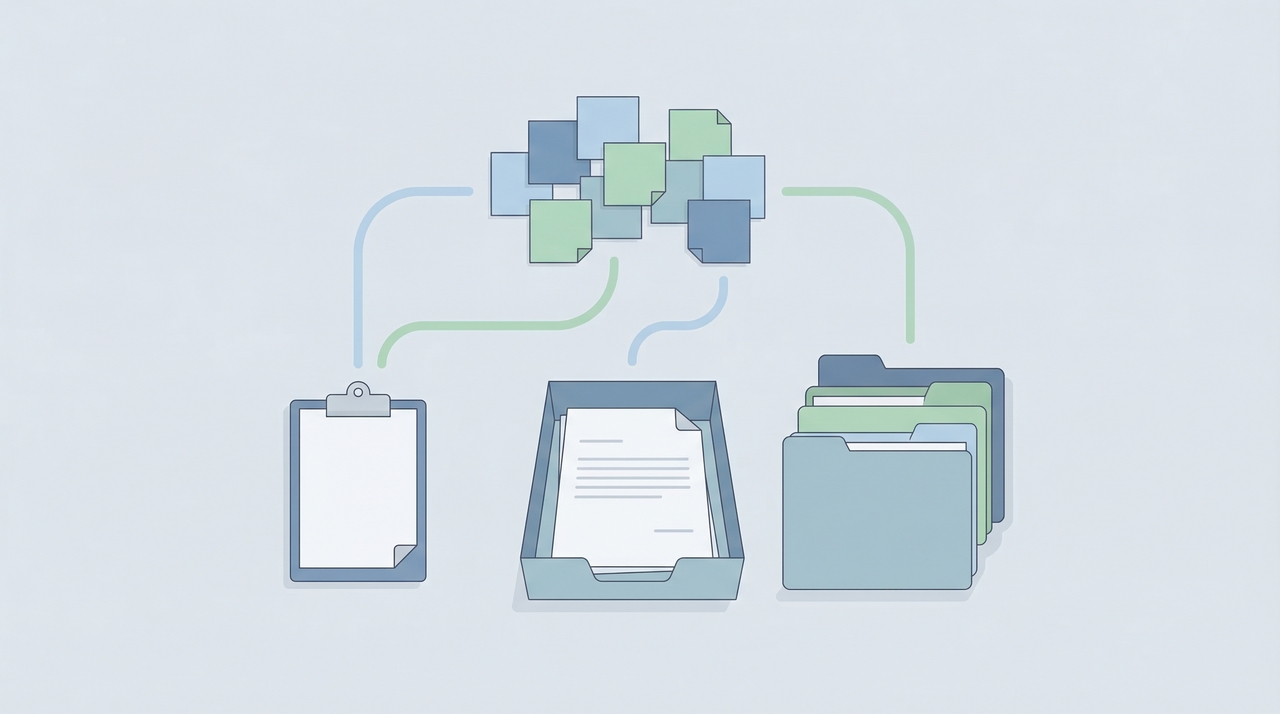
AI agents don’t just speed up individual emails. They take over entire operational workflows — vendor follow-ups, meeting scheduling, weekly reporting — and run them autonomously while you focus on the strategic work that actually moves the business forward.
This guide shows how ops managers use AI agents to reclaim 10+ hours per week, with real agent configurations you can copy.
Why Email-Heavy Ops Work Is a Bottleneck
Vendor coordination eats 4-6 hours per week. Every vendor relationship involves scheduling review calls, tracking deliverables, following up on invoices, and managing contract renewals. Across 10-20 vendors, that’s hundreds of emails per month — most of them routine.
Internal scheduling is a full-time job disguised as a task. Coordinating QBRs, all-hands, onboarding schedules, and cross-team syncs across departments with competing calendars is pure logistics. Each meeting involves 3-8 back-and-forth emails before a time is confirmed.
Status reporting requires chasing people. Getting weekly updates from six team leads shouldn’t take two hours, but it does — because someone always forgets, someone sends a wall of text, and you still have to compile it into something leadership can read.
Process-driven work compounds. Contract renewal dates slip. Compliance deadlines sneak up. Procurement follow-ups fall through the cracks. Not because ops managers are careless, but because there’s too much to track manually.
Most operations work is email-heavy and pattern-based — exactly the type of work AI agents are built for.
What AI Agents for Operations Actually Do
An AI agent isn’t a chatbot or a notification tool. It’s an autonomous assistant that monitors an inbox, reads context, makes decisions, and takes action across your tools — calendar, contacts, Drive, email — without you stepping in. Here’s what that looks like for operations:
- A Vendor Coordination Agent that handles vendor inquiries, schedules vendor meetings, tracks contract renewals, and follows up on outstanding invoices and deliverables
- An Internal Scheduling Agent that coordinates cross-team meetings, all-hands, QBRs, onboarding schedules for new hires, and room/resource booking
- A Status & Reporting Agent that collects status updates from team leads via email, compiles weekly ops reports, tracks action items, and flags overdue deliverables
Each agent gets its own email address, its own instructions, and access to only the tools it needs — like hiring three specialized assistants for the price of a software subscription.
With Carly, you create AI email agents that integrate with Gmail, Google Calendar, Google Drive, Google Contacts, Outlook Mail, Outlook Calendar, Outlook Contacts, OneDrive, and Zoom. The agent reads incoming emails, follows your instructions, and executes multi-step workflows autonomously.
Agent #1: Vendor Coordination
The vendor coordination agent manages the back-and-forth with every external partner, supplier, and service provider your team relies on.
What it does:
- Responds to vendor inquiries and routes urgent items to you
- Schedules vendor review calls and check-ins
- Tracks contract renewal dates and sends reminders 30/60/90 days in advance
- Follows up on outstanding invoices and deliverables
- Files vendor contracts, SOWs, and SLAs in organized Drive folders
- Updates vendor contact records with latest engagement details
Email address: A dedicated vendor address (e.g., vendors@yourdomain.com)
Example agent instructions:
You are a vendor coordination assistant for [Your Name], Operations Manager at [Company].
When you receive an email from a vendor:
- Check the sender against our contacts. If they’re a known vendor, pull up their contact notes for context (contract dates, account rep, outstanding items)
- If the email is a routine inquiry (scheduling, document request, status check), handle it directly. Reply professionally and include any relevant dates or documents from Drive
- If the email involves pricing changes, contract modifications, or escalations, forward it to me with a one-line summary at the top
- If a vendor sends an invoice or deliverable, save it to Google Drive under “Vendors/[Vendor Name]/[Year]” and update their contact notes with the date received
Proactive tasks:
- Review all contacts tagged “vendor” weekly. If any contract renewal date is within 90 days, email me a summary with the vendor name, renewal date, and contract value
- For vendors with outstanding deliverables older than 7 days past due, send a polite follow-up requesting an updated timeline
- Every Monday, send me a vendor status digest: upcoming renewals, outstanding items, and meetings scheduled this week
Tone: Professional and direct. You represent our operations team. Sign off as “[Your Name]‘s operations team.”
Tools to enable: Calendar, Update Contacts, Web Search, Google Drive, Gmail or Outlook Mail
Agent #2: Internal Scheduling
Coordinating meetings across departments is pure logistics — high volume, pattern-based, and low-judgment. This agent handles it so you don’t spend your morning in an email chain about room availability.
What it does:
- Coordinates cross-team meetings, all-hands, and QBRs based on participant availability
- Manages onboarding schedules for new hires (first-week meetings, IT setup calls, team introductions)
- Books conference rooms and resources
- Handles rescheduling and cancellations
- Sends calendar invites with agendas and relevant documents attached
Email address: A dedicated scheduling address (e.g., scheduling@yourdomain.com)
Example agent instructions:
You are an internal scheduling assistant for the operations team at [Company].
When I or a team member emails you a scheduling request:
- Identify all participants mentioned in the email
- Check my calendar (and shared calendars if available) for open slots that work within the requested timeframe
- Send a scheduling email to all participants with 3 available time options, the meeting purpose, expected duration, and a video link
- Once confirmed, create the calendar event, attach any relevant documents mentioned in the request, and reply confirming the booking
For recurring meeting types, follow these rules:
- QBRs: 90 minutes, include department heads and leadership. Schedule 2 weeks in advance. Attach the QBR template from Drive
- All-hands: 60 minutes, company-wide. Schedule 1 week in advance. Include Zoom link
- New hire onboarding: When I email you a new hire’s name and start date, create their first-week schedule: IT setup (30 min, Day 1 AM), HR orientation (60 min, Day 1 PM), team introduction (30 min, Day 2 AM), manager 1:1 (30 min, Day 2 PM), ops overview (30 min, Day 3)
- Cross-team syncs: 30 minutes, identify the minimum required attendees and find the first available slot
If there are scheduling conflicts: Propose alternative times. If no times work within the requested window, email me with the conflict details and ask for priority guidance.
Tone: Friendly and efficient. Sign off as “Operations Scheduling.”
Tools to enable: Calendar, Gmail or Outlook Mail, Google Drive, Update Contacts
Agent #3: Status & Reporting
Chasing status updates from team leads is one of the most draining parts of ops. This agent collects updates, compiles them, and delivers polished reports to your inbox — and flags anything that needs your attention.
What it does:
- Sends status update requests to team leads on a set schedule
- Collects and organizes responses into a structured weekly report
- Tracks action items from previous reports and flags overdue items
- Compiles metrics and highlights for leadership reporting
- Escalates blockers or missed deadlines directly to you
Email address: A dedicated reporting address (e.g., reports@yourdomain.com)
Example agent instructions:
You are a status reporting assistant for the operations team at [Company].
Weekly status collection (every Wednesday at 9am):
- Email each contact tagged “team-lead” requesting their weekly status update. Use this template: “Hi [Name], please reply with your team’s status update for this week: (1) Key accomplishments, (2) In-progress items with expected completion dates, (3) Blockers or items needing ops support. Please reply by Thursday noon.”
- If a team lead hasn’t responded by Thursday at 2pm, send a polite reminder
- If still no response by Friday at 9am, flag it in my summary as “update missing”
Report compilation (every Friday at 10am):
- Compile all received updates into a single ops report formatted as: a summary section (3-5 bullet points of key highlights across all teams), then each team’s update organized by the three categories above
- Cross-reference this week’s “in-progress” items against last week’s. Flag anything that was “in-progress” for 2+ consecutive weeks as “at risk”
- Pull out all action items that mention ops, procurement, or vendor dependencies and list them separately under “Ops Action Items”
- Save the compiled report to Google Drive under “Ops Reports/[Year]/Week-[Number]”
- Email me the report with the subject line “Weekly Ops Report — [Date]”
Ongoing tracking:
- Maintain a running list of action items in contact notes. When a team lead reports an item as complete, mark it done. If an item is overdue by more than 1 week, include it in the next status request as a specific question
Tone: Neutral and concise. You’re collecting information, not editorializing.
Tools to enable: Gmail or Outlook Mail, Update Contacts, Google Drive, Calendar
What Happens When You Treat the Agent as a Chief of Staff
The three agents above cover the core ops workflows. But the ceiling is much higher. Some ops managers stop thinking of their agent as a task tool and start treating it as a full chief of staff — handling everything that involves sending or responding to operational email.
Here’s what that looks like in practice:
- Procurement follow-ups: Submit a PO request to a vendor and the agent tracks it through confirmation, shipping, and delivery — following up at each stage and updating your procurement tracker in Drive.
- Compliance and renewal tracking: The agent monitors a calendar of compliance deadlines (insurance renewals, safety certifications, software license renewals) and starts the renewal process 90 days out — emailing the right contacts, collecting documents, and filing completed paperwork.
- Travel coordination: Forward a conference invite or offsite brief, and the agent handles hotel inquiries, sends travel preference surveys to attendees, compiles responses, and books group blocks.
- Office move and facilities logistics: Coordinate with moving companies, IT providers, furniture vendors, and building management. The agent tracks timelines, sends status updates to stakeholders, and flags delays.
- Event planning coordination: For company events, offsites, or team outings, the agent handles vendor outreach (catering, venues, AV), collects RSVPs, manages dietary restrictions, and sends day-of logistics emails.
- Daily briefings: Get end-of-day summaries of everything accomplished — emails sent, meetings scheduled, vendor updates received, action items completed.
ROI of AI Agents for Operations Managers
Time saved per week with three agents:
| Task | Hours/Week (Manual) | Hours/Week (With Agent) | Hours Saved |
|---|---|---|---|
| Vendor emails & follow-ups | 5 | 0.5 | 4.5 |
| Internal meeting coordination | 4 | 0.5 | 3.5 |
| Status collection & report compilation | 3 | 0.25 | 2.75 |
| Contract/renewal tracking | 1.5 | 0.25 | 1.25 |
| Document filing & organization | 1 | 0.25 | 0.75 |
| Total | 14.5 | 1.75 | 12.75 |
What those recovered hours are worth:
Operations managers earn $70,000-$120,000 per year, which translates to roughly $34-$58 per hour. But the value of recovered ops hours isn’t just salary math — it’s what you do with the freed-up time.
| Scenario | Hours Recovered/Month | Impact |
|---|---|---|
| Redirect to process improvement | 51 | Ops managers who lead process optimization projects save companies 15-30% on operational costs |
| Redirect to vendor negotiations | 51 | Time to properly benchmark pricing and negotiate contracts — a single renegotiation can save $10K-$50K annually |
| Redirect to strategic projects | 51 | Cross-functional initiatives (system migrations, office expansions, workflow redesigns) that leadership wants but ops never has bandwidth for |
| Reduce overtime / burnout | 51 | Gallup data shows workload is the #1 cause of burnout. Reclaiming 12+ hours changes the job |
How to Set Up Your First Operations Agent
Getting started takes about five minutes with Carly:
- Go to the Email Agents tab and click “Add Email Agent.”
- Name it and set the email address. Start with “Vendor Coordination” and give it a dedicated email address for vendor communication.
- Write your instructions. Copy an agent template above and customize it — your vendor list, tone preferences, escalation rules, and Drive folder structure. The more context you give, the better the agent performs.
- Enable the right tools. For vendor coordination: Calendar, Update Contacts, Google Drive, and Gmail or Outlook Mail. Start lean.
- Set the outbound email mode. Start with drafts for review. Once you trust the output, switch to autonomous.
- Test it. Email the agent’s address as a fake vendor. Watch it process the inquiry, check contacts, and draft a response. Refine instructions based on what you see.
Start with one agent. Get comfortable with vendor coordination before adding scheduling and reporting. For step-by-step setup, see how to get started with Carly agents or the full guide on creating a custom AI email agent. For everything the platform handles, see what Carly can do.
Which Ops Workflows to Automate First
Focus on work that is:
- High-frequency — you do it multiple times per week
- Pattern-based — it follows similar steps each time
- Low-judgment — it doesn’t require your strategic input
- High-cost when delayed — missing it costs the company money or relationships
Here’s how common ops admin stacks up:
| Workflow | Frequency | Pattern | Judgment | Cost of Delay | Automate? |
|---|---|---|---|---|---|
| Vendor follow-ups & scheduling | Daily | High | Low | High | Yes — first |
| Internal meeting coordination | Daily | High | Low | Medium | Yes |
| Status collection & reporting | Weekly | High | Low | High | Yes |
| Contract renewal tracking | Monthly | High | Low | Very high | Yes |
| Procurement follow-ups | Weekly | High | Low | High | Yes |
| Budget analysis & planning | Monthly | Medium | High | Medium | No — use AI for drafts |
| Vendor selection & evaluation | Quarterly | Low | Very high | High | Never |
Automate the coordination. Keep the strategy. For more, see our full roundup of the best AI agents for productivity and the guide to AI email agents for small business.
Mistakes Ops Managers Make With AI Agents
Automating vendor communication without clear escalation rules. Not every vendor email is routine. Define exactly what gets handled autonomously (scheduling, document requests, follow-ups) versus what gets forwarded to you (pricing changes, contract disputes, SLA issues).
Writing instructions that are too generic. “Handle vendor emails” won’t work. Agents need specific rules: which vendors to prioritize, what tone to use, which Drive folders to file in, and what constitutes an escalation. Write instructions like a detailed SOPs document.
Enabling every tool at once. Start with the minimum tools each agent needs. Your reporting agent doesn’t need calendar access. Your scheduling agent doesn’t need Drive. Fewer tools mean more predictable behavior.
Not reviewing agent performance weekly. Check sent messages, filed documents, and contact updates weekly during the first month. Refine instructions based on what you find. See our first 30 days guide for a structured review cadence.
Forgetting to give the agent a clear identity. Your agent represents your operations team to vendors and internal stakeholders. Its tone, sign-off, and communication style should match how your team operates.
Frequently Asked Questions
How much does it cost to set up AI agents for operations?
Carly’s agent feature is included in the subscription. Compare that to a dedicated ops coordinator ($40K-$55K/year) or the hours you currently spend on email coordination that could go toward strategic projects.
Will vendors and team members know they’re interacting with an AI agent?
The agent signs off however you instruct it — many ops managers use “Operations Team” or “[Name]‘s operations assistant.” For routine coordination like scheduling and follow-ups, most people appreciate the fast response. For sensitive conversations, you handle it directly.
Can I use AI agents if my company uses Outlook instead of Gmail?
Yes. Carly integrates with both ecosystems — Outlook Mail, Outlook Calendar, Outlook Contacts, OneDrive — plus Gmail, Google Calendar, Google Contacts, Google Drive, and Zoom. You can mix and match based on what your organization uses.
How do agents handle confidential operations data?
Treat agent-accessible information the same way you’d treat information shared with an ops coordinator. Use agents for logistics — scheduling, follow-ups, document filing, status collection — not for confidential financial or HR communication.
What if the agent makes a mistake with a vendor?
Start in “draft review” mode, where you approve every outgoing email. Once confident, switch to autonomous. The agent logs every action so you can review and correct anything. Most vendor communication is low-stakes coordination — scheduling, follow-ups, document requests — where a minor misstep is easily corrected.
Can I create separate agents for different vendor categories or departments?
Yes. Some ops managers create a dedicated agent per vendor category — IT vendors, facilities vendors, professional services — each with tailored instructions, escalation rules, and Drive folder structures. Others create department-specific scheduling agents for teams with complex coordination needs.
Set up your first operations agent in five minutes with Carly. For more on what agents can do, see our guide on the best AI email agents.
Ready to automate your busywork?
Carly schedules, researches, and briefs you—so you can focus on what matters.
Get Carly Today →Or try our Free Group Scheduling Tool