7 Best AI Office Manager Tools for Small Business (2026)
An office manager is the person who makes everything else work. They answer the phone, keep the calendar straight, chase the invoices, reorder supplies, schedule the vendors, onboard the new hire and remember the thing everyone else forgot. An AI office manager takes that list on, all day and after hours.
Most tools cover one item on it. There are AI receptionists for the phone, AI email tools for the inbox, and automation builders you have to wire up yourself. The point of an office manager is that it’s one person who sees all of it.
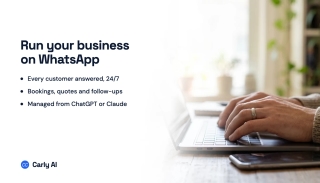
The quick answer: Carly is the best AI office manager for small businesses. It answers your phone in English or Spanish, books appointments on the right calendar, sorts every inbox, chases unpaid invoices, reminds vendors and staff by text, and runs any routine you describe in plain English. Free Zapier-style workflows; AI agents from $35/month.
AI office manager tools compared
| Tool | Phones | Calendar | Invoices and vendors | Price | |
|---|---|---|---|---|---|
| Carly | Answers, calls, texts | Every inbox | Yes | Yes | Free Zapier-style workflows; AI agents from $35/mo |
| Lindy | No business line | 2 to 5 inboxes | Yes | Through skills | $49.99/mo per active user |
| Zapier | No | Through Zaps you build | Through Zaps | Through Zaps | Free for 100 tasks; from $19.99/mo |
| Motion | No | No | Yes | No | $49/mo, or $29 billed yearly |
| Fyxer | No | Yes | Scheduling help | No | $49/mo per person, or $37 billed yearly |
| Smith.ai AI Receptionist | Answers | No | Books calls | No | Free for 25 calls; $150/mo for 75 |
| Ruby | Live people answer | No | Books calls | No | $250/mo for 50 minutes |
Prices from each vendor’s own pricing page, checked October 19 to 22, 2026.
1. Carly
Carly is the closest thing to an office manager you can hire for software prices. You describe how your office runs in plain English, and Carly follows it the same way every time.
-
The front desk. Carly answers your business line 24/7 or only when you’re busy, in English or Spanish. Callers in your CRM are greeted by name, appointments get booked, and every missed call gets a text back.
-
The inboxes. Every Gmail and Outlook account, labeled and sorted by your rules, with replies drafted or sent in your voice. Write a rule.
-
The calendar. Carly checks every calendar before booking, handles the scheduling emails and runs booking pages with round robin across your staff.
-
The money. “When an invoice is 14 days overdue, email the client. At 30 days, text them.” Carly works with QuickBooks, Xero and Stripe.
-
The vendors. “Text the cleaning crew every Thursday to confirm Friday.” “Call the landlord about the AC and tell me what they said.”
-
The staff. Onboarding emails on a new hire’s first day, shift reminders by text, and the Monday calendar sent to everyone.
-
The routines. A new email, a call, a form, a booking or a time of day starts a free Zapier-style workflow. Steps that don’t need AI cost nothing.
-
The rules on who gets what. Give each person a level: Full, Standard, Limited or Blocked. Let agents send on their own, or keep every reply as a draft until someone approves it.
-
Agents for each job. Build agents for scheduling, billing and vendor follow-up, each with its own email address, plus a built-in CRM.
-
Run it from ChatGPT or Claude. “Call back everyone who left a voicemail today” works from your AI chat with the Carly connector.
-
Thousands of apps. Carly connects to thousands of apps, from HubSpot to Google Sheets to Slack.
-
Best for: small businesses that want one assistant covering phones, email, calendar, billing and vendors.
-
Pricing: Free Zapier-style workflows; AI agents from $35/month.
-
Setup: copy one prompt into ChatGPT or Claude, grab a number, and you’re live.
Carly business setup prompt
Paste this into ChatGPT or Claude. It sets everything up, phone number included.
Help me connect Carly Teams so I can work with my organization's business texts, phone calls, voicemail and voice/text agents from this chat. I'll add it to you myself: tell me exactly what to click for the app you are, one step at a time, and wait for me to confirm before moving on. If a step doesn't match what I see, ask me what's on my screen. If you can do the setup yourself (Claude Code, Codex, Muse, Grok Bot), go ahead, and ask me for any key in your secure credential prompt, never in the chat. Don't tell me it's connected until list_phone_lines works, and if I have several teams, ask which to use. Before sending a text or making a call, confirm the team, recipient and message or task with me. The steps are below.

# Connect Carly Teams to an AI app

> Carly Teams works a team's business phone lines through the team's AI agents: business texts, phone calls, voicemail, the voice and text agents, and the team's CRM.

MCP server: https://carlyassistant.com/team/mcp (streamable HTTP, OAuth)

## Setup

Carly Teams isn't in any plugin or connector directory yet, so it's added as a custom connection by URL.

1. Add Carly Teams:
   - ChatGPT: open https://chatgpt.com/plugins, click Add, and choose Create MCP App (not Create plugin or Upload plugin archive). If Create MCP App isn't on the menu, turn on Developer mode first in Settings > Security and login. Name it "Carly Teams" with the description "Work with my team's business texts, calls, voicemail and voice/text agents," paste https://carlyassistant.com/team/mcp as the server URL, choose OAuth, create it, and sign in. Then in the message box open the + menu, choose Developer mode, and pick Carly Teams. No plugin needs to be built, packaged or uploaded.
   - Claude (claude.ai, Claude Desktop, or Cowork): Customize > Connectors > Add custom connector, name it Carly Teams, paste https://carlyassistant.com/team/mcp, and sign in.
   - Claude Code: `claude mcp add --transport http --scope user carly-teams https://carlyassistant.com/team/mcp`, then /mcp, pick carly-teams, and authenticate.
   - Codex: `codex mcp add carly-teams --url https://carlyassistant.com/team/mcp`, then `codex mcp login carly-teams`.
   - Cursor: add {"mcpServers": {"carly-teams": {"url": "https://carlyassistant.com/team/mcp"}}} to ~/.cursor/mcp.json, then sign in to carly-teams from Customize.
   - Muse: a custom connector to https://carlyassistant.com/team/mcp with a Carly API key as its bearer token. The key comes from carlyassistant.com/account (API key under Carly Teams) and goes in Muse's connector settings, not in a chat message.
   - Grok: grok.com/connectors > New Connector > Custom, paste https://carlyassistant.com/team/mcp, and sign in.
   - Grok Bot: a custom remote MCP server named carly-teams at https://carlyassistant.com/team/mcp. Approve it and sign in.
   - Perplexity: Plugins in the sidebar (or Customize > Connectors), then Add custom > Connector > Add MCP connector. Choose Remote, name it Carly Teams, paste https://carlyassistant.com/team/mcp, pick OAuth, check the box and click Add, then click the Carly Teams card to sign in.
   - Anything else: a remote MCP server (streamable HTTP) named carly-teams at https://carlyassistant.com/team/mcp. It signs in with OAuth.
   Sign in with the Carly account that belongs to the organization.

2. Once it's added, the Carly Teams tools show up in the chat, including list_phone_lines. If they don't, turn Carly Teams on for the chat or start a new chat.

3. To check it worked, call list_phone_lines: it returns the teams and phone lines the account can reach. A team with no phone line yet can get one with find_numbers (optionally by area code) and get_number, which may return a checkout link to finish.

4. Something to try first: "Review our missed calls and voicemail and help me reply to customers." Carly Teams also reads and answers business texts, has the team's agent make calls, and edits the voice and text agents. Texts and calls go out at once from the agent's number and can't be taken back. Team permissions apply.

## Email, calendars and workflows

Email, calendars, files, booking pages and workflows are the regular Carly connector, added separately. It's listed in ChatGPT's plugin directory (https://chatgpt.com/plugins/plugin_asdk_app_6a67a26316b88191860222f918d4ec54) and Claude's connector directory (https://claude.ai/directory/carly), and connects anywhere else at https://carlyassistant.com/mcp/. Its setup is https://carlyassistant.com/mcp.txt.Get started, or book a call and we’ll set it up with you.
2. Lindy
Lindy is an AI assistant that works in Slack, email and your calendar with built-in skills you can extend.
- Best for: teams that live in Slack.
- Pricing: $49.99 a month for 5,000 credits, and every active user in the workspace is billed. New accounts get $50 of free credits that last 7 days.
- Limitations: two to five inboxes depending on plan, credits to watch, and no business phone line. See Lindy alternatives.
3. Zapier
Zapier connects apps with Zaps you build, with AI steps and agents on top.
- Best for: people who like building and maintaining automations themselves.
- Pricing: free for 100 tasks a month; Professional from $19.99 a month and Team from $69, priced by task volume.
- Limitations: nothing happens until you build it, and nothing answers the phone. See Zapier Agents alternatives.
4. Motion
Motion plans your tasks onto your calendar and reshuffles the day when meetings move.
- Best for: an office manager drowning in their own to-do list.
- Pricing: Pro AI is $49 a month, or $29 a month billed yearly. Team seats start at $19 billed yearly.
- Limitations: calendar and tasks only. It doesn’t answer email, phones or vendors. See Motion alternatives.
5. Fyxer
Fyxer sorts your inbox and drafts replies in your voice.
- Best for: an inbox that needs triage.
- Pricing: Pro is $49 per person a month, or $37 billed yearly. Team is $99, or $64 billed yearly.
- Limitations: email first, with no phones and no business workflows. See Fyxer alternatives.
6. Smith.ai AI Receptionist
Smith.ai’s AI receptionist answers calls, qualifies callers and books appointments.
- Best for: answering a modest call volume.
- Pricing: free for 25 calls a month, then $3 a call. Pro is $150 a month for 75 calls.
- Limitations: phones only, and per-call pricing climbs fast in a busy month.
7. Ruby
Ruby’s live receptionists answer your calls with real people.
- Best for: businesses that want a human voice on every call.
- Pricing: $250 a month for 50 minutes, up to $1,725 for 500.
- Limitations: $5 a minute on the entry plan, and phones only. See Ruby receptionist.
How to pick an AI office manager
- You want one assistant across phones, email, calendar, billing and vendors: go with Carly.
- You only need the phone answered: Smith.ai for AI, Ruby for people, or Carly for both the phone and what comes after.
- You only need the inbox handled: Fyxer.
- You like building automations yourself: Zapier.
FAQ
What is an AI office manager?
Software that takes over an office manager’s routine work: answering calls, scheduling, sorting email, chasing invoices and reminding staff and vendors. Carly does all of it on rules you write in plain English.
Can an AI office manager answer the phone?
Yes. Carly answers your business line 24/7 in English or Spanish, books appointments and texts back missed calls. Smith.ai and Ruby answer phones too, but stop there.
Can it chase unpaid invoices?
Yes. Carly works with QuickBooks, Xero and Stripe and follows up by email or text on the schedule you set.
How much does an AI office manager cost?
Smith.ai starts free for 25 calls, Lindy is $49.99 per active user, and Ruby starts at $250 a month. Carly: Free Zapier-style workflows; AI agents from $35/month.
Will it replace my office manager?
It takes the routine work off their plate so they can handle the people and the problems. Many offices use Carly to cover the phones and inbox when nobody’s at the desk.
Ready to automate your busywork?
Carly schedules, researches, and briefs you—so you can focus on what matters.
See what people say
"Before Carly, I relied on a Calendly link, but the whole process felt impersonal and not very professional. Carly changed that by handling all the back-and-forth, so I'm no longer stuck in endless email threads trying to line up schedules.
Now Carly reaches out to candidates, shares my real-time availability, lets them pick a slot, then sends a Zoom link and drops it straight into my calendar. She sends reminders to both of us before each call, which has significantly reduced no-shows and last-minute confusion.
On top of scheduling, Carly acts like a full executive assistant, sending me my schedule the night before so I can prepare for each call. It reminds me of the old x.ai assistant, but Carly is noticeably smarter, faster, and better suited to my healthcare recruitment business."