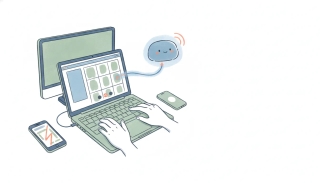
12 AI Tools for Meeting Prep That Actually Save Time (2026 Rankings)
The dirty secret of meeting prep: nobody does it. Or rather, everyone does it five minutes before the call by panic-skimming the last email thread.
We tested 12 AI tools that claim to fix this — recorders, summarizers, prep agents, and the increasingly blurry category in between. Each got two weeks of real use across sales calls, internal syncs, and client meetings. We tracked how much actual prep landed on the calendar before each meeting started, how often the prep was actually accurate, and whether we were still using each tool by day 14.
The verdict: meeting recorders are everywhere and mostly commodity. The interesting category is what happens BEFORE the meeting — pulling context from CRM, last meeting notes, recent emails, and product usage into a single prep doc that lands in your inbox 15 minutes before the call. That’s where the time savings live.
Here’s the ranking.
Pre-Meeting Prep Agents
These tools surface context before the meeting starts — the high-leverage work most other tools ignore.
1. Carly AI
Carly AI handles meeting prep as part of a broader agent platform. Instead of one app that records meetings, you build specialized AI agents — each with its own name, email address, instructions, and memory. A meeting prep agent watches your calendar, pulls context from your CRM, last meeting transcripts, recent emails, and any docs you flag, then sends you a prep brief 15-30 minutes before each meeting.
The depth comes from Carly’s 200+ integrations across 40+ categories. A prep agent might pull the deal stage from HubSpot or Salesforce, the latest support tickets from Zendesk or Intercom, the most recent Slack threads with the customer, the relevant product roadmap items in Linear, the prior call transcript from Fathom or Fireflies, and the last email exchange from Gmail — and stitch it into one document. After the meeting, a follow-up agent can update the CRM, create tasks in Asana, send a recap email, and schedule the next step. None of it requires you to open a separate app.
The interaction model is the unlock. Agents work through email and SMS — the prep brief lands in your inbox like an email from a human EA. People you meet with email your agent directly to schedule, and prep is built before the meeting is even confirmed. There’s no kanban to maintain, no app to open, no booking link for clients to learn.
Best for: Anyone who wants meeting prep, scheduling, and post-meeting follow-up handled by the same system
Key features:
- Build a meeting prep agent with its own name, email, and instructions
- 200+ integrations including HubSpot, Salesforce, Zoom, Google Meet, Fathom, Fireflies, Gong, Slack, Linear, Asana, Notion
- Briefs delivered via email or SMS — no new app
- Same platform handles scheduling, prep, AND follow-up
- Agents learn over time — what’s relevant, who to flag, what to surface
Pricing: $35/month
Limitations: Email-first delivery means you read prep in your inbox, not in a meeting-prep dashboard. If you want a beautiful prep wall before each call, dedicated tools have prettier UIs.
Why it stands out: A single Carly agent handling scheduling, prep, and follow-up saved 5.2+ hours per week in our testing — the equivalent of getting a full day back every two weeks. Stack it with a separate CRM agent and email agent and it scales further. See how to build AI employees and the best AI agent platforms ranking for context.
Meeting Recording & Summarization Tools
These join your meetings, transcribe them, and summarize. Most are good now. The differences are in integrations, accuracy, and post-meeting workflow.
2. Fathom
Fathom records, transcribes, and summarizes meetings with shockingly clean output. Free tier is genuinely usable, the summaries pull out action items and decisions reliably, and CRM sync to HubSpot and Salesforce is automatic.
Best for: Sales and CS teams that want clean transcripts in the CRM with minimal setup
Key features:
- Auto-records and transcribes Zoom, Meet, Teams calls
- Action item extraction
- One-click highlights and clip sharing
- HubSpot and Salesforce sync
Pricing: Free tier, Premium at $19/user/month
Limitations: It’s a recorder, not a prep tool — value comes after the meeting, not before. Limited customization on summary format. Best with English calls; multilingual support is improving but uneven.
3. Fireflies
Fireflies is one of the most integration-heavy meeting recorders. It joins calls across every major platform, transcribes, and pushes data to 40+ tools including most major CRMs and project management systems.
Best for: Teams who need transcripts pushed across many systems
Key features:
- Records and transcribes all major video platforms
- 40+ integrations for CRM, PM, and storage
- Topic tracking and conversation analytics
- Smart search across all past meetings
Pricing: Free tier, Pro at $18/user/month
Limitations: UI is dense compared to Fathom or tl;dv. Auto-detection of action items is hit-or-miss. Transcription accuracy is solid but not best-in-class.
4. Otter.ai
Otter is the elder statesman of meeting transcription. The mobile experience is the best on this list — it transcribes in-person meetings well — and the free tier is generous.
Best for: Mixed in-person and virtual meeting workflows
Key features:
- Real-time transcription on web and mobile
- In-person meeting capture via phone mic
- AI summary, action items, and outline
- Slack and calendar integration
Pricing: Free tier (300 monthly minutes), Pro at $17/month
Limitations: Summaries are less polished than Fathom or Fireflies. Integration list trails Fireflies. AI features feel a step behind newer entrants like Read AI and Granola.
5. Read AI
Read AI records and summarizes, but its differentiator is engagement and sentiment analytics — it scores meeting effectiveness and reads the room based on speaker patterns and reactions.
Best for: Managers who want to improve meeting quality and team participation
Key features:
- Engagement scoring per meeting
- Sentiment and participation analytics
- Email and meeting summary delivery
- Coaching insights for hosts
Pricing: Free tier, Pro at $19.75/user/month
Limitations: The “engagement score” is a vibe more than a science — useful directionally, suspicious if you take it literally. Privacy questions when scoring participants who didn’t opt in.
6. tl;dv
tl;dv is a popular budget-friendly recorder with multilingual transcription and a clean clipping experience. Great for sharing meeting moments across the team.
Best for: Distributed teams that share meeting clips often
Key features:
- Records Zoom, Meet, Teams in 40+ languages
- One-click clip and timestamp sharing
- Free tier with generous storage
- HubSpot, Salesforce, Notion integrations
Pricing: Free tier, Pro at $20/user/month
Limitations: Summaries are decent but not class-leading. Heavier branding on free tier than competitors. Some integrations are shallower than Fireflies’.
7. Gong
Gong is the enterprise sales conversation intelligence platform. It records, transcribes, and analyzes sales calls at scale, surfacing deal risks, coaching opportunities, and trends across your pipeline.
Best for: Sales orgs that need conversation intelligence at scale
Key features:
- Conversation analytics and deal intelligence
- Risk scoring and forecasting based on call content
- Coaching workflows for managers
- Deep CRM integration
Pricing: Custom (typically $1,500+/user/year)
Limitations: Enterprise pricing — not for solo founders or small teams. Implementation requires real change management. Overkill if you just want meeting summaries.
8. Spinach
Spinach targets engineering and product standups. It records, summarizes, and pushes notes to Slack, Jira, and Linear. Lightweight, fast, focused.
Best for: Engineering teams running daily standups
Key features:
- Standup-shaped summaries (blockers, updates, action items)
- Auto-posts to Slack
- Jira and Linear ticket creation
- Designed for short, frequent meetings
Pricing: Free tier, Pro at $9/user/month
Limitations: Optimized for engineering rituals — less flexible for sales or client calls. Smaller integration footprint than Fireflies.
9. Granola
Granola is a notetaker that runs locally on your laptop — no bot joining your meeting. It listens through your mic, you take rough notes during the call, and Granola turns them into clean structured notes after.
Best for: People who hate meeting bots joining their calls
Key features:
- No bot — runs locally on your machine
- Combines your live notes with transcription
- Templates for sales, hiring, 1:1s
- Mac-only currently
Pricing: Free trial, Pro at $18/month
Limitations: Mac-only is a real limitation in mixed-OS teams. No bot means no shared recording for people who didn’t attend. Smaller integration list.
Generalist & Workflow Tools
10. Notion AI
Notion AI doesn’t record meetings, but it’s powerful for prep work in your existing Notion workspace — pulling context from project pages, generating prep templates, and summarizing past meeting notes.
Best for: Teams already running their work hub in Notion
Key features:
- Q&A across your Notion workspace
- Prep template generation
- Meeting notes templates with auto-summary
- Action item extraction from existing notes
Pricing: Notion Free tier, AI add-on $10/member/month
Limitations: Useful only if Notion is your hub. No live recording or transcription. Slow on large workspaces.
11. Scratchpad
Scratchpad is a Salesforce-native pipeline tool that surfaces deal context before sales calls — recent activity, last meeting, open tasks. It’s not a recorder; it’s a sales prep accelerator.
Best for: Sales reps living in Salesforce who need fast deal context
Key features:
- Pre-call deal briefings
- Salesforce-native experience
- Pipeline review and forecasting
- Note-taking that syncs back to SFDC
Pricing: Free tier, Pro from $19/user/month
Limitations: Salesforce-only — not useful for HubSpot/Pipedrive shops. Sales-focused; weak for non-sales meetings. Doesn’t record or transcribe.
12. Avoma
Avoma combines meeting recording, scheduling, and conversation intelligence in one platform — closer to a Gong alternative for mid-market teams without the enterprise price tag.
Best for: Mid-market sales and CS teams who want recording plus pipeline intelligence
Key features:
- Meeting recording and transcription
- Built-in scheduler
- Conversation intelligence and coaching
- Integrations across CRM and dialers
Pricing: Free tier, paid from $19/user/month
Limitations: Jack-of-all-trades — solid but rarely best-in-class for any single feature. UI is busier than Fathom. Heavier setup than pure recorders.
How to Pick the Right AI Meeting Prep Tool
Honest framework:
If you want prep BEFORE meetings — not just summaries after: Carly AI is the only option here that builds prep briefs from CRM, transcripts, emails, and docs before each meeting and delivers them to your inbox. It also handles scheduling and post-meeting follow-up, so it consolidates three tools into one. See how to build a meeting prep agent.
If you just need clean meeting recording and summaries: Fathom for solo and small teams (great free tier, clean output). Fireflies if integrations across many tools matter. Otter for mixed in-person/virtual workflows. tl;dv for budget multilingual.
If you’re a sales org that needs conversation intelligence: Gong if you have the budget and the scale. Avoma if you want most of the value at mid-market pricing. Scratchpad if you live in Salesforce and need pre-call context (pair with a recorder).
If your meetings are engineering standups: Spinach is purpose-built and works.
If you hate bots in meetings: Granola is the one. Mac-only, but excellent.
The compounding move: Pair a recorder (Fathom, Fireflies, tl;dv) with an agent platform that uses those transcripts as input. Your recorder captures the meeting; your agent reads the transcript, updates CRM, sends the recap email, creates tasks, and prepares for the next meeting. That stack is what saves 5+ hours a week.
Quick Comparison: All 12 AI Meeting Prep Tools
| Tool | Category | Best For | Price | Time Saved/Week |
|---|---|---|---|---|
| Carly AI | Prep + Follow-up Agent | Pre-meeting briefs + post-meeting actions | $35/mo | 5.2+ hrs |
| Fathom | Recorder | Free, clean summaries | Free-$19/mo | 2.5 hrs |
| Fireflies | Recorder | Multi-tool integration | Free-$18/mo | 2.5 hrs |
| Otter.ai | Recorder | In-person + virtual mix | Free-$17/mo | 2.0 hrs |
| Read AI | Recorder + Analytics | Meeting effectiveness | Free-$19.75/mo | 1.5 hrs |
| tl;dv | Recorder | Multilingual + budget | Free-$20/mo | 2.0 hrs |
| Gong | Conversation Intel | Enterprise sales | Custom | 4.0 hrs |
| Spinach | Standups | Engineering rituals | Free-$9/mo | 1.5 hrs |
| Granola | Local Notetaker | No-bot meetings | $18/mo | 2.0 hrs |
| Notion AI | Prep Workspace | Notion-based teams | $10/mo add-on | 1.5 hrs |
| Scratchpad | Sales Prep | Salesforce reps | Free-$19/mo | 2.0 hrs |
| Avoma | All-in-One | Mid-market sales | Free-$19/mo | 2.5 hrs |
FAQ
What’s the best AI tool for meeting prep in 2026?
If you want true pre-meeting prep — context from CRM, transcripts, emails, and docs delivered before the call — Carly AI leads. You build a prep agent that pulls from 200+ integrations and emails you a brief before each meeting. For pure post-meeting recording and summaries, Fathom is the best free option and Fireflies has the deepest integration list.
What’s the difference between meeting prep and meeting recording?
Recording captures what was said. Prep ensures you walk into the meeting with the right context. Most tools on this list are recorders — they help after. The smaller category of pre-meeting prep tools (which Carly handles via agents) is where the bigger time savings live, because it eliminates the “scrambling for context five minutes before the call” tax.
Can AI really prepare me for a meeting better than I can?
For pure judgment, no. For context aggregation, absolutely. Pulling the deal stage, the last call summary, the recent support tickets, and the most recent Slack thread with the customer — all into one document — takes 15-20 minutes manually. An AI agent does it in seconds with better consistency.
Are AI meeting recorders accurate enough to trust?
For English-language calls in 2026, yes — accuracy is generally 90-95%. Names and acronyms are still the most common errors. Always spot-check critical action items before relying on auto-extracted ones. Multilingual accuracy varies by tool; Fireflies and tl;dv lead.
Do I need a meeting recorder if I have an AI agent platform?
Often, yes — but use them together. Recorders capture transcripts. Agent platforms USE those transcripts to update CRM, draft follow-ups, and prepare for next meetings. The combination beats either tool alone. See how to build an AI CRM agent for the post-meeting workflow.
What’s the cheapest way to get AI meeting prep?
Fathom’s free tier covers basic recording and summaries. Pair it with Carly AI at $35/month for pre-meeting briefs and post-meeting follow-up across 200+ integrations. That stack runs ~$35/month and replaces 3-4 separate subscriptions.
Do these tools work with Zoom, Google Meet, AND Teams?
Most recorders support all three: Fathom, Fireflies, tl;dv, Otter, Read AI, Avoma. Granola works at the system audio level, so it’s platform-agnostic. Always verify with your specific Zoom/Meet/Teams version, since enterprise admin policies sometimes block bots.
Ready to automate your busywork?
Carly schedules, researches, and briefs you—so you can focus on what matters.
See what people say
"Before Carly, I relied on a Calendly link, but the whole process felt impersonal and not very professional. Carly changed that by handling all the back-and-forth, so I'm no longer stuck in endless email threads trying to line up schedules.
Now Carly reaches out to candidates, shares my real-time availability, lets them pick a slot, then sends a Zoom link and drops it straight into my calendar. She sends reminders to both of us before each call, which has significantly reduced no-shows and last-minute confusion.
On top of scheduling, Carly acts like a full executive assistant, sending me my schedule the night before so I can prepare for each call. It reminds me of the old x.ai assistant, but Carly is noticeably smarter, faster, and better suited to my healthcare recruitment business."