Google Search Console MCP: No Official Server Exists
There’s no official Google Search Console MCP server. This one surprises people, because Google has shipped a lot of MCP servers — more than 50 Google-managed ones covering BigQuery, Cloud Run, Firestore, Maps, Drive, Gmail, Calendar and plenty more. Search Console isn’t on that list. Google Analytics does have an official MCP server, which is exactly why the assumption spreads: the two tools sit side by side in every SEO workflow, so people reasonably guess both got one. Only GA4 did.
So if you’re searching “Google Search Console MCP,” what you’ll actually find is a handful of community-built servers wrapping Google’s Search Console API. They work. They’re just not Google’s. Here’s what a Search Console MCP connection really does, how to set one up, where it stops, and what to use when you want your search data to show up without you asking for it.
See also: the full MCP server list — which apps have one, and what each can reach.
What an MCP connection to Search Console does
Model Context Protocol (MCP) is the open standard that lets an AI client — Claude, ChatGPT, Cursor, Gemini CLI and others — talk to an outside app through a shared interface. Since Google hasn’t published one for Search Console, the projects you’ll find under “gsc mcp” (ahonn/mcp-server-gsc, AminForou/mcp-gsc, and several others) are third-party code wrapping the same public API you could call yourself. None are reviewed or endorsed by Google.
The good news for SEO folks: the underlying API is generous, free, and gives you Google’s own first-party numbers rather than a third-party tool’s estimates. With a community server connected, an AI client can typically:
- Pull performance data — clicks, impressions, CTR and average position, sliced by query, page, country, device or date, straight from the live property.
- Filter and dig — “which pages lost impressions this month?” or “show me queries ranking 8-20 with decent impressions” run against real data, with some servers returning up to 25,000 rows at a time.
- Check indexing — run a URL through the URL Inspection service to see whether Google has it indexed and what it thinks of it.
- Handle sitemaps — list, submit or delete sitemaps, one of the few genuinely write-capable corners of the API.
Most of these servers are read-only by design, which is a reasonable default: there isn’t much in Search Console to write anyway. It’s a reporting surface, not a system of record.
How to connect Search Console to AI
There’s no “add mcp.google.com” shortcut here — that endpoint doesn’t exist for Search Console. The realistic path is a self-hosted community server, and it takes a few more steps than an OAuth click:
- Set up API access. In Google Cloud Console, create a project and enable the Search Console API. Then either create a service account and download its JSON key, or configure OAuth credentials, depending on which server you picked.
- Grant it access to your property. If you went the service-account route, copy the service account’s email address and add it as a user on your property in Search Console. This is the step people miss — the API returns an empty list of sites until you do it.
- Point your AI client at the server. Install the package (something like
npm install mcp-server-gsc), add it to your client’s MCP config with the path to your credentials, restart, confirm the tools appear, and start asking about your search performance.
Read what each server actually does before you wire it up. Most are read-only, but a Google Cloud service account with access to your properties is still a credential worth treating carefully.
Where the Search Console MCP stops
Even a well-built community server hits the same wall as any MCP connection, and for SEO work the wall lands in a particularly annoying spot:
- It only works inside a chat you start. Close the window and nothing happens. Nothing watches your rankings; it waits for you to ask.
- No triggers. A page falling off page one, a query’s clicks halving week over week, a spike in coverage errors — none of these can start anything through MCP. There’s no “when this happens in Search Console, tell me.”
- It’s one app at a time. A Search Console MCP knows Search Console. Pairing a ranking drop with the analytics numbers, the content calendar, and a note in Slack means wiring up a separate server for each and hoping your client can juggle them in one turn.
- You own the plumbing and the vetting. Since there’s no official server, you’re the one running it, keeping it updated, and deciding whether a stranger’s repo should hold a key to your Google Cloud project.
That last point compounds with the first. Search Console data is late — it lags a day or two — and it only matters if someone looks. An MCP server means someone still has to remember to look. That’s the same problem the GSC interface already had.
Getting search data that comes to you
That gap is where Carly fits. Carly connects to Google Search Console natively — sign in with your Google account, no service account JSON, no repo to clone, no server to keep running — and to the ~260 other apps it supports, plus anything with a public API through your own key. The difference from MCP is the part that matters for SEO: Carly’s workflows are triggered and scheduled, so the data arrives whether or not anyone opens a chat.
A few things MCP can’t do but a Carly workflow can:
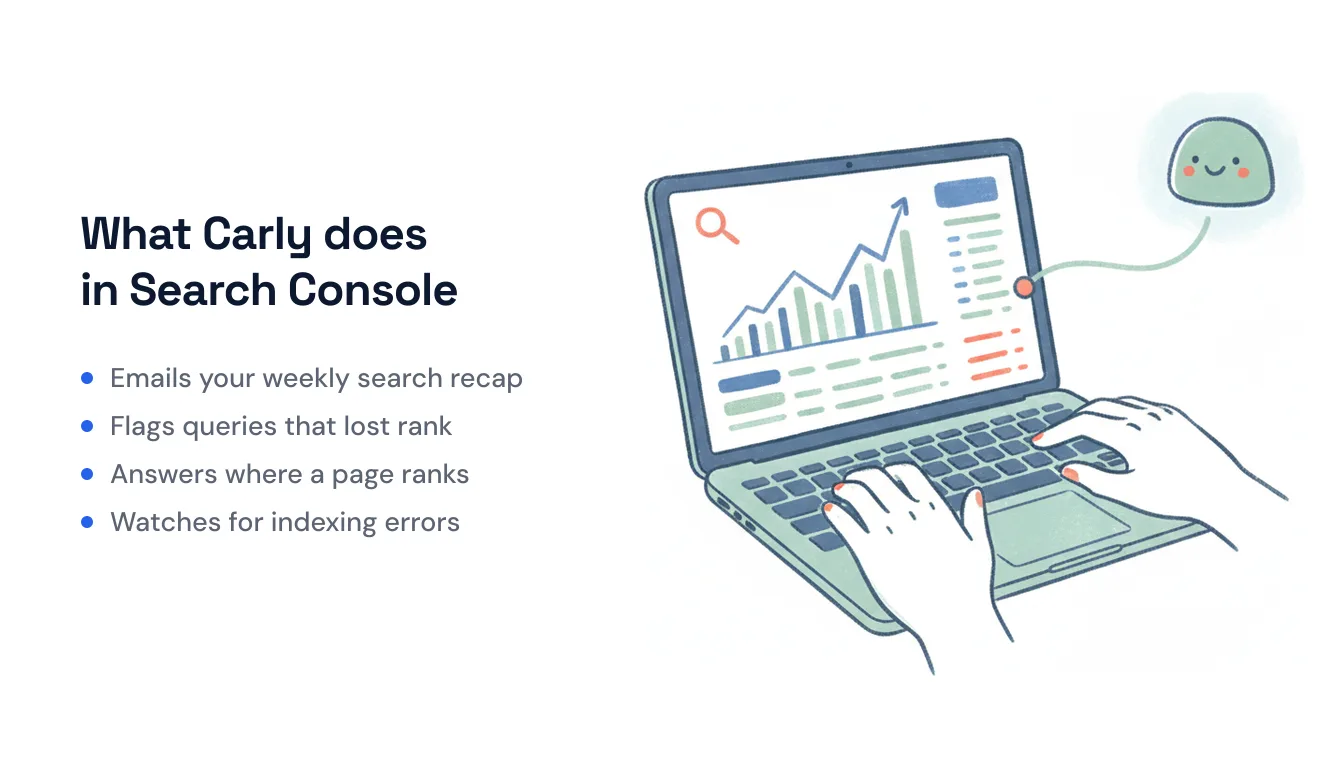
- Every Monday morning → pull last week’s top queries and biggest movers, flag anything that dropped more than 10 positions, and email you the summary.
- On a schedule → check your coverage report for new indexing errors and post the affected URLs to Slack so they get fixed this week, not next quarter.
- When you publish → track the new post’s impressions and position over its first few weeks and tell you when it starts gaining traction.
You can also just ask, the way you would in a chat: text or email Carly “where is my pricing page ranking?” and she pulls the position, clicks, impressions and CTR from GSC and writes back.
The non-AI steps — pulling the numbers, comparing periods, routing the report — are free, the Zapier-style backbone of the workflow. The AI steps (summarizing, spotting what changed, deciding what’s worth flagging) start at $35/month. Describe the outcome in plain language and Carly wires up the Search Console connection and everything downstream.
If you want to interrogate your search data from a chat and you don’t mind running someone’s server to do it, a community GSC MCP does the job. If you want Search Console to actually tell you things — on a schedule, when something moves, in the inbox you already read — that’s the job MCP wasn’t built for.
FAQ
Does Google have an official Search Console MCP server? No. Search Console is not among the 50+ Google-managed MCP servers listed in Google’s own documentation. Google Analytics has an official, read-only MCP server, which is why people assume Search Console does too — but it doesn’t. Every “Google Search Console MCP” you’ll find is a community project wrapping the public Search Console API.
Is the Google Search Console API free? Yes. The Search Console API is free with your existing Search Console property and covers search analytics, sitemaps, site management and URL inspection. Community MCP servers built on it are typically free and open source as well.
Can a Search Console MCP alert me when rankings drop? No. MCP is request/response inside an AI chat — it has no triggers and nothing runs when the conversation is closed, so it can’t notice a drop and tell you. For scheduled reports or change alerts, you need a workflow tool like Carly rather than an MCP server.
Can I connect Search Console to AI without a Google Cloud project or a server? Yes. You don’t need to touch MCP, create a service account, or clone a repo. Carly connects to Search Console with a Google sign-in and lets you ask for the data in plain language — or set up a recurring report so it arrives on its own.
Ready to automate your busywork?
Carly schedules, researches, and briefs you—so you can focus on what matters.
See what people say
"Before Carly, I relied on a Calendly link, but the whole process felt impersonal and not very professional. Carly changed that by handling all the back-and-forth, so I'm no longer stuck in endless email threads trying to line up schedules.
Now Carly reaches out to candidates, shares my real-time availability, lets them pick a slot, then sends a Zoom link and drops it straight into my calendar. She sends reminders to both of us before each call, which has significantly reduced no-shows and last-minute confusion.
On top of scheduling, Carly acts like a full executive assistant, sending me my schedule the night before so I can prepare for each call. It reminds me of the old x.ai assistant, but Carly is noticeably smarter, faster, and better suited to my healthcare recruitment business."


