New Outlook vs Classic Outlook: What's Actually Different
New Outlook is a rebuilt app, not a redesign of the old one, which is why the differences run deeper than the ribbon. Some things classic Outlook does are simply not there, a few of them permanently. Some things new Outlook does never existed in classic. And classic is supported until at least 2029, so the decision is less urgent than the in-app nudges imply.
Here is what actually changed, drawn from Microsoft’s own feature comparison, which it updates as gaps close.
What classic Outlook does that new Outlook does not
These are the ones that end the conversation for the people they affect.
| Feature | New Outlook |
|---|---|
| VBA macros | Not supported |
| Custom forms | Not supported |
| Access files on a network share | Not supported |
| Connect to Outlook from a SharePoint site | Not supported |
| SharePoint calendar sync | Not supported |
| Rules import and export | Not supported |
| Voting buttons | Not supported |
| Business cards | Not supported |
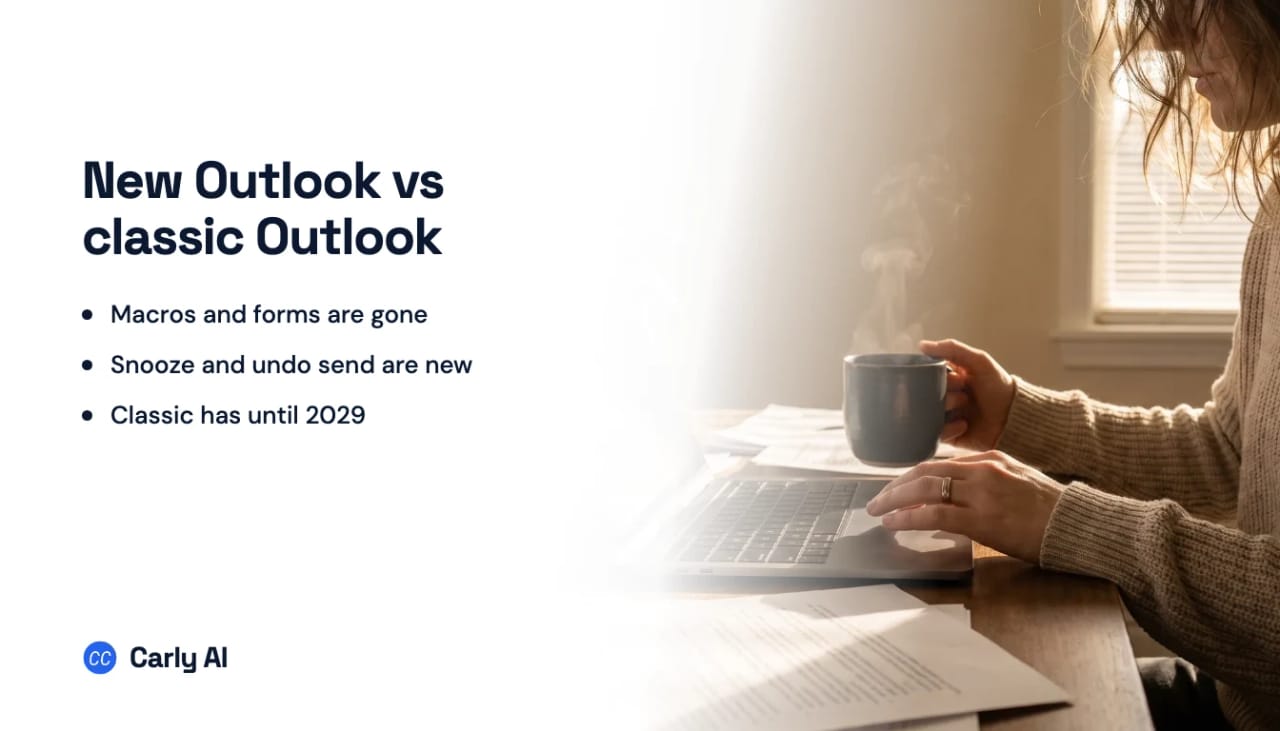
Macros are the big one. If your team runs VBA against Outlook, that work does not move. Microsoft publishes an alternatives guide for VBA and custom flows, and the honest summary is that it points you at different tooling rather than a migration path.
Network shares and SharePoint links catch a specific kind of organization, usually one with a document workflow built years ago that nobody has revisited. Worth checking before you switch a department rather than after.
What is partly there
These work, with edges. They are the source of most “it used to do this” complaints, because the feature appears present and then behaves differently under load.
- Offline support, in mail, calendar, and elsewhere
- .PST files, and
.ofttemplates - Rules, along with Quick Steps and conditional formatting
- Mail merge
- Exchange on-premises, which runs over IMAP with the limits that implies
- Delegate access to a shared mailbox
- Public folders, where Microsoft advises staying on classic if you create, modify, or delete them
- The Notes module
Several calendar features sit in the “upcoming” column rather than the missing one: copy and paste of events, multi-select, Schedule View, conditional formatting, and showing teammates’ calendars. Multiple mail profiles and LDAP are also listed as upcoming, which matters if either is load-bearing for you.
What new Outlook has that classic never did
The comparison runs both ways, and this half gets less attention.
| Feature | Classic Outlook |
|---|---|
| Snooze | Not supported |
| Sweep | Not supported |
| Undo send | Not supported |
| Schedule send | Not supported |
| Pin messages | Not supported |
| Swipe in the message list | Not supported |
| Search refiners | Not supported |
| Category favorites | Not supported |
| Meeting recap | Not supported |
| Follow meetings | Not supported |
| In-person events | Not supported |
| Preserve declined meetings | Not supported |
| Work hours and location on the calendar | Not supported |
| Edit this and all following events in a series | Not supported |
That last one deserves a mention on its own. Editing a recurring series from a point forward is something people have wanted from classic Outlook for roughly two decades.
How long classic Outlook actually has
Microsoft describes three progressive stages, and knowing which one you are in tells you how much time you have.
Opt-in. New Outlook is off by default and you toggle to try it. Both versions run side by side.
Opt-out. New Outlook is on by default and users are brought across automatically. You can still revert. Administrators get at least 12 months notice before this reaches managed enterprise plans.
Cutover. Switching back is no longer possible. Again, at least 12 months notice before this reaches production rings.
The commitment that matters most is the one about the app you already have installed: existing installations of classic Outlook, through perpetual or subscription licensing, are supported until at least 2029.
So if you are on classic because of macros, public folders, or a workflow that predates all of this, you have real time. Use it to find replacements rather than to postpone looking.
Running both at once
You do not have to choose today. Microsoft supports running new and classic Outlook side by side specifically for the transition period, which is the sensible posture if one workflow is blocking you. Keep classic for the thing that only classic does, and use new Outlook for daily mail.
To switch back from new Outlook, use the toggle in the top right. It is the same toggle that brought you across.
The question underneath the switch
Most people asking about this are not really asking about a client. They are asking whether their inbox is about to get harder to keep up with, and the answer to that has very little to do with which Outlook is on screen.
Both versions are places you go to do the work yourself. New Outlook adds Snooze, Sweep, and undo send, which are genuinely good, and each one still needs you sitting there. The message that arrives at 11pm waits either way.
Carly AI connects to the mailbox rather than the app, so the new-versus-classic decision does not affect it at all. It fires when a message arrives rather than when you open a window, drafts and sends real replies from the address that received the thread, books meetings across your calendars, and files what needs filing. Several Outlook and Gmail accounts can be connected at once, and Carly works across all of them.
You describe what you want in plain English and it interviews you to build it, which is a different proposition from writing a rule and hoping. Free Zapier-style workflows cover the deterministic steps, and AI agents start at $35/month.
Frequently asked questions
What is the main difference between new Outlook and classic Outlook?
New Outlook is a rebuilt app rather than an update, so capability differs in both directions. Classic keeps VBA macros, custom forms, network share access, and rules import and export. New Outlook adds Snooze, Sweep, undo send, schedule send, pinned messages, and editing a recurring series from a point forward.
Will classic Outlook stop working?
Not soon. Existing installations through perpetual or subscription licensing are supported until at least 2029, and administrators get at least 12 months notice before each migration stage reaches production.
Can I switch back to classic Outlook?
Yes, using the toggle in the top right of new Outlook. That remains possible through the opt-in and opt-out stages, and ends only at cutover.
Does new Outlook support macros?
No. VBA macros are not supported and are not planned. Microsoft publishes an alternatives guide for VBA and custom flows, which points at different tooling rather than a way to bring existing macros across.
Can I run new and classic Outlook at the same time?
Yes. Microsoft supports running them side by side during the transition, which is the practical answer when one workflow needs classic and everything else does not.
Does new Outlook work offline?
Partially. Offline support is listed as partially available across mail and calendar rather than matching classic, so test it if you work disconnected regularly.
Related: Best AI email assistants for Outlook · Best AI assistants for Outlook Calendar · How to fix Outlook search not working · How to use Quick Steps in Outlook · Outlook alternatives
Ready to automate your busywork?
Carly schedules, researches, and briefs you—so you can focus on what matters.
See what people say
"Before Carly, I relied on a Calendly link, but the whole process felt impersonal and not very professional. Carly changed that by handling all the back-and-forth, so I'm no longer stuck in endless email threads trying to line up schedules.
Now Carly reaches out to candidates, shares my real-time availability, lets them pick a slot, then sends a Zoom link and drops it straight into my calendar. She sends reminders to both of us before each call, which has significantly reduced no-shows and last-minute confusion.
On top of scheduling, Carly acts like a full executive assistant, sending me my schedule the night before so I can prepare for each call. It reminds me of the old x.ai assistant, but Carly is noticeably smarter, faster, and better suited to my healthcare recruitment business."