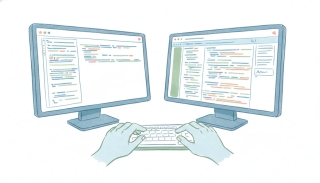
VS Code MCP: Configure Servers for Agent Mode
VS Code reads MCP servers from an mcp.json file, and the tools only appear in agent mode. That second half explains most of the confusion. People configure a server correctly, open Copilot Chat, see nothing, and assume the setup failed. It did not. Ask and Edit modes do not surface MCP tools at all.
Where the config goes
Two locations, and the choice is about who else gets the server:
.vscode/mcp.jsonin the workspace. Scoped to that project, and version-controllable, which is the point: check it in and everyone on the team gets the same servers without a setup document.- Your user profile. Global to you, across every workspace on the machine.
Once servers are configured, their tools show up automatically in agent mode and the agent invokes them like any built-in tool. There is no separate enable step per tool.
Agent mode is not optional
MCP support went generally available in VS Code 1.102, and it has always been tied to agent mode. If you are in Ask or Edit, the tools are invisible regardless of how the server is configured.
So the first debugging step for “my MCP server isn’t working in VS Code” is not the JSON. It is checking which mode the chat is in.
Bridging to other agents
Since VS Code 1.113, servers configured in VS Code can be bridged to Copilot CLI and Claude agent sessions. This is worth knowing before you configure the same server in three places by hand: one configuration can serve several surfaces, which also keeps credentials in one spot rather than scattered across tools.
What MCP does not add
Event triggers have arrived in MCP, one app at a time. ChatGPT now lets a plugin start an automation when something changes, on a standard that is still a proposal, and OpenAI's own docs name just Gmail messages, Slack messages and GitHub pull requests as supported events. The CRM, the booking page, the intake form and the invoice are not on the list yet. Carly workflows already start from those, usually within minutes, and hand the result back to the assistant you already work in.
The agent calls a server when it needs something in the session you are running. Nothing is being watched between sessions. For a coding agent this is mostly fine, since you are present anyway. It becomes the limit the moment you want something to happen because an event occurred rather than because you asked.
Give the agent a server that reaches past the repository
Most MCP servers a developer adds cover one tool. Carly covers the business side of the job through a single endpoint: mail, calendars, files, and your CRM, with workflows that run on real events.
- Add your accounts to Carly. Sign in at carlyassistant.com, open Integrations, pick a service, click Connect, and authorize. Click Connect again for the next one and keep going for as many as you want. Carly connects to thousands of apps.
- Add Carly to VS Code. Put this in
.vscode/mcp.jsonfor one project, or in your user profile to have it everywhere:
{
  "servers": {
    "carly": {
      "type": "http",
      "url": "https://carlyassistant.com/mcp/"
    }
  }
}- Switch the chat to agent mode and the tools appear. The agent can read the thread that describes an issue, check whether you are free before it proposes a call, or file the result.
Free Zapier-style workflows; AI agents from $35/month. Connecting Carly costs nothing.
Frequently Asked Questions
How do I add an MCP server to VS Code?
Create .vscode/mcp.json in your workspace, or add the server to your user profile configuration. Tools then appear automatically in agent mode.
Why can’t I see my MCP tools in VS Code?
Almost always because the chat is in Ask or Edit mode. MCP tools are only exposed in agent mode.
Should mcp.json go in the workspace or the user profile?
Workspace when the team needs it, since the file can be checked into version control. User profile when it is personal and you want it in every project.
Can VS Code MCP servers be used by other agents?
Yes. Since VS Code 1.113, configured servers can be bridged to Copilot CLI and Claude agent sessions.
Can a VS Code MCP server run on a trigger?
No. MCP has no scheduler or event mechanism, so servers respond only when the agent calls them during a session.
More: Cursor MCP · Claude Code MCP · Windsurf MCP · How to install an MCP server in 7 AI clients · MCP servers: the complete list
Ready to automate your busywork?
Carly schedules, researches, and briefs you—so you can focus on what matters.
See what people say
"Before Carly, I relied on a Calendly link, but the whole process felt impersonal and not very professional. Carly changed that by handling all the back-and-forth, so I'm no longer stuck in endless email threads trying to line up schedules.
Now Carly reaches out to candidates, shares my real-time availability, lets them pick a slot, then sends a Zoom link and drops it straight into my calendar. She sends reminders to both of us before each call, which has significantly reduced no-shows and last-minute confusion.
On top of scheduling, Carly acts like a full executive assistant, sending me my schedule the night before so I can prepare for each call. It reminds me of the old x.ai assistant, but Carly is noticeably smarter, faster, and better suited to my healthcare recruitment business."