7 Best AI Automation Tools for Missive in 2026
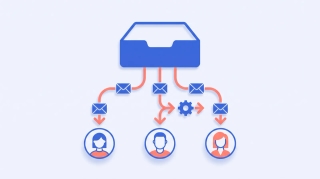
Missive has AI Rules, and they are better than most shared inboxes offer. A rule reads the contents of an incoming email and then routes it, labels it, drafts a reply, or posts a summary as a team note. Underneath it runs on a model you pick from OpenAI, Anthropic or Google, with fast models for rules that need to fire inline.
Two things about that are worth knowing before you plan around it. AI Rules and the AI assistant sit on the Productive and Business plans, so the $14 Starter tier does not have them, and Starter also omits rules, integrations and analytics entirely. And the AI is billed by usage on top of seats, through Missive AI credits or your own OpenAI, Anthropic or Gemini key, which means a second bill to watch. Reviewers also flag search quality and occasional bugs as the long-running complaints.
Below are seven tools that automate Missive, ranked by how much work they take off your plate.
TL;DR: The best AI automation tool for Missive for most teams is Carly. You connect Missive with an API key and then work the inbox by email or text, with no model key of your own to supply. For pushing Missive events into other apps, Zapier or Make. For self-hosted control, n8n.
1. Carly
Carly is an AI agent with its own real email address that connects to Missive and thousands of other apps. You write to it the way you would write to a colleague, “clear the support inbox and draft replies to anything about billing,” “which client threads have gone quiet,” “put the Varonex conversation on the CRM record,” and it acts in Missive directly.
What makes it different: Missive’s AI Rules are per-message reactions that you configure and fuel with AI credits or your own model key. Carly is one agent that already holds the whole picture: the shared inbox, your own Gmail and Outlook mailboxes, your calendar, and the CRM. So a request that spans them, like drafting a reply that depends on what the calendar says and what the CRM knows, is one instruction rather than a chain of rules.
Best for: Teams who want the inbox worked, not wired.
Pricing: Free Zapier-style workflows; AI agents from $35/month
2. Missive AI Rules (native)
Missive’s own rules read message content and act on it: assign to the right person, apply labels, draft a reply, create a task, log to the CRM. For content-based routing inside Missive this is the shortest path.
What makes it different from Carly: Three conditions come attached. AI features start on the Productive plan, not Starter. AI usage is billed on top, through Missive credits or your own model key, so the AI cost is separate. And unlimited users only arrive on the most expensive plan. Carly has no model key to supply and no per-seat cliff on the automation.
Best for: Content-based routing on a plan that already includes AI Rules.
Pricing: Annual from $14/user/month Starter, $24 Productive, $36 Business, with AI on the upper two
3. Zapier
Zapier connects Missive to thousands of apps with trigger-action Zaps and AI steps for drafting and parsing.
What makes it different from Carly: Every Zap is plumbing you design and maintain, and the triggers are fixed events rather than plain-language requests. Carly does the wiring for you. See Zapier alternatives.
Best for: Getting Missive events out into a long tail of niche apps.
Pricing: Free plan; paid from ~$19.99/month
4. Make
Make is a visual automation platform with branching, loops and data transforms across Missive and thousands of other services.
What makes it different from Carly: More capable than Zapier on complex scenarios, at the cost of a canvas you build and debug. Carly trades the canvas for a sentence. See Make alternatives.
Best for: Technical users who want fine control over multi-step Missive scenarios.
Pricing: Free plan; paid from ~$12/month
5. n8n
n8n is open-source and self-hostable with AI and agent nodes, and it is the usual answer when the data cannot leave your infrastructure.
What makes it different from Carly: Maximum flexibility and privacy, and you host, build and maintain every bit of it. Carly is managed. See n8n alternatives.
Best for: Developer-leaning teams that want Missive automations they run themselves.
Pricing: Free self-hosted; cloud from ~$20/month
6. Your own OpenAI key plus Missive rules
Because Missive’s AI automation can run on a key you supply, some teams treat that as the platform: tune the prompts, watch the spend, and grow the rule set from there.
What makes it different from Carly: You are now operating a model budget as well as an inbox, and the rules still only see one message at a time. Carly holds the calendar, the CRM and every mailbox alongside the thread, and there is no key of yours in the loop.
Best for: Teams already comfortable running their own model spend.
Pricing: Missive Productive or Business, plus OpenAI usage
7. Missive API and a script
Missive’s API supports building a service that watches conversations and acts on them, with no plan gate on how much it does.
What makes it different from Carly: It is a codebase you own, with auth to rotate and failures to chase, and no AI in it unless you add one. Carly gets you the same outcomes from a plain-language message.
Best for: Engineering teams with somewhere to run it.
Pricing: Free, plus your time
Missive Automation Tools Compared
| Tool | Plain-language (no builder) | Needs your own model key | Reaches past Missive | Price |
|---|---|---|---|---|
| Carly | Yes | No | Yes, thousands of apps | From $35/mo |
| Missive AI Rules | Partly | No (credits or your own key) | Connected apps only | $24/user/mo and up for AI |
| Zapier | No (builder) | No | Yes | Free; from ~$19.99/mo |
| Make | No (builder) | No | Yes | Free; from ~$12/mo |
| n8n | No (builder) | Depends on node | Yes | Free self-hosted; ~$20/mo cloud |
| Key plus rules | Partly | Yes | Connected apps only | Missive plan plus usage |
| Missive API script | No (code) | If you add AI | Yes | DIY |
FAQ
Does Missive have built-in AI automation? Yes. AI Rules read message content and can route, label, draft a reply or post a summary, running on a model you choose from OpenAI, Anthropic or Google. They are available on the Productive and Business plans, and the AI usage is paid through Missive AI credits or your own provider key.
What is the best way to automate Missive with AI? For hands-off work, Carly: you describe the outcome and it acts in Missive with no model key of your own and no plan tier gating the AI. For pushing Missive events elsewhere, Zapier or Make.
Can I automate Missive on the Starter plan? Not with Missive’s own tools. Starter omits rules, integrations and analytics, and the AI features begin on Productive. An agent working the inbox through the API is not subject to that split.
Does Carly work with a Missive shared inbox? Yes. Connect Missive at carlyassistant.com/integrations with an API key, and Carly reads, drafts, replies and routes there alongside every Gmail and Outlook mailbox you connect.
More: AI for shared mailboxes · Best AI email assistants · Best AI inbox management tools · How to automate work with AI agents
Automate other tools: Front · Gmail · Outlook · Intercom
Ready to automate your busywork?
Carly schedules, researches, and briefs you—so you can focus on what matters.
See what people say
"Before Carly, I relied on a Calendly link, but the whole process felt impersonal and not very professional. Carly changed that by handling all the back-and-forth, so I'm no longer stuck in endless email threads trying to line up schedules.
Now Carly reaches out to candidates, shares my real-time availability, lets them pick a slot, then sends a Zoom link and drops it straight into my calendar. She sends reminders to both of us before each call, which has significantly reduced no-shows and last-minute confusion.
On top of scheduling, Carly acts like a full executive assistant, sending me my schedule the night before so I can prepare for each call. It reminds me of the old x.ai assistant, but Carly is noticeably smarter, faster, and better suited to my healthcare recruitment business."