9 Best AI Assistants for Missive in 2026
Missive already has AI. The assistant drafts replies, AI Rules label and route incoming mail, and since August 28 Claude and ChatGPT can reach your conversations through Missive’s own connector.
Each one drafts or sorts when someone asks or a rule fires. Following through, across the calendar, the CRM and the client who went quiet, is still a person’s job.
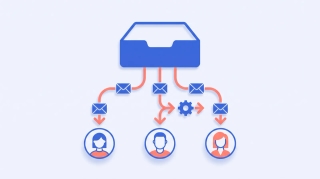
Short answer: Carly is the AI assistant that works your Missive inboxes when nobody is logged in. It assigns conversations, replies through the right channel and reports what is sitting unassigned, then books the meeting the thread asked for across every Gmail and Outlook calendar you own. It starts on its own on a schedule or when a new email lands, and you reach it by email or text.
We checked nine tools in October 2026, with prices read off vendor pages the same week.
Quick comparison
| Tool | Works in Missive | Starts on its own | Personal Gmail, Outlook and calendars | Price |
|---|---|---|---|---|
| Carly | Yes: assigns, replies, posts to teammates | Yes: schedules, new email, calendar events, forms | Yes, all of them at once | AI agents from $35/month |
| Missive AI | Built in | AI Rules on incoming mail (draft for review, label, note, task) | Only accounts connected to Missive | Productive $24/user/mo yearly, plus AI usage |
| Claude | Through Missive’s connector | Scheduled tasks only | One Google account per connector | Pro $17/mo yearly |
| ChatGPT | Through Missive’s connector, plan-dependent | Plugin events such as new Gmail messages; not Missive | Gmail and Outlook plugins | Plus $20/mo; dots need Pro from $100/mo |
| Front | Replaces Missive | Autopilot agent, billed per conversation | Shared channels only | Starter $25/seat/mo yearly; Copilot +$20/seat |
| Help Scout | Replaces Missive | AI Answers chatbot | No | Free plan; AI Drafts from Plus at $45/user/mo yearly |
| Hiver | Replaces Missive | AI Agents on every plan | Gmail and Outlook | Growth $25/user/mo yearly, 2-seat minimum |
| Gmelius | Replaces Missive, Gmail only | AI assistants for sorting and drafting | Gmail only | Meli $19/user/mo yearly |
| Fyxer | No, works in Gmail and Outlook | Drafts and sorts, never sends | Several inboxes on Team only | Pro $37/person/mo yearly |
1. Carly
Claire Thompson runs operations at a seven-person brand studio: two team inboxes in Missive, her own work in the studio’s Outlook, and a personal Gmail with the family calendar. She connects all of it to Carly once, and one request covers all of them.
Triage before anyone logs in. At 8am a scheduled workflow sends Claire the overnight picture: seven unassigned conversations, the three oldest listed. She texts back “Shopify thread to Josh, invoice questions to Emily,” and Carly assigns them in Missive, then posts a note in the Shopify thread telling Josh the client wants the revised scope by Friday.
Replies through the right channel. “Tell the Gusto team the proposal lands Wednesday.” Carly replies through Missive on the channel the conversation came in on: email, SMS or social.
The meeting the thread asks for. A client wants a kickoff call. Claire forwards the thread to Carly’s own email address, and Carly checks her Outlook and Gmail calendars, offers three free times, books the one the client picks and sends the invite. Clients who like to pick get a booking page with only real openings; a five-person kickoff gets an availability poll.
Follow-ups that happen. When a quote to Michael Bennett sits unanswered for three days, a workflow drafts the nudge for Claire to approve, or sends it.
What makes it different: Missive’s AI works inside the app when a teammate opens it or a rule fires. Carly runs workflows on a schedule, a new email in any connected Gmail or Outlook account, a calendar event or a form; you describe each in plain English and Carly builds and runs it. It reaches the accounts Missive never sees, and Carly connects to thousands of apps, so the same request can update HubSpot or post to Slack. For inbound mail that needs its own address and instructions, set up Email Agents.
Connect it:
- In Missive, open your preferences, click the API tab, then Create a new token. API tokens need the Productive or Business plan, and the token covers every inbox you can open in Missive, team inboxes included.
- Paste your Missive API token into Carly on the integrations page.
- On the same page, find Gmail, Google Calendar and Outlook, click Connect on each, and sign in. Repeat for every account.
- Working in Claude? Click Get the Carly connector, then Connect, and sign in.
- Working in ChatGPT? Click Get the Carly plugin, add it, and sign in with your Carly account.
Best for: small Missive teams whose inbox work turns into meetings, follow-ups and updates in other tools
Pricing: Free Zapier-style workflows; AI agents from $35/month. Adding a mailbox or calendar does not change the price.
Limitations: Missive tokens are personal, so Carly sees the inboxes the token’s owner can open. Each Gmail and Outlook account connects separately on day one. Get started, or book a call for help setting up a team.
2. Missive’s built-in AI
The assistant searches every connected account, reads attachments, drafts replies and new messages across email, SMS and WhatsApp, and since July sends a draft once you approve it. It can also apply labels and create calendar events behind an approval card, and call tools like Notion, HubSpot and Stripe. AI Rules read incoming mail and add a label, a note, tasks or a draft for review. More in our Missive review.
Best for: teams who want drafting and smart routing inside the app they already use
Pricing: AI needs Productive at $24 per user per month billed yearly ($30 monthly) or Business at $36 ($45). Usage is extra: $5 of starter credit, then credits at the provider’s price plus 25%, or your own API key. No free plan after the 30-day trial; see Missive pricing.
Limitations: The assistant works while someone has it open, one person per session. AI Rules draft but do not send. When credits hit $0, AI stops for everyone, and Missive’s docs say “there’s no auto-recharge today.”
3. Claude with Missive’s connector
Missive’s connector came out of beta on August 28. An admin switches it on, you connect Claude, and you choose what it may do: read conversations, draft, send, add shared labels, and manage calendars. Claude is the best writer here for a delicate reply.
Best for: one person who wants a strong writer reading the Missive queue on request
Pricing: Pro $17 a month billed yearly or $20 monthly, plus Missive Productive or Business
Limitations: Missive’s docs say the connector “doesn’t act on its own” and “nothing happens unless you ask for it in a chat.” Assigning a conversation to a teammate is not among the actions it lists. Claude’s own tasks run on a schedule, and its Google connectors hold one account each.
4. ChatGPT with Missive’s connector
The same connector works as a custom connector in ChatGPT, though Missive notes custom connectors are not on every ChatGPT plan. ChatGPT moved most this quarter: on September 29 OpenAI launched dots, always-on agents that work between conversations, and supported plugins can now start automations when something changes in a connected app.
Best for: teams already paying for ChatGPT who want Missive in the same chat as Gmail and Outlook
Pricing: Plus $20 a month; dots need Pro from $100 a month or Business Premium
Limitations: OpenAI’s examples of events that start a task are new Gmail messages, Slack channel messages and GitHub pull requests; Missive documents its connector as acting only when asked. Writes through it also skip Missive’s in-app confirmation. The Carly plugin brings Missive, every mailbox and every calendar into ChatGPT with triggers behind it.
5. Front
The support-team version of a shared inbox, with the strongest native AI: Copilot drafts and suggests next steps, and Autopilot is an omnichannel AI agent that handles customer work on its own. Switching means leaving Missive. See Front AI and Missive vs Front.
Best for: support desks that need SLAs, QA and an AI agent answering customers
Pricing: Starter $25 per seat per month billed yearly for up to 10 seats, Professional $65, Enterprise $105. Copilot is a $20 per seat add-on below Enterprise, and Autopilot starts at $0.05 per conversation.
Limitations: Starter covers one channel type. A Trustpilot reviewer who cancelled in August 2026 wrote that “everything is capped, everything is charged ‘per seat.‘“
6. Help Scout
A help desk with AI Drafts, summaries and AI Answers, a chatbot that resolves customer questions from your help content. Its free plan makes it the cheapest way to try. More in Help Scout AI.
Best for: customer support teams answering the same questions at volume
Pricing: Free for 5 users and 1 inbox; Standard $25, Plus $45 and Pro $75 per user per month billed yearly. AI Drafts start on Plus, and AI Answers costs $0.75 per resolution.
Limitations: It is built for customers writing in, not for the agency or ops work Missive teams do. Personal mailboxes and calendars stay outside it.
7. Hiver
Hiver Omni is a standalone shared inbox for Gmail and Outlook with AI Agents and AI Copilot included on every plan. Agents can look up orders, issue refunds and update records, and pause for approval on actions you mark sensitive. See Hiver pricing.
Best for: support and finance teams that want an AI agent working the queue inside the help desk
Pricing: Growth $25 per user per month billed yearly ($35 monthly), Pro $55, Elite $85. Plans start at two seats, and API access starts on Pro.
Limitations: On October 2, 2026 a long-time customer wrote on Trustpilot that “basic features got less and less unless you went to their top plans.”
8. Gmelius
Shared inboxes and AI assistants that live inside Gmail, including Meli, which drafts, sorts, schedules and follows up for one person. See Gmelius alternatives.
Best for: an all-Google team that would rather stay in Gmail than run a separate client
Pricing: Meli $19 per user per month billed yearly ($21 monthly), Growth $25 ($33), Pro $40 ($50)
Limitations: Gmail and Google Workspace only, so any Outlook mailbox is out. A Trustpilot reviewer in June 2026 said their annual subscription “increased by 3x this year.”
9. Fyxer
Fyxer drafts replies in your tone, sorts your inbox, and turns recorded meetings into follow-up drafts. It works in Gmail and Outlook directly, not inside Missive, and spends monthly credits. See Fyxer alternatives.
Best for: one person polishing drafts in a personal inbox
Pricing: Pro $37 per person per month billed yearly or $49 monthly; Team $64 or $99
Limitations: Fyxer’s FAQ says it “can’t send emails on your behalf.” Several inboxes at once is a Team feature.
What did not make the list
Superhuman ($33 per member per month billed yearly on Business) is a fast personal client; a Missive team would be swapping clients, not adding an assistant. Gemini works in Gmail and Google Calendar, while Missive’s connector docs cover Claude, ChatGPT and Cursor. Zapier and Make are covered in AI automation tools for Missive.
How to pick
If your Missive inbox keeps creating work in your calendar, your CRM and your personal accounts, go with Carly. It is the only option here that works Missive, your own mailboxes and every calendar from one request by email or text, and starts on its own before the team logs in.
Drafting and routing inside the app: Missive’s AI, with an eye on credits. A strong writer on request: Claude through Missive’s connector. A true support desk with an AI agent answering customers: Front or Hiver, but read best shared inbox tools before you migrate. Already on Front: best AI assistants for Front.
FAQ
What is the best AI assistant for Missive?
Carly. It connects to Missive with an API token, assigns conversations, replies through the right channel and reports what is unassigned, and it also covers every Gmail and Outlook account and calendar you connect. Free Zapier-style workflows; AI agents from $35/month.
Does Missive have built-in AI?
Yes, on the Productive and Business plans. The assistant drafts, searches, labels and creates calendar events with your approval, and AI Rules act on incoming mail. Usage is paid through Missive credits at the provider’s price plus 25%, or your own API key.
Can Claude or ChatGPT work with Missive?
Yes, through Missive’s own connector, out of beta since August 28. An admin has to enable it, and Missive’s docs say it acts only when you ask in a chat. To get triggers behind it, add the Carly connector in Claude or the Carly plugin in ChatGPT from carlyassistant.com/integrations.
Can an AI assistant assign Missive conversations automatically?
Missive’s own rules can, including AI Rules that route by content. Carly assigns on request by email or text, and a scheduled workflow can pull the unassigned list each morning and assign it the way you describe, or send it to you first.
How do I connect Missive to Carly?
In Missive, open your preferences, click the API tab and create a new token (Productive or Business plan). Paste it into Carly on the integrations page, then connect your Gmail and Outlook accounts on the same page.
More: Missive pricing · Missive alternatives · AI for shared mailboxes · Managing client inboxes
Ready to automate your busywork?
Carly schedules, researches, and briefs you—so you can focus on what matters.
See what people say
"Before Carly, I relied on a Calendly link, but the whole process felt impersonal and not very professional. Carly changed that by handling all the back-and-forth, so I'm no longer stuck in endless email threads trying to line up schedules.
Now Carly reaches out to candidates, shares my real-time availability, lets them pick a slot, then sends a Zoom link and drops it straight into my calendar. She sends reminders to both of us before each call, which has significantly reduced no-shows and last-minute confusion.
On top of scheduling, Carly acts like a full executive assistant, sending me my schedule the night before so I can prepare for each call. It reminds me of the old x.ai assistant, but Carly is noticeably smarter, faster, and better suited to my healthcare recruitment business."