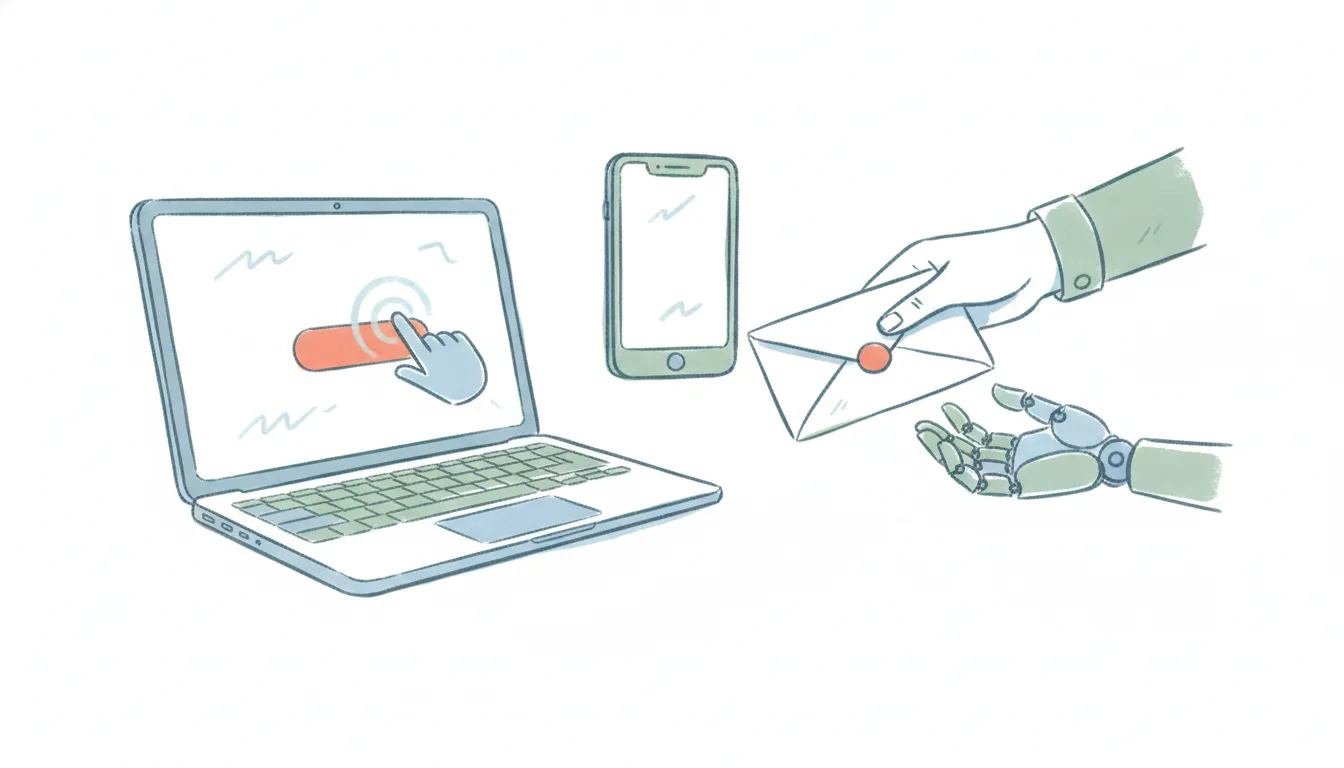
Carly AI vs Clicky (2026): Async Delegate or On-Screen Copilot?
Carly is an AI-powered scheduling assistant that works over email and SMS. Unlike traditional booking links or calendar tools, Carly reads messy email threads she is cc'd on, understands context, and sends real invites that keep the conversation natural. You can forward Carly an email, send her a text, or send screenshots and images for her to process and add to your calendar. It's built for busy professionals who want a human-like assistant that just works, handling coordination and calendaring so you don't have to. ChatGPT could never be this useful.
Clicky is the AI buddy that lives next to your cursor. Hold a key, ask a question out loud about whatever is on your screen, and it answers by voice — pulsing a halo on the exact button to click. Its “clicky agent” mode can also run background tasks. It went viral for a reason: real-time, voice-first, contextual help inside the app you’re already using. (Not to be confused with clicky.com, the web analytics tool — different product entirely.)
Carly is a different shape of assistant. She has her own name and email address, and you reach her over email and text like a colleague. Forward her a thread to reply to, CC her to book a meeting, or text her to move a call, and she does it in the background across 200+ integrations — no screen to watch, no app to keep open.
That is the whole fork: Clicky coaches you through the task while you sit at the keyboard; Carly takes the task off your plate and does it while you’re gone. Clicky is genuinely good at what it does — this is an honest look at which model fits which problem.
Feature Comparison
| Feature | Carly | Clicky |
|---|---|---|
| Does the work vs. guides you through it | Does it (async delegate) | Guides you (real-time copilot) |
| Watches your screen | ❌ (never) | ✅ (screen capture) |
| Works over email | ✅ | ❌ |
| Works over SMS / text | ✅ | ❌ |
| Meeting scheduling & rescheduling | ✅ | ❌ |
| Gmail + Outlook / Microsoft 365 | ✅ (both, native) | Gmail via agent, on your Mac |
| Google Calendar + Outlook Calendar | ✅ (both) | Google Calendar via agent |
| Inbox triage & draft replies | ✅ | Partial (draft in Gmail via voice) |
| Daily briefings | ✅ | ❌ |
| In-app guidance (“how do I do this here?”) | ❌ | ✅ (its whole point) |
| Voice, real-time answers about your screen | ❌ | ✅ |
| Runs when your laptop is closed | ✅ | ❌ |
| Platforms | Any device with email or text | Mac only (Windows waitlisted) |
| Integrations | 200+ (bring your own API key) | Notion, Gmail, Google Calendar, Linear (agent mode) |
| Pricing | Starts at $35/month | Free tier; Pro $20/month |
Clicky pricing verified July 2026: a limited free tier, with Pro at $20/month (150 agent messages per month plus unlimited voice). Clicky is Mac-first — Windows is still a waitlist — and it’s built by Farza Majeed’s team, backed by Y Combinator’s 2026 batch. It uses macOS screen capture to send what’s on your screen to a model for analysis, which is core to how it works and worth knowing if you’re in a locked-down environment.
The split: guide-me vs do-it-for-me
Clicky rides along; Carly takes over. When you press Clicky’s push-to-talk key, it looks at your screen and talks you through what to do next — where to click in Figma, how to fix a DaVinci timeline, what a line of code means. You are still the one doing the work; Clicky is the expert leaning over your shoulder. Carly is the opposite: you hand her “find a time with the Acme team and send the invite” and she runs the whole loop over email and text without you present. If your problem is “I don’t know how to do this in front of me,” Clicky wins. If it’s “I don’t want to do this at all,” that’s Carly.
Carly is email- and text-native; Clicky lives on one screen. Clicky’s agent mode can draft a Gmail message or check your Google Calendar by voice — a real capability, not nothing. But it does that on your Mac, in the moment, while the app is open. Carly runs standing in your actual inbox: she triages mail, drafts and sends replies in your voice, schedules and reschedules across Google Calendar and Outlook, sends daily briefings, and keeps tasks time-blocked. You can forward her a screenshot from your phone or text her a request from a meeting. There is no device she has to be watching.
No screen capture, and Outlook is in. Clicky depends on seeing your screen — great for context, a non-starter where screen capture is blocked, and Mac-only for now. Carly never watches your screen at all; you delegate by email or text, so it works from any device and any OS. It also covers the full Outlook / Microsoft 365 stack for both mail and calendar, which Clicky’s agent doesn’t reach today. If you live in Microsoft 365 or on Windows, that’s decisive.
Pricing rewards different jobs. At $20/month Clicky is an affordable, delightful on-screen tutor with metered agent messages. Carly starts at $35/month for an assistant that runs your recurring admin — inbox, scheduling, follow-ups, briefings — over email and text. You’re paying for two different things: real-time guidance versus offloaded work.
Which one fits you
Pick Clicky if you want a copilot at your keyboard: real-time, voice-first help learning new software, navigating complex apps, or debugging what’s on screen, and you’re on a Mac. It’s one of the best in that lane. Pick Carly, starting at $35/month, if what you actually want is the work gone — email triaged, meetings booked over text, follow-ups sent, Outlook and Gmail both covered — without watching a screen or keeping an app open. Plenty of people would happily run both: Clicky while they work, Carly for the admin they’d rather never touch. If you need to coordinate a group time first, Carly’s free group-availability grid needs no signup.
Weighing the wider field? See the best Clicky alternatives, Cluely vs Clicky, Highlight AI vs Clicky, and the best AI personal assistants.
FAQ
Is this the same Clicky as the web analytics tool? No. This page is about Clicky (heyclicky.com), the AI screen copilot that watches your Mac and answers by voice. Clicky.com is an unrelated web analytics platform.
Does Clicky work on Windows? Not yet — Clicky is Mac-only, with Windows on a waitlist as of mid-2026. Carly has no app at all; you reach it over email and text from any device or OS, so platform isn’t a question.
Can Clicky handle my email and calendar like Carly? Clicky’s agent mode can draft a Gmail message or check Google Calendar by voice, on your Mac, while it’s open. Carly runs your inbox and calendar as a standing job over email and text — triage, drafting, sending, scheduling and rescheduling across Gmail and Outlook, plus daily briefings — without watching your screen.
More: Best Clicky alternatives · Cluely alternatives · Highlight AI alternatives · What are AI agents? · Best AI personal assistants
Ready to automate your busywork?
Carly schedules, researches, and briefs you—so you can focus on what matters.
See what people say
"Before Carly, I relied on a Calendly link, but the whole process felt impersonal and not very professional. Carly changed that by handling all the back-and-forth, so I'm no longer stuck in endless email threads trying to line up schedules.
Now Carly reaches out to candidates, shares my real-time availability, lets them pick a slot, then sends a Zoom link and drops it straight into my calendar. She sends reminders to both of us before each call, which has significantly reduced no-shows and last-minute confusion.
On top of scheduling, Carly acts like a full executive assistant, sending me my schedule the night before so I can prepare for each call. It reminds me of the old x.ai assistant, but Carly is noticeably smarter, faster, and better suited to my healthcare recruitment business."