Carly MCP: Manage Your Booking Pages From Claude
Stop tabbing over to a dashboard to spin up a new booking link. Carly now ships an MCP server, so your AI can create booking pages, change their rules, and check who has booked through them — all in plain English, without leaving the chat.
To be clear about scope: this one ships with the carly-ai CLI and gives your AI access to your Carly booking pages and the bookings people make through them, not your underlying calendar. It’s the right tool when you want an agent that can spin up a “15-min design consult” link, tighten its availability, or pull a list of confirmed bookings on it. It’s not a general calendar reader.
If what you actually want is Carly’s full surface in Claude or ChatGPT (email, calendar, contacts, workflows, files, notes), that is the hosted server at usecarly.com/mcp. Nothing to install: paste one URL, authorize once.
Works with Claude Code, Claude Desktop, Cursor, Windsurf, Zed, VS Code, ChatGPT Desktop, and anything else that speaks MCP.
See also: the full MCP server list — which apps have one, and what each can reach.
Three steps (Claude Code)
npm install -g carly-ai
carly login
claude mcp add carly -- carly mcp
Restart Claude. Done. For other clients, the config is the same JSON block everywhere — command: "carly", args: ["mcp"] — copy-paste from the GitHub README.
Now talk to your booking pages
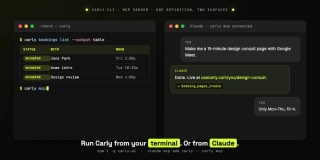
You: Make me a 15-minute design consult page with Google Meet.
Claude: Done. It’s live at
usecarly.com/your-username/design-consult.
You: Only let people book my consult page Mon–Thu, 10–4.
Claude: Updated. Fridays are blocked.
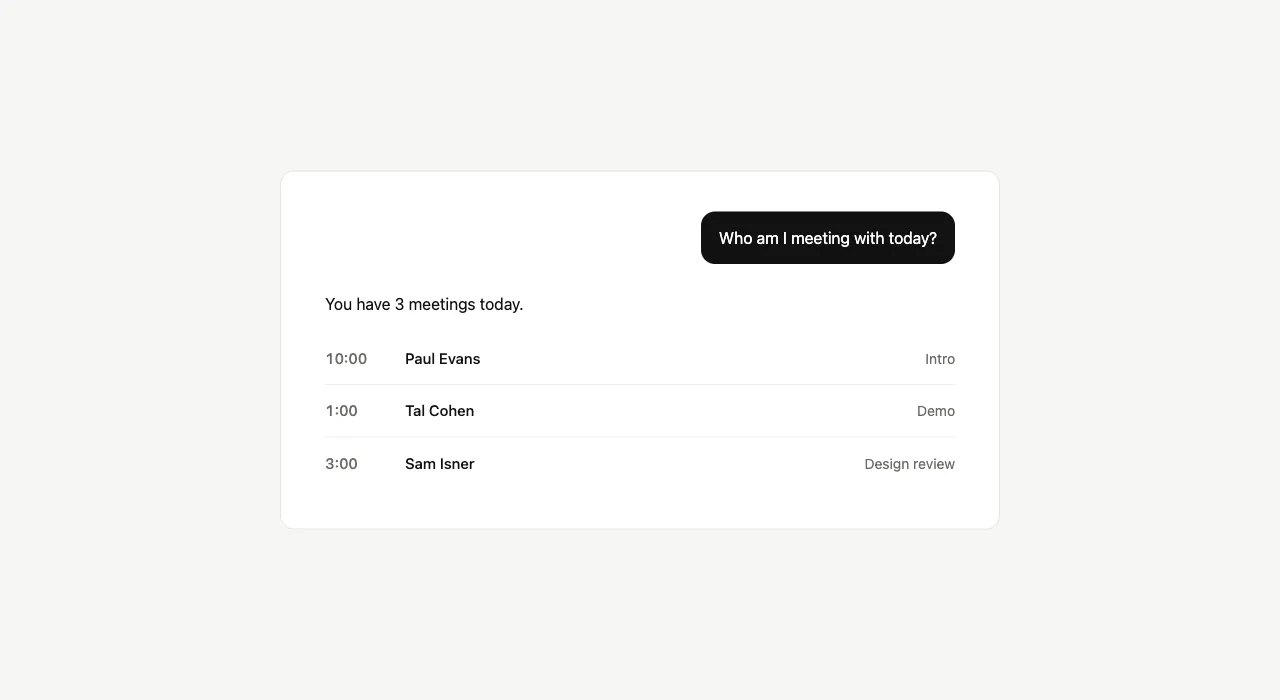
You: Who has booked the consult page this week?
Claude: Three bookings — Paul Evans (Tue 10am), Tal Cohen (Wed 1pm), Sam Isner (Thu 3pm).
That’s the whole pitch. Install, one line of config, then ask things in English.
Source on GitHub.
Ready to automate your busywork?
Carly schedules, researches, and briefs you—so you can focus on what matters.
See what people say
"Before Carly, I relied on a Calendly link, but the whole process felt impersonal and not very professional. Carly changed that by handling all the back-and-forth, so I'm no longer stuck in endless email threads trying to line up schedules.
Now Carly reaches out to candidates, shares my real-time availability, lets them pick a slot, then sends a Zoom link and drops it straight into my calendar. She sends reminders to both of us before each call, which has significantly reduced no-shows and last-minute confusion.
On top of scheduling, Carly acts like a full executive assistant, sending me my schedule the night before so I can prepare for each call. It reminds me of the old x.ai assistant, but Carly is noticeably smarter, faster, and better suited to my healthcare recruitment business."