Granola AI: What It Is and What It Costs in 2026
Granola is an AI notepad for people who are in meetings all day. The thing that made it spread is what it refuses to do: it never joins your call as a participant. There is no bot in the attendee list, no “Granola Notetaker has joined,” and nobody on the other side gets a recording prompt because of you.
Instead it runs as an app on your own machine, listens to your microphone and system audio, and sends that audio to a cloud transcription service while the meeting happens. It reads your calendar and opens a note for each meeting automatically.
That design decision is most of the product, and it is why people who tried Otter or Fireflies and felt rude switched to it.
How Granola actually works
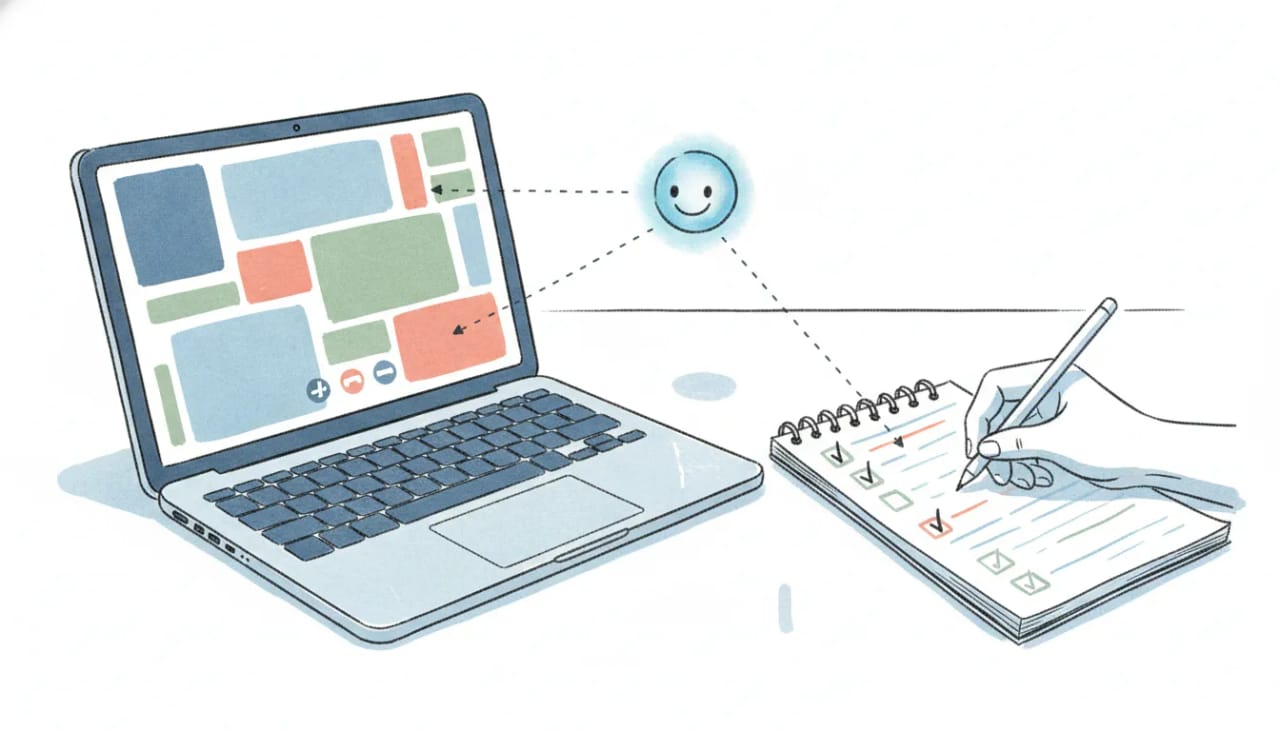
You type your own rough notes during the call, the way you always did. Granola is transcribing in the background. When the meeting ends, it merges the two: your fragments become a structured set of notes, with the topics, decisions, and open questions filled in from what was actually said.
The output is closer to “the notes you would have written if you had time” than to a transcript. That is a meaningful difference from the notetaker category, where the deliverable is usually a wall of text plus a summary block.
It runs on macOS, Windows, iOS, and Android, and you can chat with it across meetings, not just inside one, so “what did we agree with the Henderson team last quarter” is a question it can answer.
What Granola costs
Three plans, priced per user per month, with no annual discount:
| Plan | Price | What you get |
|---|---|---|
| Basic | $0 | AI meeting notes, limited meeting history, AI chat within and across meetings, shared folders, custom templates, multi-language |
| Business | $14/user/mo | Unlimited notes and history, advanced thinking models, integrations with Attio, Notion, Slack, HubSpot, Affinity and Zapier, centralized billing, API access and MCP integration |
| Enterprise | $35/user/mo | Everything in Business plus enterprise security and admin controls, SSO, priority support, usage analytics |
The free tier is genuinely usable for trying it, but the history limit is the thing that pushes people to pay. Granola describes it as “limited meeting history” rather than publishing a number on the pricing page, and various third-party reviews quote different caps, so check what your account actually shows before planning around a specific figure.
The line that matters is $14, not $35
For most individuals and small teams the interesting boundary is Basic to Business, and the reason is not unlimited history.
API access and the full MCP tool set are Business features. That is the tier where your whole history, public notes, folder browsing, and transcripts all come together, which is what an agent needs to do anything useful with a meeting. It is the difference between having notes and having notes that other software can actually work with.
Enterprise at $35 is a security and administration purchase: SSO, admin controls over sharing and API access, usage analytics. If nobody at your company is asking about SSO, you are not the buyer for it.
Where Granola stops
Granola’s job ends when the note is written, and it is honest about that. The note is excellent. What happens next is still yours.
The follow-up email you promised on the call. The task that came out of the third agenda item. The meeting you said you would book with the person who was mentioned. The CRM record that should reflect what was actually agreed. Granola’s integrations will push the note into Notion, Slack, HubSpot, Attio, Affinity, or Zapier, which puts the text where you want it. Moving text is not the same as doing the thing.
That gap is the reason its MCP support is more interesting than its integration list, and it is the next section.
Granola plus an agent: what the MCP tier is actually for
This is the part worth setting up, and it takes about a minute.
Granola’s MCP server means another system can read your notes as structured data rather than as text someone pasted into a document. Point an AI agent at it and the meeting stops being a thing you have to remember to process.
Carly is an AI agent with its own email address, your calendar, your mailbox, and a CRM. Add Granola’s MCP server to it and the two halves close:
- The call ends. Granola writes the note.
- Carly reads it, and the follow-up you promised on the call goes out from your own address, with the detail you actually agreed to rather than a generic recap.
- The next meeting you said you would book is on the calendar, checked against your real availability.
- The action items become tasks.
- The contact record updates. What was discussed, what stage the deal moved to, what you committed to, filed against the right person, so the next time that name appears you are not reconstructing it from memory.
That last one is what changes the feel of it. Meeting notes normally rot in a notes app, technically searchable and practically gone. Routed into a CRM, every conversation you have had with someone is sitting on their record, and the thing that used to take a diligent hour on a Friday afternoon happens because a call ended.
Setting it up: in Carly, go to Integrations, choose Connect an API, and add https://mcp.granola.ai/mcp. That is the whole procedure (the full tool list is here), and it authorizes over OAuth with nothing to copy or paste. Plan for Granola Business, which is where the full tool set, your whole history, and public notes come together. Carly is free Zapier-style workflows; AI agents from $35/month.
Granola owns the room. Carly works after the meeting rather than inside it, which is exactly why the pairing works and why neither one is trying to be the other.
If you only want better notes, Granola on its own is a complete answer and a very good one. If the part you actually dread is everything the meeting created, connecting the MCP server is what closes that gap.
FAQ
What is Granola AI? An AI notepad for meetings. You take rough notes, it transcribes in the background from your device’s audio, then merges the two into structured notes when the meeting ends.
Does Granola join my meetings? No. It never appears as a participant. It runs locally and listens to your microphone and system audio, so no bot shows up in the attendee list and nobody is prompted about a recorder.
How much does Granola cost? Basic is free, Business is $14 per user per month, and Enterprise is $35 per user per month. There is no annual discount.
Does Granola have an API or MCP server?
Both. The MCP server is at https://mcp.granola.ai/mcp, and Business is the tier to plan for: it carries the full tool set, your whole meeting history, and public notes. API access and the Attio, Notion, Slack, HubSpot, Affinity, and Zapier integrations are Business features too.
Is Granola free? There is a free Basic plan with AI notes, AI chat, shared folders, and templates, but meeting history is limited. Unlimited history starts at Business.
Can Granola do the follow-up after a meeting?
It writes the note and can push it into your other tools. Acting on it, such as sending the email, booking the next meeting, or updating the contact record, needs something with access to your mailbox and calendar. That is what the MCP server is for: add https://mcp.granola.ai/mcp to an agent like Carly and the follow-up happens because the call ended.
More: Granola MCP · Granola pricing · Granola alternatives · Granola vs Otter · Best AI notetakers
Ready to automate your busywork?
Carly schedules, researches, and briefs you—so you can focus on what matters.
See what people say
"Before Carly, I relied on a Calendly link, but the whole process felt impersonal and not very professional. Carly changed that by handling all the back-and-forth, so I'm no longer stuck in endless email threads trying to line up schedules.
Now Carly reaches out to candidates, shares my real-time availability, lets them pick a slot, then sends a Zoom link and drops it straight into my calendar. She sends reminders to both of us before each call, which has significantly reduced no-shows and last-minute confusion.
On top of scheduling, Carly acts like a full executive assistant, sending me my schedule the night before so I can prepare for each call. It reminds me of the old x.ai assistant, but Carly is noticeably smarter, faster, and better suited to my healthcare recruitment business."