
How to Change the CRM Default View in Carly
Carly opens the CRM on the first visible object in the selected workspace’s sidebar when the address does not name a particular object or record. To open on Deals instead of People, move Deals to the top of Records, then open the CRM without an object-specific link.
This controls which object’s records you see first. It does not choose a particular saved filter, board stage, or table sort. Those belong to the object’s views.
Make Deals the first object
- Open Carly’s CRM.
- Select the workspace you want to change. Personal and team workspaces have separate object orders.
- In the CRM sidebar, click the ⋯ settings button beside Deals, or beside its current name if you have renamed it.
- Choose Move up until it is above People and the other objects in Records. Each move saves the order.
- Open the CRM again using its navigation link or a URL ending in
#crm, with no object name after it. - Check that the object you placed first opens. Reload that same generic CRM address to confirm the result persists.
On a narrow screen, open CRM menu to see the sidebar. If Move up is absent, the object is already first among the visible objects in its section.
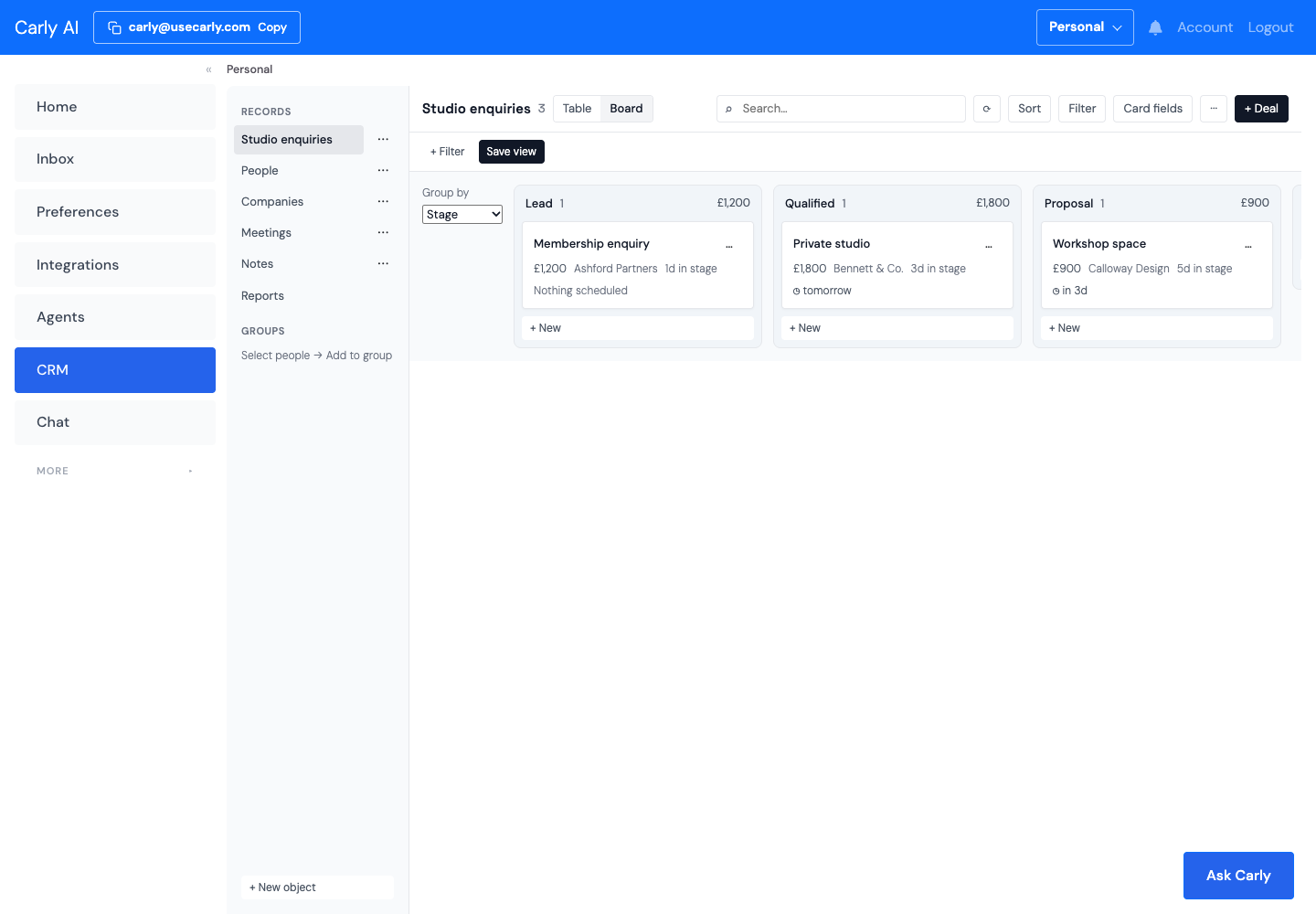
Studio enquiries is the built-in Deals object with a different display name.
Use your own name for the object
You can rename Deals to a term your team uses, such as Studio enquiries or Membership applications. The first visible object still opens regardless of its display name.
Use the object’s ⋯ → Rename option, enter its plural and singular names, and save. Follow the CRM object-renaming guide for the full steps.
Renaming and ordering are separate actions. A rename changes what the object is called. Moving it changes its place in the sidebar and can therefore change the generic CRM landing view. Neither action requires exporting records, creating a replacement object, or rebuilding the object’s fields and relationships.
Why does my bookmark still open People?
A link that explicitly identifies an object takes precedence over the default. For example, an address ending in #crm/people continues to open People, even if Deals is first.
That is useful for bookmarks, links from colleagues, and notifications about a specific record. To test the workspace’s default, remove the object-specific part of the address so it ends in #crm. Keep any workspace selection in the URL.
Likewise, a link to a saved view or individual record opens that view or record. Changing the sidebar order does not redirect those links to another object.
Which objects can become the default?
The default follows the order of visible objects in the sidebar. Hidden objects are skipped. To Dos, Projects, and the internal sequence configuration object have separate interfaces and are not selected as the generic CRM landing object.
Records and Custom remain separate sidebar sections. Move up and Move down operate within a section, so you cannot move a custom object above the Records section with those controls. If Records has visible objects, its first visible object is considered before Custom.
See reordering the CRM sidebar for more about section ordering and hidden objects.
Does this affect my teammates?
A team workspace’s saved object order is shared by its members. If you change which visible object is first, teammates opening that workspace’s generic CRM page see the new default too. Their direct links to particular objects still work.
Your Personal workspace has its own order. Before changing anything, check the workspace name at the top of the app. You need permission to manage that workspace’s CRM to reorder its objects; access to read records alone may not include that permission.
Ready to automate your busywork?
Carly schedules, researches, and briefs you—so you can focus on what matters.
See what people say
"Before Carly, I relied on a Calendly link, but the whole process felt impersonal and not very professional. Carly changed that by handling all the back-and-forth, so I'm no longer stuck in endless email threads trying to line up schedules.
Now Carly reaches out to candidates, shares my real-time availability, lets them pick a slot, then sends a Zoom link and drops it straight into my calendar. She sends reminders to both of us before each call, which has significantly reduced no-shows and last-minute confusion.
On top of scheduling, Carly acts like a full executive assistant, sending me my schedule the night before so I can prepare for each call. It reminds me of the old x.ai assistant, but Carly is noticeably smarter, faster, and better suited to my healthcare recruitment business."