Human-in-the-Loop Automation: Which Tools Have a Real Approval Step in 2026
When a tool shuts down, most of the advice written about it is a list of vendors. That list is usually wrong about what the users actually lost.
Relay.app is shutting down — August 15, 2026 for free users, September 14 for paying customers. Relay was well-liked and its team has handled the wind-down carefully. But the thing a lot of its users are about to lose isn’t a vendor. It’s a primitive: the ability to put a human decision in the middle of a running workflow, as a first-class step, without engineering it yourself.
That’s worth pulling apart on its own terms, because the received wisdom about who has this primitive is out of date. The standard advice — “just use Zapier, Make, or n8n” — is usually offered alongside the claim that none of them do human-in-the-loop natively. As of mid-2026, that claim is false, and the real differences between them are narrower, weirder, and more consequential than “has it / doesn’t.”
Here’s what the primitive is, who genuinely has it, and how to decide what deserves a gate in the first place.
The four shapes of a human gate
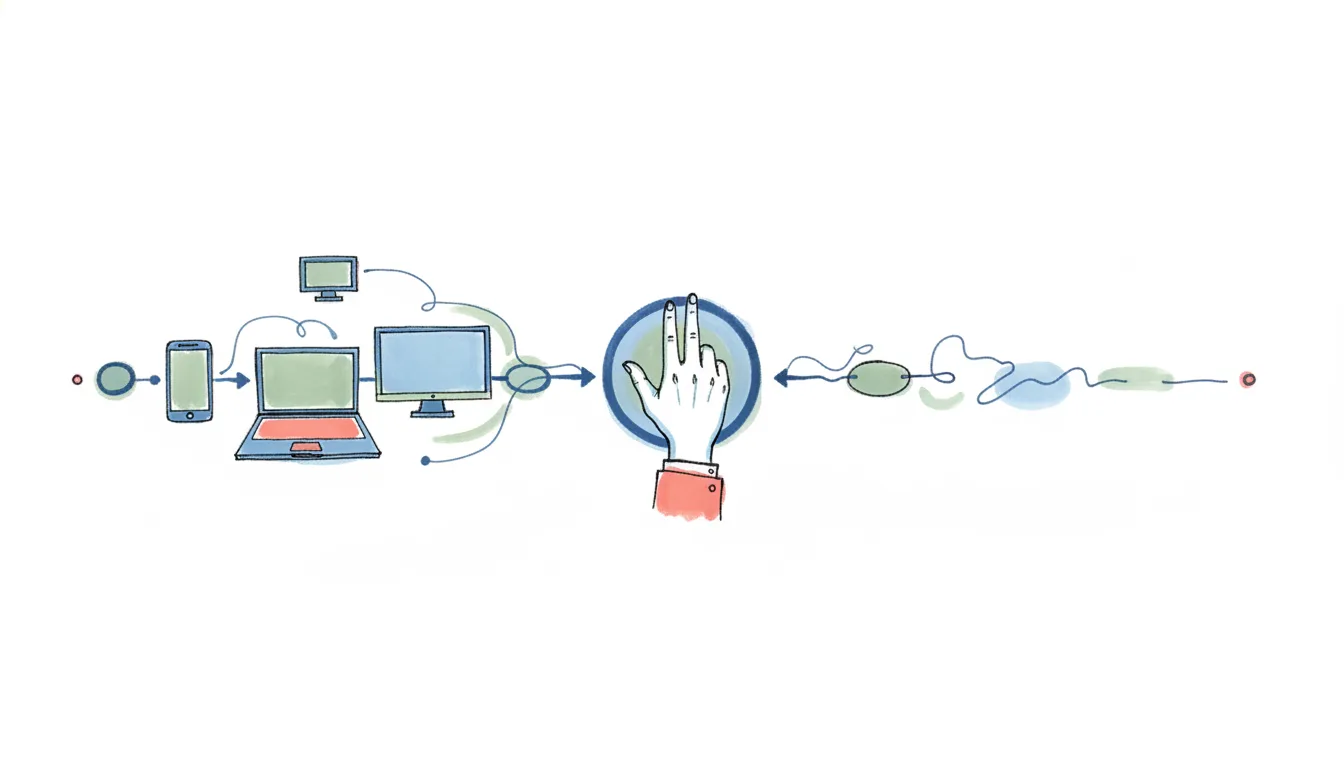
“Human-in-the-loop” gets used loosely enough to mean nothing. In workflow automation it means something specific: the run pauses, its state is preserved, a person is asked something, and the run continues based on the answer. Not a notification. Not a log you review afterward. A blocking step.
Relay’s own taxonomy — documented at docs.relay.app — is the clearest breakdown in the category, and it’s worth keeping as a mental model even now that the product is going away. It had four step types:
- Approvals — approve or reject. The workflow proceeds or stops.
- Get data input — a form goes to an assignee; their answers become variables in later steps.
- Task completions — the workflow waits for a person to confirm they did something off-platform.
- Path selection — the human doesn’t approve or reject, they choose a branch. Which template? Which tier? Which owner?
Most tools that claim human-in-the-loop have the first one. Fewer have the second. Almost none have the fourth, and path selection is the one that quietly matters most, because it’s the difference between a human rubber-stamping a decision the machine already made and a human making the decision with the machine’s research in front of them.
The distinction that separates a real primitive from theater: does the workflow’s state survive the pause? Anything that fires a Slack message and keeps running has not gated anything. It has sent a Slack message.
What Relay got right, and the one thing it never fixed
Credit where it’s due, specifically. Relay’s human-in-the-loop feature put checkpoints “anywhere in your workflows whenever human judgment is needed,” and reviewers on Software Advice called it a unique capability distinguishing Relay from competitors. That’s not marketing — it was accurate. Relay held 4.9/5 across 71 reviews on G2, and the praise clustered on exactly two things: it was the easiest visual builder to learn, and the approval steps just worked.
Two design choices deserve to be remembered:
HITL was free on every plan, including Free. No premium-connector gating, no “approvals are an Enterprise feature.” Compare that to where the rest of the market landed and it looks better in hindsight than it did at the time.
Approvals were actionable from Slack, plus web, desktop, and mobile. The person approving didn’t have to go anywhere.
And then the limitation Relay never solved, which is the most useful thing in this whole post: approvers had to be Relay users. You could not route an approval to a client, a vendor, or a stakeholder outside your account. For an agency whose entire operating model is “draft the thing, get the client to sign off, publish the thing,” that was a wall. It came up repeatedly in reviews and it was never fixed.
Hold onto that, because it turns out not to be a Relay quirk. It’s the single most common failure mode in the category, and almost nobody comparing these tools indexes on it.
Who actually has an approval primitive — verified against the docs
Everything below was checked against vendor documentation in July 2026. Where a vendor’s marketing and its docs disagree, the docs win. Where I couldn’t verify something, I say so instead of filling the gap.
Zapier — yes, natively, since it shipped Human in the Loop
This is the correction that invalidates most of what’s written about Relay alternatives. Zapier has a built-in Human in the Loop app — “a built-in tool that lets you pause a Zap and let a human review or intervene before your workflow continues.”
The Request Approval action “pauses your Zap run and requests one or more reviewers to approve, decline, or change data you submit for review before continuing the Zap.” It supports multiple reviewers, notification by email or Slack or via triggering another Zap, configurable timeouts with reminders, and a Decision field you can filter on downstream. There’s a companion Collect Data action that pauses to ask reviewers for information — Relay’s “get data input,” essentially.
Two real caveats. It’s Professional, Team, and Enterprise only — not on Free, which is a meaningful step down from Relay’s stance. And reviewers must have Zapier accounts and the Zap must be shared with them. That is Relay’s exact limitation, reproduced.
What Zapier’s Delay steps do not do is wait for a person. Delay For, Delay Until, and Delay After Queue are all time-based, capped at 30 days; Delay After Queue is a serialization tool, not an approval. Paths are rule-based branching with no human input — not path selection in Relay’s sense. And approval inside Zapier Agents is instruction-driven, not a mode you toggle: you write “ask for my confirmation before continuing” into the prompt, and Zapier’s own docs suggest that if you want a real gate you should add a Human in the Loop step after the agent instead. That’s an honest recommendation and it tells you which mechanism Zapier trusts.
n8n — the strongest native HITL story in the category
n8n quietly built the most complete approval implementation available, and it’s underdiscussed.
It’s not a separate node — it’s an operation on the app nodes themselves. Send and Wait for Response appears on Slack, Gmail, Outlook, Microsoft Teams, Discord, Telegram, WhatsApp Business Cloud, Google Chat, the built-in Chat trigger, and the core Send Email node. Three response types, per the Telegram message operations docs: Approval (“Users can approve or disapprove from within the message,” with a choice of approve-only or approve-and-disapprove buttons), Free Text, and Custom Form. All three support a wait-time limit after which the workflow resumes automatically.
The Wait node separately resumes on a time interval, a specified time, a webhook call, or a form submission — the webhook and form modes are what let you build a gate for someone who isn’t an n8n user at all.
And n8n wires this into AI agents per-tool. Its human-in-the-loop for tools docs: “The AI Agent determines it needs to use a tool that has human review enabled. The workflow pauses and sends an approval request through your configured channel.” The reviewer sees “which tool the AI wants to use and with what parameters.” That’s selective oversight at the tool level — the right granularity, and closer to what agent reliability actually requires than a blanket approve-everything gate.
The costs are the usual n8n costs. It’s fair-code, not open source — n8n says plainly that “open source licenses can’t include limitations on use, so we do not call ourselves open source,” and use is restricted to “your own internal business purposes.” And it assumes you’re comfortable with webhooks and JSON. Relay’s core constituency was explicitly non-technical business users; a lot of them will find n8n a rough landing. Our n8n alternatives breakdown covers that tradeoff in more depth.
Make — has one, but you almost certainly can’t use it
Make ships a Human in the Loop app with Create a review request, Cancel review request, List reviews, and Watch completed reviews. It is Enterprise plan only and, per the app page, in closed beta, available only to invited customers. For practical purposes, if you’re a Relay refugee on a $19 or $59 plan, Make has no approval step for you.
Worth clearing up two things Make users get told are approvals and aren’t. Incomplete executions is error handling — when a scenario hits an error it stores the unfinished run for retry or manual resolution. A human unsticking a failed run is not a human approving a successful one. And Sleep delays the flow “for up to 300 seconds” — five minutes, intended to reduce load on a target server. Neither is a gate. You can hand-build approvals with two scenarios and a custom webhook (Make’s webhook response times out at 40 seconds, so you can’t hold one open), but that’s the rebuild-it-yourself path, and Make doesn’t document it as a recipe.
Activepieces — link-based approval, no account needed, but mid-migration
Activepieces is the MIT-licensed option (community edition is MIT, enterprise features are commercial), and it has the one property most of this category lacks: its approval links work for people who don’t have an account. The legacy Approval piece generates an unguessable webhook URL with approve and disapprove variants; possession of the link is the authorization. That’s exactly the external-client scenario Relay could never serve.
Three honest caveats. The Approval piece is labeled “(Legacy)” and carries an in-product warning to use the newer Todos feature instead — whose actions are Create Todo, Wait for Approval, and Create Todo and Wait. Todos assign to a user, so whether the no-account property survives the migration is unverified. Second, link-possession-as-authorization means no identity check and no record of who clicked — fine for a client sign-off, not fine for a compliance trail. Third, there’s a long-running community-reported bug where Wait for Approval only holds if it immediately follows Create Approval Links; put a Slack step between them and the flow can run straight through, silently approving itself. That’s community-reported rather than officially acknowledged, but it’s corroborated across threads and it’s the kind of failure that’s much worse than having no gate at all. Test it before you trust it.
Usefully documented limits: paused flows don’t burn execution time — “flows paused by Wait for Approval or Delay don’t count against it” — and a paused flow can live 30 days.
Pipedream — prebuilt approval for Slack, Gmail, and Outlook
Pipedream is usually described as the code option, and for approvals that’s only half right. $.flow.suspend() returns a resume_url and a cancel_url, and the docs name approval as an explicit use case: “Pause a workflow until someone manually approves it.”
But there’s also a prebuilt no-code “Approve Workflow” action for Slack, Gmail, and Outlook — three config fields, posts Approve and Cancel buttons, no JavaScript. The gotcha, visible in the component source rather than the docs: it calls $.flow.suspend() with no timeout argument, so it inherits the default — the workflow auto-cancels after 24 hours. Extending that means dropping into code. Anything beyond those three channels, custom timeouts, or logic on the response is hand-written JS. Suspended time isn’t billed, but each resume counts as a fresh credit.
Gumloop — agent-level approval, not a workflow node
Be careful here, because search results confidently describe a Gumloop “Human Review node” that doesn’t exist. What exists is agent-level approval settings: four presets — Always allow, Ask each time, Ask for writes/deletes, and Custom — where “read-only tools run freely; write, delete, and unknown-risk tools pause for approval.” You can write CEL rules like “only require approval when the email recipient is outside my domain,” which is genuinely good design. There’s also an Ask Question ability for the agent to request input mid-task.
Mechanically it’s solid: the agent pauses and shows an approval card, state is preserved, and per their FAQ a paused agent “can wait indefinitely.” Approvals surface in-chat, in a notification inbox, on a Tasks page, and in Slack. But it’s approve-or-reject only — the reviewer can’t edit the arguments — and there’s no documented way for an external non-user to approve; every surface sits behind a Gumloop identity. Pricing is credit-based: free at 5k credits/month and one seat, Pro at $37/month. We cover the rest of the platform in our Gumloop alternatives roundup.
Rills — the approval layer as its own product
Rills is the only vendor to have written a shutdown-aware post for Relay users, and its framing is the right one: don’t ask what replaces Relay, ask what replaces approvals. It bills itself as “the approval layer for AI automation” — nothing sends until you say so. Approvals, conditions, loops, delays, and transforms don’t consume credits, and there’s a free Approval Gateway that drops a gate into a workflow that lives in Zapier, n8n, or Make via one API call: create the approval, a human decides on a mobile page, a signed decision returns to your workflow. Decision records are retained 90 days on Starter, a year on Professional, two years on Business. There’s a documented confidence-gating mode with a default bar of 85%.
Four things to weigh before you commit to it. “Free approvals” means free of credits, not a free plan — the floor is $29/month. Its docs describe iOS and Android apps (“search Rills” in either store), and I could not find them in either store; their own blog describes the approver deciding “on a mobile page,” so treat mobile web as the real capability and the native apps as unverified. Its integration catalog appears to be resold Composio — the trigger slugs on its integration pages are verbatim Composio identifiers — which is not disclosed anywhere. And the company has essentially no public footprint: a Delaware LLC at a registered-agent address, no named founder, no funding, no about page. None of that makes the product bad. But if the lesson you just learned from Relay is that vendor durability matters, it’s worth applying evenly.
The structural point is more important than any of that: Rills gates every action by design. That’s the right shape for approvals and the wrong shape for the 40 unattended workflows you also had in Relay. Rills says as much itself — the Approval Gateway exists precisely because it expects your automation to stay in Zapier, n8n, or Make.
Power Automate — real approvals, if everyone involved works for you
If you’re already on Microsoft 365, Start and wait for an approval is a genuine first-class action: “the flow starts and then waits for the approvers’ response before it completes the run.” It supports everyone-must-approve, first-to-respond, custom responses waiting for all or one, and sequential approval — the richest multi-approver semantics on this list. Approvers respond from Outlook email, a Teams adaptive card, or the Power Automate action center.
Three widely repeated claims about it are wrong. It does not require Teams. It does not require Premium — Approvals is a Standard connector. It does require Dataverse, but in the default environment that provisions automatically.
The real wall is external approvers, and it’s a hard one. An approver can’t be a bare email address; they must be an Entra B2B guest who accepted the invite and holds a Power Automate license. Microsoft’s licensing FAQ answers “do guest users need a license?” with “Yes.” And the failure is ugly: guests who haven’t accepted the invitation are “removed from the approval assignee list,” and “if all assignees are removed because they’re all pending guests, the approval creation fails.” Guests also can’t use actionable approval mail. Also worth knowing: the 30-day pending limit is measured from run start, not from when the approval was created — twenty days of prior workflow leaves the approver ten.
Power Automate is an excellent internal-employee sign-off tool and a poor client-approval tool.
Two more, briefly
Tines has a feature called Pages — web pages connected to a workflow, and the docs explicitly list “creating requester/approver workflows” as a use case. Its Community Edition is genuinely free with unlimited runs and integrations, capped at one builder and three flows. The center of gravity is security operations, so it’s a fit for some Relay refugees and a strange one for most.
Workato’s People Task — the primitive you’d naturally reach for — was deprecated in August 2025. Its successor, Workflow apps, is an app you assemble rather than a step you drop in. Anything you read recommending Workato’s People Task for approvals is at least a year stale. (Same warning for the €99/month Camunda “Starter” price that circulates: it’s from an April 2024 post and isn’t on the current pricing page. Camunda’s BPMN user tasks are the real thing, but nothing about its pricing is published.) See our Workato alternatives page for the broader picture.
The comparison that actually matters
| Tool | Native approval step | Pause holds state | Choose a path, not just yes/no | External approver (no account) | Floor to get it |
|---|---|---|---|---|---|
| Relay.app | Yes — 4 step types | Yes | Yes | ❌ No | Free (until shutdown) |
| Zapier | Yes — Request Approval + Collect Data | Yes | No | ❌ No — reviewers need Zapier accounts | Professional+ |
| n8n | Yes — Send and Wait on 9+ channels | Yes | Partly — Custom Form responses | ✅ Yes — via Wait node webhook/form | Free (self-host) |
| Make | Yes — HITL app | Yes | Unverified | Unverified | Enterprise + closed beta |
| Activepieces | Yes — Todos / legacy Approval | Yes (30 days) | No | ✅ Yes (legacy links) — unverified for Todos | Free (MIT, self-host) |
| Pipedream | Prebuilt for Slack/Gmail/Outlook | Yes (24h default) | Via code | ✅ Yes — resume/cancel URLs | Free tier |
| Gumloop | Agent-level, not a node | Yes — indefinitely | No | ❌ No | Free tier / $37 Pro |
| Rills | Yes — it’s the whole product | Yes | Yes | ✅ Yes — mobile page | $29/mo |
| Power Automate | Yes — richest multi-approver | Yes (30 days from run start) | Custom responses | ❌ Effectively no — guests need licenses | M365 business plan |
Read the fourth column. The single most common gap in human-in-the-loop automation is that the human has to be a customer of the automation vendor. Relay had that limitation. Zapier has it. Power Automate has it in a more expensive form. It’s the reason agencies keep ending up back in email threads with a client, pasting a Google Doc link and waiting.
The tools that solve it — n8n’s Wait-node webhooks, Activepieces’ approval links, Pipedream’s resume URLs — solve it the same way: an unguessable URL that anyone can hit. Which is also why none of them give you an audit trail of who approved. You get one or the other, and nobody in this category has yet given you both without an enterprise contract.
Deciding what actually needs a gate
This is the part that survives whichever tool you pick, and it’s where most approval workflows go wrong — not by missing a gate, but by having so many that people stop reading them.
An approval that gets rubber-stamped is worse than no approval. It costs latency, it costs attention, and it manufactures a false record that a human reviewed something. The goal isn’t maximum oversight. It’s putting the gate exactly where a human changes the outcome.
Three questions, in order.
1. Is it reversible? This dominates everything else. Reversibility, not importance, is the primary axis. A misfiled document is annoying and fixable in ten seconds. An email to a client is not recallable, ever. Deleting a record, issuing a refund, posting publicly, sending a calendar invite to twelve people, pushing to production — one-way doors. Automate the reversible things freely and gate the one-way doors, even the boring ones. The instinct to gate by importance is what produces approval queues full of things nobody needed to see.
2. What’s the blast radius if it’s wrong? Not “how bad is one error” but “how many does it touch before anyone notices, and who sees it?” A workflow that touches one internal record is different from one that emails 400 contacts, even if the per-item stakes look identical. Batch operations deserve gates that per-item operations don’t, because the error doesn’t stay contained. And anything a customer sees has a blast radius that includes your reputation, which is why the same action can need a gate externally and none internally.
3. Can the system tell when it’s unsure? This is where AI steps change the calculus. A deterministic step either works or throws an error you can catch. An LLM step fails silently and confidently — it produces something fluent, plausible, and wrong, and nothing about the output announces the problem. That’s the whole reason human-in-the-loop is a reliability control and not a workflow nicety.
The compounding-error math makes this concrete. A step that’s 95% reliable — which sounds excellent — gives you a 60% chance of finishing a ten-step task cleanly. A gate is one of the few things that interrupts that multiplication, because it re-grounds the chain in a verified state instead of letting an early error quietly poison everything downstream.
So gate by confidence, not by category, when you can. Gumloop’s “ask for writes and deletes” preset and its rule for “only require approval when the email recipient is outside my domain” are the right idea; Rills’ confidence-gated mode with a threshold is the same idea with a number attached. The pattern is: let the machine handle the cases it’s sure about and the ones that are cheap to undo, and escalate the rest. That’s strictly better than a fixed rule, because the volume of approvals falls as the system gets better, instead of staying constant forever.
A few patterns worth stealing regardless of tool:
- Gate the send, not the draft. Let the workflow do all the work — research, draft, format, attach. Gate only the irreversible last inch. This is the highest-leverage placement available and almost nobody uses it, because it’s tempting to gate early “to catch problems sooner.” Gating early means reviewing things that were going to be fine.
- Put the decision where the person already is. An approval that requires opening a new tool is an approval that waits until Thursday. Slack, email, a phone-sized page. This is the entire reason Relay’s Slack approvals worked.
- Give every gate a timeout and decide the default. Every real implementation here has one — 24 hours in Pipedream, 30 days in Zapier, Activepieces, and Power Automate. If nobody responds, does it proceed or stop? For reversible actions, proceeding is often right. For one-way doors, never.
- Prefer path selection to approval where the human has real judgment. “Approve this draft?” gets rubber-stamped. “Which of these three does the client want?” gets read. Yes/no questions train people to answer yes.
Where Carly fits — and where it doesn’t
Being straight about this matters more than the pitch.
Carly does not have a first-class approval gate. There’s no “Approved?” branch you drop into a canvas, no approve button, no multi-approver sign-off chain, no approval audit record. If what you’re rebuilding is Relay’s Approvals step, or its Path selection step, Carly is not a drop-in and I’d rather you knew that now than after migrating. For a formal, auditable, multi-approver sign-off chain, a canvas tool with a real approval primitive is the better fit — n8n if you’re technical, Zapier if you’re on Professional or above, Power Automate if everyone approving is on your M365 tenant.
What Carly does have is a differently-shaped answer to the same problem.
Carly’s workflows include a Wait node — pause until a time, a reply, or an explicit resume, built for human-in-the-loop — alongside triggers, tool calls, LLM steps, HTTP, branch, filter, foreach, sub-workflows, and actions. And the assistant itself does draft-then-approve as a default posture rather than a step you configure: drafts land in your Drafts folder and are never auto-sent, and you can tell Carly “ask me before sending anything to a client” or “ask me before creating or commenting on anything in Linear” in plain English.
The difference is where the human sits. Relay put the gate in the canvas. Carly puts the human in the conversation. You talk to the agent and it asks before consequential actions. For a class of work that’s genuinely better: there’s no canvas to build, the asking happens over email or SMS where you already are, and — unlike Relay, Zapier, or Power Automate — the person you’re checking with doesn’t have to be a user of anything. It’s an email. For a compliance-grade record of who approved what and when, it isn’t, and no amount of framing changes that.
Two other things Relay users should know. Carly’s non-AI workflow steps run free — you only pay when a step calls a model — which addresses the Relay complaint about burning through credits while testing. And Carly has no equivalent to Relay’s custom MCP servers; if you built MCP servers in Relay’s visual builder, that capability has no Carly counterpart. Pricing is free Zapier-style workflows, with AI agents from $35/month.
Frequently Asked Questions
What does human-in-the-loop mean in workflow automation?
A workflow step that pauses the run, preserves its state, asks a person something, and resumes based on the answer. The state-preservation part is what separates it from a notification. If a step sends a Slack message and the workflow keeps running, nothing has been gated.
Does Zapier have an approval step?
Yes. Zapier’s Human in the Loop app includes a Request Approval action that pauses the Zap for one or more reviewers to approve, decline, or change data, plus a Collect Data action that pauses to gather information. It’s available on Professional, Team, and Enterprise plans, and reviewers must have Zapier accounts. Zapier’s Delay steps are time-based only and don’t wait for people.
Can n8n wait for human approval?
Yes, and it’s the most complete implementation available. Send and Wait for Response is an operation on Slack, Gmail, Outlook, Teams, Discord, Telegram, WhatsApp, Google Chat, and the core Send Email node, with Approval, Free Text, and Custom Form response types. The Wait node separately resumes on a webhook call or form submission, which lets non-n8n-users respond. n8n also supports per-tool approval for AI agent tool calls.
Which automation tools let someone outside my company approve?
n8n (via Wait-node webhooks or forms), Activepieces (legacy approval links — possession of the URL is the authorization), Pipedream (resume and cancel URLs), and Rills (a mobile approval page). Zapier, Gumloop, and Relay all require the approver to have an account, and Power Automate requires guests to be licensed Entra B2B users who’ve accepted an invite. The URL-based approaches trade away any record of who clicked.
What’s the closest replacement for Relay.app’s human-in-the-loop steps?
n8n if you can handle the technical lift — it’s the only tool with comparable breadth of channels plus per-tool agent approval. Zapier if you’re already paying for Professional and want the least disruption. Neither reproduces Relay’s Path selection step, and neither is free the way Relay’s was. Our full Relay.app alternatives breakdown covers migration beyond just the approval steps.
Is an approval step the same as an error queue?
No, and conflating them is a common mistake. Make’s Incomplete executions and similar features let a human resolve a run that failed. An approval gates a run that’s succeeding, before it does something you can’t undo. Error handling asks “did this break?”; an approval asks “should this happen?”
Ready to automate your busywork?
Carly schedules, researches, and briefs you—so you can focus on what matters.
See what people say
"Before Carly, I relied on a Calendly link, but the whole process felt impersonal and not very professional. Carly changed that by handling all the back-and-forth, so I'm no longer stuck in endless email threads trying to line up schedules.
Now Carly reaches out to candidates, shares my real-time availability, lets them pick a slot, then sends a Zoom link and drops it straight into my calendar. She sends reminders to both of us before each call, which has significantly reduced no-shows and last-minute confusion.
On top of scheduling, Carly acts like a full executive assistant, sending me my schedule the night before so I can prepare for each call. It reminds me of the old x.ai assistant, but Carly is noticeably smarter, faster, and better suited to my healthcare recruitment business."