What Is Devin? Cognition's Autonomous AI Software Engineer Explained
Devin is an autonomous AI software engineer built by Cognition Labs. Unlike an autocomplete tool that suggests code while you type, Devin takes a whole task, works on it asynchronously in its own cloud environment, and comes back with a pull request. Here is what it actually does, how you assign work to it, and where it fits.
What makes Devin different from a coding assistant
Most AI coding tools live inside your editor and help you write the next line. Devin works the other way around: you hand it a scoped task and it runs the full loop on its own. It has its own terminal, its own code editor, and its own browser inside a sandboxed cloud machine, so it can install dependencies, run your test suite, read documentation, and check its own work the way a human engineer would.
The workflow looks less like pair programming and more like delegating to a junior engineer:
- You write a task (“fix this bug,” “add this endpoint,” “migrate this dependency”)
- Devin plans the steps, writes the code, and runs the tests
- It iterates until the task passes, then opens a pull request for review
- You review the PR, leave comments, and Devin revises
Because each Devin runs in its own environment, you can launch several at once and have them work different tickets in parallel while you do something else. Cognition first drew attention by reporting strong results on SWE-bench, a benchmark that measures how often an agent can resolve real GitHub issues end to end.
How you assign work to Devin
Devin is designed to be reachable where engineering work already happens, not just in a separate dashboard. You can kick off and manage sessions from:
- Slack — tag Devin in a channel or thread and describe the task; it replies with progress and a PR link
- Linear — assign a ticket to Devin and it picks it up like a teammate
- The web app — start sessions, watch Devin work in real time, and steer it mid-task
- The API — trigger Devin programmatically from your own pipelines
This async, chat-driven model is the core of the product. You are not babysitting a cursor; you are queuing work and reviewing output. Devin also builds up context about your codebase over time through what Cognition calls Knowledge, so it repeats fewer mistakes on repositories it has seen before.
Devin Desktop, the local IDE
Devin is no longer just a cloud agent. In December 2025 Cognition acquired Windsurf, and on June 2, 2026 it rebranded Windsurf as Devin Desktop — a local, in-your-editor companion to the cloud engineer. That gives the Devin lineup two surfaces:
- Devin — the autonomous cloud engineer that runs async sessions and opens PRs
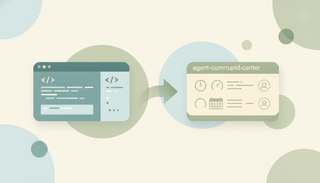
- Devin Desktop — the local IDE (formerly Windsurf) where you edit hands-on and hand off to local or cloud agents from an “Agent Command Center”
If you are coming from Windsurf, we cover exactly what moved and what to do in Windsurf is now Devin Desktop.
What Devin is good at, and where it struggles
Devin shines on work that is well-scoped and parallelizable — the kind of tickets a team leaves in the backlog because nobody wants to context-switch to them:
- Bug fixes with a clear reproduction
- Small features behind an existing pattern
- Dependency upgrades and framework migrations
- Test coverage, refactors, and boilerplate
- Repetitive changes across many files or repos
It struggles with ambiguous, exploratory, or architecture-heavy work. If the task is under-specified, spans unclear requirements, or needs product judgment, Devin will happily produce something confident and wrong. The practical rule teams land on: the tighter the ticket, the better Devin does, and every PR still needs human review before merge. Think of it as leverage on a real engineer’s time, not a replacement for one.
Who Devin is for
Devin fits teams and builders who already have an engineering process and want to offload well-defined work:
- Engineering teams clearing backlogs and parallelizing routine tickets
- Technical founders who want more shipped without more headcount
- Solo developers delegating grunt work so they can focus on the hard parts
If you want to compare it against editor-based tools, see Devin vs Cursor and our Devin alternatives roundup. If you are earlier in the build journey and prototyping apps from prompts, Replit Agent and the broader world of vibe coding may be a better starting point, and our best AI tools for founders guide maps where each one fits.
What Devin does not do
Devin ships the software. It does not run the business around the software. Once the PR is merged and the feature is live, you still have customer emails to answer, demos to schedule, and follow-ups to send — work that has nothing to do with writing code. That is a different job, and an AI executive assistant like Carly handles it: it works over email with no app to install, gives each agent its own email address, custom instructions, and memory, and connects to 200+ integrations across 40+ categories. Pricing starts at $35/month. Devin builds the product; Carly keeps the operations behind it moving.
Ready to automate your busywork?
Carly schedules, researches, and briefs you—so you can focus on what matters.
See what people say
"Before Carly, I relied on a Calendly link, but the whole process felt impersonal and not very professional. Carly changed that by handling all the back-and-forth, so I'm no longer stuck in endless email threads trying to line up schedules.
Now Carly reaches out to candidates, shares my real-time availability, lets them pick a slot, then sends a Zoom link and drops it straight into my calendar. She sends reminders to both of us before each call, which has significantly reduced no-shows and last-minute confusion.
On top of scheduling, Carly acts like a full executive assistant, sending me my schedule the night before so I can prepare for each call. It reminds me of the old x.ai assistant, but Carly is noticeably smarter, faster, and better suited to my healthcare recruitment business."