Windsurf Is Now Devin Desktop: What Changed and What to Do
If you opened Windsurf recently and found it calling itself Devin Desktop, you didn’t install the wrong thing. On June 2, 2026, Cognition — the maker of the autonomous AI engineer Devin — rebranded Windsurf as Devin Desktop. Cognition had acquired Windsurf around December 2025 for roughly $250M, and this is the product finally folding into the Devin family. Here’s exactly what changed and what you should do.
The short version
Devin Desktop shipped as a standard over-the-air update to existing Windsurf installs — no reinstall, no migration wizard. Your account, plan, extensions, keybindings, and MCP connections all carried over. The editor you know is still there. What changed is the default surface, the agent under the hood, and the branding.
What actually changed
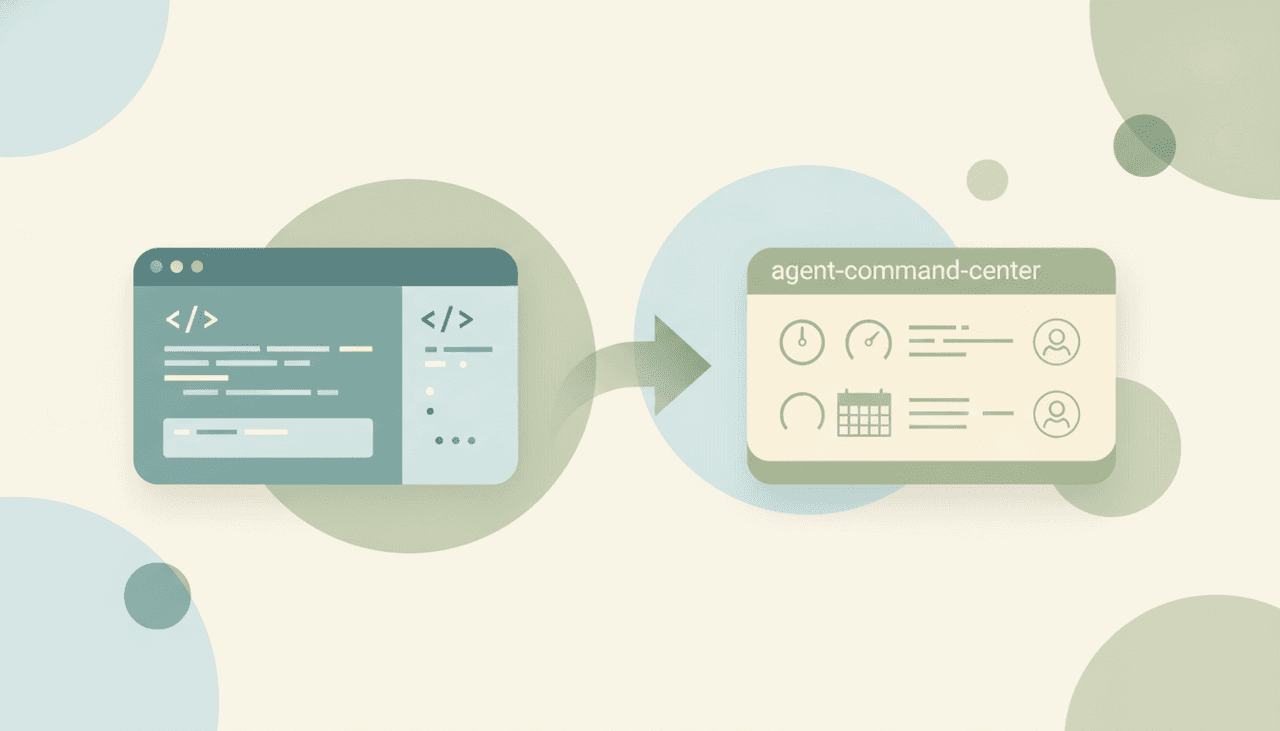
- New name and default view. Windsurf is now Devin Desktop. The app no longer opens straight to the editor canvas; it opens on an Agent Command Center — a Kanban-style board for managing local and cloud agents from one place. The full IDE is still there, right behind it.
- Cascade is being retired. Cascade, Windsurf’s built-in agent, is reaching end-of-life on July 1, 2026. It’s replaced by Devin Local, rewritten from scratch in Rust — roughly 30% more token-efficient than Cascade and able to spawn subagents for parallel work.
- One editor, one family. Devin Desktop is now the local, hands-on half of Cognition’s lineup, sitting alongside cloud Devin. You edit locally in Devin Desktop and hand off async tasks to cloud Devin from the same command center.
- ACP support. Devin Desktop ships with the open Agent Client Protocol (ACP), an editor-agent standard that lets outside agents — Codex, Claude Agent, Gemini CLI, and others — run as first-class citizens inside the editor rather than being locked to one vendor’s agent.
The Devin lineup now
After the rebrand, Cognition’s products line up like this:
| Product | What it is | Where it runs |
|---|---|---|
| Devin | Autonomous cloud engineer that opens PRs | Its own cloud sandbox |
| Devin Desktop | Local IDE (formerly Windsurf) with Devin Local | Your machine |
The two are designed to work together: hands-on editing locally, async delegation to the cloud, managed from one board.
What Windsurf users should do
If you just want to keep coding: nothing urgent. Your setup carried over. Update to the latest version, get used to the new Agent Command Center as the landing view (or dive straight into the editor), and start using Devin Local in place of Cascade.
If you have automation that calls Cascade: this is the one deadline that matters. Any CI pipeline, script, or workflow rule that explicitly invokes Cascade must be repointed to Devin Local before July 1, 2026, when Cascade goes end-of-life. Audit your integrations now so nothing breaks silently.
If you rely on specific extensions or keybindings: they carried over, but confirm your critical ones still behave as expected after updating, since the default surface changed.
If the rebrand is your cue to reevaluate: you’re not locked in. Devin Desktop is one editor among several strong ones. See our Windsurf alternatives roundup for the full field, and Cursor vs Windsurf for the head-to-head that’s now really “Cursor vs Devin Desktop.” If you’re weighing the cloud engineer instead of the editor, Devin vs Cursor and our Devin alternatives guide cover that side.
Why Cognition did this
The move fits Cognition’s thesis that the editor and the autonomous agent belong together. Owning Windsurf gave it a local IDE to pair with cloud Devin, and rebranding removes the split-brand confusion of running two products. Devin Local (Rust, subagents, more efficient) and ACP (open agent standard) signal the direction: one place to run local edits and cloud agents, with the editor open to any agent that speaks the protocol rather than locked to one. For builders, the practical upshot is a tighter loop between hands-on coding and async delegation — and, near-term, one migration task to handle before Cascade shuts off. For context on where hands-off, prompt-first building fits into all this, see what is vibe coding and best AI tools for founders.
What the rebrand doesn’t touch
Devin Desktop, Devin Local, and cloud Devin all ship code — that’s the entire product family. None of them run the business around the code: the customer emails, the scheduling, the follow-ups that keep coming whether or not your migration went smoothly. That’s a different job, and an AI executive assistant like Carly handles it: it works over email with no app to install, gives each agent its own email address, custom instructions, and memory, and connects to 200+ integrations across 40+ categories. Pricing starts at $35/month. Cognition’s tools build the software; Carly keeps the operations behind it running.
Ready to automate your busywork?
Carly schedules, researches, and briefs you—so you can focus on what matters.
See what people say
"Before Carly, I relied on a Calendly link, but the whole process felt impersonal and not very professional. Carly changed that by handling all the back-and-forth, so I'm no longer stuck in endless email threads trying to line up schedules.
Now Carly reaches out to candidates, shares my real-time availability, lets them pick a slot, then sends a Zoom link and drops it straight into my calendar. She sends reminders to both of us before each call, which has significantly reduced no-shows and last-minute confusion.
On top of scheduling, Carly acts like a full executive assistant, sending me my schedule the night before so I can prepare for each call. It reminds me of the old x.ai assistant, but Carly is noticeably smarter, faster, and better suited to my healthcare recruitment business."