Zoho CRM Pricing: Every Edition and What It Costs
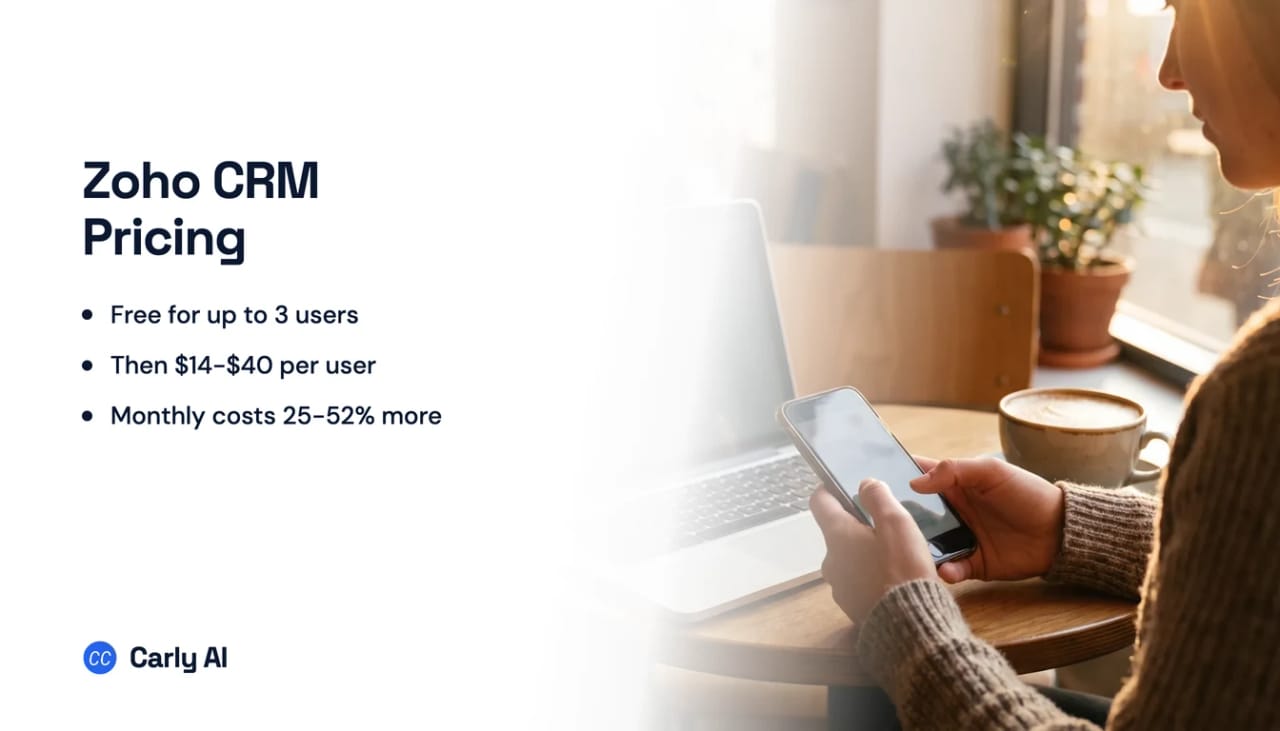
Zoho CRM is free for up to 3 users, then $14, $23, or $40 per user per month billed annually for Standard, Professional, and Enterprise. Pay month to month and the same editions are $20, $35, and $50.
Zoho does not lock you into a contract. It describes the CRM as pay as you go, monthly or yearly, with plan changes allowed whenever you need them.
Zoho CRM editions at a glance
| Edition | Annual (per user/mo) | Monthly | Notes |
|---|---|---|---|
| Free | $0 | $0 | Up to 3 users |
| Standard | $14 | $20 | Sales automation basics |
| Professional | $23 | $35 | Process automation |
| Enterprise | $40 | $50 | Deep customization |
There is also an Ultimate edition aimed at large bespoke deployments with the highest feature limits and migration assistance. It is not priced on the main plan cards, so treat it as a quoted tier and ask Zoho directly.
Separately, Bigin by Zoho is a different, lighter product at $7 per user per month billed annually, or $9 monthly. If you see that number quoted as “Zoho CRM pricing” somewhere, it is not the same product.
Free edition
$0 for up to three users. It covers the essentials: leads, documents, and the mobile apps. Zoho positions it for a home business, and the three-user ceiling is the real boundary rather than any single feature.
Two things worth knowing about “free” here: you get up to 10 custom email templates at no cost, and data export is capped at 10 exports. Import from spreadsheets is free.
Standard
$14 per user per month billed annually, or $20 monthly. Sales forecasting, scoring rules, charts and dashboards, and standard reports. This is the tier that turns the free CRM into something a small sales team can run on.
Professional
$23 per user per month billed annually, or $35 monthly. The pitch is standardizing and automating your sales process: workflow automation that goes beyond simple rules, plus inventory management and validation rules.
Enterprise
$40 per user per month billed annually, or $50 monthly. This is the customization tier. Zoho’s own framing is capturing the exact data your business needs and moving beyond standard forms, with file uploads, checkboxes, date ranges, and multi-level customization, alongside the more advanced analytics and territory management.
What the pricing page glosses over
The 3-user free ceiling is the cliff, not a feature gate. Hiring a fourth person moves you from $0 to at least $672 a year, because the whole team has to be licensed, not just the new hire.
Monthly billing carries an unusually steep premium. It is 43% on Standard ($14 against $20), 52% on Professional ($23 against $35), and 25% on Enterprise ($40 against $50). Most vendors charge 15% to 25% for monthly flexibility. Zoho charges up to half again on the middle tier, which makes the annual commitment the effective price.
Per user means everyone who touches it. Ten people on Professional is $2,760 a year. The per-user number is the one to multiply, not the one to compare.
Zoho CRM is one product inside a much larger suite. Zoho Books, Invoice, Inventory, Desk, and Bigin are separately priced. A “Zoho stack” quote is not a CRM quote, and Zoho One bundles are priced differently again.
Ultimate has no public price. If your evaluation depends on the top edition, that is a sales conversation rather than a checkout.
Is Zoho CRM free?
Yes, for up to three users. Zoho’s free edition covers leads, documents, and the mobile apps, with 10 custom email templates and up to 10 data exports. It is genuinely free rather than a trial, but the three-user cap makes it a small-team plan rather than a growth path.
When Zoho CRM isn’t worth it
Zoho CRM is among the better value CRMs on a per-user basis, and the free tier for three people is a real starting point rather than a demo.
Where it gets expensive is the same place every per-user CRM does: when most of the seats belong to people who are not really using the CRM, they are just having their email and calendar activity land in it. If you are licensing a team at $23 or $40 each so that follow-ups get logged, records stay current, and nothing falls through, the cost is attached to the wrong thing.
Carly sits beside that rather than replacing it. It connects to Zoho along with every Gmail and Outlook account you own, and the recurring work is a workflow: update the record when the deal moves, send the follow-up three days after the proposal, summarize the thread into the CRM, chase the quote nobody answered. Carly’s Zapier-style workflow steps are free, and the AI assistant that drafts, replies, and schedules on top of them starts at $35 a month rather than per user.
FAQ
How much does Zoho CRM cost per user? $14, $23, or $40 per user per month billed annually for Standard, Professional, and Enterprise. Monthly billing is $20, $35, and $50.
Is Zoho CRM really free? Yes, for up to three users, with leads, documents, and mobile apps included. It is a free edition, not a trial.
How many users does the Zoho CRM free plan support? Three.
How much more is monthly billing? Between 25% and 52% depending on edition, with Professional carrying the largest gap.
What is the difference between Zoho CRM and Bigin? Bigin is a separate, lighter Zoho product at $7 per user per month billed annually. Zoho CRM is the full CRM starting at $14.
Is there a contract? No. Zoho describes it as pay as you go, monthly or yearly, with plan changes allowed at any time.
More: HubSpot vs Zoho · HubSpot pricing · Pipedrive pricing · Best AI CRM tools · Best AI automation tools for Zoho
Ready to automate your busywork?
Carly schedules, researches, and briefs you—so you can focus on what matters.
See what people say
"Before Carly, I relied on a Calendly link, but the whole process felt impersonal and not very professional. Carly changed that by handling all the back-and-forth, so I'm no longer stuck in endless email threads trying to line up schedules.
Now Carly reaches out to candidates, shares my real-time availability, lets them pick a slot, then sends a Zoom link and drops it straight into my calendar. She sends reminders to both of us before each call, which has significantly reduced no-shows and last-minute confusion.
On top of scheduling, Carly acts like a full executive assistant, sending me my schedule the night before so I can prepare for each call. It reminds me of the old x.ai assistant, but Carly is noticeably smarter, faster, and better suited to my healthcare recruitment business."