The AI Assistant You Can Email (No App, No Login)
Almost every AI tool works the same way: you open an app or a tab, type into a box, read the answer, then go do something with it. The AI is a destination you visit.
A small but growing category works the other way around. You don’t go to it — you email it, the way you’d email a coworker, and the finished work comes back to your inbox. No app to open, no dashboard to log into, no chat window to keep alive. This guide explains how that works, where it fits, and how to tell a real email-based assistant from a chatbot with an email button.
How an email-based AI assistant works
The pattern is simple enough that it disappears once you’ve used it a few times:
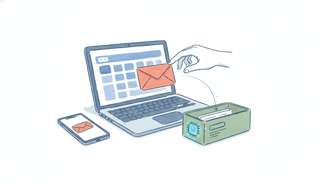
- You forward or CC the assistant on an email — a scheduling request, a thread that needs a reply, a task you’d otherwise hand to an assistant.
- It reads the full context of the thread: who’s involved, what’s being asked, what was already said.
- It does the work — checks your calendar, drafts a reply in your voice, proposes times, updates a record, pulls together what you asked for.
- It emails you back (or replies straight into the thread, handling the back-and-forth with the other person until it’s done).
There’s no new surface to learn because the surface is the inbox you already live in. If you can send an email, you can use it — from your laptop, your phone, or a watch.
Why “no app” is the whole point
The friction in most AI tools isn’t the model — the models are excellent. It’s the context-switch. To get a chatbot to act on an email, you copy the message out of your inbox, paste it into a tab, prompt the AI, copy the answer back, and send it yourself. Every step is a chance to lose the thread.
Even ChatGPT’s new ability to send email — a genuine step forward — still starts in the chat app: you open it, type, approve a send. The email is the output of a session you have to go start.
An email-based assistant collapses all of that. The trigger, the context, and the result all live in one place. You never leave your inbox because you never had to enter anything else. That’s also why it works for people who’d never open an “AI app” — there’s nothing to adopt, just an address to email.
Email your assistant vs. give an agent an email address
A quick clarification, because the phrasing overlaps. There’s a wave of developer tooling about giving an AI agent its own email address — inbox APIs you wire into software you’re building. That’s infrastructure for engineers.
What this guide is about is the end-user version: an assistant that already has an inbox, that you simply email to get work done. You don’t build anything. You forward a message. (If you are a developer curious about the broader shift, our explainer on what AI agents are covers the landscape.)
How to tell the real thing from a chatbot with a send button
A few questions separate an assistant that lives in email from one that merely touches it:
- Can you trigger it without opening anything? Forwarding an email should be enough. If step one is “open the app,” it’s not email-native.
- Does it handle the back-and-forth? Real scheduling means going back and forth with the other person — proposing times, adjusting, confirming — not just drafting one message for you to send.
- Does it work from your phone? Email does. Many “AI email” features are web-only.
- Does it cover your actual mail stack? Plenty of tools are Gmail-only. If you live in Outlook or Microsoft 365, that matters.
- Does it read attachments and context? A genuine assistant works from the whole thread, files included.
What this looks like in practice
Carly is built around exactly this pattern. Each Carly agent has its own email address. You forward it a scheduling request or CC it on a thread, and it reads the context, checks your calendar across Google and Outlook / Microsoft 365, proposes times to the other party, and sends the invite once a time lands — all from inside email, from any device. It runs recurring work the same way: email it the instructions once, and it handles the morning brief, the follow-up nudge, the weekly digest on its own.
If your work happens in your inbox, the assistant probably should too. For a wider look at the field, see the best AI email assistants and the best AI scheduling tools — or just forward Carly your next email and watch what comes back.
Ready to automate your busywork?
Carly schedules, researches, and briefs you—so you can focus on what matters.
See what people say
"Before Carly, I relied on a Calendly link, but the whole process felt impersonal and not very professional. Carly changed that by handling all the back-and-forth, so I'm no longer stuck in endless email threads trying to line up schedules.
Now Carly reaches out to candidates, shares my real-time availability, lets them pick a slot, then sends a Zoom link and drops it straight into my calendar. She sends reminders to both of us before each call, which has significantly reduced no-shows and last-minute confusion.
On top of scheduling, Carly acts like a full executive assistant, sending me my schedule the night before so I can prepare for each call. It reminds me of the old x.ai assistant, but Carly is noticeably smarter, faster, and better suited to my healthcare recruitment business."