What Is an 'AI Agent Email Address'? Two Meanings, Explained
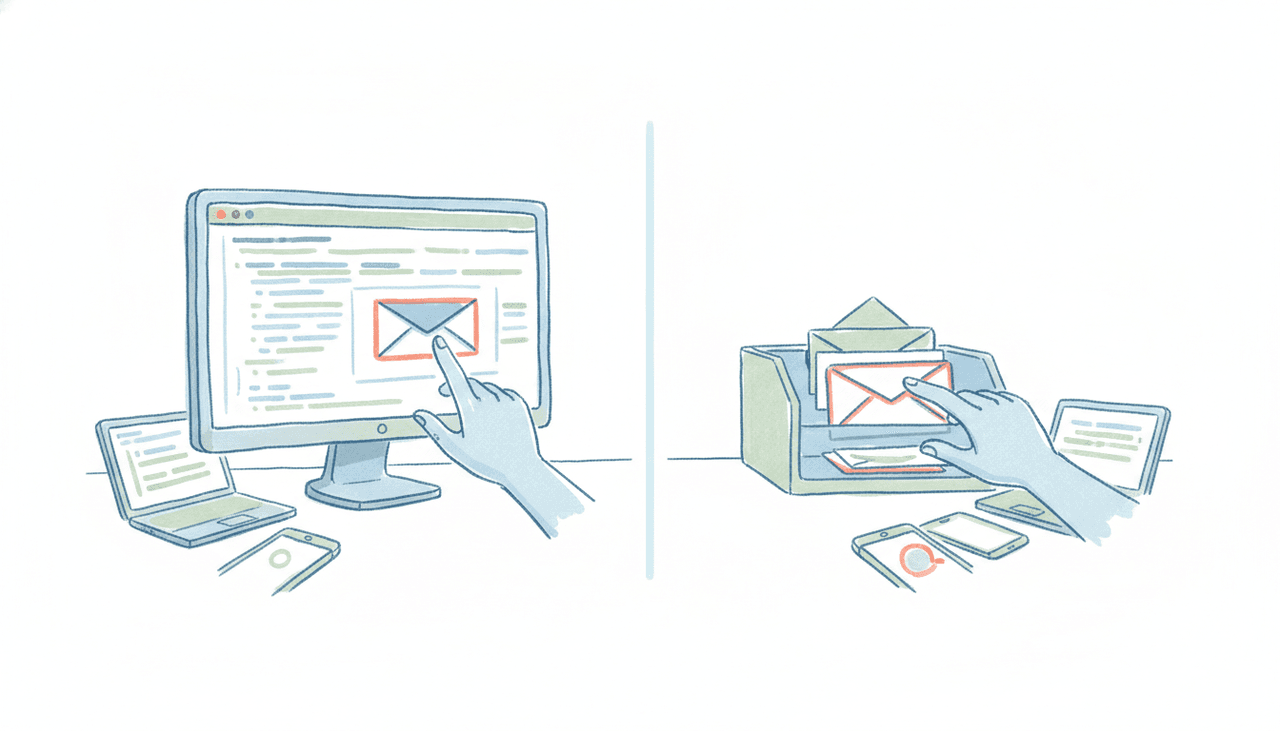
Search “AI agent email address” and you land in two completely different worlds without realizing it. In one, a developer wants their software to receive and send email programmatically. In the other, a busy professional wants an assistant they can CC on a thread the way they’d CC a coworker. Same phrase, two audiences, almost no overlap in what they need.
If you’re evaluating tools, the fastest way to waste an afternoon is to pick from the wrong world. This guide separates the two meanings cleanly, shows who each is for, and helps you choose.
Meaning 1: an inbox API for developers building software
The first meaning is infrastructure. You’re an engineer building an AI agent (a support bot, a sales-outreach agent, a background workflow), and you want that agent to have a real inbox it can read and write through code. Not a shared team inbox, not your personal Gmail with an API bolted on, but its own address that your program controls end to end.
This is a genuine, fast-growing category, and we build in it: CarlyEmail gives an agent a real inbox from one API call, with threads rather than stateless events, a signed webhook or WebSocket carrying a thread_id the moment mail arrives, attachments both ways up to 25 MB, and SPF, DKIM and DMARC configured for your own domain. API keys scope to a pod or a single inbox, so a platform can hand every tenant an agent identity that cannot reach anyone else’s mail. There are TypeScript and Python packages, a CLI, a REST API, and an MCP endpoint at https://api.carlyemail.com/mcp. Free covers 3 inboxes and 1,000 emails a month with no card; paid runs $20/month and $200/month, with pods and custom domains on every tier.
It is not the only one. AgentMail, Nylas Agent Accounts, InboxAPI and OpenMail play in the same space. The common promise across all of them: create inboxes programmatically, handle inbound events in real time, and skip the OAuth dance you would otherwise do to touch a human’s mailbox.
Who this is for: developers and teams shipping software. If your sentence is “I need my agent to receive replies at a webhook and send from agent@ourproduct.com,” this is your category. What you get is a building block, not a finished assistant. You still write the logic that decides what the agent does with each message.
Meaning 2: an AI assistant that has its own address you email
The second meaning is a product, not a building block. Here the “AI agent email address” is the address of an assistant you actually talk to. You forward it a messy thread, CC it on a scheduling back-and-forth, or send it a task, and the finished work comes back. You never open an app. You never write code. The email address is the interface.
This is what Carly does. Every Carly agent has its own dedicated email address out of the box. You email it, forward to it, or CC it on a live thread, and it reads the context, does the work, and replies from inside email on any device. It handles scheduling across Google Calendar and Outlook / Microsoft 365, inbox triage, follow-ups, recurring briefs, and multi-step workflows end to end. The distinction that matters: it finishes the job. It isn’t handing you a draft to review and send yourself.
Who this is for: professionals, founders, and teams who want an assistant they can delegate to by email, no setup beyond the first message. If your sentence is “I want to CC an assistant on this and have it handle the rest,” this is your category. We wrote a fuller walkthrough of the pattern in the AI assistant you can email, and a look at how to give an AI agent a name and email personality if you want it to feel like a real teammate.
The distinction people miss: “can send email” is not “has its own address”
A lot of confusion comes from tools that can send an email but don’t have an address of their own. This is worth pulling apart carefully.
ChatGPT can send email through the Gmail connector with your approval as of mid-2026. Gemini, as of this writing, is still draft-only through its Gmail connector: it composes the message and leaves it in your drafts for you to send. Claude’s Gmail connector sends, replies and forwards, though it asks you to approve each one. We keep the current state honest in can ChatGPT send emails and can Claude send emails.
But “the assistant can send a message from your account, through a connector, when you tell it to” is a different thing from “the assistant has its own address that you and other people email and CC.” None of ChatGPT, Claude, Gemini, or Microsoft Copilot is an agent you give a dedicated inbox to in the coworker sense. They act inside your mailbox during a session. They don’t sit at an address a client can email directly and get a reply from. That gap is exactly what Meaning 2 fills.
How to choose
Ask one question: am I building software, or delegating work?
If you’re building software and the agent’s email behavior is something you’ll wire up yourself, you want Meaning 1. Start with an inbox API such as CarlyEmail, budget for engineering time, and expect to own the logic. The address is a primitive; the intelligence is your code.
If you’re delegating work and you want to email an assistant the way you email a person, you want Meaning 2. You want the address to belong to a working agent that already knows how to schedule, triage, and follow up. No SDK, no webhooks, no deploy step. See the best AI email agents and best AI inbox management tools for how the field compares.
There’s a middle case worth naming: a business that wants its assistant to email from the company’s own domain, so messages come from assistant@yourcompany.com instead of a generic address. On the developer side you’d build that with an inbox API and configure DNS yourself. On the assistant side, Carly offers this as a white-label option on Enterprise / org plans. You add your sending domain in the org portal, paste a handful of DNS records (one verification TXT record plus three DKIM CNAME records, with an SPF row it walks you through), forward the mailbox to the agent, and hit verify. The mail infrastructure is handled for you, so the agent sends DKIM-signed, brand-aligned email from your domain without an AWS console or a support ticket.
Pricing at a glance
For the developer tools, you’re paying for infrastructure: CarlyEmail is free for 3 inboxes and 1,000 emails a month and then $20/month, with pods and custom domains included at every tier, and you add your own engineering time on top. For Carly, the assistant side, it’s free for Zapier-style workflows, with AI agents from $35/month; the custom-domain white-label option lives on Enterprise / org plans, set up in the org portal.
FAQ
What does “AI agent email address” actually mean?
It means one of two things. For developers, it’s a real inbox an AI agent controls through an API (create, send, receive, reply in code), such as CarlyEmail. For everyone else, it’s the address of an AI assistant you email or CC like a coworker, such as Carly, where the finished work comes back to your inbox and you never touch code.
Can I give ChatGPT or Claude its own email address?
Not in the coworker sense. ChatGPT can send email from your Gmail with approval, and Claude and Gemini can draft in your mailbox, but none of them has a dedicated address that you and other people email directly and get replies from. For that you want an AI assistant built around email, like Carly, or an inbox API if you’re building software yourself.
What’s the difference between an inbox API and an AI email assistant?
An inbox API such as CarlyEmail is a building block for engineers: it gives your software an address, but you write the logic. An AI email assistant is a finished product: you email it plain-English requests and it schedules, triages, and follows up on its own. One is infrastructure you build on; the other is a coworker you delegate to.
Can an AI agent send email from my own company domain?
Yes. Developers can configure a custom sending domain through an inbox API and their own DNS. If you want an assistant rather than a codebase, Carly supports white-label sending from your domain on Enterprise / org plans: you add DNS records in the org portal and its emails arrive from assistant@yourcompany.com, DKIM-signed and brand-aligned.
Is a dedicated email for an AI agent secure?
A dedicated address is generally safer than handing an agent the keys to your personal inbox, because you can scope, monitor, and revoke it without touching your own mail. Developer tools ship SPF, DKIM, and DMARC per inbox for deliverability and authentication. Assistant products like Carly run on managed mail infrastructure with the same authentication handled for you.
Ready to automate your busywork?
Carly schedules, researches, and briefs you—so you can focus on what matters.
See what people say
"Before Carly, I relied on a Calendly link, but the whole process felt impersonal and not very professional. Carly changed that by handling all the back-and-forth, so I'm no longer stuck in endless email threads trying to line up schedules.
Now Carly reaches out to candidates, shares my real-time availability, lets them pick a slot, then sends a Zoom link and drops it straight into my calendar. She sends reminders to both of us before each call, which has significantly reduced no-shows and last-minute confusion.
On top of scheduling, Carly acts like a full executive assistant, sending me my schedule the night before so I can prepare for each call. It reminds me of the old x.ai assistant, but Carly is noticeably smarter, faster, and better suited to my healthcare recruitment business."