Claude for Customer Support: It Drafts Replies, It Doesn't Run the Queue (2026)
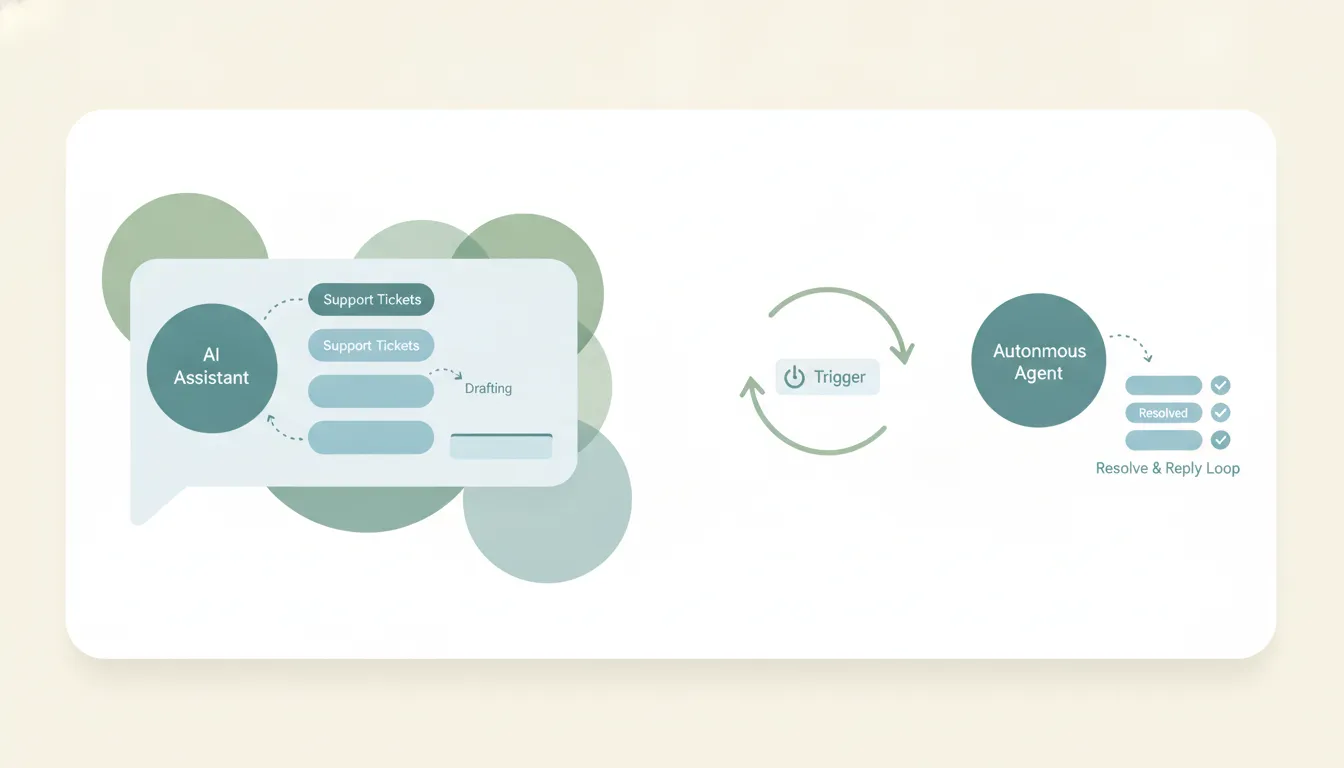
Claude can help you answer a ticket, but it can’t run your support queue. Paste a customer message into chat and Claude will reason over it, check it against your docs, and draft a clear, on-brand reply — fast and genuinely good. What it can’t do is watch your help desk, pick up a ticket the moment it arrives, reply in the channel, and close it. Support connectors like Intercom are read-only, and Claude has no triggers, so it never starts working on its own.
If “claude customer support” is really “can Claude staff my support queue,” here’s the honest split between what Claude does and what running support actually requires.
Drafting a reply: Claude is good at this
For the reasoning and writing part of a single ticket, Claude is strong:
- Understands the problem. Paste a frustrated, rambling message and Claude extracts the actual issue and the customer’s emotional state.
- Drafts on-brand replies. Give it your tone guide and a few past replies, and it matches your voice — empathetic, concise, no robotic filler.
- Reasons over context. Feed it the relevant help-doc or order details and it writes an accurate answer, flags what it’s unsure about, and suggests a next step.
- Handles the hard ones. It’s good at de-escalation language and at turning a “no” into a reply that keeps the customer.
If you copy a ticket into Claude, you’ll get a reply worth sending. The gap is that you had to bring the ticket to Claude — and you have to take the reply back to the customer.
Where it stops: Claude can’t watch the queue
Support is a queue, not a one-off. Tickets arrive at all hours and the job is to catch them and respond. That requires an event trigger — “when a ticket arrives, do X” — and Claude has no event triggers. A scheduled task can sweep the queue every hour; a ticket that lands at 9:05 sits until 10.
So Claude can’t:
- Notice that a new ticket landed in Zendesk, Intercom, or your shared inbox.
- Pick it up, draft a reply, and post that reply back into the channel for the customer to see.
- Tag, route, or close the ticket.
- Cover the queue overnight or on weekends.
Claude Cowork’s scheduled tasks fire on a fixed clock, not when a ticket lands — so even a polling approach isn’t event-driven, and it still can’t act in the help desk.
The support connectors are read-only
Even the connections Claude does have to support tools are built for looking, not doing. The Intercom connector is read-only — Claude can search and analyze conversations, but it can’t reply, assign, or change a ticket. Many other app connections are custom or third-party MCP (often paid or self-hosted), and the same pattern holds: retrieval and drafting, not action in the channel.
And on the email side, where a lot of support actually happens, Claude won’t answer the ticket for you — the Claude for Outlook add-in lacks the Mail.Send permission, and the Microsoft 365 connector only sends Outlook email if an admin turned on its write tools (off by default), and even then acts only inside a chat you start, with no trigger to reply when a ticket lands. See Can Claude send emails? and the breakdowns for Claude + Zendesk and Claude + Intercom.
So even with a help desk connected, Claude reads the ticket and drafts a reply — and a human still has to deliver it.
Claude vs a real support agent
| Drafts a reply | Watches the queue | Replies in the channel | On triggers / automatic | Triage + routing | |
|---|---|---|---|---|---|
| Claude | Yes (good) | No | No (Intercom read-only) | No | No |
| Gemini | Yes | No | No | No | No |
| ChatGPT | Yes | No | One email per prompt (paid) | No | No |
| Carly | Yes | Yes | Yes | Yes | Yes |
The chat assistants are all the same shape for support: they help you write one reply when you bring them a ticket. None of them sit on the queue and respond as tickets arrive.
What actually running support looks like
If the job is “answer tickets as they come in,” not “help me write one reply,” you need something built to act. That’s Carly, an AI executive assistant that works inside your inbox and connected tools:
- It triages and replies on arrival. When a support email or ticket comes in, Carly can read it, draft and send a reply — with attachments — label it, route it, and create a follow-up task. Automatically.
- It works the queue on arrival, not on a timer. A ticket that lands at 3am gets triaged at 3am, not at whatever hour the next scheduled sweep runs.
- It works across Gmail and Outlook, and each agent gets its own email address — a clean support identity.
- It builds the workflow for you. Tell it “I’d like to set up a support-triage system” in plain English; it interviews you, then builds it with you. No prompt engineering.
You can still lean on Claude to draft tricky replies — but Carly is what actually staffs the queue. AI agents start at $35/month, and steps in a workflow that don’t use AI run free. It connects to 200+ tools across 40+ categories — see integrations, Gmail, and Outlook.
Frequently Asked Questions
Can Claude be a customer support agent?
It can help you write support replies, but it can’t be the agent that runs your queue. Claude has no triggers to watch for new tickets, support connectors like Intercom are read-only, and every email send waits on your approval. See Can Claude send emails?
Can Claude reply to tickets in Zendesk or Intercom?
No. The Intercom connector is read-only, so Claude can read conversations but can’t post a reply, assign, or close. See Claude + Zendesk and Claude + Intercom.
Is Claude good for drafting support replies?
Yes. For understanding a customer’s issue, matching your tone, and writing an accurate, empathetic reply, Claude in chat is excellent. You just have to bring it the ticket and deliver the reply yourself.
Can Claude answer tickets automatically overnight?
No. Claude has no event triggers. Cowork’s scheduled tasks do run unattended, but on a fixed clock rather than when a ticket arrives, and they can’t act inside a help desk.
What can actually answer support tickets on its own?
Carly. It triages incoming tickets, drafts and sends replies, routes and tags them, and creates follow-up tasks — on triggers, 24/7, across Gmail and Outlook. AI agents start at $35/month. See Claude auto-reply email.
More: Can Claude send emails? · Claude + Zendesk · Claude + Intercom · Claude auto-reply email · Claude vs Carly · Best AI inbox management tools
Ready to automate your busywork?
Carly schedules, researches, and briefs you—so you can focus on what matters.
See what people say
"Before Carly, I relied on a Calendly link, but the whole process felt impersonal and not very professional. Carly changed that by handling all the back-and-forth, so I'm no longer stuck in endless email threads trying to line up schedules.
Now Carly reaches out to candidates, shares my real-time availability, lets them pick a slot, then sends a Zoom link and drops it straight into my calendar. She sends reminders to both of us before each call, which has significantly reduced no-shows and last-minute confusion.
On top of scheduling, Carly acts like a full executive assistant, sending me my schedule the night before so I can prepare for each call. It reminds me of the old x.ai assistant, but Carly is noticeably smarter, faster, and better suited to my healthcare recruitment business."