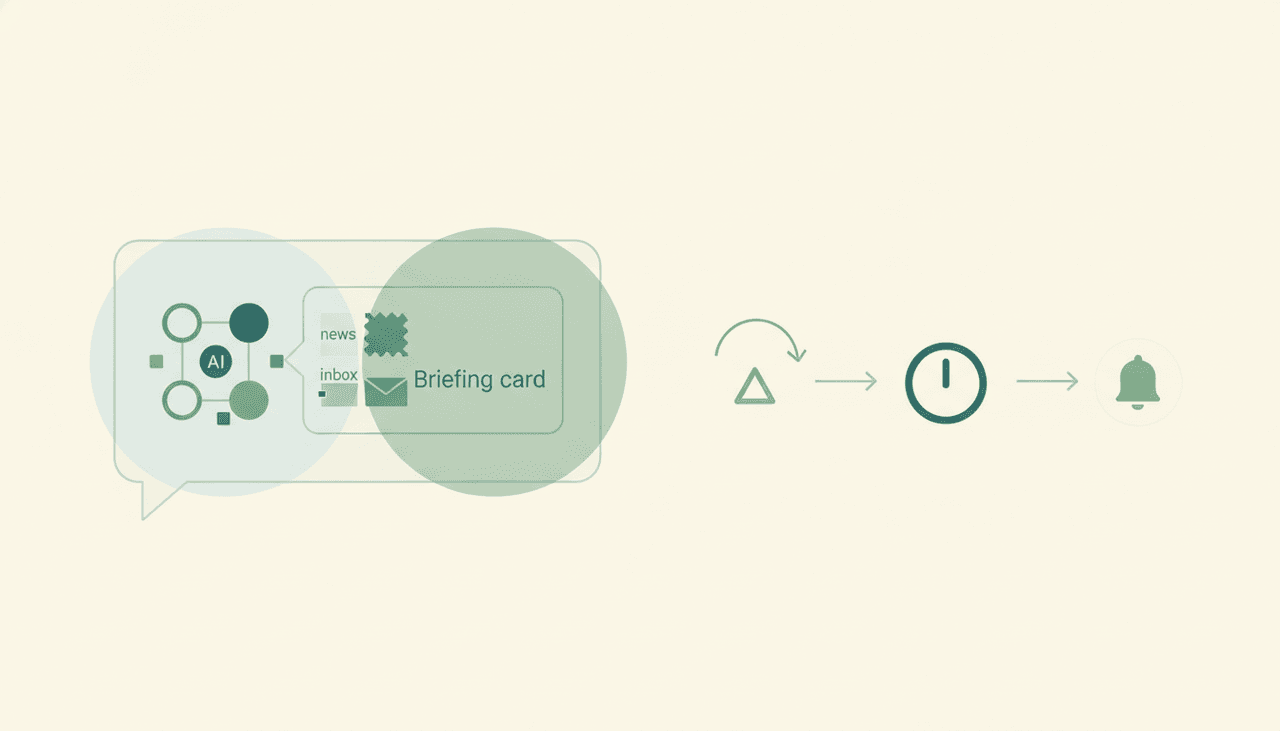
Claude Daily Briefing: Can Claude Send You a Morning Brief? (2026)
Sort of — Claude can build you an excellent morning briefing, but only when you ask for it in a chat. It won’t land in your inbox at 7 a.m. on its own. Claude has no event triggers and no always-on scheduler, so there’s no “every weekday morning, send me a brief” mode. You start a conversation, it assembles the briefing, and that’s where it stops.
Here’s the honest, surface-by-surface reality of a Claude daily briefing — and what it takes to get one delivered automatically every morning.
What Claude does well: a briefing on demand
Ask Claude “give me a morning briefing” and it’s genuinely good at it. With connectors enabled it can pull from your calendar, search recent email, read documents you point it to, and synthesize the lot into a tidy summary: today’s meetings, threads that need a reply, open tasks, and headlines if you paste in or link sources. Claude’s writing and summarization are top-tier, so the output is excellent.
The catch is in the trigger word: on demand. Every one of those connectors only works inside a conversation you start. Claude reads and reasons when prompted; it doesn’t wake up and do anything on its own.
The missing piece: no schedule, no auto-delivery
A daily briefing is, by definition, a scheduled product — it shows up before you ask. That’s exactly what Claude can’t do. There are no event triggers in Claude (“when it’s 7 a.m., assemble and send the brief” doesn’t exist), and the connectors are chat-only. So you can’t set it and forget it; you have to open Claude and request the briefing each morning.
It also can’t deliver the brief anywhere. The Gmail connector is draft-only — Anthropic states Claude “cannot send emails on your behalf” — so even if Claude wrote a beautiful brief, it couldn’t email it to you. See Can Claude send emails? for the full breakdown.
What about Claude Cowork’s scheduled tasks?
Claude Cowork can run tasks on a clock, which sounds like the answer — but there are two hard limits. The schedule is fixed, not event-driven, and the tasks only run while your computer is awake with the desktop app open. Close the laptop overnight and nothing runs; your 7 a.m. brief simply doesn’t happen. It’s a far cry from an always-on, cloud service that delivers regardless of whether your machine is on. More in Claude Cowork alternatives.
On-request vs. automatic: how the surfaces compare
| Assembles a brief | Pulls inbox + calendar | Adds news / RSS | Delivers automatically | On a schedule, laptop off | |
|---|---|---|---|---|---|
| Claude (chat) | Yes | Yes (in-chat) | Only if you paste/link | No | No |
| Claude Cowork | Yes | Yes (in-chat) | Limited | Drafts only | No (awake-only) |
| Carly | Yes | Yes | Yes | Yes | Yes |
Claude is a great briefing writer. It is not a briefing delivery service — nothing in the product mails you a brief on a schedule.
What an automatic daily briefing actually looks like
If you want a brief waiting for you every morning — not one you have to go ask for — you need something that runs on triggers in the cloud. That’s Carly, an AI executive assistant that works inside your inbox and calendar:
- It delivers on a schedule. Every weekday at the time you choose, Carly assembles and sends your briefing — overnight email triage, today’s meetings, what needs a reply, plus a news/RSS roundup from the sources you care about.
- It runs 24/7 in the cloud. The brief goes out whether your laptop is open, closed, or in another time zone.
- It acts on what it finds. Beyond the brief, Carly can triage and reply to email (drafting and sending, with attachments), file threads, create tasks, and update your CRM — automatically, on triggers.
- It builds the workflow for you. Tell it “I’d like a morning briefing with my inbox and AI news” in plain English; it interviews you, then builds it with you. No prompt engineering.
AI agents start at $35/month, and steps in a workflow that don’t use AI run free and unlimited. Carly connects to 200+ tools across 40+ categories — see integrations, Gmail, and Outlook.
For the broader chat-assistant vs executive-assistant split, see Claude vs Carly.
Frequently Asked Questions
Can Claude send me a daily briefing automatically?
No. Claude can assemble a briefing when you ask in a chat, but it has no scheduler and no event triggers, so it can’t deliver one on its own. It also can’t email it to you — the Gmail connector is draft-only. For automatic delivery you need a trigger-based agent like Carly.
Can Claude make a morning briefing from my email and calendar?
Yes, on request. With connectors enabled, Claude can read your calendar and search your email inside a conversation and summarize them into a brief. You just have to start the chat each morning — it won’t run by itself.
Does Claude Cowork’s scheduler solve this?
Partly, with caveats. Cowork tasks run on a fixed clock but only while your computer is awake with the desktop app open, so an overnight or early-morning brief won’t fire if your machine is asleep. See Claude Cowork alternatives.
Can Claude include news or RSS in the briefing?
Only if you bring the sources into the chat (paste links or use a retrieval connector during the conversation). It won’t monitor feeds on its own. Carly pulls a recurring news/RSS roundup into your scheduled brief automatically — related: Claude research assistant.
What’s the best way to get an automatic daily brief?
Use an agent built to act on a schedule. Carly assembles and sends your inbox + calendar + news brief every morning, 24/7 in the cloud, then can triage and reply to what it surfaces. AI agents start at $35/month.
More: Claude research assistant · Can Claude send emails? · Claude Cowork alternatives · Claude + Google Calendar · Claude vs Carly · Best AI personal assistants
Ready to automate your busywork?
Carly schedules, researches, and briefs you—so you can focus on what matters.
See what people say
"Before Carly, I relied on a Calendly link, but the whole process felt impersonal and not very professional. Carly changed that by handling all the back-and-forth, so I'm no longer stuck in endless email threads trying to line up schedules.
Now Carly reaches out to candidates, shares my real-time availability, lets them pick a slot, then sends a Zoom link and drops it straight into my calendar. She sends reminders to both of us before each call, which has significantly reduced no-shows and last-minute confusion.
On top of scheduling, Carly acts like a full executive assistant, sending me my schedule the night before so I can prepare for each call. It reminds me of the old x.ai assistant, but Carly is noticeably smarter, faster, and better suited to my healthcare recruitment business."