Claude for Invoice Processing: How Far It Really Goes (2026)
Partly — Claude is excellent at reading an invoice, but it can’t process your invoices. Hand Claude an invoice in chat (PDF, scan, or photo) and it will reliably pull the vendor, invoice number, date, line items, tax, and total, and structure it however you want. What it can’t do is sit on your accounts-payable inbox, catch invoices as they arrive, and post them into QuickBooks or Xero on its own. There are no triggers, so nothing happens until you paste a file into a conversation.
Here’s the honest, surface-by-surface reality of using Claude for invoice processing, and what real automation requires.
What Claude does well: extraction and reasoning on one doc
Give Claude an invoice and its document understanding is genuinely strong:
- Field extraction. Vendor, bill-to, invoice number, PO, issue and due dates, line items, quantities, unit prices, subtotal, tax, total — pulled accurately, even from a photo or a messy scan.
- Structuring. Ask for JSON, a table, or a CSV row and it’ll format the data to match your schema.
- Sanity checks. “Do the line items add up to the total?” or “Is this a duplicate of the invoice I showed you earlier?” are well within reach.
- Coding suggestions. It can suggest a GL account or category for each line based on the description.
If your pain is reading invoices one at a time, Claude is a fast, capable pair of eyes. The problem is everything around that single read.
Where it stops: it won’t touch your AP pipeline
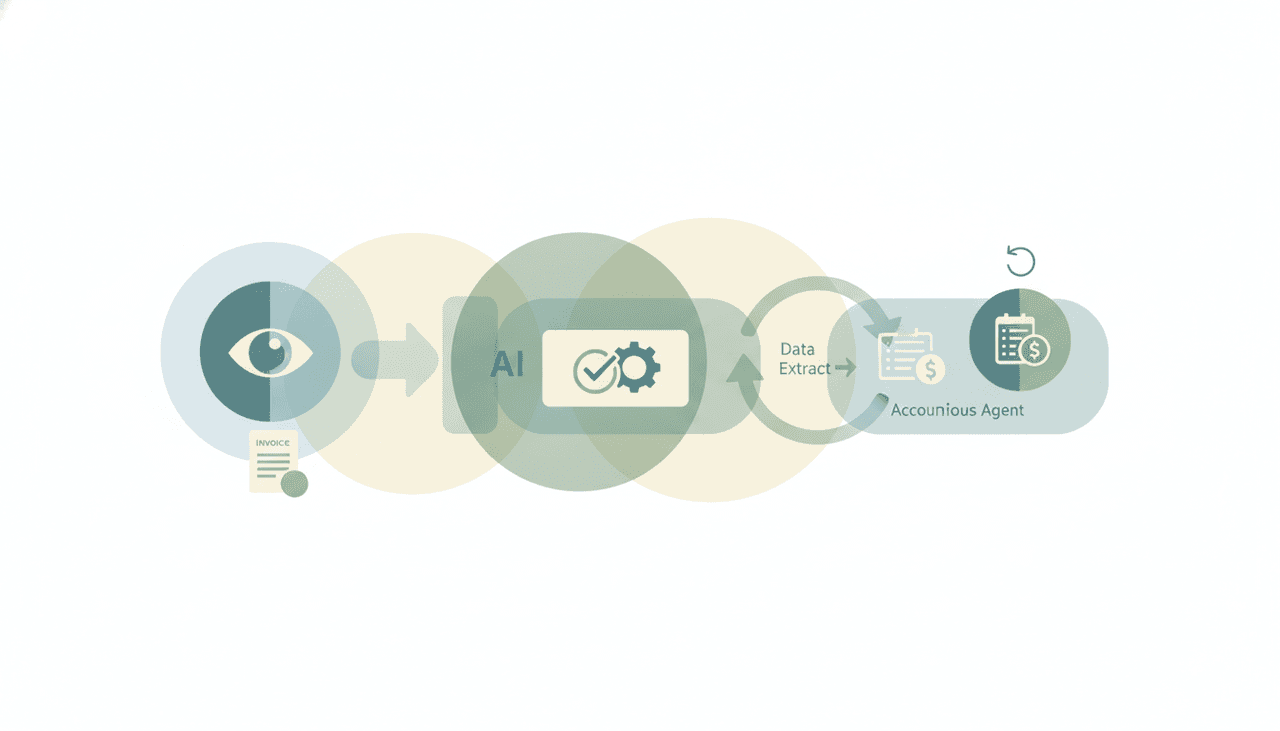
Invoice processing isn’t one extraction — it’s a pipeline: invoice arrives → captured → coded → approved → entered → paid → filed. Claude only helps with the middle “read and structure” step, and only when you bring the file to it. It won’t:
- Watch your AP inbox or a Drive/Dropbox folder for new invoices.
- Pull the attachment, extract it, and create the bill in your accounting system.
- Match an invoice to its PO or receipt and flag the exception.
- Route it for approval or schedule the payment.
- File the processed PDF back to the right vendor folder.
Even where an accounting connector exists, it’s typically read-leaning and chat-only (often via custom or third-party MCP, frequently paid), so “post this bill to QuickBooks automatically” isn’t on the table. You’d paste each invoice, copy the extracted data, and key it in yourself.
The real ceiling: no triggers, so nothing runs on arrival
The whole point of invoice automation is “when an invoice lands, handle it.” Claude has no event triggers — its connectors only work inside a conversation you start. There is no “when a PDF hits ap@yourco.com, extract it and create the bill.”
Claude Cowork’s scheduled tasks run on a fixed clock and only while your computer is awake with the desktop app open — so even a “check the folder every hour” routine isn’t truly always-on or event-driven. For accounts payable, which runs continuously and unpredictably, that’s the gap that matters: invoices don’t wait for you to open a chat.
Claude vs. real invoice automation
| Extract fields from a doc | Watch inbox/folder | Post to accounting system | On triggers / automatic | Runs 24/7 | |
|---|---|---|---|---|---|
| Claude (chat) | Yes | No | No | No | No |
| Claude Cowork | Yes | Limited | No | Fixed clock, laptop awake | No |
| Generic AI chatbot | Yes | No | No | No | No |
| Carly | Yes | Yes | Yes | Yes | Yes |
It’s the same pattern as Can Claude send emails?: Claude produces the data, but it can’t move it into the systems that matter, and nothing fires automatically.
What actually processing invoices looks like
If the job is “invoices get handled,” not “help me read this one invoice,” you need an agent built to act. That’s Carly, an AI executive assistant that lives in your inbox and tools:
- It catches invoices on arrival. When an invoice lands in your AP inbox or a watched folder, Carly extracts the fields, codes it, and creates the bill — automatically, with your laptop off.
- It posts into your accounting stack. Carly can create bills and records in your tools rather than handing you data to retype — see Claude + QuickBooks and Claude + Xero for what the chat-only versions can’t do.
- It files and follows up. Save the PDF to the vendor folder, flag duplicates and PO mismatches, and chase missing approvals.
- It runs the recurring parts too. A weekly “unpaid invoices” digest, month-end reconciliation prep, or vendor statements — on a schedule.
- It builds the workflow for you. Tell it “I’d like to set up an invoice-processing system” in plain English; it interviews you, then builds it with you. No prompt engineering.
AI agents start at $35/month, and steps in a workflow that don’t use AI run free and unlimited. It connects to 200+ tools across 40+ categories — see integrations.
For the head-to-head, see Claude vs Carly.
Frequently Asked Questions
Can Claude extract data from invoices?
Yes — this is one of Claude’s strengths. Give it an invoice as a PDF, scan, or photo in chat and it will accurately pull the vendor, invoice number, dates, line items, tax, and total, and structure it as JSON, a table, or CSV. The limit is that you have to bring it each file; it can’t fetch them itself.
Can Claude process invoices automatically?
No. Claude has no event triggers, so it can’t watch your AP inbox or a folder and process invoices as they arrive. It only extracts data when you paste a file into a conversation. For automatic, on-arrival processing you need an agent like Carly.
Can Claude post invoices into QuickBooks or Xero?
Not autonomously. Accounting connections are typically read-leaning and chat-only (often custom or third-party MCP, frequently paid), so Claude can’t create bills on its own. See Claude + QuickBooks and Claude + Xero for the details, and Carly for the version that actually writes.
Is Claude accurate at reading invoices?
It’s strong, including on photos and messy scans, and it can self-check that line items sum to the total or flag a likely duplicate. As with any extraction, a human should spot-check high-value bills — but the reading itself is reliable. Accuracy isn’t the gap; acting on the data is.
What’s the best way to automate invoice processing end to end?
Use an agent that triggers on arrival, extracts, codes, posts to your accounting system, files the PDF, and chases approvals — all without you in the loop. That’s Carly; AI agents start at $35/month.
More: Claude + QuickBooks · Claude + Xero · Claude for bookkeeping · Claude for data entry · Can Claude send emails? · Claude vs Carly
Ready to automate your busywork?
Carly schedules, researches, and briefs you—so you can focus on what matters.
See what people say
"Before Carly, I relied on a Calendly link, but the whole process felt impersonal and not very professional. Carly changed that by handling all the back-and-forth, so I'm no longer stuck in endless email threads trying to line up schedules.
Now Carly reaches out to candidates, shares my real-time availability, lets them pick a slot, then sends a Zoom link and drops it straight into my calendar. She sends reminders to both of us before each call, which has significantly reduced no-shows and last-minute confusion.
On top of scheduling, Carly acts like a full executive assistant, sending me my schedule the night before so I can prepare for each call. It reminds me of the old x.ai assistant, but Carly is noticeably smarter, faster, and better suited to my healthcare recruitment business."