
How to Connect Carly to Meta Muse
Carly isn’t listed in Muse’s Settings > Connectors, so searching for it there finds nothing. Instead, you add Carly as a custom connector by asking Muse in a chat. You need a Carly API key first.
1. Make a Carly API key
- Open carlyassistant.com/integrations and scroll to the bottom.
- Click Advanced, then API keys.
- Name the key Muse. If you’re on a team, leave Access on All.
- Leave every scope ticked. They start out ticked.
- Click Generate key and copy it. This is the only time Carly shows the whole key.
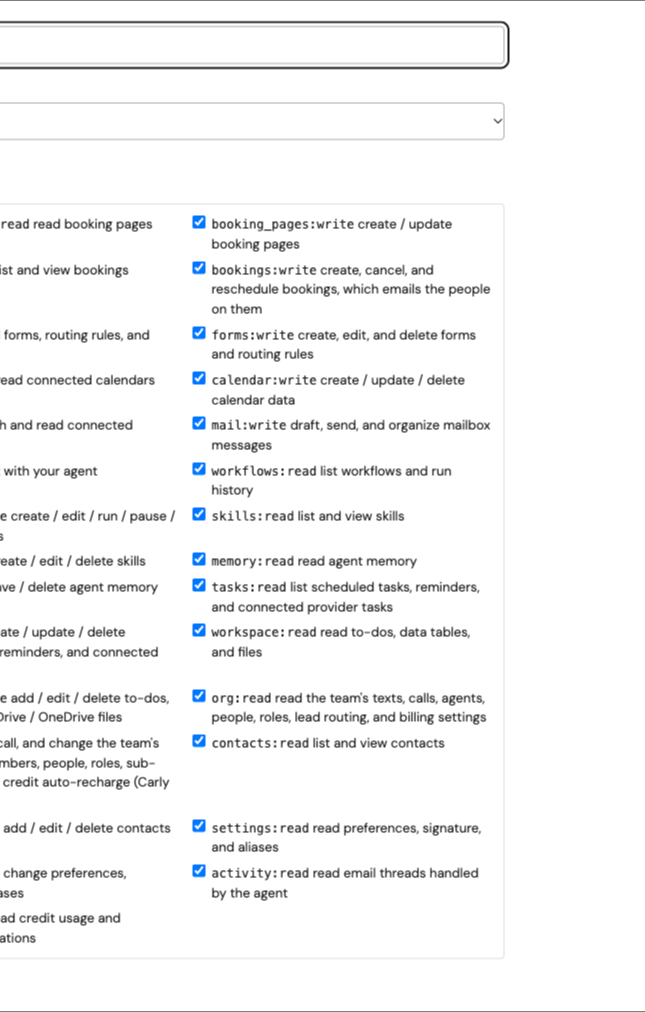
Screenshot from the actual Carly application using a test account.
2. Ask Muse to build the connector
- Open a chat with Muse in the app, on the web or in WhatsApp.
- Send this message:
Build a custom connector to https://carlyassistant.com/mcp/ using an API key as a bearer token.
- When Muse asks for the key, paste it into Muse’s secure credential prompt, not into the chat.
Muse can now reach everything you’ve connected to Carly: your email accounts, calendars, workflows and the apps on your Integrations page.
Try it
Use Carly to list my meetings tomorrow and any emails from this week I haven’t answered.
Troubleshooting
Searching “Carly” in Muse’s Connectors finds nothing
That’s expected. Carly isn’t in Muse’s directory; it’s a custom connector you create from a chat (step 2).
Opening the Carly link in a browser says “Method Not Allowed”
That’s normal. https://carlyassistant.com/mcp/ is an address for apps like Muse, not a page for browsers. Give it to Muse as in step 2.
Muse can only do some things, like booking
The key is missing scopes. Make a new key with every scope ticked and give it to Muse.
Muse stopped reaching Carly
The key may have been revoked. Its row under Your keys shows the status. Make a new one and give it to Muse.
To use several Gmail or Outlook accounts in Muse at once, see connecting multiple email accounts to Meta Muse.
Last verified: November 13, 2026.
Ready to automate your busywork?
Carly schedules, researches, and briefs you—so you can focus on what matters.
See what people say
"Before Carly, I relied on a Calendly link, but the whole process felt impersonal and not very professional. Carly changed that by handling all the back-and-forth, so I'm no longer stuck in endless email threads trying to line up schedules.
Now Carly reaches out to candidates, shares my real-time availability, lets them pick a slot, then sends a Zoom link and drops it straight into my calendar. She sends reminders to both of us before each call, which has significantly reduced no-shows and last-minute confusion.
On top of scheduling, Carly acts like a full executive assistant, sending me my schedule the night before so I can prepare for each call. It reminds me of the old x.ai assistant, but Carly is noticeably smarter, faster, and better suited to my healthcare recruitment business."