6 Best Lifestack Alternatives in 2026
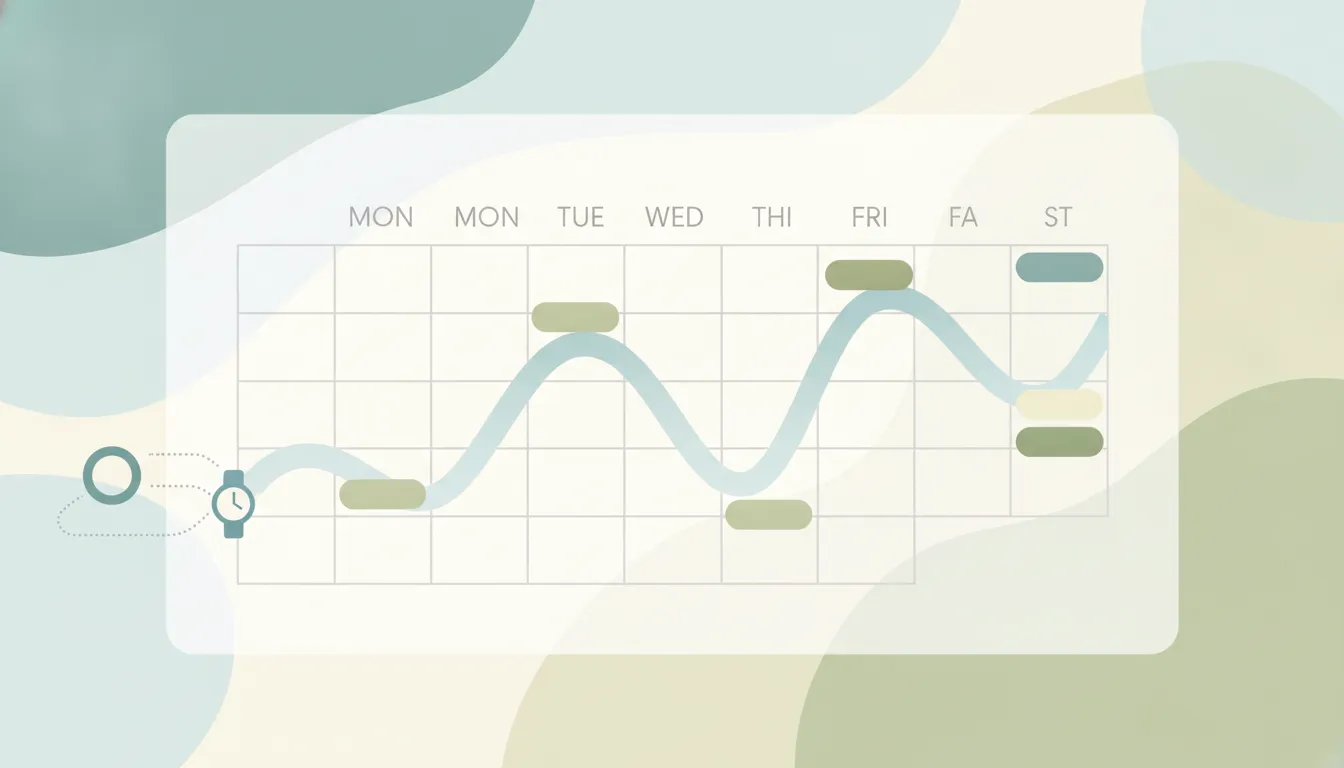
Lifestack’s pitch is genuinely different: it reads sleep and recovery data from your wearable — Oura Ring, Apple Watch, Fitbit — forecasts your energy through the day, and time-blocks tasks so deep work lands on your peaks and admin fills the dips. It syncs Google Calendar and Outlook, pulls tasks from Todoist, Trello, and TickTick, and costs $7/month, $50/year, or $120 lifetime. The friction: Lifestack plans your day but doesn’t act on it — no meeting coordination, no email, no rescheduling on your behalf — it’s mobile-and-extension-first with no full desktop app, and if you don’t wear a tracker, the core feature has nothing to work with. Here are six alternatives.
1. Carly
Carly is an AI executive assistant you reach over email or text. Instead of arranging your calendar and leaving the doing to you, it does the doing: schedules and reschedules meetings, handles the back-and-forth with other people, drafts and sends email, and runs recurring workflows across 200+ integrations 24/7.
What makes it different from Lifestack: Lifestack decides when you should do things; Carly does things. And you don’t have to give up the wearable angle — Carly connects to any tool that has an API using your own key, and Oura has a public one, so an agent can check your readiness score before deciding whether to stack your morning with meetings or protect it for recovery.
Best for: People who want an assistant that acts on their calendar and inbox, not another view of them.
Pricing: Starts at $35/month; non-AI workflow steps aren’t metered
2. Reclaim.ai
AI calendar assistant that auto-schedules tasks, habits, and breaks into your calendar and defends your focus time when meetings pile in.
What makes it different from Lifestack: Reclaim does energy-style scheduling without the wearable — you tell it your habits (deep work in the morning, lunch at noon, gym three times a week) and it protects them dynamically, rescheduling around conflicts. It’s web-first and team-aware where Lifestack is personal and mobile-first, and there’s a real free tier.
Best for: Professionals who want automatic time blocking and focus-time defense on Google Calendar.
Pricing: Free tier; paid from $8/user/month
3. Motion
AI auto-scheduler that takes every task, deadline, and priority you give it and builds your entire daily schedule — then rebuilds it when things change.
What makes it different from Lifestack: Motion schedules around deadlines and priorities instead of biology. It’s the most aggressive planner in this list — closer to a project management tool — and it covers teams, which Lifestack doesn’t. No wearable input, but far deeper task and project management.
Best for: People who want AI to decide when they work on what, driven by deadlines rather than energy.
Pricing: From $19/month billed annually
4. Morgen
Unified calendar for Google, Outlook, and iCloud with task time-blocking from Todoist, Linear, Jira, and more — on Mac, Windows, Linux, and mobile.
What makes it different from Lifestack: Morgen is the strongest option if Lifestack’s missing desktop experience bothers you. It won’t forecast your energy, but it gives you one place to see every calendar and drag tasks into real time blocks, on every platform you own.
Best for: Multi-calendar users who want manual, deliberate time blocking with full cross-platform apps.
Pricing: 14-day free trial; Pro from $15/month
5. Sunsama
Guided daily planning ritual: every morning it walks you through what you’re doing today, pulls tasks from Asana, Trello, Jira, Notion, and Linear, and makes you commit to a realistic day.
What makes it different from Lifestack: Sunsama trusts you to know your own energy — the value is the ritual, not the algorithm. Where Lifestack automates the plan from biometrics, Sunsama makes planning a deliberate ten-minute practice with a shutdown routine at the end of the day.
Best for: Knowledge workers who want intentionality and reflection, not automation.
Pricing: $17/month billed yearly or $22 monthly (14-day free trial, no free tier)
6. Amie
Design-forward calendar with built-in to-dos, availability sharing, and a native Notion integration.
What makes it different from Lifestack: Amie is the pick if you liked Lifestack’s polish but want a conventional, beautiful calendar-plus-tasks app without the health layer. Scheduling links and contact context are built in, so light meeting coordination is covered.
Best for: People who want the nicest-feeling daily calendar and to-do combo.
Pricing: 7-day free trial; Personal ~$6/month, Pro ~$15/month
Lifestack Alternatives Compared
| Tool | Best for | Schedules by | Starting price |
|---|---|---|---|
| Carly | Acting on your calendar and inbox | You ask, it does (can read Oura via API) | Starts at $35/mo |
| Reclaim.ai | Auto time blocking + focus defense | Habits and priorities | Free tier; $8/user/mo |
| Motion | AI-planned days for task-heavy work | Deadlines and priorities | $19/mo |
| Morgen | Cross-platform manual time blocking | You, with drag-and-drop | $15/mo |
| Sunsama | Intentional daily planning ritual | You, guided | $17/mo yearly |
| Amie | Beautiful calendar + to-dos | You | ~$6/mo |
| Lifestack | Energy-aware auto-planning | Wearable energy data | $7/mo |
FAQ
Is Lifestack free? No free tier — $7/month, $50/year (with a 7-day trial on the annual plan), or a $120 lifetime license. The lifetime option is unusual for this category and genuinely good value if the energy-based approach works for you.
Do I need a wearable to use Lifestack? The app works without one, but energy forecasting — the reason to pick Lifestack over any ordinary calendar — depends on sleep and heart-rate data from an Oura Ring, Apple Watch, Fitbit, or similar tracker.
What’s the closest alternative to Lifestack’s energy-based scheduling? Nothing replicates the wearable-driven forecast exactly. Reclaim.ai gets closest in spirit by auto-scheduling around habits and protected focus time. If you want the biometric angle with an assistant that acts, Carly can read your Oura data through your own API key and factor it into how it books your day.
Can Lifestack schedule meetings with other people? No — it plans your own time. For coordination (finding times, sending invites, handling the back-and-forth), you need a scheduling assistant; that’s the gap Carly and, more manually, Amie’s availability links cover.
More: Notion Calendar alternatives · Reclaim AI alternatives · Motion alternatives · Best AI personal assistants · Group scheduling tools
Ready to automate your busywork?
Carly schedules, researches, and briefs you—so you can focus on what matters.
See what people say
"Before Carly, I relied on a Calendly link, but the whole process felt impersonal and not very professional. Carly changed that by handling all the back-and-forth, so I'm no longer stuck in endless email threads trying to line up schedules.
Now Carly reaches out to candidates, shares my real-time availability, lets them pick a slot, then sends a Zoom link and drops it straight into my calendar. She sends reminders to both of us before each call, which has significantly reduced no-shows and last-minute confusion.
On top of scheduling, Carly acts like a full executive assistant, sending me my schedule the night before so I can prepare for each call. It reminds me of the old x.ai assistant, but Carly is noticeably smarter, faster, and better suited to my healthcare recruitment business."