Quo (OpenPhone) vs Google Voice: 2026 Pricing Compared
Both give a small business a second number that rings on the phone you already carry. Google Voice is a phone line attached to your Google account: the personal version costs $0, and the team version is a per-user add-on to Google Workspace. Quo, the company formerly called OpenPhone, is a phone system built around a shared team inbox, with carrier registration, CRM sync and an AI agent called Sona built in.
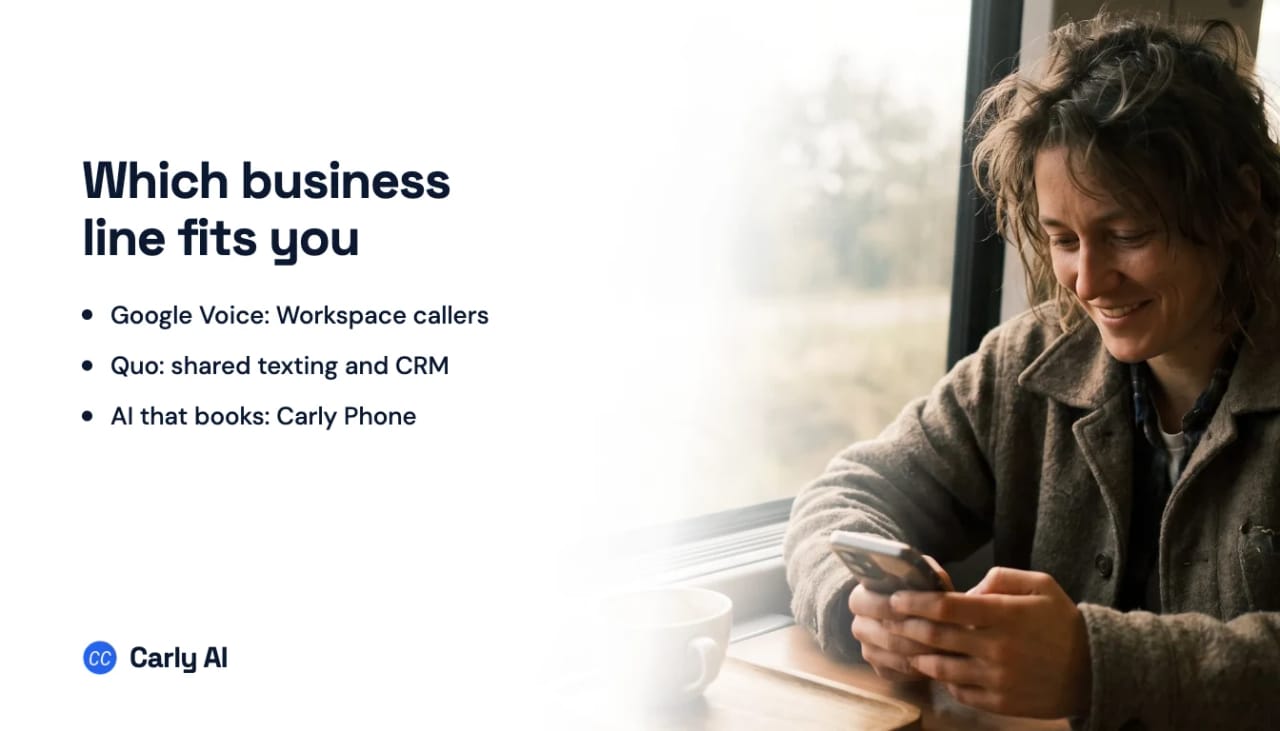
The quick answer: Pick Google Voice if you already run on Google Workspace and mostly make calls. Pick Quo (OpenPhone) if your team texts customers from a shared number and wants calls logged to a CRM. If you want the phone answered by an AI that books callers on a real calendar instead of taking a message, that’s Carly, and setup is one prompt in ChatGPT or Claude.
Quo vs Google Voice Pricing (US, September 2026)
| Quo (formerly OpenPhone) | Google Voice | |
|---|---|---|
| Lowest tier | Starter: $15/user/mo annual, $19 monthly | Voice Basic: $0, one user, personal Gmail |
| Middle tier | Business: $23/user/mo annual, $33 monthly | Starter: $10/mo personal, or $10/user/mo on Workspace (up to 10 users) |
| Top tier | Scale: $35/user/mo annual, $47 monthly | Standard $20/user/mo, Premier $30/user/mo (Workspace) |
| Also required | Nothing else | A Google Workspace plan, billed separately, for any multi-user setup |
| Business texting | Carrier registration: $19.50 one-time, $1.50 to $3/mo | Policy bars large volumes of commercial texts and automated texts |
| Shared team number | Starter up to 10 users; no user cap on Business and Scale | Ring groups and call queues on Workspace Standard and Premier |
| Phone menus | Business and Scale | Auto attendants on Standard (personal or Workspace) and Premier |
| AI answering | Sona: 10 calls/mo included, credit tiers from $25/mo | Not listed on Google’s Voice plans |
| AI call notes | All calls from Business; Sona calls only on Starter | Gemini notes on Standard and Premier (Workspace Business Standard or higher), English only |
| CRM | HubSpot and Salesforce from Business | Built around Gmail, Calendar and Meet |
Quo’s annual billing saves 21 to 30% depending on the tier. Google’s personal Standard plan is currently half price for the first six months, then returns to $20. For the full Quo breakdown, see Quo pricing.
What Free Google Voice Actually Gets You
Voice Basic is the version most people mean when they search “free business number.” It gives one person a US number that rings on every device, with calling, texting and voicemail transcripts. Setup needs an existing mobile number.
The catches are all in Google’s own documentation:
- Your number can disappear. Google reclaims free Voice numbers that go unused for too long, and you get 45 days to add one back. Google’s paid Starter plan is sold with the promise that your number “will not be reclaimed due to inactivity.”
- No business calling basics. Google’s plan table shows no three-way calling, call recording, desk phone support or 911 emergency support on the no-charge tier.
- Texting is for conversations, not campaigns. The policy bars “large numbers of commercial messages, or automated messages,” and names sending messages “via an automated process, such as a script.”
- One user. Every personal plan, paid or not, tops out at one user and has no ring groups.
In July 2026 Google added two paid personal plans for side hustles and solo operators. Voice Starter ($10/month) adds 24/7 support, call recording, three-way calling, desk phones and a number that won’t be reclaimed. Voice Standard ($20/month) adds auto attendants and Gemini call notes. Neither needs Workspace. More in Google Voice for business.
Google Voice for Workspace: Three Tiers
Each tier sits on top of a Workspace subscription, so a team pays for two seats per person.
Starter, $10/user/month. Up to 10 users. Calling, US texting, call transfers, three-way calling, call recording, desk phones and 24/7 support.
Standard, $20/user/month. No user cap. Adds ring groups, call queuing, multi-level auto attendants, Gemini call notes (when your Workspace plan is Business Standard or higher), eDiscovery for calls, voicemails and texts, and SIP Link, which connects numbers from another carrier to Voice.
Premier, $30/user/month. Adds automatic call recording, transcription and AI notes, international billing locations, and Voice activity reporting in BigQuery.
Google’s strength is administration: numbers, porting, billing, ring groups and zero-touch HP Poly desk phones all live in the Workspace admin console.
Texting Is the Difference That Decides Most Teams
Quo treats texting as a business channel and makes you register it. Every Quo account texting US numbers registers with The Campaign Registry: a $19.50 one-time review fee plus $1.50 to $3 per month, depending on your use case. Quo’s troubleshooting guide is blunt: unregistered numbers cannot text US numbers, regardless of how long ago a port completed. Budget for the approval before you print the number on your truck.
Once registered, Quo gives teams snippets, scheduled messages, auto-replies to missed calls, internal threads, and automated texts from Zapier, Make or the API at 1¢ per segment. Sona can also follow up by text with a lead whose call you missed.
Google Voice treats texting as person-to-person. That suits a plumber replying to customers one at a time, not appointment reminders or anything a script sends. In February 2025 Android Police reported Google Voice texts failing for some users, tied to carrier rules on business messaging, and Google’s help community has repeated threads from users asking how to receive texts on a ring group number.
When two people answer the same line on Quo, both see the same customer thread and who is typing. Google’s team features route calls (ring groups, queues, auto attendants). If texting customers is half your day, that outweighs the price gap. If you want texts that turn into booked appointments, Carly texts back every missed call and books the reply. More in SMS appointment booking for business.
AI: Sona Answers Calls, Gemini Takes Notes
Quo’s Sona picks up when you can’t. It answers inbound calls when you’re busy or closed, answers questions from your business details, asks leads your intake questions, transfers to a teammate, and can text the caller a scheduling link mid-call. It speaks English, Spanish and French.
Sona is usage-priced. Every plan includes 1,000 credits a month (10 calls). Beyond that: $25/month for 40 calls, $49 for 100, $99 for 250 or $199 for 600, with overage from $1.00 down to $0.45 per call. AI summaries for every call start on Business; Starter gets them only for Sona calls.
Google’s Gemini helps on calls you take yourself. “Take notes for me,” launched in June 2026, records the call, transcribes it and emails you a summary with next steps. It is English only, and only the person who started notes gets the recording, transcript and summary. It comes with the personal Standard plan, and with Voice Standard and Premier when the Workspace plan underneath is Business Standard, Business Plus, Enterprise Standard or Enterprise Plus. A Workspace Business Starter office doesn’t get it. Premier makes recording, transcription and notes automatic. Google also uses AI to block spam calls and transcribe voicemails.
So Gemini gives you a better record of the conversations you have. Sona covers the ones you miss. If missed calls are the leak, compare best AI receptionist and AI answering service.
Integrations: Your CRM or Your Google Account
Quo connects to where small businesses keep customers: HubSpot and Salesforce from Business, plus Zoho CRM, Pipedrive, HighLevel, Clio, Jobber, Slack, Zapier, Make, an API and an MCP server for ChatGPT and Claude.
Google’s integrations are its own apps and phone hardware: calls, voicemails and texts in Gmail, calls sent to voicemail outside your Calendar working hours, records in Vault, BigQuery exports on Premier, plus SIP Link and certified desk phones. If customers live in Gmail and Sheets, that’s enough. If they live in a CRM, Quo does more of the logging.
Who Each One Fits
Google Voice A clean second number for calls, and a sensible office phone system if you already run on Workspace.
- Best for: Solo operators, side businesses, and Workspace offices where most customer contact is voice calls.
- Pricing: $0 Basic; $10 or $20/month personal plans; $10, $20 or $30/user/month on top of Workspace.
- Watch out for: Texting built for one-to-one conversations, a free number that Google can reclaim if it sits unused, one user on every personal plan, and AI notes that only reach the person who started them.
Quo (formerly OpenPhone) A team phone app where calls and texts share an inbox, with CRM logging and an AI agent that answers when nobody can.
- Best for: Service businesses, agencies and sales teams of 2 to 20 sharing a line and texting customers daily.
- Pricing: $15, $23 or $35/user/month annual ($19, $33, $47 monthly), plus carrier registration, $5 per extra number and Sona credits past 10 calls.
- Watch out for: No US texting until registration is approved, per-call AI costs that climb with volume, Starter’s 10-user cap on shared numbers, and HubSpot, Salesforce and phone menus held back to Business.
Comparing more than these two? See Quo alternatives, Quo vs RingCentral and the best small business phone systems.
Where Carly Fits: The Receptionist That Books the Job
Google Voice sends a missed call to voicemail. Quo’s Sona takes the details and can text a scheduling link. Either way, somebody still has to read the summary, check a calendar and call back. Carly skips that step.
- Picks up every call, 24/7 or only when your team doesn’t. Spanish callers get Spanish.
- Books the job on the call, on your team’s real Google and Outlook calendars, round robin.
- Calls web leads back within about a minute, and texts and emails if they miss it.
- Texts and WhatsApp from your business number: two-way texts and WhatsApp messages, a text back on every missed call, reminders to a list, group texts.
- Hands callers to a person through ring groups or a phone menu.
- Keeps one team inbox of every call, transcript, voicemail, text and email, written back to HubSpot, Salesforce, Dynamics 365 or Carly’s CRM.
- Does it your way, every time. Carly follows your rules exactly on every call, connects to thousands of apps, and fires free Zapier-style workflows after each one.
Copy one prompt into ChatGPT or Claude, grab a number, and you’re live. You can run the whole thing from the chat afterwards.
Carly business setup prompt
Paste this into ChatGPT, Claude or any AI. It walks you through the rest.
Help me connect Carly Teams so I can work with my organization's business texts, phone calls, voicemail and voice/text agents from this chat. I'll add it to you myself: tell me exactly what to click for the app you are, one step at a time, and wait for me to confirm before moving on. If a step doesn't match what I see, ask me what's on my screen. If you can do the setup yourself (Claude Code, Codex, Muse, Grok Bot), go ahead, and ask me for any key in your secure credential prompt, never in the chat. Don't tell me it's connected until list_phone_lines works, and if I have several teams, ask which to use. Before sending a text or making a call, confirm the team, recipient and message or task with me. The steps are below.

# Connect Carly Teams to an AI app

> Carly Teams works a team's business phone lines through the team's AI agents: business texts, phone calls, voicemail, the voice and text agents, and the team's CRM.

MCP server: https://carlyassistant.com/team/mcp (streamable HTTP, OAuth)

## Setup

Carly Teams isn't in any plugin or connector directory yet, so it's added as a custom connection by URL.

1. Add Carly Teams:
   - ChatGPT: open https://chatgpt.com/plugins, click Add, and choose Create MCP App (not Create plugin or Upload plugin archive). If Create MCP App isn't on the menu, turn on Developer mode first in Settings > Security and login. Name it "Carly Teams" with the description "Work with my team's business texts, calls, voicemail and voice/text agents," paste https://carlyassistant.com/team/mcp as the server URL, choose OAuth, create it, and sign in. Then in the message box open the + menu, choose Developer mode, and pick Carly Teams. No plugin needs to be built, packaged or uploaded.
   - Claude (claude.ai, Claude Desktop, or Cowork): Customize > Connectors > Add custom connector, name it Carly Teams, paste https://carlyassistant.com/team/mcp, and sign in.
   - Claude Code: `claude mcp add --transport http --scope user carly-teams https://carlyassistant.com/team/mcp`, then /mcp, pick carly-teams, and authenticate.
   - Codex: `codex mcp add carly-teams --url https://carlyassistant.com/team/mcp`, then `codex mcp login carly-teams`.
   - Cursor: add {"mcpServers": {"carly-teams": {"url": "https://carlyassistant.com/team/mcp"}}} to ~/.cursor/mcp.json, then sign in to carly-teams from Customize.
   - Muse: a custom connector to https://carlyassistant.com/team/mcp with a Carly API key as its bearer token. The key comes from carlyassistant.com/account (API key under Carly Teams) and goes in Muse's connector settings, not in a chat message.
   - Grok: grok.com/connectors > New Connector > Custom, paste https://carlyassistant.com/team/mcp, and sign in.
   - Grok Bot: a custom remote MCP server named carly-teams at https://carlyassistant.com/team/mcp. Approve it and sign in.
   - Perplexity: Plugins in the sidebar (or Customize > Connectors), then Add custom > Connector > Add MCP connector. Choose Remote, name it Carly Teams, paste https://carlyassistant.com/team/mcp, pick OAuth, check the box and click Add, then click the Carly Teams card to sign in.
   - Anything else: a remote MCP server (streamable HTTP) named carly-teams at https://carlyassistant.com/team/mcp. It signs in with OAuth.
   Sign in with the Carly account that belongs to the organization.

2. Once it's added, the Carly Teams tools show up in the chat, including list_phone_lines. If they don't, turn Carly Teams on for the chat or start a new chat.

3. To check it worked, call list_phone_lines: it returns the teams and phone lines the account can reach. A team with no phone line yet can get one with find_numbers (optionally by area code) and get_number, which may return a checkout link to finish.

4. Something to try first: "Review our missed calls and voicemail and help me reply to customers." Carly Teams also reads and answers business texts, has the team's agent make calls, and edits the voice and text agents. Texts and calls go out at once from the agent's number and can't be taken back. Team permissions apply.

## Email, calendars and workflows

Email, calendars, files, booking pages and workflows are the regular Carly connector, added separately. It's listed in ChatGPT's plugin directory (https://chatgpt.com/plugins/plugin_asdk_app_6a67a26316b88191860222f918d4ec54) and Claude's connector directory (https://claude.ai/directory/carly), and connects anywhere else at https://carlyassistant.com/mcp/. Its setup is https://carlyassistant.com/mcp.txt.Pricing: Free Zapier-style workflows; AI agents from $35/month. Get started, or book a call if you’d like a walkthrough.
Quick Reference
| Your situation | Pick |
|---|---|
| One person, mostly calls, $0 budget | Google Voice Basic |
| Already on Google Workspace, want desk phones | Google Voice Standard |
| Need eDiscovery or BigQuery call reporting | Google Voice Premier |
| Team shares one number and texts customers | Quo Business |
| Want calls logged to HubSpot or Salesforce | Quo Business, or Carly |
| Want an AI to take messages after hours | Quo with Sona |
| Want an AI to answer callers and book them on your calendar | Carly |
| Want your phone, email and calendar handled by one assistant | Carly |
FAQ
Is Quo the same as OpenPhone?
Yes. OpenPhone rebranded as Quo in 2025. The product, plans and apps carried over, and Quo still describes itself as “formerly OpenPhone.” Older OpenPhone reviews and comparisons often quote prices that have since changed, so check the current tiers: $15, $23 and $35 per user per month billed annually.
Is OpenPhone better than Google Voice for a small business?
For a team that texts customers from a shared number, yes. Quo (OpenPhone) gives you a shared inbox, carrier-registered business texting, phone menus and CRM logging. For a single person who mostly makes calls, or an office already on Google Workspace that wants desk phones, Google Voice is cheaper and simpler.
Is Google Voice free for business use?
Voice Basic costs $0, but it is limited to one user, needs an existing US mobile number, and Google can reclaim the number if it goes unused. Google’s acceptable use policy also bars large volumes of commercial or automated texts. Google sells paid personal plans at $10 and $20 a month, and Workspace add-ons at $10, $20 and $30 per user per month.
Can Google Voice send texts to customers?
Yes, for one-to-one conversations. Google’s policy prohibits large numbers of commercial messages and messages sent by a script, so reminders and campaign texts are a poor fit. Quo requires carrier registration before US texting ($19.50 once, then $1.50 to $3 a month).
Does Google Voice have an AI receptionist like Quo’s Sona?
Google’s Voice plans list auto attendants, spam blocking, voicemail transcription and Gemini call notes, which work on calls you answer yourself. Quo’s Sona answers inbound calls when you can’t, with 10 calls a month included. Carly answers and books the caller on your real calendar during the call.
Ready to automate your busywork?
Carly schedules, researches, and briefs you—so you can focus on what matters.
See what people say
"Before Carly, I relied on a Calendly link, but the whole process felt impersonal and not very professional. Carly changed that by handling all the back-and-forth, so I'm no longer stuck in endless email threads trying to line up schedules.
Now Carly reaches out to candidates, shares my real-time availability, lets them pick a slot, then sends a Zoom link and drops it straight into my calendar. She sends reminders to both of us before each call, which has significantly reduced no-shows and last-minute confusion.
On top of scheduling, Carly acts like a full executive assistant, sending me my schedule the night before so I can prepare for each call. It reminds me of the old x.ai assistant, but Carly is noticeably smarter, faster, and better suited to my healthcare recruitment business."