Quo (OpenPhone) vs Dialpad: 2026 Pricing and AI Compared
Quo and Dialpad both advertise $15 a seat. That is where the resemblance ends.
Quo (OpenPhone until 2025) is a texting-first phone app for small teams. Dialpad is a cloud phone system built around AI transcription, with a contact center, desk phones and international numbers behind it. The bill, the AI and the exit all work differently.
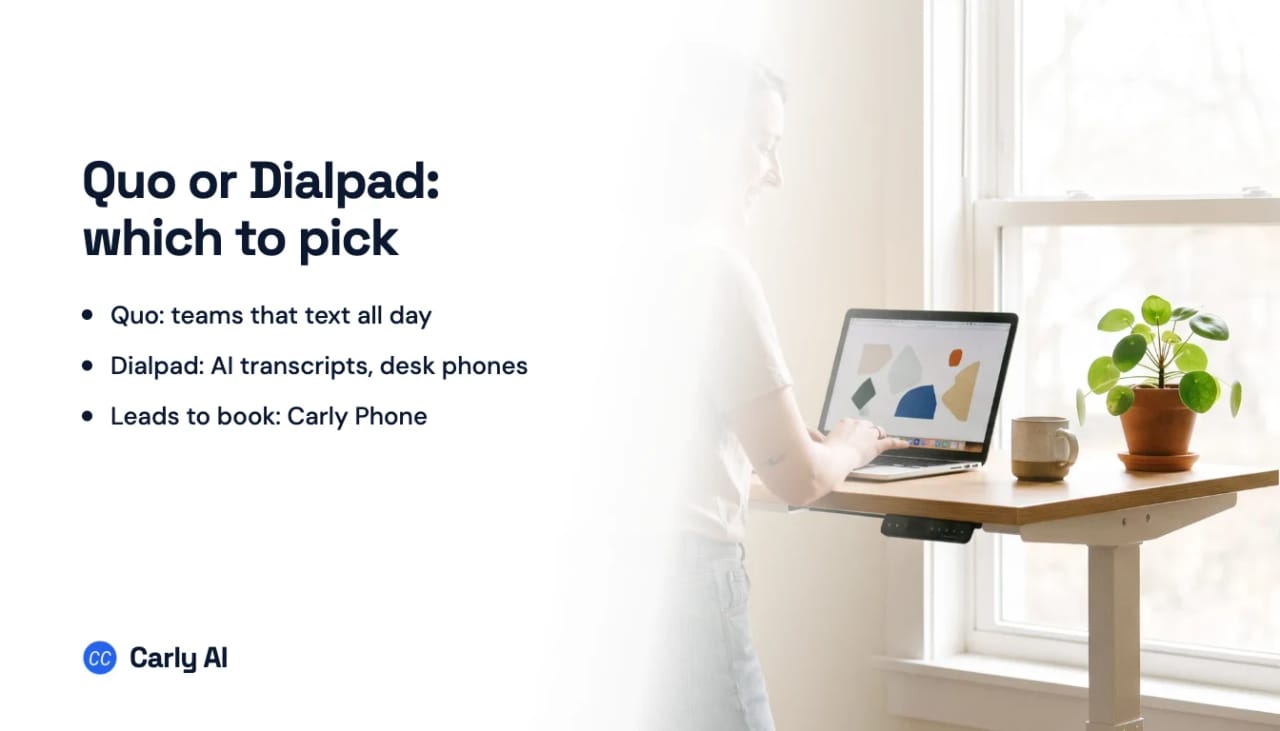
The quick answer: Pick Quo if your team lives in texts, wants a clean shared inbox and wants to cancel in a few clicks. Pick Dialpad if you need more calling depth: live transcripts and AI Recaps on every plan, hold queues, desk phones, international numbers or a path to a contact center. And if your phone is really a lead desk, where every missed call or web form is a job you could lose, you want an AI that calls new leads back, qualifies them and books them into your team’s real calendars. That is Carly Phone, and the fastest way to see it is to book a call with the Carly team.
Quo vs Dialpad at a Glance
| Quo (formerly OpenPhone) | Dialpad Connect | |
|---|---|---|
| Entry | Starter $15/user/mo annual ($19 monthly) | Standard $15/user/mo annual ($27 monthly) |
| Middle | Business $23 annual ($33 monthly) | Pro $25 annual ($35 monthly), 3-seat minimum |
| Top | Scale $35 annual ($47 monthly) | Enterprise, custom quote, 100-seat minimum |
| Texting | US and Canada texting on every plan (fair use policy) | First 250 outbound texts per user per month, then $0.008 per SMS from prepaid credits |
| AI transcripts and summaries | Business and up (Starter: Sona calls only) | Every plan, with AI Recaps |
| AI agent | Sona: about 10 calls/month included, credit tiers from $25/mo | AI Agents sold separately, conversation credits priced by sales |
| HubSpot and Salesforce | From Business | From Pro |
| Desk phones | No | Yes |
| International numbers | No (US, Canada and toll-free only) | Local numbers in 50+ countries |
| Toll-free | One local or toll-free number per seat included | $15/mo annual ($17 monthly) plus $0.02/min inbound |
| Free trial | 7 days, no US texting until you pay | 14 days |
| Cancelling | In the app, anytime | Annual plans through Customer Success, no refund |
US list prices as of September 2026. Full breakdowns: Quo pricing and Dialpad alternatives. If the row you care about is “booked jobs”, not “phone”, see Carly Phone on a call.
Pricing: Same Sticker, Different Bills
The $15 headline is an annual number on both. Month to month, Quo Starter is $19 and Dialpad Standard is $27, so five users paying monthly spend $95 on Quo against $135 on Dialpad.
Most small teams end up on the middle tier anyway, because both vendors hold CRM integrations back for it. Five users on Quo Business annual is 5 × $23 = $115/month. Five on Dialpad Pro annual is 5 × $25 = $125/month. Monthly, it’s $165 against $175.
Two-person teams hit Dialpad’s seat minimum. Pro requires 3 seats, so a pair that wants HubSpot connected pays for three ($75/month annual) on Dialpad, or two Business seats ($46/month annual) on Quo. Extra numbers are $5 a month on Quo. A toll-free number on Dialpad is $15 a month (annual) or $17 (monthly), plus 2 cents a minute inbound.
The contract matters more than the seat price. Quo says you can cancel in the app “in just a few clicks,” and it holds your numbers for 60 days after the billing cycle ends. Dialpad’s help center lets monthly accounts with 10 licenses or fewer cancel in admin settings, but annual plans go through its Customer Success team, and its refund FAQ says annual plans “do not qualify for a refund,” even with six months left. Refunds only happen within 3 days of the transaction.
Texting: Quo Includes It, Dialpad Meters It
Texting is the reason most small teams pick Quo. US and Canada messaging comes with every plan, and shared numbers put one thread in front of the whole team, with internal comments, snippets, scheduled messages and missed-call auto-replies. Texts sent by hand are free; automated texts through the API, Zapier or Make cost 1 cent per segment.
Dialpad covers the first 250 outbound texts per Connect user per month once you’re registered, pooled across the office, then charges $0.008 per SMS and $0.024 per MMS. Two details from its help center matter for a team:
- Shared lines don’t get the allowance. The 250 applies to users texting from their own direct number, “not on shared lines,” so a shared line pays from the first text.
- Texting runs on prepaid credits. If credits run out, you can’t send or receive texts, and messages sent without credit aren’t retried.
Both need US carrier registration. Quo passes through $19.50 one-time plus $1.50 to $3 a month. Dialpad lists a $4 brand fee, a $15 campaign vetting fee and a monthly campaign fee from $1.50 to $10, and says the carrier review takes 3 to 28 days. Quo users report registration delays too, and Quo’s trial has no US texting until you pay.
If customers reach you by text, Quo is the better phone. If they book by text, read SMS appointment booking for business or see Carly’s shared texting inbox on a call.
AI: Dialpad Transcribes Everything, Quo Includes an Agent
Built-in AI is Dialpad’s strongest argument. Every Connect plan includes real-time call transcription, voicemail transcription, and AI Recaps with summaries and action items. Quo covers every call only from Business up; on Starter, summaries cover just the calls Sona handles. Reviewers on both say AI summaries are worth a second read, and Dialpad reviewers report transcripts that stumble on accents, industry terms, phone numbers and email addresses.
Quo Sona is an AI voice agent inside Quo’s call flow: after the team doesn’t pick up, after hours, or behind a menu option. Per Quo’s help center, it answers from the knowledge you give it, asks intake questions, transfers callers, and texts a scheduling link while the caller is on the line. Every plan includes about 10 calls a month; more costs $25 a month for 40 calls, $49 for 100, $99 for 250 or $199 for 600. Sona is inbound only, and booking means texting a link. More in Quo AI.
Dialpad AI Agents are a separate product: voice and chat agents that resolve routine calls and hand off to a person with the transcript. Dialpad says they can schedule appointments where configured and extend to outbound calls for reminders and follow-up outreach. You buy a pool of AI Agent Credits through sales, a conversation bills only when the AI retrieves information or takes an action, and the help center describes AI Agent conversations as running on Dialpad’s contact center channels. There is no posted price.
So Quo gives you a metered agent you can try today, and Dialpad gives you transcripts on everything plus an agent you scope with a sales rep. Carly Phone comes at it from the other side: the same assistant that runs your email, calendar and CRM answers the phone and calls new leads back, so it books them into round-robin calendars and saves their answers on the contact. See it on a call, or compare the field in best AI receptionists.
Calling Depth: Where Dialpad Pulls Ahead
Quo is built for a small team on laptops and cell phones. Dialpad is built to grow into a call center:
- Desk phones. Dialpad supports them. Quo runs on web, desktop and mobile apps only.
- International numbers. Dialpad offers local numbers in more than 50 countries. Quo offers US and Canadian numbers plus toll-free.
- Queues and ring groups. Dialpad allows 3 ring groups on Standard and 25 on Pro, with hold queues from Pro. Quo rings the team at once on every plan, adds ordered ring groups and phone menus on Business, and has no call queues.
- Meetings and fax. Dialpad includes video meetings for up to 10 people and sells internet fax as an add-on. Quo offers neither.
- A contact center to grow into. Dialpad Support runs $80, $115 or $150 per agent per month annual ($95, $135 or $170 monthly), with ACD, in-queue callback and whisper coaching. The Dialpad Sell dialer starts at $39 ($49).
Integrations gate the same way on both. Quo Business connects HubSpot, Salesforce, Pipedrive, Zoho, Attio, Clio, HighLevel and Jobber, and Quo’s MCP server works on every plan. Dialpad Standard lists Google Workspace; Pro adds Salesforce, HubSpot, Zendesk, ServiceNow, Microsoft Teams, Slack, Zapier and open APIs. See the Claude and Dialpad setup and our RingCentral vs Dialpad comparison.
What Users Report
Quo. Reviewers praise easy setup, a clean app and good value for small teams. Complaints cluster around reaching a person when something breaks (phone support is Scale-only), dropped calls on weak Wi-Fi or cell data, and costs that creep once extra numbers, Business seats and Sona credits stack up. Our Quo review has the full pattern.
Dialpad. Around 4 out of 5 on Trustpilot, where fans praise the interface and call quality. Recent 1- and 2-star reviews are about billing and follow-through: an overcharge unanswered for six months, a renewal invoiced at 5X the prior year, a discounted trial that converted to an annual subscription (Dialpad’s reply confirmed those terms), and prospects who couldn’t get a sales demo booked. One September reviewer says picking up too quickly sends callers to voicemail, so the team counts to five before answering.
Where Carly Phone Fits: When Your Phone Is a Lead Desk
Quo and Dialpad are phone systems that added AI. Carly Phone is an AI assistant that runs your phone line. When a ringing phone means someone wants a quote or an appointment, that difference shows up on every lead.
Take Claire, who runs a solar installation company. A homeowner fills in her website form at 5:55pm. Within minutes, Carly calls them back, asks Claire’s qualifying questions (roof age, power bill, whether they own the home), scores the answers the same way every time, and books the next site assessor in the rotation on their real calendar, invite included. If nobody picks up, Carly leaves a voicemail, follows up by email and text, and tries again a few minutes later. The call and the answers land on the contact in HubSpot before Claire’s team is back.
What the Carly team sets up with you:
- An AI voice agent that answers inbound calls and calls new leads back when they arrive from a Carly form, a webhook, or a new record in Salesforce, HubSpot, Dynamics 365, Pipedrive or Carly’s CRM. It calls only inside your calling hours (8am to 8pm in your time zone by default) and caps attempts per lead per day.
- Qualification scripts of up to 25 questions, with rule-based routing of each lead to a person or team.
- Booking on your team’s real calendars during the call, with round-robin and a Meet, Teams or Zoom invite.
- Call handling: transfers, ring groups (all at once or in order) with a press-1 screen so a personal voicemail doesn’t swallow the call, phone menus, business hours, transcribed voicemail and a call-flow builder.
- Two-way texting with an AI SMS agent that can also book, with STOP and HELP handled automatically.
- A shared inbox of calls and texts with conversation assignment (manual, or automatic on first reply) and a per-thread switch between Carly replying and a human replying.
- CRM logging of every call to HubSpot, Salesforce or Dynamics, with answers saved as contact fields, plus analytics for answer rate, qualified and booked.
Because it’s Carly, the same product also runs your email, calendar, a CRM with a deals pipeline, and free Zapier-style workflows with ready-made templates. Carly connects to thousands of apps. A team keeping Dialpad can connect Dialpad on the integrations page, and Quo connects to Carly through Quo’s MCP server.
Carly Phone is priced on a short call. Book a call with the Carly team to see it on your own lead flow, or read AI outbound calling and what a Quo phone system covers first.
Who Should Pick Which
| Your situation | Pick |
|---|---|
| Small team that texts customers all day | Quo |
| Month-to-month billing, cancel in the app | Quo |
| Two-person team that needs HubSpot or Salesforce | Quo Business |
| Transcripts and AI summaries on every call, no upgrade | Dialpad |
| Desk phones, international numbers or hold queues | Dialpad |
| A contact center or sales dialer later | Dialpad |
| New leads called back and booked within minutes | Carly Phone |
| Calls, texts, email and a CRM pipeline in one product | Carly Phone |
Still comparing? See Quo alternatives, Quo vs RingCentral and best small business phone systems.
FAQ
Is Quo the same as OpenPhone?
Yes. OpenPhone rebranded as Quo in September 2025. It’s the same app with shared numbers, texting and the Sona AI agent, so older “OpenPhone vs Dialpad” articles often quote outdated prices and Sona terms.
Is Quo cheaper than Dialpad?
Usually. Both are $15 per user per month on annual billing at the entry tier, but monthly it’s $19 on Quo against $27 on Dialpad. At the tier with CRM integrations, Quo Business is $23 annual ($33 monthly) and Dialpad Pro is $25 ($35) with a 3-seat minimum. Quo also includes texting, where Dialpad covers 250 outbound texts per user and charges per message after that.
Which has better AI, Quo or Dialpad?
Dialpad includes real-time transcription and AI Recaps on every plan and sells AI Agents separately through sales. Quo includes Sona on every plan with about 10 calls a month, but puts AI summaries on all calls behind the Business plan. If you want an AI that calls leads back, qualifies them and books them on real calendars, that’s what Carly Phone is set up to do.
Can Quo’s Sona or Dialpad’s AI make outbound calls?
Quo says Sona answers inbound calls only. Dialpad says its AI Agents platform extends to outbound calls for reminders and follow-up outreach, priced through its sales team. Carly Phone calls new leads within minutes of a form, webhook or new CRM record, then follows up by email and text.
Can I cancel Dialpad or Quo anytime?
Quo, yes: you cancel in the app, and Quo holds your numbers for 60 days. Dialpad monthly accounts with 10 licenses or fewer cancel in admin settings. Annual plans go through Dialpad’s Customer Success team, and Dialpad says annual plans aren’t refunded for unused months.
Ready to automate your busywork?
Carly schedules, researches, and briefs you—so you can focus on what matters.
See what people say
"Before Carly, I relied on a Calendly link, but the whole process felt impersonal and not very professional. Carly changed that by handling all the back-and-forth, so I'm no longer stuck in endless email threads trying to line up schedules.
Now Carly reaches out to candidates, shares my real-time availability, lets them pick a slot, then sends a Zoom link and drops it straight into my calendar. She sends reminders to both of us before each call, which has significantly reduced no-shows and last-minute confusion.
On top of scheduling, Carly acts like a full executive assistant, sending me my schedule the night before so I can prepare for each call. It reminds me of the old x.ai assistant, but Carly is noticeably smarter, faster, and better suited to my healthcare recruitment business."