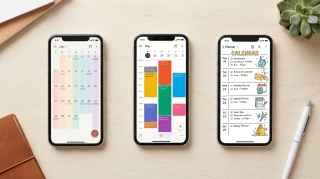
9 Best AI Apps for Couples in 2026
Two people, one Thursday, four calendars and nobody sure who is taking the car. Then the vet emails, the landlord wants a time for the boiler, and an RSVP quietly expires.
Most apps for couples give you a prettier place to write that down. The best AI apps for couples in 2026 read the email, check both schedules and, in a few cases, answer for you.
TL;DR: Carly is the pick for couples whose shared life arrives as email, because it works your inboxes and every calendar you both use, then books, replies and updates the shared calendar before either of you opens a phone. Ohai.ai and Ollie are household assistants you text, Google Calendar, TimeTree and Cozi keep two schedules visible, Splitwise settles money, Paired is about the relationship rather than the admin, and ChatGPT is the free all-rounder.
1. Carly
Carly is an AI agent with its own real email address. You email it, forward to it, CC it, or text it in plain language. It connects to all of your Gmail and Outlook mailboxes and all of your Google Calendar and Outlook calendars at once, and to thousands of apps beyond them. Adding another account does not change the price.
Here is one week for one couple. Claire is a project manager: work on Outlook, personal mail in Gmail. Marcus has a Gmail. They share a family Google Calendar, so Carly is watching four calendars and three mailboxes.
Monday morning: the vet emails Claire’s Gmail asking to rebook Rosie’s dental, the landlord emails Marcus about a window for the boiler engineer, a friend sends a wedding invite with an RSVP deadline of Friday, and the two of them still have not found a night out. By the time Claire is on the train, Carly has:
- Replied to the vet with three slots free on Claire’s work calendar, her personal calendar, Marcus’s calendar and the shared one, booked the one the clinic confirmed, and added it with Marcus invited
- Sent the landlord a booking page so the engineer picks a morning that is already clear for both of them, and blocked it out the moment it was booked
- RSVP’d yes to the wedding from Claire’s Gmail, added the date and the hotel deadline to the shared calendar, and put “buy the Franklins a gift” on her Todoist list
- Found the only two evenings free on all four calendars, held Friday at 8pm as a shared event, and emailed the restaurant’s reservations address to ask for a table
Both of them get one message saying what changed. Later, Claire texts Carly on WhatsApp: “Check all my mailboxes for anything about the move and put every deadline on the shared calendar.” Movers, insurance and the utility switch are on it before she gets home, each labelled with the account it came from.
What makes it different: it starts on its own. A new email, a calendar change or a booking sets it going, so the vet is answered at 8am, not at 11pm when you both remember. It reads work and personal accounts together, so a contractor never gets offered a slot that is already a client call. One request covers all of your inboxes at once. The vet, the landlord and the sitter can write to Carly’s own address directly, or you can CC it on the thread. Steps you repeat, like “anything from the property manager goes on the shared calendar and into my tasks,” become free Zapier-style workflows.
Best for: Couples running two work lives, two inboxes each and one shared calendar. Pricing: Free Zapier-style workflows; AI agents from $35/month
Connect it at carlyassistant.com/integrations, or book a walkthrough.
2. Ohai.ai
A household assistant you text or talk to, with a shared app both partners can open. It connects Google, Apple and Outlook calendars, pulls dates out of forwarded emails and photos of paperwork, and plans meals with a grocery list. Free to start, with premium from $9.99 per month in September 2026.
What makes it different from Carly: Ohai organizes what you hand it into one shared space. Carly works the threads themselves from its own address, so the vet gets a reply and a booked time rather than a reminder on your list. See Ohai alternatives.
Best for: Couples who want one shared household app for dates, lists and meals.
3. Ollie
A household assistant that lives in iMessage or SMS, with nothing to install. Connect a Google or Outlook calendar and inbox and it flags what is coming, sends a daily briefing and will sit in a group chat with both of you. Plans are counted in messages: free covers 50 a month, Everyday is $25/month for 150, and Always-On is $100/month for 1,000, as of September 2026.
What makes it different from Carly: everything runs through a text thread, and a heavy admin week draws down the message allowance. Compare Carly’s AI agents, which work in the background off your email and calendar, and see Ollie AI alternatives.
Best for: Couples who would rather text one number than learn an app.
4. ChatGPT
The general AI app one of you already has open. Good for the one-off jobs of a shared life: a polite chase to the letting agent, a packing list, the dates pulled from a photo of the wedding schedule. Since August 2026 free accounts can schedule tasks, and paid plans can run a prompt when something happens in Gmail, Slack or GitHub.
What makes it different from Carly: ChatGPT waits for a chat you start, and its triggers stop at Gmail, Slack and GitHub, so a moved appointment on a calendar starts nothing. Carly starts from all of them and acts across both partners’ accounts. See best AI assistants for work and personal accounts.
Best for: Free, on-demand drafting and planning.
5. Google Calendar
Still the most practical way for two adults to see each other’s week: each of you shares a calendar with the other, plus a third for the things you own together. Free with a Google account, it syncs to iPhone and Android, and Gemini can answer questions about what is on it.
What makes it different from Carly: Google Calendar shows availability, it does not negotiate it, and it never sees the Outlook calendar your employer runs. Carly reads Google and Outlook calendars side by side and books into the gap. See best AI assistants for multiple calendars.
Best for: Couples who want a free shared calendar, nothing more.
6. Cozi
The long-running family organizer, and plenty of couples without kids use it: one color-coded calendar, shared lists, recipes, free for the basics. Gold is $39/year and Max is $79/year in September 2026, and Max adds AI Event Import, which turns invitations in your inbox into Cozi events, plus an AI meal planner.
What makes it different from Carly: Cozi is the board everyone looks at, and most of it gets typed in by hand. Its AI turns an invitation into an event; the reply and the rebooking stay with you. See best AI family calendar apps.
Best for: Couples who want a simple shared calendar and grocery list for little or nothing.
7. TimeTree
A shared calendar built for two, with a chat thread attached to every event, so “are you doing this one?” happens on the event instead of over text. It imports Google calendars and keeps private events private. Free, with Premium at $4.49 per month or $44.99 per year in September 2026 for an ad-free view and file attachments.
What makes it different from Carly: TimeTree is where the two of you coordinate after the decision is made. Carly is what reads the email that created the decision. See best calendar apps.
Best for: Couples who want one shared calendar with a conversation on each event.
8. Splitwise
The default for money between two people who do not pool everything: log what each of you paid, split it evenly or by share, and see who owes what at month end. The core app is free, with an optional Splitwise Pro subscription that adds currency conversion and receipt scanning.
What makes it different from Carly: Splitwise settles the ledger. It does not chase the invoice, the refund or the renewal that put a number on it. Ask Carly to find every subscription charge across both inboxes and it will pull the threads together.
Best for: Couples splitting rent and bills without a joint account.
9. Paired
A relationship app rather than an admin one, and it is honest about that. Daily questions for the two of you, quizzes, and short expert-written sessions on conflict, intimacy and money. Free to download, with Premium at $14.99 per month on the App Store in September 2026 and annual options listed from $39.99.
What makes it different from Carly: Paired improves the conversation, not the inbox. Pair it with something that clears the admin, so the daily question is not the fifth thing you owe each other that evening.
Best for: Couples who want a daily habit of talking properly.
AI Apps for Couples Compared
| App | How you use it | Shared admin email | Calendars | Books and replies | Price |
|---|---|---|---|---|---|
| Carly | Email, text, WhatsApp | Reads both partners’ inboxes and acts | All Gmail and Outlook mailboxes, Google and Outlook calendars | Yes, on its own | From $35/mo |
| Ohai.ai | App, text or voice | Forward it; dates go on the calendar | Google, Apple, Outlook | Organizes what you send | Free; premium from $9.99/mo |
| Ollie | iMessage or SMS | Reads Gmail or Outlook | Google, Outlook | By text, within your message allowance | Free (50 msgs); Everyday $25/mo |
| ChatGPT | Chat app | Paste or upload | Through connected apps | Drafts when you ask | Free; paid plans |
| Google Calendar | App and web | No | Google, shared between you | No | Free |
| Cozi | App | AI Event Import on Max | Its own shared calendar | No | Free; Gold $39/yr; Max $79/yr |
| TimeTree | App | No | Its own, imports Google | No | Free; Premium $4.49/mo |
| Splitwise | App | No | No | No | Free; optional Pro |
| Paired | App | No | No | No | Free; Premium $14.99/mo |
How to pick
If you mostly need to see each other’s week, share calendars in Google Calendar or use TimeTree, and settle the money in Splitwise. For one household app covering dates, lists and dinner, choose Ohai.ai, or Ollie if texting is the only habit that sticks. Cozi is the cheap shared board, ChatGPT covers one-off drafts, and Paired is for the relationship rather than the logistics.
If the load arrives as email, and every message needs a reply, a booking or a date on a calendar you both can see, go with Carly. It answers the vet, the landlord and the wedding RSVP across both of your accounts, and it sits alongside your shared calendar instead of replacing it. Give the contractor or the sitter a booking page so they pick a slot that is already free on every calendar. For more setups like this, see AI tools for busy parents and best AI household manager.
FAQ
What is the best AI app for couples? For the admin that eats your evenings, Carly reads both of your inboxes, checks every calendar you use, then books, replies and updates the shared calendar. Ohai.ai and Ollie are household assistants you text, Google Calendar, TimeTree and Cozi keep the week visible, Splitwise handles money, and Paired works on the relationship itself.
What is the best shared calendar app for couples? Google Calendar is free and everyone already has it, TimeTree adds a chat thread to each event, and Cozi gives you a calendar with shared lists attached. None of them see a work Outlook calendar. Carly’s AI agents read Google and Outlook calendars together, which is what makes date night findable. See best AI assistants for multiple calendars.
Can an AI assistant handle both partners’ email? Yes. Carly connects every Gmail and Outlook mailbox you authorize, all of them at once, and a reply goes out from the mailbox that received the thread. One request covers all of your inboxes. Connect them at carlyassistant.com/integrations.
How do couples split household admin without nagging each other? Make the app do the part that gets forgotten. Carly answers the vet, the landlord and the school, so the conversation at home is about what you decided rather than who failed to email. Splitwise does the same for money.
Do these apps work if one of us is on iPhone and the other on Android? Google Calendar, TimeTree, Cozi, Ohai.ai and Splitwise all run on both, and Carly works from email, text and your calendars, whatever phone you hold.
How much do AI apps for couples cost? Google Calendar and Splitwise are free for the core app. Cozi is free with Gold at $39/year and Max at $79/year, TimeTree Premium is $4.49/month, Ohai.ai premium starts at $9.99/month, Ollie’s Everyday plan is $25/month, and Paired Premium is $14.99/month. Carly has free Zapier-style workflows, and its AI agents start at $35/month.
More: Best AI apps for moms · Best AI family assistants · Best AI household manager · Best AI assistants for work and personal accounts · Best AI personal assistants · Best calendar apps
Ready to automate your busywork?
Carly schedules, researches, and briefs you—so you can focus on what matters.
See what people say
"Before Carly, I relied on a Calendly link, but the whole process felt impersonal and not very professional. Carly changed that by handling all the back-and-forth, so I'm no longer stuck in endless email threads trying to line up schedules.
Now Carly reaches out to candidates, shares my real-time availability, lets them pick a slot, then sends a Zoom link and drops it straight into my calendar. She sends reminders to both of us before each call, which has significantly reduced no-shows and last-minute confusion.
On top of scheduling, Carly acts like a full executive assistant, sending me my schedule the night before so I can prepare for each call. It reminds me of the old x.ai assistant, but Carly is noticeably smarter, faster, and better suited to my healthcare recruitment business."