8 Best AI Apps for Life Admin in 2026
Life admin is the second job nobody interviewed you for. The car insurance renews in two weeks, the dentist wants you back, the landlord wants Thursday, the return label expires Friday, and the accountant wants three documents you have definitely saved somewhere.
Most apps built for this give you a tidier list of things you are still going to do yourself at 11pm. A few in 2026 read the emails and deal with them.
TL;DR: Carly is the pick when your admin arrives as email and each item needs a reply, a booking or a date on the calendar, because it works the threads itself across your work and personal accounts. ChatGPT is the free all-rounder, Todoist and Things 3 are where the list lives, Reclaim and Sunsama get the admin into your actual day, Copilot Money watches the bills and subscriptions, and Ohai.ai is the assistant you text.
1. Carly
Carly is an AI agent with its own real email address. You email it, forward to it, CC it, or send it instructions in plain language. It connects to all of your Gmail and Outlook mailboxes and all of your Google Calendar and Outlook calendars at once, plus thousands of other apps.
Take one ordinary Tuesday. Marcus is a solutions engineer: work runs on Outlook, everything personal lands in Gmail, and his life sits on one Google Calendar. Six things arrive before 10am. The car insurer says the policy renews in 14 days. The dentist sends a recall. The landlord wants to inspect the apartment on Thursday. A retailer’s return label expires Friday. His accountant asks for three documents. And his best friend’s wedding invite needs an RSVP and a hotel.
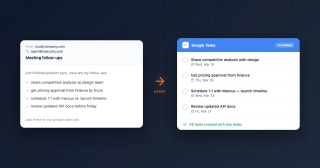
By the time Marcus finishes his first meeting, Carly has:
- Put the renewal date and the accountant’s deadline on his calendar, with a reminder a week before each
- Replied to the dentist with times that are free on both his work and personal calendars, then booked the one the practice confirmed
- Checked that Thursday is a work-from-home day and confirmed the inspection with the landlord
- Added “drop off the return” to Todoist for Thursday evening, before the label expires
- Found the three documents in Google Drive and replied to the accountant with them attached
- RSVP’d yes to the wedding and put the hotel booking cut-off on the calendar
Later that week he sends one line: “Check all my mailboxes for anything with a deadline this month and put every one on my calendar.” One request covers every inbox he has connected, and the briefing that comes back says which account each item came from.
What makes it different: it starts on its own. A new email, a calendar change or a form submission sets it going, so the renewal is handled on the morning it lands instead of the night it expires. It works across work and personal accounts together, so the dentist never gets booked over a customer call, and a reply goes out from the mailbox that received the thread. The dentist, the landlord and the accountant can email Carly’s own address directly, or you can CC it into any thread. Steps you repeat, like “every insurance renewal notice goes on the calendar with a reminder two weeks out,” become free Zapier-style workflows.
Best for: Adults running renewals, appointments, bills and paperwork out of a work inbox and a personal inbox at the same time. Pricing: Free Zapier-style workflows; AI agents from $35/month
Connect it at carlyassistant.com/integrations, or book a walkthrough.
2. ChatGPT
The general assistant most people already have. It is good at the one-off pieces of admin: reading a dense insurance renewal and telling you what changed, drafting the email that disputes a charge, or turning a photo of a letter into a list of dates. Since August 2026, free accounts can schedule tasks, and paid plans can run a prompt when something happens in Gmail, Slack or GitHub.
What makes it different from Carly: you have to start the chat, and its triggers stop at Gmail, Slack and GitHub, so a moved appointment or a submitted form starts nothing. Carly runs from all of those events and then sends the reply. See best AI email assistants.
Best for: Free help understanding paperwork and drafting the awkward email.
3. Todoist
The list app most life admin ends up in, with natural language input that handles the repeating stuff well (“car service every 6 months”, “passport renewal Jan 14”). Pro is $7 a month, or $60 a year, as of September 2026, and the free plan covers a single person’s admin comfortably.
What makes it different from Carly: Todoist holds the list. It does not read the email that created the item, and nothing on the list gets done until you do it. Carly connects to Todoist directly, so it can add the task and then complete it.
Best for: One reliable place for everything you have to remember.
4. Things 3
A one-time purchase instead of a subscription: $49.99 on Mac and $9.99 on iPhone as of September 2026, with no monthly fee afterwards. It is Apple-only, quiet, and deliberately has no AI in it. For people who bounce off busy apps, that is the appeal.
What makes it different from Carly: nothing arrives in Things by itself. You type it in, and you carry out every item. Carly is the opposite end: it reads the inbox and takes items off the list by finishing them. If lists never stick for you, see AI personal assistants for ADHD.
Best for: A calm, paid-once task app with no subscription.
5. Reclaim
Calendar defense. It finds free time and schedules your tasks, habits and routines into it, moves them when a meeting lands on top, and keeps a buffer around your day. The free Lite plan covers the basics, and Starter is $10 per seat a month billed yearly, or $12 billed monthly, as of September 2026.
What makes it different from Carly: Reclaim arranges blocks on a calendar you already control. It does not answer the dentist or the landlord, which is where most admin actually stalls. See best AI calendar assistant and AI assistants for multiple calendars.
Best for: Protecting time for admin you have already decided to do.
6. Sunsama
A daily planning ritual in app form. Each morning it walks you through pulling tasks out of email, Todoist, Asana and your calendar, asks how long each will take, and timeboxes the day so you stop over-committing. It is $17 a month billed yearly, or $22 billed monthly, as of September 2026, with a free trial.
What makes it different from Carly: Sunsama is built around you sitting down to plan. On the weeks when life admin gets away from you, that planning session is the first thing to go. Carly acts without being asked, whether or not you opened anything.
Best for: People who want a deliberate plan for the day rather than a longer list.
7. Copilot Money
The money half of life admin. It connects your accounts, categorizes spending automatically, and surfaces the subscriptions and upcoming bills you stopped noticing: the gym, the annual card fee, the streaming service you meant to cancel in March. It is $95 a year, which works out at $7.92 a month, as of September 2026, with a free trial, and it is built around US accounts.
What makes it different from Carly: Copilot tells you the gym is still charging you. Cancelling is a form or an email you still have to send. Ask Carly and it will find the gym’s thread across your mailboxes and send the cancellation from the address they have on file.
Best for: Spotting the subscriptions and bills quietly renewing in the background.
8. Ohai.ai
A household assistant you text or talk to. Forward it a letter, a school newsletter or a photo of a flyer and it pulls the dates out onto a shared calendar, keeps the family to-dos in one place, and plans meals. There is a free version, and premium starts at $9.99 per month.
What makes it different from Carly: Ohai organizes what you hand it, in its own shared space. Carly works inside your existing inboxes and calendars and answers the threads from its own address. See best AI household manager.
Best for: Households that want one shared app for dates, lists and meals.
AI Apps for Life Admin Compared
| App | How you use it | Reads your inbox | Calendars | Replies and bookings | Price |
|---|---|---|---|---|---|
| Carly | Email, text, chat | All Gmail and Outlook mailboxes | All Google and Outlook calendars | Replies, books and reschedules on its own | From $35/mo |
| ChatGPT | Chat app | Gmail on paid plans | Through connected apps | Drafts when you ask | Free; paid plans |
| Todoist | App | No | Two-way calendar sync | You handle them | Free; Pro $7/mo or $60/yr |
| Things 3 | Mac and iOS app | No | Reminders and calendar view | You handle them | $49.99 Mac, $9.99 iPhone, once |
| Reclaim | Calendar layer | No | Google and Outlook | Schedules time, does not reply | Free Lite; Starter $10/seat/mo yearly |
| Sunsama | Daily planning app | Pulls tasks from email | Google and Outlook | You handle them | $17/mo yearly, $22/mo monthly |
| Copilot Money | App | No | No | No | $95/yr |
| Ohai.ai | Text, voice or app | Forward it | Google, Apple, Outlook | Organizes what you send | Free; premium from $9.99/mo |
How to pick
If the problem is that you forget things, a list app fixes it cheaply: Todoist if you want it everywhere, Things 3 if you want to pay once and never think about it again. If the problem is that admin never gets a slot in the week, Reclaim schedules it and Sunsama makes you plan it. If the money side is where things slip, Copilot Money surfaces the renewals before they hit. Keep ChatGPT for reading the insurance document nobody wants to read.
If the problem is that every item is an email that needs a reply, a booking or a date on the calendar, go with Carly. It handles the dentist, the landlord and the accountant across your work and personal accounts, and it fits around the list app you already use instead of replacing it. Give the garage or the contractor a booking page so they take a slot that is already free on every calendar you have connected.
FAQ
What is the best AI app for life admin? Carly if your admin arrives as email, because it replies, books and schedules across every mailbox and calendar you connect. Todoist and Things 3 are the best places to keep the list, Reclaim and Sunsama get the work into your day, Copilot Money covers bills and subscriptions, and ChatGPT is free for one-off questions.
Can an AI assistant actually book my appointments? Carly can. It checks every calendar you have connected, replies to the dentist or the garage with times that are genuinely free, and books the one they confirm. Most other apps on this list schedule time for you internally but leave the email to you. See best AI personal assistants.
What about my work inbox and my personal inbox? Carly connects all of them at once, each as its own authorized connection, and adding another account does not change the price. One request covers every inbox, a reply goes out from the mailbox that received the thread, and a briefing tells you which account each item came from. More on that in AI assistants for work and personal accounts.
Is there a free app for life admin? Yes. Todoist and Reclaim both have free plans, ChatGPT is free including scheduled tasks, and Ohai.ai has a free version. Carly has free Zapier-style workflows for the repeating steps, and its AI agents start at $35/month.
Can AI chase renewals and cancel subscriptions for me? Copilot Money will show you what is renewing. Carly goes further: tell it once that renewal notices go on the calendar with a reminder two weeks out and it happens every time, and it can send the cancellation email from the account the company has on file. Anything else you want it to reach can be connected at carlyassistant.com/integrations.
How much do AI apps for life admin cost? As of September 2026: Todoist Pro is $7 a month or $60 a year, Things 3 is $49.99 on Mac and $9.99 on iPhone as a one-time purchase, Reclaim Starter is $10 per seat a month billed yearly, Sunsama is $17 a month billed yearly, Copilot Money is $95 a year, and Ohai.ai premium starts at $9.99 a month. Carly’s AI agents start at $35/month, and you can book a call to walk through a setup first.
More: Best AI personal assistants · Best AI household manager · Best AI email assistants · Best AI assistants for multiple calendars · Best calendar apps · Best AI apps for moms
Ready to automate your busywork?
Carly schedules, researches, and briefs you—so you can focus on what matters.
See what people say
"Before Carly, I relied on a Calendly link, but the whole process felt impersonal and not very professional. Carly changed that by handling all the back-and-forth, so I'm no longer stuck in endless email threads trying to line up schedules.
Now Carly reaches out to candidates, shares my real-time availability, lets them pick a slot, then sends a Zoom link and drops it straight into my calendar. She sends reminders to both of us before each call, which has significantly reduced no-shows and last-minute confusion.
On top of scheduling, Carly acts like a full executive assistant, sending me my schedule the night before so I can prepare for each call. It reminds me of the old x.ai assistant, but Carly is noticeably smarter, faster, and better suited to my healthcare recruitment business."