Calendly Notetaker: What It Does and Who Can Get It
Calendly has added an AI notetaker. It’s the company’s clearest move past booking links and into the meeting itself, and it changes what Calendly is competing on.
Here’s what it actually does, where it works, and how to think about it if you already run a notetaker.
What Notetaker does
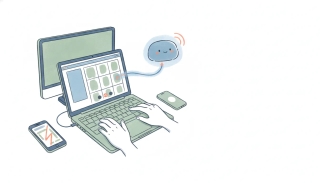
Notetaker joins your meeting, records it, and produces a recap afterward. The recap covers the key points and the next steps rather than dumping a raw transcript on you.
Three things sit on top of that:
- An interactive chat, so you can ask questions about what was said instead of scrolling the transcript
- Drafted follow-up emails, generated from what the meeting actually covered
- Editing and visibility controls, so you can correct a recap before anyone else sees it and decide who that is
The editing step matters more than it sounds. A recap that goes out automatically is a liability the first time the model mishears a number, and being able to fix it before sharing is the difference between a useful artifact and a thing you stop trusting.
Which meetings it covers
Notetaker joins Zoom, Google Meet, and Microsoft Teams.
The more important detail is that it works on meetings scheduled outside Calendly, not only ones booked through a Calendly link. That’s a deliberate choice. If it only covered Calendly-booked meetings it would be an add-on for a booking tool. Covering everything on your calendar makes it a notetaker that happens to be sold by a scheduling company.
It also connects into the surrounding stack: Google and Microsoft ecosystems, CRM tools, and email platforms, which is where the drafted follow-ups and recaps are meant to land.
How to get it
Notetaker reached general availability on August 19, 2026, and the waitlist is gone. What replaced it is a paywall: Notetaker is not on Free, Standard, or Teams. It ships only on the two plans Calendly created for it, Standard Plus at $18 per seat per month and Teams Plus at $24, both billed annually, or $24 and $32 billed monthly. Enterprise accounts have to ask.
That is a flat $8 per seat per month above the plan you are already on, and the same $8 also carries Callie, Calendly’s AI scheduling assistant. The two are sold as a bundle, so there is no way to buy recaps without the email assistant or the other way round. We broke the tiers down in Standard Plus and Teams Plus pricing.
So if you don’t see Notetaker, it is your plan rather than a rollout.
What this means if you already use a notetaker
If you run a dedicated notetaker today, Notetaker is unlikely to beat it on transcription quality alone. Those tools have been iterating on exactly that for years.
What it beats them on is one less thing to connect. The notetaker is already attached to the calendar and the booking flow, so there’s no separate bot to invite and no second tool to reconcile. For teams that adopted Calendly and never got around to adopting a notetaker, that friction reduction is the actual product.
The question worth asking is where the recap needs to go afterward. A recap that lives in the meeting tool is a record. A recap that triggers something is a workflow, and that’s a different job.
The part scheduling tools still leave on your desk
Recording and summarizing a meeting is the middle of the process. The two ends are still manual for most people.
Getting the meeting booked in the first place is the front end, and booking links only solve it when the other person is willing to click one. When they’d rather reply to an email, someone still writes “would Tuesday or Thursday work?” and tracks the answer. Carly’s AI agent handles that over email directly, proposing times, reading the reply, sorting out time zones, and handling the reschedule when it comes. Booking pages and group availability polls are there too, free, for the people who do prefer a link.
Acting on the recap is the back end. “Send the follow-up, create the task, update the CRM record, book the next call” is a chain, and a drafted email is one link of it. Carly’s event-triggered workflows fire on things like an inbound email arriving or a meeting ending, so the follow-through happens without you opening anything. Workflow steps are free; AI agents start at $35/month.
Used together the split is clean: a notetaker owns what was said, and an agent owns what happens because of it.
FAQ
Does Calendly Notetaker work on meetings not booked through Calendly?
Yes. It joins meetings on your calendar regardless of whether they came from a Calendly link, which is what makes it a general notetaker rather than a Calendly-only add-on.
Which video platforms does Calendly Notetaker support?
Zoom, Google Meet, and Microsoft Teams.
Why can’t I find Notetaker in my Calendly account?
It went generally available on August 19, 2026. If you don’t see it, that’s your plan: Notetaker requires Standard Plus or Teams Plus, and it is excluded from Free, Standard, and Teams.
Can I edit a recap before sharing it?
Yes. Recaps can be edited before they go out, and visibility settings control who sees them. This is worth using as a habit rather than an exception, since summary errors are easiest to catch immediately after the meeting.
Does it replace a dedicated notetaker?
For teams without one, it removes the need to adopt a separate tool. For teams already running a dedicated notetaker, the advantage is consolidation rather than transcription quality.
Ready to automate your busywork?
Carly schedules, researches, and briefs you—so you can focus on what matters.
See what people say
"Before Carly, I relied on a Calendly link, but the whole process felt impersonal and not very professional. Carly changed that by handling all the back-and-forth, so I'm no longer stuck in endless email threads trying to line up schedules.
Now Carly reaches out to candidates, shares my real-time availability, lets them pick a slot, then sends a Zoom link and drops it straight into my calendar. She sends reminders to both of us before each call, which has significantly reduced no-shows and last-minute confusion.
On top of scheduling, Carly acts like a full executive assistant, sending me my schedule the night before so I can prepare for each call. It reminds me of the old x.ai assistant, but Carly is noticeably smarter, faster, and better suited to my healthcare recruitment business."