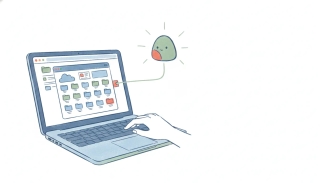
Google Drive AI in 2026: What Gemini in Drive Can Do
Most people’s Google Drive is an archive nobody reads. Gemini’s pitch in Drive is to change that: Google describes it as turning “your storage into an active knowledge base to quickly find, summarize, and synthesize insights across all of your files.”
That’s the right ambition, and it mostly delivers. Here’s what it covers, which plan you need, and the specific thing it stops short of.
What Gemini does in Drive
Three jobs, in increasing order of usefulness.
Find. Search that understands what you meant rather than which words appear in the filename. On a Drive with ten years of accumulated documents, this alone justifies the feature.
Summarize. Ask what a document says without opening it, which is the difference between checking one contract and checking twelve.
Synthesize across files. This is the real one. Answering a question that requires reading several documents together is the thing a human assistant does and keyword search never could.
Because Gemini also sits in Docs, Sheets, Gmail and Meet on the same subscription, the Drive piece works as part of a suite rather than a bolt-on.
Which plan you need
Gemini is bundled into Google Workspace rather than sold separately:
| Workspace plan | Per user / month | AI included |
|---|---|---|
| Starter | $7.00 (promo $3.50) | Gemini assistant in Gmail, basic Gemini app access |
| Standard | $14.00 (promo $7.00) | Gemini assistant in Gmail, Docs, Meet and more, expanded Gemini app and Notebook access |
| Plus | $22.00 (promo $11.00) | as Standard, expanded access |
| Enterprise | contact sales | as above |
Starter’s named AI coverage is Gmail. The broader in-app assistant across the suite is a Standard feature, so check what your tier exposes before planning around Drive AI specifically. Google doesn’t publish per-seat AI usage caps for these plans beyond a Notebook audio-overview limit of 3 per day on Starter and 20 on Standard and above.
Where Google Drive AI stops
Gemini in Drive is a knowledge layer. It reads, and it tells you.
What it doesn’t do is act on what it found, or start without you. The signed contract lands in a shared folder and Gemini can summarize it beautifully, the moment you ask. It won’t file it in the right client folder, diarize the renewal, email the counterparty, create the onboarding task, or update the CRM. And nothing fires when the file arrives, because Gemini answers people, not events.
The honest framing: Drive AI removes the reading. The doing is still yours.
Where Carly fits
Carly is a full AI executive assistant, and the gap above is precisely its job.
- It connects to essentially everything. Google Drive is a native connection, alongside around 260 apps across 45+ categories, and anything else with a public API connects with your own key on Carly’s integrations. There is effectively nothing in your stack it can’t reach, so one workflow can run from a file to a calendar entry to a CRM record without stopping.
- It acts on what it reads. Carly can find the file, read it, then book the meeting, draft the email, create the task and file the document. Answering the question is step one, not the whole product.
- It triggers on real events. A Carly workflow starts when a file lands, an email arrives, a schedule fires, or a webhook comes in, and runs unattended from there.
- It holds both sides of your storage. Google Drive, OneDrive, SharePoint, Dropbox and Box all connect to the same Carly account, so a single assistant covers the whole estate rather than one per provider.
- The pricing shape is different. Free Zapier-style workflows; AI agents from $35/month.
- The MCP is free. Point ChatGPT or Claude at
carlyassistant.com/mcpand one conversation reaches your Drive files, your mail and your calendar together, at no cost.
Gemini in Drive is the better tool for understanding what’s in your files. Carly is for making something happen because of what’s in them. They stack cleanly, and plenty of people run both.
More in best AI assistants for Google Drive and Google Drive MCP.
FAQ
What is Google Drive AI? Gemini working across your Drive files. Google describes it as turning storage into an active knowledge base so you can find, summarize and synthesize insights across all of your files, rather than searching by filename.
Is Gemini in Drive free? It’s included in paid Google Workspace plans rather than sold as an add-on. Starter is $7.00 per user per month with Gemini named in Gmail, and the wider in-app assistant across the suite arrives with Standard at $14.00.
Can Gemini read every file in my Drive? It works across the files your account can already see, subject to your plan’s access. It reads and answers rather than reorganizing or acting on them.
Can Google Drive AI file or move documents automatically? No. Gemini in Drive answers when you ask. To have an arriving file trigger filing, a calendar entry, an email and a CRM update, Carly connects Drive natively and runs the chain unattended.
Does Gemini work across Google Drive and OneDrive together? No, Gemini covers Google’s own storage. Carly connects Google Drive, OneDrive, SharePoint, Dropbox and Box to one account, so a single assistant reaches all of them.
More: Best AI assistants for Google Drive · Google Drive MCP · Google Drive vs OneDrive · Can Gemini access Google Drive?
Ready to automate your busywork?
Carly schedules, researches, and briefs you—so you can focus on what matters.
See what people say
"Before Carly, I relied on a Calendly link, but the whole process felt impersonal and not very professional. Carly changed that by handling all the back-and-forth, so I'm no longer stuck in endless email threads trying to line up schedules.
Now Carly reaches out to candidates, shares my real-time availability, lets them pick a slot, then sends a Zoom link and drops it straight into my calendar. She sends reminders to both of us before each call, which has significantly reduced no-shows and last-minute confusion.
On top of scheduling, Carly acts like a full executive assistant, sending me my schedule the night before so I can prepare for each call. It reminds me of the old x.ai assistant, but Carly is noticeably smarter, faster, and better suited to my healthcare recruitment business."