SharePoint AI in 2026: Agents, Licensing, and the Meter
SharePoint’s AI story in 2026 is agents: you point one at a site or a document set, and people ask it questions instead of hunting through folders. It works well, and it’s genuinely useful on a big estate.
The part that catches organizations out is billing. Whether a SharePoint agent is free or metered depends on the licence of the person using it, not on how you set the agent up.
What SharePoint agents do
A SharePoint agent is grounded on content you choose: a site, a library, a set of documents. Colleagues then ask it questions and get answers drawn from that content, with the agent respecting the permissions the asker already has. For a team drowning in a decade of policy documents and project folders, that’s a real improvement over search.
Agents also surface inside Microsoft Copilot Chat and Teams, so people meet them where they already work rather than having to visit the site.
The licensing split that decides your bill
This is the important bit, and it’s easy to miss.
If a user has a Microsoft 365 Copilot licence, using agents in Copilot Chat, Teams or SharePoint for classic answers, generative answers or Microsoft Graph tenant grounding does not count against a Copilot Studio message pack or meter. No additional charge.
If a user does not have one, they may incur usage-based billing when the agent touches shared tenant data such as SharePoint content or Copilot connectors. That usage is metered in Copilot Credits through Copilot Studio, and on pay-as-you-go it bills to your Azure subscription using Azure meters.
So the same agent, used by two colleagues, can be free for one and billable for the other. You can watch it in the Microsoft 365 admin center on the Cost Management page for each pay-as-you-go service.
Two practical consequences. Rolling an agent out to a wide, mostly unlicensed audience is the expensive path, and the cost lands on an Azure bill rather than the Microsoft 365 invoice you were watching. Check who your actual users are before you publish.
For reference, the Microsoft 365 Copilot business add-on is $18.00 per user per month billed yearly, a promotional rate through September 2026, normally $21.00, on top of a qualifying plan such as Business Standard or Business Premium.
Where SharePoint AI stops
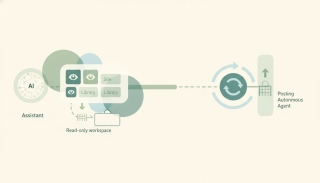
SharePoint agents answer questions about content that already lives in SharePoint. That’s the design, and within it they’re strong.
What they don’t do is act. An agent will tell you which contract has the renewal clause. It won’t diarize the renewal date, email the vendor, open the task, or update the CRM. And nothing on the SharePoint side starts by itself: a document landing in a library doesn’t set off a chain of work across your other systems.
The knowledge is in SharePoint. The work is everywhere else.
Where Carly fits
Carly is a full AI executive assistant rather than a question-answering layer over one repository, and it fills exactly that gap.
- It connects to essentially everything. SharePoint and OneDrive are native connections, alongside around 260 apps across 45+ categories, and anything else with a public API connects with your own key on Carly’s integrations. There is effectively nothing in your stack it can’t reach, so one workflow can span the document, the mailbox, the calendar and the CRM.
- It acts on what it finds. Carly can read the file, then book the meeting, draft the email, create the task and update the record. Answering the question is the first step rather than the last.
- It triggers on real events. A Carly workflow starts when a file lands, an email arrives, a schedule fires, or a webhook comes in, and runs unattended from there.
- The pricing shape is different. Free Zapier-style workflows; AI agents from $35/month, with no per-user credit meter quietly accruing on an Azure subscription.
- The MCP is free. Point ChatGPT or Claude at
carlyassistant.com/mcpand one conversation reaches your SharePoint files, your mail and your calendar together, at no cost.
SharePoint agents are a good answer to “where is that document and what does it say.” Carly is the answer to “and then do the six things that follow.” Running both is sensible, with SharePoint as the library and Carly as the assistant that acts on it.
More in best AI assistants for SharePoint and SharePoint MCP.
FAQ
What is SharePoint AI? In 2026 it mainly means SharePoint agents: AI assistants grounded on a site, library or document set that answer colleagues’ questions from that content while respecting each person’s existing permissions. They also appear in Microsoft Copilot Chat and Teams.
Are SharePoint agents free? For users who hold a Microsoft 365 Copilot licence, yes, agent use for classic answers, generative answers and Graph tenant grounding doesn’t count against a message pack or meter. Users without that licence can incur usage-based charges when the agent reaches shared tenant data, metered in Copilot Credits and billed to your Azure subscription on pay-as-you-go.
How much is a Microsoft 365 Copilot licence? The business add-on is $18.00 per user per month billed yearly on a promotional rate through September 2026, normally $21.00. It requires a qualifying Microsoft 365 plan such as Business Standard or Business Premium underneath it.
Can a SharePoint agent take action on a document? It answers questions grounded on the content rather than acting downstream. To turn a document into a diarized renewal, an email, a task and a CRM update, Carly connects SharePoint natively and runs the follow-through.
Can something start automatically when a file lands in SharePoint? Not from the agent itself. A Carly workflow can trigger on an arriving file, an email, a schedule or a webhook, then act across SharePoint and the rest of your tools in one unattended run.
More: Best AI assistants for SharePoint · SharePoint MCP · OneDrive vs SharePoint · Can Claude access SharePoint?
Ready to automate your busywork?
Carly schedules, researches, and briefs you—so you can focus on what matters.
See what people say
"Before Carly, I relied on a Calendly link, but the whole process felt impersonal and not very professional. Carly changed that by handling all the back-and-forth, so I'm no longer stuck in endless email threads trying to line up schedules.
Now Carly reaches out to candidates, shares my real-time availability, lets them pick a slot, then sends a Zoom link and drops it straight into my calendar. She sends reminders to both of us before each call, which has significantly reduced no-shows and last-minute confusion.
On top of scheduling, Carly acts like a full executive assistant, sending me my schedule the night before so I can prepare for each call. It reminds me of the old x.ai assistant, but Carly is noticeably smarter, faster, and better suited to my healthcare recruitment business."