
Connect Multiple SharePoint Sites to Claude Code
Claude Code reaches SharePoint through MCP, and every route holds one tenant. Connect all your accounts to Carly and search every site at once.
28 posts
Claude Code reaches SharePoint through MCP, and every route holds one tenant. Connect all your accounts to Carly and search every site at once.
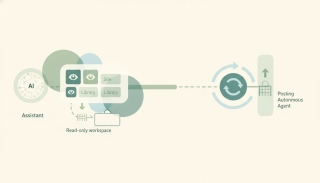
The best AI automation tools for SharePoint. File documents, update lists, and run approvals automatically from email and Teams, with no flows to build.

SharePoint agents are free if you hold a Microsoft 365 Copilot licence and metered to Azure if you don't. What they do, who pays, and where Carly fits.
Codex has no SharePoint connector. Connect all your Microsoft accounts to Carly, register one MCP server, and reach every site from the CLI.
Spark has no Microsoft connector, and Gemini Enterprise's SharePoint connector needs the account type Spark refuses. Connect every account to Carly instead.
Grok Bot has no SharePoint connector, and several sites in one tenant never needed one. The real question is two tenants, and that answer is different.

Grok searches across SharePoint sites automatically, but the ceiling is what an admin indexed, not what you can open. Two tenants have nowhere to go.

Perplexity's Microsoft 365 connector searches every SharePoint site your account can reach, and it writes. A second Microsoft tenant is undocumented.
Cowork cannot reach a second Microsoft tenant, and guest access is a trap. Add every account to Carly, connect Carly once, and one task reaches all of them.

Consumer and Workspace Gemini have no Microsoft connector at all. Connect all your accounts to Carly, add Carly to Gemini, and reach every site from one chat.

We checked nine assistants against a real Microsoft 365 tenant. What each can write, what needs an admin, and which ones survive a second tenant appearing.

Copilot is hard to beat inside one tenant. The moment a client tenant appears, or a document needs to trigger something, the ranking changes completely.
Many sites in one tenant is a configuration choice. Two tenants is a wall. What admin-managed sync covers, what it cannot, and how to work across both.
One Copilot licence covers one tenant, so a client site is unreachable no matter what you configure. Connect all your Microsoft accounts to Carly instead.

ChatGPT indexes many sites in one tenant but holds a single Microsoft account. What that means for agencies, guests, and anyone working across two tenants.
Many sites in one tenant are reachable. A second tenant is not. Here is where Claude's Microsoft 365 connector draws the line and how to cross it.

Microsoft's official SharePoint MCP is Work IQ SharePoint, a preview that needs a Copilot license and IT admin setup. What it does and where it stops.

SharePoint gives each Microsoft 365 tenant 1 TB pooled storage plus 10 GB per licensed user. Site collections cap at 25 TB. How to add more.

Microsoft Teams lets you upload files up to 250 GB each, since it stores them in SharePoint or OneDrive. Limits, storage caps, and workarounds.

OneDrive and SharePoint use the same engine but solve different problems. OneDrive is your personal work drive; SharePoint is your team's shared library. Here's when to use each — and how they work together.

Sync a SharePoint folder to File Explorer so it works like any local folder — or add it as a OneDrive shortcut. The two methods, when to pick which, and how to fix sync issues.

Create a folder in a SharePoint document library — from the web, from File Explorer, or from Microsoft Teams. Plus when to use folders vs metadata, and how to enable folders if they're disabled.

Create a SharePoint list from scratch, from a template, from Excel, or from another existing list — then add columns, set view, and start tracking data.

Build a modern SharePoint page — pick a template, add sections and web parts (text, image, news, list, video), then publish to your team or company.

Create a new SharePoint site in Microsoft 365 — choose between a team site and a communication site, pick a template, set permissions, and add it to your hub.

Delete a SharePoint site safely — back it up, understand what gets deleted along with it (group, Teams, OneNote), recover it from the 93-day bin, or permanently purge.

Export a SharePoint list to Excel as a one-shot CSV or as a live Power Query connection — plus how to refresh it, export selected rows, and fix common formatting issues.

Sync a SharePoint library or folder with OneDrive so files live in File Explorer, sync across all your devices, and work offline — using Sync, Add shortcut to OneDrive, or both.