White-Label AI Email Assistant: Your Brand, Your Domain
There’s a small tell that gives away every AI tool touching a client-facing thread: the from-address. When the assistant replies from noreply@some-random-saas.com, everyone on the thread knows a robot is involved, and the illusion that your practice runs like a well-staffed firm evaporates. A white-label AI email assistant fixes exactly that. The agent sends from mia@yourcompany.com, signs with your name, and lands in the inbox looking like a member of your team, because as far as email authentication is concerned, it is one.
This is what “white-label” actually means for an AI email assistant. Not a logo swap on a dashboard. It means outbound mail leaves your domain, DKIM-signed and SPF-aligned to your brand, so clients never see a generic shared address and your messages don’t get filed as third-party bulk mail. Below is who needs this, what has to be true underneath for it to work, and how to stand it up.
Who actually needs a branded from-address
If your inbox is internal-facing, you can live with a generic assistant address. The moment an AI touches client, prospect, or partner threads, the from-address becomes part of your brand.
- Agencies and consultancies running client comms at volume. A coordinator agent that sends from
hello@youragency.comreads as staff. One sending from a SaaS subdomain reads as outsourced automation. - Law, accounting, and advisory firms where a scheduling or intake agent emails clients. A branded address on
@yourfirm.comprotects the perception of a buttoned-up practice. - Solo operators and fractional execs who want a “virtual assistant email” that carries their own domain, so
assistant@yourname.comfields calendar requests and follow-ups without exposing that it’s AI-run. - Anyone who cares about deliverability. A from-address on your own authenticated domain, with correct DKIM and SPF, is far more likely to reach the inbox than mail from a shared sender that hundreds of other accounts also use.
That last point is the unglamorous one that matters most. Sender reputation follows the domain. When your branded agent sends from an address you authenticate, it inherits your reputation, not a shared pool’s.
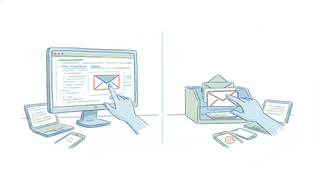
noreply@random-saas.com vs mia@yourcompany.com
Put the two side by side and the difference is obvious to a recipient, even if they can’t articulate why.
A generic address (assistant@toolname.io, noreply@app.com) tells the reader three things at a glance: this is automated, it’s not really from the person named in the signature, and replying probably goes nowhere useful. It also shares a sending domain with every other customer of that tool, so one bad actor’s spam complaints can drag your deliverability down with them.
A branded address (mia@yourcompany.com) tells the reader the opposite: this is your team, replies land where they should, and the message carries your brand’s trust. Underneath, it’s DKIM-signed with your domain’s key and SPF-aligned, which is what keeps it out of the promotions tab and the spam folder. Same AI doing the work. Completely different reception.
What has to be true underneath: DKIM and SPF
You can’t fake a branded from-address, or rather, you can, and mailbox providers will punish you for it. For mia@yourcompany.com to land reliably, the mail actually has to be authorized to send as your domain. Two records do the heavy lifting.
SPF (Sender Policy Framework) is a DNS record listing which servers are allowed to send mail for your domain. When the sending infrastructure is included in your SPF, receiving servers see the mail as legitimately from you.
DKIM (DomainKeys Identified Mail) attaches a cryptographic signature to each message, verified against a public key published in your DNS. It proves the mail genuinely originated from an authorized sender and wasn’t tampered with in transit.
Get both aligned to your domain and you have the real thing: a branded from-address that mailbox providers trust. Skip them and your “branded” mail either gets rewritten with a visible via line or drops into spam. This is why a true white-label AI email assistant is a domain-and-DNS setup, not a display-name setting.
How Carly does it: own-address agents on your custom domain
Every Carly agent ships with its own dedicated email address out of the box. You email it, forward to it, or CC it on a thread the way you’d loop in a coworker, and it reads the context, does the work, and replies from inside email on any device. That covers scheduling across Google Calendar and Microsoft 365, inbox triage, follow-ups, recurring briefs, and multi-step workflows end to end. It finishes the job rather than handing you a draft to send. (More on the email-native model in the AI assistant you can email and on giving an agent its own name and email.)
The white-label part is an org-level feature. On an Enterprise or org plan, you stand up your own sending domain so those agents send from you@yourcompany.com instead of a Carly address, DKIM-signed and SPF-aligned to your brand. You set it up yourself in the org portal. There’s no support ticket, no AWS console, and no back-and-forth pasting tokens with an engineer.
It’s genuinely close to self-serve: the portal walks you through a four-step checklist, and the only real work is copy-pasting a handful of DNS records into whatever registrar you use (GoDaddy, Cloudflare, Google Domains, and so on). You type your domain in, the portal instantly shows the exact records to add (one verification TXT record, three DKIM CNAME records, each with a one-click copy button, plus an SPF row with a Google Workspace variant), you add them at your host, point your addresses back to Carly so replies reach the agent, then hit “Verify & go live.” Nothing sends from your domain until verification confirms, so you’re never blocked waiting on a human. The mail infrastructure is handled for you.
We walk through the whole checklist, record by record, in the custom email domain setup guide. This post is the “why and who”; that one is the “exactly how.”
Pricing follows the house model: Carly’s non-AI, Zapier-style workflows are free, and AI agents start at $35/month. The custom-domain white-label capability lives on the Enterprise/org tier and is configured in your org portal.
Why the big chatbots can’t do this
It’s worth being precise, because “AI that emails” gets used loosely. Giving an assistant a real, owned email address that you and other people send to and CC is a different thing from an assistant that can send a message on your behalf.
ChatGPT can now send email through its Gmail connector, on paid tiers, from the web app, with per-send approval each time. As of mid-2026 that comes with real limits: no attachments, and it’s blocked in the EU and UK. Claude sends from Gmail too, with your approval on each message, and Gemini remains draft-only, composing a draft in your mailbox for you to send yourself. None of these has a dedicated inbox that clients can email or CC, and none reacts to incoming mail on a trigger. They act inside your account when you ask, in a session. That’s useful, but it isn’t a coworker with its own branded address on your domain. (We keep a running honest read on this in can ChatGPT send emails.)
There’s also a wave of developer tooling, including our own CarlyEmail, that hands an AI agent its own inbox via API. That’s infrastructure for engineers building software, not an assistant a professional emails. If you’re writing code, it’s a building block. If you’re a firm that wants a branded assistant on your domain today, it’s the wrong layer.
A couple of scheduling tools in the category also offer a custom sending domain for their agent, so the option exists elsewhere. The reason to start with Carly is that the agent is a full email-native EA (scheduling, triage, follow-ups, workflows), the domain setup is self-serve rather than a sales-assisted config, and it reaches almost any app you already use. Around 260 apps connect natively, and anything else with a public API connects with your own key.
FAQ
What is a white-label AI email assistant?
It’s an AI email assistant that sends from your own domain and brand rather than a generic provider address. The agent emails from something like mia@yourcompany.com, DKIM-signed and SPF-aligned to your domain, so clients see your brand on the thread instead of a shared robot address, and deliverability rides on your domain’s reputation.
Do clients know it’s AI?
They see your brand and your signature, not a third-party tool’s address. Whether you disclose that an assistant is AI-run is your call and depends on your industry’s norms. The point of white-labeling is that the from-address and deliverability are yours, not that you’re hiding anything.
Do I need my own domain to use a branded AI email address?
Yes. A genuine branded from-address requires a domain you control so you can publish the DKIM and SPF DNS records that authorize sending. With Carly you add your domain in the org portal, paste a few DNS records at your registrar, and verify. Without your own domain, the honest option is the agent’s default dedicated address rather than a branded one.
How much does the white-label / custom-domain feature cost?
Carly’s non-AI, Zapier-style workflows are free, and AI agents start at $35/month. The custom-domain, white-label capability is part of the Enterprise/org tier and is set up in your org portal. Reach out through carlyassistant.com for org details rather than relying on a number quoted here.
Is setting up the custom domain hard?
No. It’s a four-step checklist in the org portal: add your domain, copy a handful of DNS records (one TXT, three DKIM CNAMEs, plus an SPF row) into your registrar, point your addresses back so replies reach the agent, and hit verify. No support ticket, no server access. The full walk-through is in the custom email domain setup guide.
Ready to automate your busywork?
Carly schedules, researches, and briefs you—so you can focus on what matters.
See what people say
"Before Carly, I relied on a Calendly link, but the whole process felt impersonal and not very professional. Carly changed that by handling all the back-and-forth, so I'm no longer stuck in endless email threads trying to line up schedules.
Now Carly reaches out to candidates, shares my real-time availability, lets them pick a slot, then sends a Zoom link and drops it straight into my calendar. She sends reminders to both of us before each call, which has significantly reduced no-shows and last-minute confusion.
On top of scheduling, Carly acts like a full executive assistant, sending me my schedule the night before so I can prepare for each call. It reminds me of the old x.ai assistant, but Carly is noticeably smarter, faster, and better suited to my healthcare recruitment business."