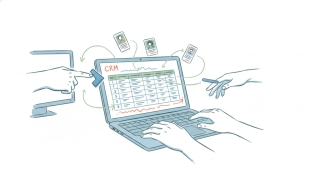
Attio CRM: The Data Model, AI Agents, and Automation
Attio calls itself “the CRM for agentic revenue,” and in 2026 that stopped being a slogan. The product is built on a data model that bends to how your business actually works, your records arrive already populated from your inbox, and a fleet of AI agents research, score, and route deals on their own. If you’re evaluating Attio as your CRM — or you already run on it and want to automate it — here’s how each of those pieces actually works, where the native automation reaches its edge, and what to bolt on when your workflows need to leave the CRM.
What makes Attio different: objects and attributes
Most CRMs hand you a fixed schema — Contacts, Accounts, Opportunities — and expect you to bend your business to fit it. Attio inverts that. Everything is built from objects and attributes.
An object is a record type. People and Companies are enabled by default; Deals, Users, and Workspaces are optional standard objects — and “Users” and “Workspaces” here mean the users and accounts of your own product, which is why Attio is popular with B2B SaaS teams tracking product usage next to sales. When the standard objects don’t fit, you build custom objects from scratch (subscriptions, properties, shipments — whatever your business runs on). The number of custom objects scales with your plan, but the capability is there on every tier.
Attributes are the fields on those objects — text, number, currency, select, date, and crucially relationship attributes that connect one object to another. That relationship model is the real departure from HubSpot and Salesforce: instead of a rigid Contacts-belong-to-Accounts hierarchy, you model how your records genuinely relate. Lists sit on top as customizable groupings — a pipeline, a campaign, an onboarding cohort — that let you attach list-specific data without altering the underlying record. A person can live in three pipelines with different stage data in each, and none of it distorts the master record.
The payoff: Attio feels less like a CRM you configure and more like a database that already understands relationships. The cost is a slightly steeper “what should my model be?” decision up front — which is exactly the kind of question Attio’s alternatives tend to make for you by being more opinionated.
Your data arrives already built
The part that surprises people migrating from another CRM: you don’t start with an empty database.
Connect Gmail or Microsoft 365, and Attio’s email and calendar sync automatically creates People and Company records for everyone you’ve ever corresponded with, imports the full email history against those records, and keeps them live as new messages arrive. It auto-links people to companies by matching email domain to company domain, so the org chart assembles itself. Then enrichment fills the gaps from dozens of public sources — logos, profile photos, social handles, descriptions — and keeps them current as the data changes.
For a founder or a small revenue team, that means the CRM is useful on day one instead of after a quarter of manual data entry. It’s also the strategic reason Attio can act “around the clock”: the agents described below have real, continuously-updated context to work from, not a half-filled table.
Attio’s AI, feature by feature
Attio’s 2026 arc was one long agentic build-out. The pieces, as they actually ship:
- Ask Attio — the conversational agent. It searches across your workspace (records, notes, calls, emails) and the web, then answers, summarizes, builds workflows, creates and updates records, creates tasks, and drafts emails. It reached Slack in March 2026, gained “take action” natural-language command execution in April, added custom context in May, and offers Claude Opus 4.7 as a model option.
- Web research agent — an AI attribute you add to a list or record. It dispatches an agent to research a question about that record across the web (“has this company raised recently?”, “who’s the current VP of Eng?”) and writes the answer back as structured data you can filter and sort on.
- Call Intelligence — records and transcribes meetings, extracts buying signals, blockers, and requests, logs them to the CRM, and generates action items.
- Workflows agent engine — the June 2026 “new Workflows” turned the automation builder into an agent orchestrator, shipping prebuilt agent actions for Scoring, Routing, Enrichment, Briefing, Follow-Up, Win/Loss, Churn Risk, and Expansion, plus a Custom agent block you brief yourself. This is the “advances deals and grows accounts around the clock” claim, made concrete.
- Official MCP server —
mcp.attio.com/mcp, GA since February 19, 2026. It’s OAuth-only (no API keys), authenticates the agent as you and bounds it to your workspace permissions, auto-approves reads while requiring confirmation on writes, and exposes around 37 tools. That’s what lets Claude, ChatGPT, or Notion act on Attio through a conversation — covered in depth in Attio MCP.
This is a real AI CRM, not a chat box bolted to a contacts table. If your work lives in Attio, these agents are genuinely doing revenue work while you’re asleep.
Automating Attio: the native Workflows builder
Attio’s built-in automation is called Workflows (formerly Automations), a visual builder you can assemble in natural language — describe it, test it block by block, ship it — with branching and looping.
Triggers fire the workflow:
- Attribute value changed — the “a deal entered a closing stage” trigger, and the one most pipelines are built on.
- Record created / updated, Record added to list, List entry updated, Task created.
- Webhook received, Recurring schedule, Manual run, and per-record command runs.
Actions do the work: create and update records, add to lists, enroll or exit a Sequence (Attio’s multi-step outbound), create and complete tasks, and the AI blocks — Custom agent, Web agent, Classify record, Classify text, Summarize record. Utility blocks round it out: Send HTTP request, Execute code, Parse JSON, SQL query, Filter / If / Switch, Delay, Round robin.
Between the AI blocks and the schedule/attribute triggers, you can build genuinely sophisticated in-CRM automation: a deal enters “Negotiation” → summarize the last three calls → score the account → route to the right closer → draft the follow-up. That’s real CRM automation, and for work that begins and ends inside Attio, you may not need anything else.
The API and webhooks
When you need to reach Attio from your own code, it exposes a public REST API authenticated with a workspace API key (a Bearer token; OAuth is available for multi-workspace apps). Any paid workspace can generate one — there’s no partner gate.
Webhooks cover the event side: subscribe to changes (record created, attribute changed, and so on), manage subscriptions through the API, filter server-side so you only receive what matters, and verify each delivery with the signing secret. Rate limits are generous — 100 requests/second for reads, 25/second for writes — with Retry-After on a 429; the list-records and list-entries endpoints add a complexity-weighted limit over a sliding 10-second window, so paginate deliberately rather than fanning out heavy queries.
The API and webhooks are what make Attio automatable from outside — but using them means writing and hosting code, and the scopes are workspace-wide. That’s the seam the next section is about.
Where Attio’s automation stops
Here’s the boundary worth being precise about, because Attio’s marketing (“works with Notion, Linear, and more”) can blur it.
Attio’s Workflows and agents act on customer data that already lives in Attio. They research, score, route, enrich, and update records, and they can ping a short list of directly-connected tools (Slack, Outreach, Mailchimp, Mixmax, Typeform) or hit a generic Send HTTP request block you wire up yourself. The broader “works with your whole stack” story runs through MCP — which exposes Attio to other agents, not Attio driving your other tools.
ChatGPT can start a task from an event, but only when the app's plugin supports it. OpenAI documents three: a new Gmail message, a new Slack message and GitHub pull request activity. On September 29, 2026 it said other supported plugins can start automations too, without publishing which. Claude's scheduled tasks still run on a clock alone. A deal moving, a form coming in, an invoice clearing: neither one promises to wake up for any of it. Carly watches all of them, across the thousands of apps it connects to.
And every native trigger is a CRM event: a record, attribute, or list entry changed. Nothing in Attio fires when an email lands in your inbox from an unknown prospect, when a meeting gets booked on your calendar, or when something happens in a tool that was never wired into the CRM. Attio automates the CRM; it doesn’t run your workday around the CRM.
Where Carly fits
That inbox-and-calendar, act-on-real-world-events, fan-out-across-apps layer is where Carly sits — and Attio is a native Carly connector, so the two compose rather than compete.
- Triggered by events outside the CRM. A Carly workflow can start when an email arrives, on a schedule, or on a webhook — then read or write Attio and your Gmail or Outlook, calendar, Slack, and ~260 other apps in one flow. Attio’s own Workflows can’t start from an inbound email; Carly’s can.
- On-demand by text or email. Between meetings, text Carly to update a deal, check whether a company is already in the workspace, or pull an account’s open deals — no chat window kept open.
- Scheduled cross-app briefs. A Monday pipeline digest that combines Attio deal changes with calendar and email context, delivered to Slack.
- The pricing shape. Non-AI, Zapier-style workflow steps run free; AI agents start at $35/month. The plumbing that moves data between Attio and the rest of your stack isn’t drawing down a per-seat allowance.
The honest division of labor: Attio’s agents are excellent at revenue work inside the CRM. Carly is for the work that starts in your inbox or calendar and has to touch several apps — Attio among them — to finish. Plenty of teams run both, Attio as the system of record and Carly as the thing that acts on it and everything around it.
Comparing CRMs more broadly? See best AI CRM tools, or the head-to-heads: Attio vs HubSpot and Attio vs Salesforce.
FAQ
What is Attio? Attio is an AI-native CRM built on a flexible “objects and attributes” data model rather than a fixed Contacts-and-Accounts schema. It auto-builds records from your email and calendar, enriches them from public sources, and ships AI agents (Ask Attio, a web research agent, Call Intelligence, and an agent-driven Workflows engine) that research, score, route, and advance deals.
What makes Attio’s data model different from HubSpot or Salesforce? Attio lets you define custom objects and connect them with relationship attributes, so you model how your records actually relate instead of forcing everything into Contacts belonging to Accounts. Lists sit on top as flexible groupings, letting a record carry different data in different pipelines without changing the master record.
Does Attio have AI?
Yes, extensively. Ask Attio is a conversational agent that searches your workspace and the web and can take action; a web research agent enriches records from the web as a structured attribute; Call Intelligence transcribes and extracts signals from meetings; and the Workflows engine runs prebuilt agents for scoring, routing, enrichment, briefing, follow-up, and churn risk. Attio also ships an official MCP server (mcp.attio.com/mcp).
Can you automate Attio? Yes. Attio’s native Workflows builder offers triggers (attribute changed, record created or updated, added to list, schedule, webhook) and actions (create/update records, enroll in sequences, create tasks, AI blocks, and HTTP/code utilities). For automation that starts outside the CRM — an inbound email, a booked meeting — or fans out across apps that aren’t wired into Attio, a cross-app tool like Carly handles the events Attio’s own triggers don’t see.
Does Attio have an API? Yes — a public REST API authenticated with a workspace API key, plus real-time webhooks with signed payloads. Read limits are 100 requests/second and write limits 25/second. Any paid workspace can generate a key without a partner agreement.
How does Carly work with Attio? Carly connects to Attio natively and adds the layer Attio’s own automation doesn’t cover: workflows triggered by inbound email, schedules, or webhooks that read and write Attio alongside your Gmail or Outlook, calendar, Slack, and other apps. Non-AI workflow steps are free; AI agents start at $35/month.
More: Attio MCP · Attio vs HubSpot · Attio vs Salesforce · Attio alternatives · Best AI CRM tools · Claude + Attio
Ready to automate your busywork?
Carly schedules, researches, and briefs you—so you can focus on what matters.
See what people say
"Before Carly, I relied on a Calendly link, but the whole process felt impersonal and not very professional. Carly changed that by handling all the back-and-forth, so I'm no longer stuck in endless email threads trying to line up schedules.
Now Carly reaches out to candidates, shares my real-time availability, lets them pick a slot, then sends a Zoom link and drops it straight into my calendar. She sends reminders to both of us before each call, which has significantly reduced no-shows and last-minute confusion.
On top of scheduling, Carly acts like a full executive assistant, sending me my schedule the night before so I can prepare for each call. It reminds me of the old x.ai assistant, but Carly is noticeably smarter, faster, and better suited to my healthcare recruitment business."