Can ChatGPT Connect to Multiple Google Calendar Accounts?
Yes, since August 2026. OpenAI added several Google accounts per connection to ChatGPT and Codex on 28 August, covering Google Calendar alongside Gmail and Contacts. Open Plugins, click the gear on the Calendar connection, and add the next identity.
Two things that release did not fix. Secondary calendars are still the murkier half: OpenAI documents nothing about whether team, project and subscribed calendars under a connected account are queried reliably. And Outlook is a separate connector that OpenAI’s September 2026 multi-account note does not name, so whether a Google calendar and a Microsoft one can be compared in the same question is something to test on your own plan. Carly covers both gaps.
Reaching the rest of them
- Connect each Google Calendar at carlyassistant.com/integrations. Every Workspace domain, plus Outlook and personal calendars if you have them.
- Open the Carly plugin in ChatGPT and add it.
- Ask across all of them at once:
Check all my calendars for free 45-minute slots on Thursday and Friday afternoon, and flag anything that would mean back-to-back travel.
Get started at carlyassistant.com.
Two kinds of multiple, and only one of them is solved
A single Google identity can hold a primary calendar, a team calendar, a family calendar and a set of subscribed feeds. One person can also hold a work identity and a personal identity. The second kind is handled now. The first is not: OpenAI still publishes nothing about whether calendars beyond the primary one are read.
That gap shows up as a confident wrong answer rather than an error. Ask “am I free Thursday afternoon?” and ChatGPT says yes from the calendars it checked, while a client sits on the team calendar from two o’clock. Nothing in the reply signals which calendars were never opened.
The Google Calendar app went read-write during 2026, with caveats that bite in exactly the situations you would want it for. Write scopes need a fresh authorization on any connection older than mid-June 2026, a Workspace admin may need to enable the app first, and company knowledge and write actions cannot both be on. Nothing happens unless you are there to ask. Carly runs the calendar work on all of your accounts while you are elsewhere.
What you can automate across all of them
Carly does more than widen what ChatGPT can see. It works the calendars when you are not there, on every identity you connect. A few of the automations you can turn on:
- Brief you before every meeting. Carly researches the external attendees, pulls last week’s notes on a recurring one-to-one, and delivers the prep to Slack or your inbox before you walk in.
- Block travel time automatically. An in-person meeting goes on any connected calendar and Carly sizes the drive time and blocks it either side.
- Send a Sunday-night week preview covering conflicts across every account, prep that has not happened yet, and where the travel lands.
- Open the prep task the moment a meeting is booked. A new event becomes an Asana, Google or Carly task, or a Notion doc pre-filled with attendees and an agenda template.
- Announce and cancel in the right place. New meetings post to Slack or Teams, and a cancellation pings the channel instead of leaving people to notice.
- Turn the recap into a record. After the call, Carly writes the summary and action items into your CRM timeline and drafts the follow-up email.
- Pull the plan onto the calendar. An Airtable project plan or a Notion database becomes real events, kept in sync.
- Tell you what is blocking your booking availability, in a daily email, before a client finds an empty week.
- Log every meeting to a sheet, across all your accounts at once, with attendees and duration.
Those keep running on every calendar you connect while you are in a meeting or asleep. Carly connects to thousands of apps, so the far end of any of them can be the tools you already pay for.
One thing worth knowing on the native path: on a Business or Enterprise workspace, calendar write actions ship disabled and an administrator turns them on under workspace settings before ChatGPT can create anything.
What ChatGPT reaches once Carly is connected
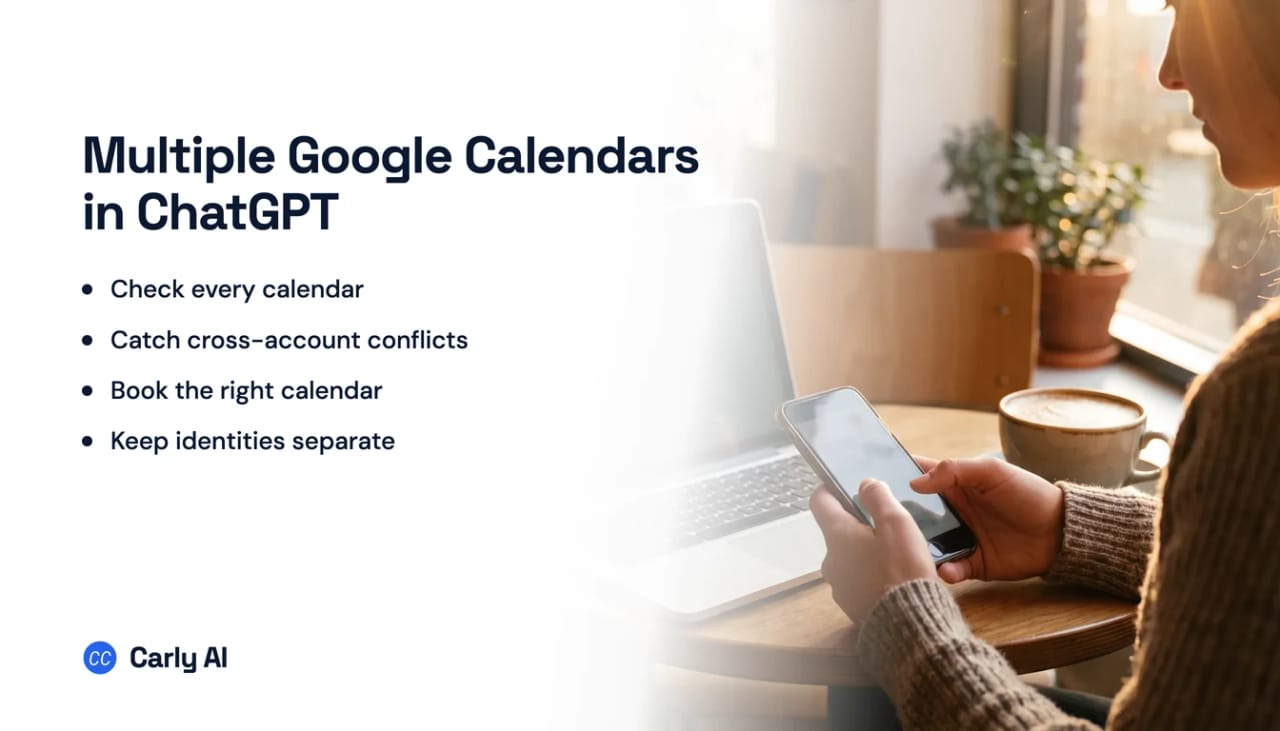
- All your Google Calendar accounts at once, work and personal, in a single question.
- Outlook calendars sit right beside Google. Availability is calculated across both providers together, while each event stays on its original calendar.
- Secondary and team calendars come along, not just the primary one.
- It books, moves and cancels, on any connected calendar, with no admin toggle in the way.
- Booking pages on the front of it. Share one link that respects every calendar you own.
| Google accounts at once | Secondary calendars | Move or delete an event | Availability across both providers | |
|---|---|---|---|---|
| ChatGPT | Several | Not documented | Not documented | No |
| Claude | One | Shared under one login | With approval | No |
| Gemini | One | Limited | Limited | No |
| ChatGPT + Carly | All of them | Yes | Yes | Yes |
Free Zapier-style workflows; AI agents from $35/month. Connect your calendars.
Full walkthrough with the plugin screens: how to connect multiple Google Calendars to ChatGPT.
Frequently asked questions
Can I connect my work and personal Google Calendars to ChatGPT?
Yes, since August 2026. Open Plugins, click the gear on the Google Calendar connection, and add the second identity. The same release covered Gmail and Google Contacts.
Does that cover my Outlook calendar too?
Not reliably. Outlook is a separate connector, and OpenAI’s September 17, 2026 note extending multiple accounts beyond Google does not name it or say whether the two providers can be read together. Connect both to Carly and it is one conversation.
Will ChatGPT query my team or project calendars?
OpenAI does not document secondary calendar support either way. Carly connects team, project and shared calendars explicitly and preserves their names, so you can see which calendar an answer came from.
Can ChatGPT create a calendar event?
On Plus and Pro the connection reads. On Business and Enterprise, write actions exist but ship disabled until an administrator enables them, and they confirm before each change. Carly writes to Google and Outlook calendars on any plan.
Can ChatGPT check Google and Outlook availability at the same time?
Not natively, since those are separate apps and OpenAI has not published which took the September 2026 multi-account update. Carly calculates availability across both providers at once, while each event stays where it belongs.
How many calendars can Carly hold?
As many as you connect. Add a client’s calendar when the engagement starts and remove it when the work ends, without touching the others.
More: How to connect multiple Google Calendars to ChatGPT · Can ChatGPT connect to multiple Gmail accounts? · Can ChatGPT access Google Calendar? · Can ChatGPT manage my calendar? · Best AI assistants for multiple calendars
Ready to automate your busywork?
Carly schedules, researches, and briefs you—so you can focus on what matters.
See what people say
"Before Carly, I relied on a Calendly link, but the whole process felt impersonal and not very professional. Carly changed that by handling all the back-and-forth, so I'm no longer stuck in endless email threads trying to line up schedules.
Now Carly reaches out to candidates, shares my real-time availability, lets them pick a slot, then sends a Zoom link and drops it straight into my calendar. She sends reminders to both of us before each call, which has significantly reduced no-shows and last-minute confusion.
On top of scheduling, Carly acts like a full executive assistant, sending me my schedule the night before so I can prepare for each call. It reminds me of the old x.ai assistant, but Carly is noticeably smarter, faster, and better suited to my healthcare recruitment business."