Can Claude Cowork Connect to Multiple Google Calendars?
Calendars inside one Google account, yes. A second Google account, no: it replaces the first. Add the Carly connector and Cowork sees every calendar.
113 posts
Calendars inside one Google account, yes. A second Google account, no: it replaces the first. Add the Carly connector and Cowork sees every calendar.

Gemini 4 isn't in Gmail or Google Calendar yet. What Google says about the rollout, what Gemini does in your inbox and calendar today, and where it stops.

A Cowork task reaches one Google account and one work Outlook. Connect every calendar to Carly, add it once, and one scheduled task covers all of them.

Claude holds one Google Calendar and one work Outlook, never two of either. Connect every calendar to Carly, add it once, and one chat covers all of them.
Cursor's desktop app can add a second Google account, but cloud agents hold one. Add Carly as one MCP server and every Cursor agent sees all your calendars.

Meta Muse's Google Calendar connector holds one account. Add every Google calendar to Carly, connect Carly to Muse once, and Muse sees all of them.
Claude Code reaches calendars through MCP. Add every Google account to Carly, register one server, and one session sees all of your calendars at once.
We tested 8 AI assistants against two or more Google Calendars. Which schedule across all of them, which hold one login, and which only display the grid.

The best AI automation tools for Google Calendar. Book, move, and defend time from email and text without building a single workflow.
Yes, since August 2026. Secondary and team calendars stay undocumented, and Outlook is a separate connector. Here is what it covers and what it misses.
No. Claude's Google connector holds one account. Shared calendars under that login work; a second login does not. With Carly, Claude holds both.
Google Calendar not syncing on iPhone, Android, Outlook, or desktop. Work through the fixes in order, starting with the ones that solve it most often.

Create an .ics calendar file with a free generator, export one from Google or Outlook, or write it by hand, then add it to any calendar app.
Lock down who sees your Google Calendar: public settings, per-event privacy, free/busy sharing, and how to check what others can actually see.
Open an .ics file on Windows, Mac, iPhone, or Android, add it to Google Calendar or Outlook, and fix the file that opens in Notepad instead.

Link Google, iCloud, Outlook.com, or Office 365 to Alexa, ask the right questions, and fix the calendar that stops syncing after a password change.

Get iCloud and Google calendars into one view on iPhone, Mac, and the web, plus the one-way subscription trap that makes events read-only.
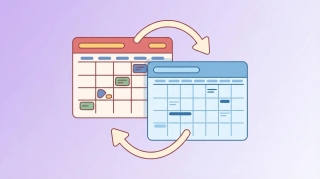
What OGCS is, how the free open-source Outlook and Google calendar sync works, the Windows-only catch, and when a live-read assistant fits better.
There's no official Google Calendar widget for macOS. What Apple's iPhone-widget system does and doesn't allow, and the four workarounds that work.
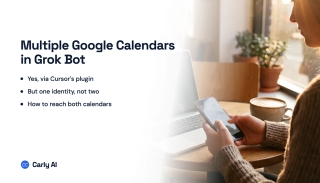
Grok Bot has no xAI calendar connector. It reaches Google Calendar via Cursor's plugin marketplace and Google's own MCP server. Nine verbs, one account.
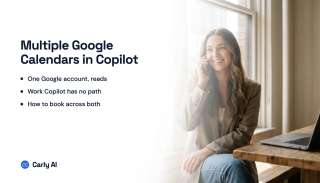
Consumer Copilot reads one Google account and cannot book. Microsoft 365 Copilot has no Google Calendar connector at all. Connect every account to Carly.
Spark works from the one Google account you sign in with. Connect every account to Carly, add Carly to Spark over MCP, and reach them all in one session.
Gemini holds one Google account at a time and no setting changes it. Connect every calendar to Carly instead and one assistant books across all of them.
xAI documents no way to add a second Google account to Grok, though the connector itself is free and self-serve. How to reach every calendar.
Perplexity's connector queries one primary calendar only, so a second Google account and even a shared calendar are out. What works instead.
Gmail, Calendar, and Drive are the easiest surfaces in AI to read and the hardest to act on. Which assistants write, and which hold a second Google account.
Codex has no first-party calendar connector, so multi-account access comes down to which MCP server you register. One server beats one per account.
Cowork cannot hold a second Google account, though it reads every calendar in one account properly. How to reach all of them from one session.
Work, personal, and team calendars in one assistant. Which tools see every calendar, which only sync busy blocks, and which cap you at one login.
Gmail, Calendar, and Drive across two Google logins. Which AI tools hold more than one account, and which replace the first when you add a second.
ChatGPT Work documents one Google account. Secondary-calendar support is unclear. Here is how to work across several calendars in one Work task.
Claude's Google connector is one account. Shared calendars under that login work. A second Google account does not. Here is the setup that holds both.
Copy events from one Google account to another. Overlay is not a copy. Here are the one-time and automatic options, starting with a free mirror.
Keep work and personal Google Calendars honest without handing your employer the real titles. Overlay, one-way Busy copy, and two-way sync compared.
ChatGPT documents one connected Google account, and secondary-calendar support is unclear. Here is how to work across several calendars with Carly.
Four ways to sync Outlook and Google Calendar, including the free built-in ICS method, its refresh delay and privacy tradeoff, and when to use a sync tool.
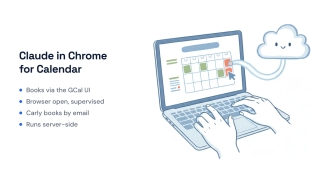
Claude in Chrome can create and move events by clicking around Google Calendar in your browser. Here's what it does well, where it stops, and when to hand scheduling to an agent that runs on its own.
Fantastical is a premium calendar app with natural-language input and polish; Google Calendar is the free, universal calendar tied to your Google account. Here's which to pick in 2026.
Notion Calendar is a fast desktop client that sits on top of Google Calendar. Google Calendar is the actual calendar service. Here's how they fit together.
If your Google Calendar reminders vanished, you're not imagining it. In late 2025 Google migrated reminders from Calendar, Assistant, and Keep into Google Tasks — here's what changed, what broke, and how to track reminders reliably again.
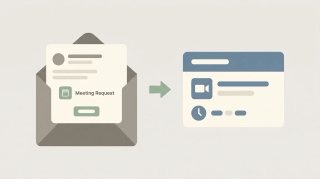
Gmail has no standalone meeting scheduler — you schedule through Google Calendar and Google Meet. Here's every path: create an event from an email, set up a time to meet, and add a Meet link.

Google Calendar lets you invite up to 200 guests directly (100,000 via Groups). Guest lists hide above 50. See all caps, Meet limits, and how to invite more.

How to add a Google Meet link to any calendar event, make Meet links appear automatically, or remove them — on the web, Android, and iPhone.
Get Google Calendar on your Windows desktop and taskbar — sync it to the Windows Calendar app, pin a Chrome or Edge shortcut, or use a desktop client.

How to change your primary time zone in Google Calendar, add a secondary zone, and set per-event time zones — on desktop web and the mobile apps.
How to create a Google Calendar booking page so people can book time with you — set availability, customize the form, and see which plans add features.

How to enable ISO week numbers in Google Calendar on desktop web, where they appear in each view, and why the option is missing on mobile.
How to sync Google Calendar into Apple Calendar on iPhone, iPad, and Mac — add your account, choose which calendars show, and fix sync problems.
Stop Google Calendar from pinging you — disable or adjust event notifications, email reminders, and browser alerts on the web, Android, and iPhone or iPad.
Apple Calendar is clean, offline-friendly, and tied to iCloud; Google Calendar is cross-platform with strong sharing. Here's which calendar to pick in 2026.
Outlook Calendar is built for Microsoft 365 and Teams; Google Calendar is built for Workspace, sharing, and simplicity. Here's which calendar to pick in 2026.
Connect Todoist to Google Calendar for two-way sync: set it up in Integrations, control which tasks sync, and fix tasks that aren't showing on your calendar.
Schedule a Google Meet from Google Calendar, Gmail, or the Meet app — add guests, set it to repeat, and share the link so everyone joins the right call.
Make a Google Calendar public so anyone can view it, share a public link or embed it on a website, control how much detail is visible, and make it private again.
Attach files to a Google Calendar event from Google Drive or your computer so guests have the agenda, deck, or doc ready — plus how to fix sharing permissions and the mobile limitation.
Create all-day and multi-day events in Google Calendar on web and mobile, set them to show as free or busy, and add a morning-of reminder so they don't get missed.
Duplicate a Google Calendar event to reuse its title, guests, location, and description — on the web, plus the mobile workaround and when to use a recurring event instead.
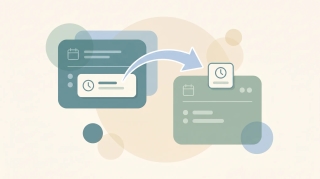
Move a Google Calendar event from one calendar to another using the calendar dropdown in the event editor — plus why drag-and-drop won't do it and which events can't be moved.
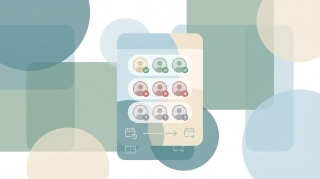
Check RSVP status on a Google Calendar invite — see who accepted, declined, or hasn't responded, read guests' notes, and get emailed when people reply.

Block calendar spam in Google Calendar — the "known senders only" setting, how to remove existing spam events, the report-spam button, and why declining is the wrong move.
How to add tasks to Google Calendar — create from the grid, side panel, or unified mobile creator, set time and recurrence, and the difference between tasks, events, and the deprecated reminders.
How to cancel a Google Calendar meeting — delete events, choose Send or Don't send notifications, handle recurring series, recover from Trash, and what happens to attached Meet links and Drive files.
How to create a Google Meet link — auto-attached from a Calendar event, instant meetings via meet.new, scheduled meetings without an event, plus dial-in numbers and host controls.
Google Calendar has no native meeting poll like Outlook's Scheduling Poll. Here's what Appointment Schedules actually do, why they're not polls, and the best workarounds for group voting on meeting times.
Three ways to create a Google Calendar event directly from a Gmail email — the three-dot Create event menu, Gemini's Add to calendar chip, the Calendar side panel, and mobile shortcuts.
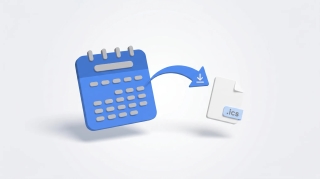
How to export Google Calendar — download all calendars as ICS via Settings, export a single calendar, import into Outlook or Apple Calendar, and what's missing from the export.
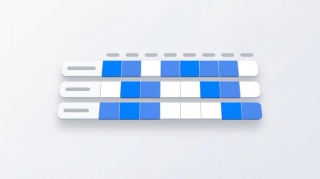
How to use Google Calendar's Find a time tab to schedule meetings across calendars, plus Gemini's Suggested times, time zone tricks, and what to do when external attendees don't show free/busy.
Google Calendar has no native Forward button — here are the three actual ways to forward a meeting invite, including Add guests, the Gmail forward workaround, and what changes vs Outlook.
How to set Google Calendar event visibility — Default, Public, Private — what each does, why private events still show as Busy, and the difference between visibility and Show as Free/Busy.
How to set the default event duration in Google Calendar — change to 15, 30, 45 min or custom, enable Speedy meetings to end early, and how this differs from Appointment Schedule durations.
Add Google Calendar to your Mac using Apple Calendar, the Chrome web app, or third-party apps. Covers sync setup, notifications, widgets, and troubleshooting.
Change which calendar new events are added to by default in Google Calendar. Covers desktop settings, mobile behavior, and workarounds for multiple accounts.
Step-by-step instructions for creating a new Google Calendar on desktop and mobile, plus practical advice on when separate calendars make sense and how to organize them.

Step-by-step guide to deleting a Google Calendar on desktop and mobile — plus how to unsubscribe from calendars, remove shared calendars, and recover a deleted calendar.
Print your Google Calendar from desktop or get a printable view on mobile. Covers daily, weekly, and monthly layouts, print settings, and workarounds for better formatting.
Accidentally deleted a Google Calendar event? Here is how to recover it from Trash, check your email for details, and prevent accidental deletions in the future.
Set up reminders in Google Calendar for individual events or as defaults. Covers notification types, multiple reminders, mobile alerts, and the difference between reminders and notifications.
Sync Google Calendar with your Android phone — covers initial setup, adding multiple accounts, fixing sync issues, and managing calendar visibility.
Step-by-step guide to installing the Zoom add-on for Google Calendar, auto-generating meeting links, and setting Zoom as your default conferencing option.
Step-by-step guide to connecting Google Calendar with Slack for auto-status updates, meeting reminders, availability sharing, and more.

Step-by-step guide to delegating calendar access in Google Calendar. Sharing permissions, Workspace delegation, and AI scheduling assistants.
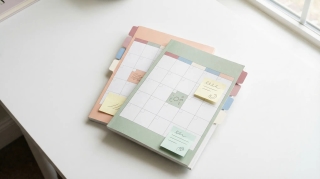
Three ways to merge Google Calendars: import/export, sharing, and syncing tools. Step-by-step instructions for combining personal and work calendars.

Set up out of office in Google Calendar to auto-decline meetings, block your schedule, and notify colleagues. Covers desktop, mobile, and Workspace settings.
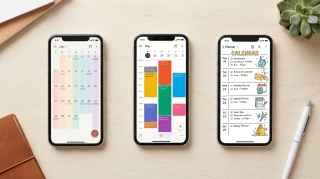
The best calendar apps in 2026 — reviewed by features, platform support, AI capabilities, and price. From Google Calendar and Fantastical to AI assistants like Carly.

Google Calendar's AI features in 2026 — smart event creation, focus time, Gemini integration, and what they can and can't do. Honest breakdown.

Google Calendar refreshes subscribed ICS calendars roughly every 12–24 hours. Here's what that means in practice, why you can't force a refresh.

Every Google Calendar keyboard shortcut for navigation, creating events, switching views, and managing your schedule — including how to enable shortcuts first.

Yes — Google Calendar still supports natural language event creation in 2026. Here's exactly how it works on desktop, mobile, and what it can and can't parse.
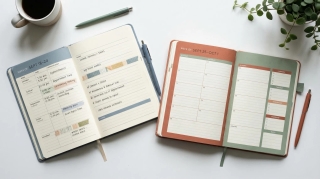
Google Calendar can show multiple calendars in separate side-by-side columns in Day view. Here is how to enable it and when it is useful.
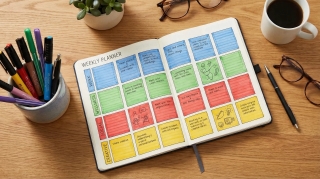
A practical guide to time blocking in Google Calendar — setting it up, maintaining it, and using the right features to protect your focused work time.
The actual limit on Google Calendars per account, how to manage multiple calendars without losing your mind, and when to split vs combine.
Add Google Calendar to iPhone using the Google Calendar app or the native Apple Calendar app — with sync settings, widget setup, and troubleshooting common issues.
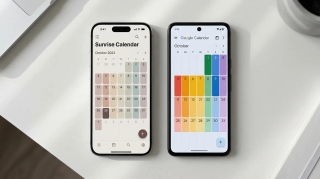
Three ways to view your Google Calendar inside Outlook — ICS subscription, CalDAV sync, and third-party tools. What each does, what it costs, and which to use.

If you're manually entering 10-15 names every time you schedule a recurring event, there's a better way. Google Groups works. Carly's Chat with Cal is even easier.

Display multiple time zones in Google Calendar — including a world clock sidebar, secondary time zones, and tips for scheduling across time zones without confusion.
Four ways to automatically copy or mirror events from one Google Calendar to another, starting with a free rule-based tool and no code.

A complete guide to color coding Google Calendar — apply colors to individual events, entire calendars, and build a visual system that makes your week readable at a glance.
Step-by-step guide to creating calendar invites in Google Calendar on desktop and mobile — adding guests, setting reminders, attaching video links, and managing RSVPs.

How to build a link that opens Google Calendar pre-filled with your event. Works in emails, websites, and landing pages. Includes URL format and a generator.
Embed a Google Calendar on any website using the built-in embed code — with options for display size, view type, showing multiple calendars, and styling tips.
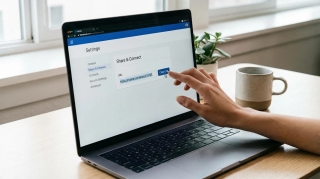
How to find your Google Calendar's ICS link so others can subscribe to it. Covers public calendars, private address, and what each URL type does.

Step-by-step: set up a recurring Google Meet with the same link every time. Works for daily standups, weekly team syncs, and any repeating meeting.

Set working hours in Google Calendar to show your availability, automatically decline outside-hours invites, and help colleagues schedule meetings at the right time.
Learn how to add holidays from any country to Google Calendar, manage multiple holiday calendars, and customize which holidays appear on your schedule.
Learn how to use time blocking in Google Calendar to protect focus time, manage your schedule, and boost productivity with step-by-step instructions.
Learn how to organize, color-code, and manage multiple Google Calendars effectively. Covers creating calendars, toggling visibility, and cross-account management.
Learn how to create and manage a shared team calendar in Google Calendar. Covers setup, permissions, best practices, and tools for team coordination.
Learn how to create, edit, and manage recurring meetings in Google Calendar. Covers custom repeat patterns, exceptions, and best practices.
ICS subscription, connected accounts, and a free sync tool — the real options for syncing Google Calendar and Outlook.

Copy events between Google Calendars in seconds — no manual re-entry, no third-party syncing tools. Here's how to do it for free with Carly.
Step-by-step guide to subscribing to any calendar URL or .ics feed in Google Calendar. Works for sunrise/sunset calendars, sports schedules, holidays, and more.
Step-by-step instructions for sharing your calendar on every major platform — Google Calendar, Outlook, and iPhone — plus a smarter way to share just your availability.
Learn how to share your Google Calendar step-by-step. This guide covers desktop, mobile, embedding, permissions, delegation, and troubleshooting.