Claude for Document Automation: What It Can and Can't Do (2026)
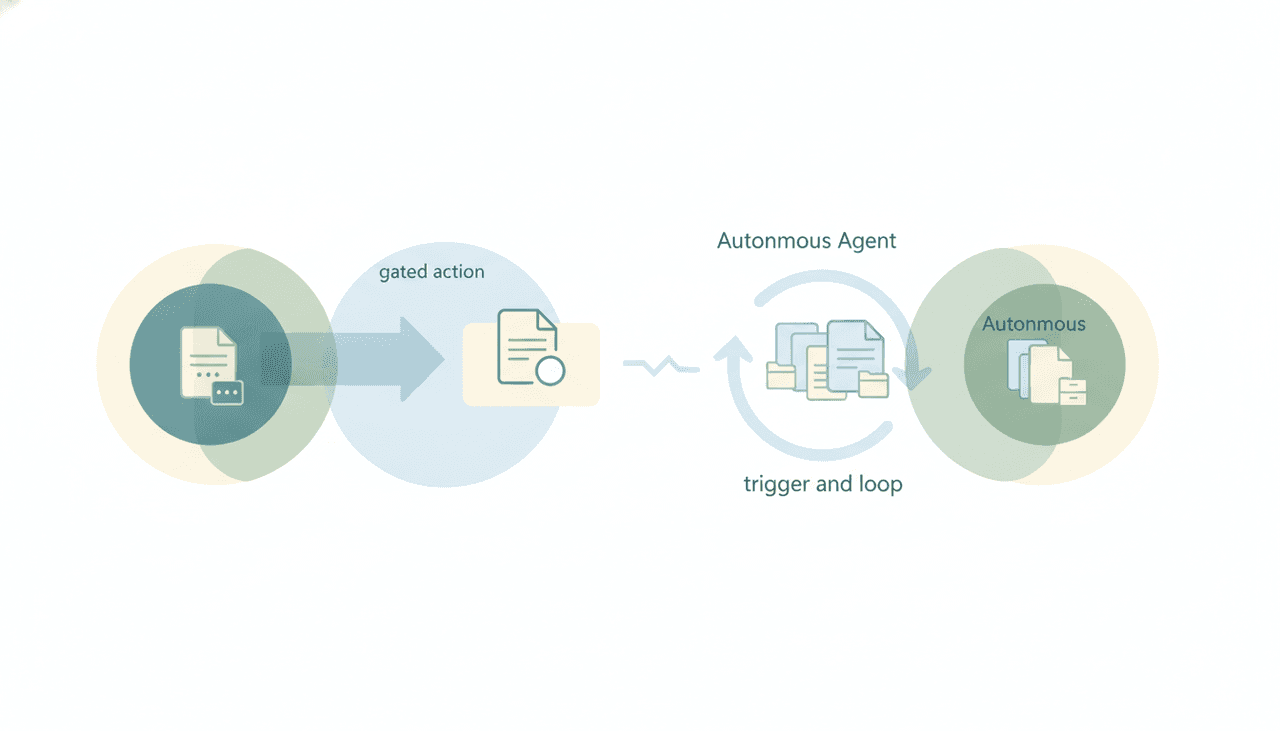
Partly — Claude generates documents very well, but it doesn’t automate them. Give it a template and some inputs and Claude will produce a polished proposal, contract, report, or onboarding packet in seconds. What it won’t do is run that generation on a trigger, save the finished file into your systems, or send it. Document generation is the half Claude is great at; document automation — the unattended pipeline around it — is the half it can’t do.
Here’s the honest line between drafting a document on request and running a document workflow that produces, files, and delivers them on its own.
What Claude does well: generating the document
This is genuinely a Claude strength. In a chat, give it a template and the variables and it will:
- Fill a proposal, SOW, contract, or quote template with the specifics you provide.
- Turn raw notes or data you paste in into a structured report or summary.
- Generate a personalized onboarding packet, case study, or one-pager.
- Keep tone and formatting consistent across a batch of documents.
- Use Skills — reusable instruction/code bundles run inside a Claude session — to apply your standard template and style each time.
If the task is “write me this document from these inputs,” Claude is fast and reliable, and you should use it. The boundary is everything that happens after the text exists.
Where it stops: firing, saving, and sending
Document automation implies the document gets produced and handled without you doing the steps. That’s where Claude stops:
- No triggers. “When a deal reaches the proposal stage, generate the proposal” or “when a new client is added, produce their welcome packet” can’t be set up. Claude’s connectors only work inside a conversation you start — there’s no event to fire on.
- It doesn’t save the file into your systems. Claude generates the text in the chat; writing the finished document back into Google Drive, SharePoint, or your DMS autonomously isn’t how it works. You copy or download it yourself.
- It can’t send it. Claude cannot send email on any surface — the Gmail connector is draft-only, the Outlook add-in doesn’t request send permission, and the M365 connector is read-only. So even a finished contract is a file you still have to attach and send. (Details.)
- It stops when your laptop sleeps. There’s no always-on process generating documents in the background.
So Claude shortens “write the document” to seconds — and leaves “do it automatically, file it, and send it” entirely on you.
”Automation” without triggers isn’t automation
The word automation implies something runs on its own when a condition is met. Claude has no event triggers — its connectors are chat-only, invoked inside a conversation you open. The nearest feature, Claude Cowork’s scheduled tasks, runs on a fixed clock and only while your computer is awake with the desktop app open — so it’s a timer, not an event, and it isn’t always-on. A document pipeline that only runs when you’re at your desk and remember to ask is a faster manual process, not an automated one.
Generation vs automation, side by side
| Generate from template | Fire on a trigger | Save into Drive/DMS | Send with attachment | Runs 24/7 (laptop off) | |
|---|---|---|---|---|---|
| Claude | Yes | No | No | No | No |
| Claude Cowork | Yes | Fixed clock only | Limited | No | No (needs desktop awake) |
| Gemini | Yes | No | No | No | No |
| ChatGPT | Yes | No | No | No (no attachments) | No |
| Carly | Yes | Yes | Yes | Yes | Yes |
Every chat assistant nails generation and stops at the pipeline. None of them turns a trigger into a filed, delivered document.
What actually automating documents looks like
If the job is “the document gets generated, filed, and delivered the moment it’s needed — without me touching it,” you need something built to act. That’s Carly, an AI executive assistant that works inside your inbox, calendar, and connected tools:
- It fires on triggers, 24/7. When a deal hits a stage, a form is submitted, or a client is added, Carly can generate the proposal, contract, or packet automatically — laptop off.
- It saves the file where it belongs. Carly can write the finished document into the right folder in your drive and update the sheet or CRM that tracks it.
- It sends it — with attachments. Real email across Gmail and Outlook, with the generated document attached. Each agent gets its own email address.
- It runs the whole chain. Trigger → generate from template → file → send → log — as one unattended workflow.
- It builds the workflow for you. Tell it “I’d like to set up a system that generates and sends our proposals automatically” in plain English; it interviews you, then builds it with you.
AI agents start at $35/month, and steps in a workflow that don’t use AI run free and unlimited. Carly connects to 200+ tools across 40+ categories — see integrations. For the head-to-head, see Claude vs Carly.
Frequently Asked Questions
Can Claude automate document generation?
Claude can generate documents from a template on request, but it can’t automate the process — no triggers, no saving the file back into your systems, no sending. It’s the drafting engine, not the pipeline.
Can Claude create documents from a template?
Yes, and it does it well. Give Claude a template and the inputs and it will produce a polished, consistent document in a chat. Skills let you reuse your standard format each time. You then download or copy the result yourself.
Can Claude save generated documents to Google Drive or SharePoint?
Not autonomously. Claude generates the text in the conversation; writing the finished file back into your drive or document system on its own isn’t how it works. For automatic filing you need an agent that acts, like Carly.
Can Claude generate and email a document automatically?
No. Claude can’t send email on any surface, and it has no triggers, so it can’t produce a document and send it on its own. See Can Claude send emails?
What actually automates document generation end to end?
Carly. On a trigger it generates the document from your template, files it in the right folder, updates the tracking sheet or CRM, and sends it with the attachment — 24/7, laptop off. AI agents start at $35/month.
More: Claude summarize documents · Claude invoice processing · Claude data extraction · Can Claude send emails? · Claude vs Carly · Claude workflow automation
Ready to automate your busywork?
Carly schedules, researches, and briefs you—so you can focus on what matters.
See what people say
"Before Carly, I relied on a Calendly link, but the whole process felt impersonal and not very professional. Carly changed that by handling all the back-and-forth, so I'm no longer stuck in endless email threads trying to line up schedules.
Now Carly reaches out to candidates, shares my real-time availability, lets them pick a slot, then sends a Zoom link and drops it straight into my calendar. She sends reminders to both of us before each call, which has significantly reduced no-shows and last-minute confusion.
On top of scheduling, Carly acts like a full executive assistant, sending me my schedule the night before so I can prepare for each call. It reminds me of the old x.ai assistant, but Carly is noticeably smarter, faster, and better suited to my healthcare recruitment business."