HVAC Answering Service: Options and Costs (2026)
On the first cold night of the year, every furnace that limped through last winter tries to light at once. On the first 95-degree week, it’s the condensers.
Your phones ring hardest when your techs are busiest, and whoever answers decides whether the call becomes a booked job, a 911 call or a customer for the shop down the road.
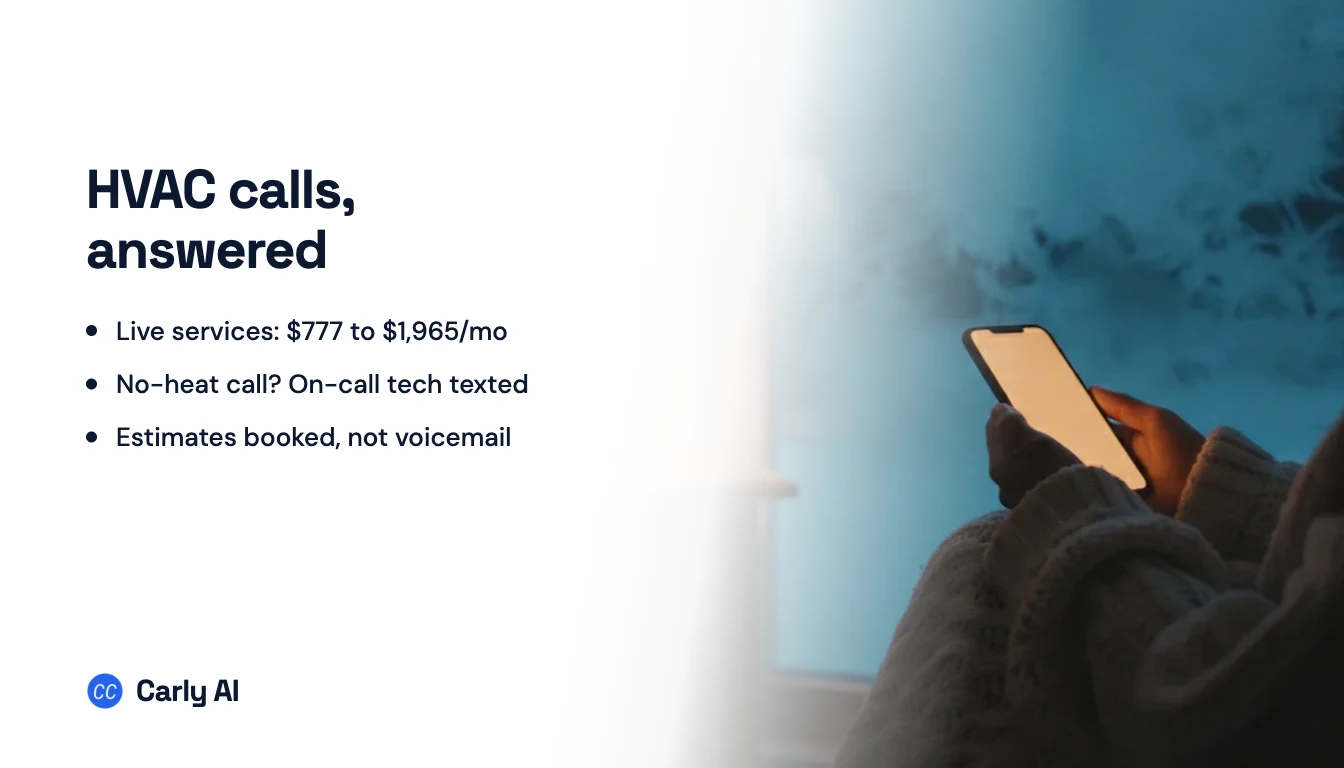
The quick answer: An HVAC answering service covers your phones when nobody in the shop can get to them: after close, on weekends and during the daytime crush when every tech is on a job and the dispatcher is on another line. There are four ways to do it: an on-call phone your techs pass around (free, until the tech holding it is in a crawlspace), the AI add-on sold by your field service software (from $29 a month on top of Jobber, unpublished at ServiceTitan and Housecall Pro), a live answering service like Ruby, PATLive or MAP Communications (roughly $777 to $1,965 a month at 200 calls), or an AI answering service. Carly is the pick: it answers on your business number whenever your team doesn’t, texts the on-call tech as soon as a no-heat call ends, books tune-ups and replacement estimates on real calendars and gives your dispatcher one clean inbox at 7am.
HVAC answering service costs at 200 calls a month
Monthly US list prices, taken from each vendor’s pricing page on October 7, 2026. The right-hand column estimates the bill for a 6 to 10 truck residential HVAC company where 200 calls a month roll to the service (roughly 130 after close and on weekends, 70 as daytime overflow), each billed as 3 minutes, so 600 minutes. That’s an ordinary month. The first heat wave or cold snap can double it.
| Option | Who answers | Entry price | Billing unit | At 200 calls (600 min) |
|---|---|---|---|---|
| Carly | AI on your business number, after your team | Set on a short call | Scoped to your call volume | Set on a short call |
| On-call phone rotation | The tech holding the phone this week | Included with your phone plan | None | $0, plus a tech’s night |
| Jobber AI Receptionist | AI, inside Jobber | $29 add-on | Monthly add-on | $29 plus your Jobber plan (usage limits not listed) |
| Housecall Pro CSR AI, ServiceTitan AI Virtual Agent, Service Fusion ServiceCall.ai | AI, inside that platform | Not published | Not published | Quote or in-app price |
| Rosie | AI | $49 for 250 min | Minutes in plan | $149 (1,000-minute Scale plan) |
| Smith.ai AI Receptionist | AI, with live staff as backup | $0 for 25 calls, Pro $150 for 75 | Per call | $385 ($270 for 150 calls + 50 at $2.30) |
| MAP Communications | Humans | $49 plus $1.37/min | Per minute | $777 ($649 for 500 min + 100 at $1.28) |
| Specialty Answering Service | Humans | $44 plus $1.54/min | Per minute, billed by the second | $783 ($649 for 500 min + 100 at $1.34) |
| Sameday | AI built for home services | $449 for 500 min, after-hours calls | Minutes in plan | $789 (Scale plan, starts with 1,000 min) |
| Abby Connect | Humans, AI or both | $165 for 50 Abby Minutes | Abby Minute (an AI minute counts as half) | About $899 all AI, $1,656 all human |
| PATLive | Humans only | $49 plus $2.99/min | Per minute | $938 ($759 for 500 min + 100 at $1.79) |
| Ruby | Humans | $250 for 50 min | Per minute | $1,725 for 500 min, plus 100 min at an unpublished overage rate |
| Smith.ai live receptionists | Humans | $300 for 30 calls | Per call | $1,965 ($810 for 90 calls + 110 at $10.50), before add-ons |
| Avoca | AI built for the trades | Quote only | Quote only | Quote only |
AnswerConnect and AnswerForce, which lists HVAC first among its industries, show plans only after you fill in a form.
Human answering lands between $777 and $1,965 at this volume, general AI between $149 and $385, and Sameday, the home-service specialist, at $789. Jobber’s add-on is the cheapest line on the page if Jobber already runs your shop. Per-minute plans carry a seasonal catch: stay on the plan sized for an ordinary month and a heat-wave month at double the calls bills $1,545 at MAP and $2,012 at PATLive. Our AI answering service guide covers answering outside the trades.
What each option does with a no-heat call at 10pm
| No heat at 10pm, caller is 81 | Carbon monoxide alarm sounding | Replacement quote request on Saturday | What dispatch sees at 7am | |
|---|---|---|---|---|
| On-call phone | Reaches the tech holding it, if they wake up | Depends on whether the tech picks up | Voicemail | Whatever the on-call tech wrote down |
| Live answering service | On-call tech paged or a message relayed, per your script | Sent to 911 if your script covers it | Message taken, sometimes an appointment booked | Messages by email or in the vendor’s app |
| Field service software’s AI | Job request logged or call transferred to a number you choose | Whatever you’ve configured | Booked on that platform’s schedule | Jobs and call logs in that platform |
| AI message-taker | Name, address and problem captured | Same | Same | Transcripts and a callback list |
| Carly | On-call tech texted the summary as the call ends | Told to get out and call 911, owner and on-call tech texted | Questions answered, in-home estimate booked on the comfort advisor’s calendar, confirmation texted | Every call, text and booking summarized in one team inbox |
Script the middle column before anything else. The CDC counts more than 400 Americans killed each year by unintentional carbon monoxide poisoning not linked to fires, with more than 100,000 emergency department visits, and it names gas- and oil-burning furnaces among the household culprits. A caller with a sounding CO alarm needs to be outside before anyone mentions a service window.
Six jobs an HVAC answering setup has to do
Test whatever you buy against these.
1. Sort every call into one of four bins
A good setup asks your questions (“Is the thermostat set to heat?”, “Is anyone in the home over 65 or under one?”) and files the call. Write the bins down first:
- Send the on-call tech tonight: no heat when it’s cold outside, no cooling in a heat wave, water from the air handler coming through a ceiling, a burning smell or sparking at the equipment.
- 911 or the gas company first, never a booking: a CO alarm sounding, a gas smell, anyone dizzy, nauseated or headachy near a running furnace. The script is “leave the house, then call from outside.”
- Can wait until morning: a noisy blower, a thermostat question, one room running warm, a filter question.
- Sales lead: replacement quotes, a new system, a ductless install, a second opinion on someone else’s quote.
Age moves calls between bins. The CDC says people 65 and older are more prone to heat-related health problems and tells them not to rely on a fan as their main cooling source when it’s really hot, so a dead AC at an 80-year-old’s house in July is an emergency even when the same call from a 30-year-old can wait.
2. Wake the right tech with the right details
The alert should carry the customer, address, equipment, symptoms, what’s been tried (breaker, thermostat batteries, filter) and a callback number. Those triage questions also save truck rolls: a tripped breaker found on the phone is a free fix and a loyal customer. Alerts aren’t always included. Each text or Slack ping costs $0.50 on Smith.ai’s live plans, while PATLive counts emergency dispatch among the capabilities every plan includes.
3. Cover the surge, not just the night
The first hot or cold week buries the office in daytime calls. A setup that only switches on at 5pm misses the 10am caller who hears ringing, hangs up and dials the next company. Have it pick up whenever nobody answers within a few rings, and push tune-ups and minor repairs into next week’s open slots so this week’s trucks stay free for no-heat and no-cool calls.
4. Catch the replacement lead while it’s warm
A replacement estimate is the most valuable call you get, and homeowners shopping for one call several companies. Harvard Business Review reported on research covering 1.25 million sales leads: firms that tried to contact a lead within an hour were more than 60 times as likely to reach a real conversation with the decision maker as firms that waited a day or more. A Saturday morning request returned Monday has waited about 48 hours. The best outcome is the in-home estimate on your comfort advisor’s calendar before the caller hangs up.
5. Recognize maintenance-agreement members
Members were promised priority, so the setup should know them by phone number and treat them that way. Their tune-ups are worth booking at any hour too: the CDC tells homeowners to have their heating system serviced by a qualified technician every year.
6. Hand dispatch a clean board at 7am
By morning your dispatcher should see the whole night on one screen: who got a tech, what’s booked, who needs a callback. Otherwise the busiest hour of a surge day starts with playing back voicemails.
How Carly covers an HVAC company’s phones
Carly for teams puts a fully automated voice receptionist and text agent on the number your customers already call. It runs on your own Twilio number, or the Carly team gets you a line on a short call. Set it to answer every call or just the ones that ring out, which covers the 10am overflow as well as the 10pm emergency, and it texts back anyone whose call was missed.
Here is the first cold night of the season at Larkfield Heating & Air, an eight-truck shop run by Brian. Kyle has the on-call phone this week, Lauren dispatches and Greg sells replacements.
Thursday, 9:55pm, no heat. Margaret Hale calls because her furnace is blowing cold air and the house is at 58 degrees. Carly picks up as Larkfield, matches her number to her maintenance plan in the CRM, walks her through Brian’s checks (thermostat on heat, breaker on, filter changed in September) and, because she’s 81, files it as an emergency and promises a call from the on-call tech within minutes.
Hanging up triggers a workflow Brian described once, in plain English, on the “call summarized” event: if the summary says emergency, text Kyle the details and the caller’s number. Kyle’s phone shows “Margaret Hale, 18 Birch Ct, plan member, gas furnace blowing cold, thermostat and breaker checked, house at 58, caller is 81.” He’s dialing her back before she’s found a sweater. Because Carly connects to thousands of apps, Brian could post the same alert to the shop’s Slack.
Thursday, 10:20pm, a CO alarm. Jason Pruitt says the carbon monoxide alarm in his basement is going off and his wife has a headache. Carly books nothing. It tells him to get everyone out now and call 911 from outside, and the workflow texts Kyle and Brian what happened. Lauren calls him in the morning to set up an inspection once the fire department has cleared the house.
Friday, 7:35am, overflow. The cold-snap rush starts before the office opens. Lauren is on one line when two more ring, and Carly takes them. Scott Mercer wants a price on replacing a 22-year-old furnace. Carly answers his questions on financing and timing, asks Brian’s qualifying questions and books Greg at his house for 4pm. Scott’s confirmation text comes from Larkfield’s own number before he’s called anyone else.
Friday, 8:10am, a text. Amanda Cole, a plan member, texts to schedule her fall tune-up. Carly books her next Tuesday, in a slot Lauren held for members so this week stays open for no-heat calls.
Friday, 8:30am, the board. Lauren opens one team inbox with every call, text and transcribed voicemail on each customer’s timeline, and Kyle’s note on Margaret’s conversation says the igniter is replaced. The workflow that texted Kyle can also open the job in the software a shop already runs: ServiceTitan, Housecall Pro, Jobber and Service Fusion all let customers reach their API. If your platform reserves its API for partners, the text and email summaries do that job. Each caller lands in Carly’s built-in CRM, and if Lauren jumps into a thread herself, Carly goes quiet on it.
The one-time setup
- Who it answers. All calls, after-hours calls, or anything that rings out. Callers who want a person get put through to the right teammate via ring groups, and Carly answers in Spanish as well as English.
- What it knows. Your four bins, triage questions, the CO and gas script, service area, how to talk about diagnostic fees and what members get.
- Where it books. Tech calendars for repairs and tune-ups, the comfort advisor’s calendar for estimates.
- The triggers. “Call summarized” sends the on-call text. “Text received” and “voicemail received” catch a no-heat message left at midnight. See Carly’s workflows.
- A test run. Ring the line from your cell after dark, play Margaret, then read what Kyle would get. Our guide to testing an AI receptionist with a call to your phone shows the steps.
Set it up from ChatGPT or Claude
Prefer a chat window? Connect Carly Teams to ChatGPT (Plugins, then Add, then Create MCP App) or Claude (Customize, then Connectors) and describe the job: “answer our overflow and after-hours calls using this emergency list.” The chat builds the voice and text agents, and it can call or text customers from your team line. Making phone calls with ChatGPT walks through the setup prompt.
Pricing for Carly for teams depends on your call volume and is set on a short call. Book a call with the Carly team and watch it handle a no-heat call and an estimate request, or get started with Carly. If you’d rather keep your current answering for now, add missed-call text-back first.
Questions to ask any HVAC answering service
- What happens on a CO or gas call? Have them read the script back. It should end with the caller outside and dialing 911 or the gas company, with nothing booked.
- Does it take daytime overflow, or only after hours? Surge weeks are when you lose the most calls.
- What would a heat-wave month cost? Ask for the bill at double your normal calls before you sign.
- Is a 2am call priced like a 2pm call? PATLive and Smith.ai say yes, and Ruby charges nothing extra for any coverage period. Get it in writing.
- What do Spanish-speaking callers get? PATLive charges no bilingual fee, MAP lists English and Spanish on every plan, and Smith.ai adds $1.00 a call for a dedicated Spanish line.
- Can it book on real calendars? Repairs and tune-ups on the techs’ calendars, estimates on the comfort advisor’s, not a link texted for later.
- Does it know your maintenance members? Priority should come from their record, not from whether they remember to mention it.
For software beyond the phones, see our ranking of AI tools for HVAC businesses. For the same vendors priced at a smaller after-hours load, see the after-hours answering service guide.
FAQ
How much does an HVAC answering service cost?
At about 200 calls a month, the load of a 6 to 10 truck residential shop, live answering costs about $777 (MAP Communications) to $1,965 (Smith.ai’s live receptionists), going by list prices on October 7, 2026. General AI answering runs $149 to $385, and Sameday, which builds for home services, costs $789. Jobber’s AI Receptionist is a $29 add-on for Jobber customers. Carly’s price is set on a short call with the Carly team.
What’s the difference between an HVAC answering service and a virtual receptionist?
An answering service is the backstop for calls nobody in the office can take, mostly after close and during surges. A virtual receptionist also runs the daytime front desk, putting calls through and booking appointments. An AI receptionist like Carly covers both on the same line; our AI receptionist guide goes deeper.
Can an AI answering service handle HVAC emergencies?
Yes, once you define them. In Carly’s instructions you spell out what’s urgent, including when an older caller or a cold house makes a call urgent, and the “call summarized” workflow texts the on-call tech the details and callback number as soon as the caller hangs up. For a carbon monoxide alarm or a gas smell, the instructions should send callers outside and to 911 or the gas company first.
Should I use the AI receptionist built into my field service software?
If you run Jobber, its $29 add-on is the cheapest place to start. Housecall Pro, ServiceTitan and Service Fusion sell their own AI answering without a published price. Each add-on works inside one platform, so check whether it texts the on-call tech, answers texts and voicemail, and books estimates the way you sell.
Can I keep my business number?
Yes. Carly runs on your team’s existing number through Twilio, or the Carly team gives you a line on a short call. Live answering services work by forwarding your current number to their operators.
Ready to automate your busywork?
Carly schedules, researches, and briefs you—so you can focus on what matters.
See what people say
"Before Carly, I relied on a Calendly link, but the whole process felt impersonal and not very professional. Carly changed that by handling all the back-and-forth, so I'm no longer stuck in endless email threads trying to line up schedules.
Now Carly reaches out to candidates, shares my real-time availability, lets them pick a slot, then sends a Zoom link and drops it straight into my calendar. She sends reminders to both of us before each call, which has significantly reduced no-shows and last-minute confusion.
On top of scheduling, Carly acts like a full executive assistant, sending me my schedule the night before so I can prepare for each call. It reminds me of the old x.ai assistant, but Carly is noticeably smarter, faster, and better suited to my healthcare recruitment business."