Contractor Answering Service: Options and Costs (2026)
Contractors miss calls for one reason: everybody who could answer is on a ladder, in a crawlspace or driving between jobs. The caller doesn’t leave a voicemail. They call the next name on Google.
The quick answer: A contractor answering service picks up when your crew can’t, during the day as well as after close. There are four ways to do it: pass an on-call phone around (free, until it rings in an attic), add the AI receptionist your field service software sells (a $29 add-on at Jobber, unpublished at ServiceTitan and Housecall Pro), hire live operators like Ruby or Smith.ai (about $1,400 to $1,700 a month at 150 calls), or use an AI receptionist. Carly is the pick for contractors who want every call handled by the same rules: it answers your business number, sorts emergencies from estimates, texts the on-call tech, books estimates on the estimator’s calendar and hands the office one clean inbox in the morning.
Contractor answering service costs at 150 calls a month
US list prices from each vendor’s own pricing page, checked October 7 to 18, 2026. The right-hand column estimates a month for a contractor with a few crews sending 150 calls to the service, about 3 minutes each (450 minutes). Storm weeks and the first hot or cold spell can double it.
| Option | Who answers | Entry price | Billing unit | At 150 calls (450 min) |
|---|---|---|---|---|
| Carly | AI on your business number, after your team | Free Zapier-style workflows; AI agents from $35/mo | Monthly plan | Setup: copy one prompt into ChatGPT or Claude |
| On-call phone | Whoever has it this week | Your phone plan | None | $0, plus someone’s night |
| Jobber AI Receptionist | AI, inside Jobber | $29 add-on | Monthly add-on | $29 plus your Jobber plan |
| Housecall Pro CSR AI, ServiceTitan AI Virtual Agent | AI, inside that platform | Not published | Not published | Quote |
| Rosie | AI | $49 for 250 minutes | Minutes in plan | $149 (1,000-minute Scale plan) |
| Smith.ai AI Receptionist | AI, with live staff available | Free for 25 calls; Pro $150 for 75 | Per call | $270 (150-call tier) |
| Sameday | AI built for home services | $449 for 500 minutes, after-hours calls | Minutes in plan | $449 after hours; $789 to answer every call |
| Smith.ai live receptionists | Humans | $300 for 30 calls | Per call | $1,440 ($810 for 90 + 60 at $10.50) |
| Ruby | Humans | $250 for 50 minutes | Per minute | $1,725 (500-minute plan) |
| Avoca | AI built for the trades | Quote | Quote | Quote |
Live operators land between $1,400 and $1,725 at this volume; AI between $149 and $789. Field service add-ons are the cheapest line if that platform already runs your business. Trade-specific breakdowns: HVAC answering service, answering service for plumbers, property management answering service.
How we compared them
Price is one column, not the ranking. For every service we checked who answers, what happens on the 9pm leak call (does the on-call tech get the address and the problem, or a message in a portal), what paying customers report in the most recent 1- and 2-star Trustpilot reviews (linked below, and marked as none where a vendor has no reviews), and the real month at 150 calls once setup fees, per-alert charges and overage are added to the headline price. Prices are each vendor’s published US rates on October 7 to 18, 2026, re-checked November 4.
What each option does with the calls that matter
| Water coming through a ceiling at 9pm | Estimate request on Saturday | Existing customer asks “when’s my crew coming?” | What the office sees at 7am | |
|---|---|---|---|---|
| On-call phone | Reaches whoever’s holding it, if they wake up | Voicemail | Voicemail | Whatever got written down |
| Live operator | Message relayed or on-call paged per your script | Message taken | Message taken | Messages by email or app |
| Field service software AI | Job request logged in that platform | Booked on that platform’s schedule | Depends on setup | Jobs and call logs in that platform |
| Carly | Your emergency questions asked, on-call tech texted the summary as the call ends | Questions answered, estimate booked on the estimator’s calendar, confirmation texted | Answered from your schedule and notes, or put through to the office | Every call, text and booking summarized in one inbox |
Five jobs a contractor answering setup has to do
1. Sort every call into the right bin
Write the bins down before you buy anything:
- Send someone tonight: active water leak, no power to part of the house, sewage backing up, storm damage letting weather in.
- Safety first, never a booking: a gas smell or sparking panel. The script is “get out, then call 911 or the utility from outside.”
- Book for this week: repairs that can wait until morning.
- Sales lead: estimates for a remodel, a new roof, a panel upgrade, an addition.
2. Get the on-call tech the details, not just a callback number
Name, address, what’s happening, what’s been tried, photos if they can text them. A good triage call saves a truck roll; a breaker found on the phone is a free fix and a loyal customer.
3. Book the estimate before the homeowner calls three more contractors
Estimate requests are your most valuable calls, and homeowners shop around. The best outcome is a booked visit on your estimator’s calendar before the caller hangs up.
4. Cover the daytime crush, not just nights
Storm weeks and seasonal rushes bury the office at 10am. Set the service to pick up whenever nobody answers within a few rings, not only after 5pm.
5. Answer in Spanish
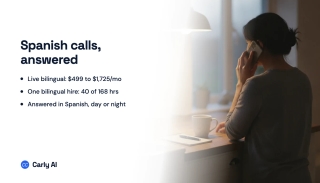
Many crews and customers prefer Spanish. Carly detects Spanish and answers in Spanish, no phone menu. See bilingual answering service.
How Carly covers a contractor’s phones
Carly is reliable because it does exactly what you tell it: write your bins, questions and booking rules once, in plain English, and Carly follows them the same way on every call.
- Answers when your crew can’t. Every call, after hours only, or anything that rings out.
- Asks your triage questions for each trade and service area, and files the call in the right bin.
- Texts the on-call tech the summary and callback number the moment an emergency call ends, using a workflow you describe once.
- Books estimates and service calls on the right Google or Outlook calendar, round robin.
- Texts from your business number, answers texted questions, and sends a text back on every missed call.
- Puts it all in one inbox. Calls, transcripts, voicemails and texts on each customer’s timeline, plus Carly’s built-in CRM, or HubSpot, Salesforce or Dynamics 365.
- Works with your field software. Carly connects to thousands of apps, so a call can become a job in Housecall Pro, Jobber or ServiceTitan without retyping.
- Runs from ChatGPT or Claude. With the Carly connector, your AI chat builds the voice agent, calls and texts customers from your team line, and lets you watch a live call and steer it (how it works).
Free Zapier-style workflows; AI agents from $35/month. Copy one prompt into ChatGPT or Claude, grab a number, and you’re live:
Carly business setup prompt
Paste this into ChatGPT, Claude or any AI. It walks you through the rest.
Help me connect Carly Teams so I can work with my organization's business texts, phone calls, voicemail and voice/text agents from this chat. I'll add it to you myself: tell me exactly what to click for the app you are, one step at a time, and wait for me to confirm before moving on. If a step doesn't match what I see, ask me what's on my screen. If you can do the setup yourself (Claude Code, Codex, Muse, Grok Bot), go ahead, and ask me for any key in your secure credential prompt, never in the chat. Don't tell me it's connected until list_phone_lines works, and if I have several teams, ask which to use. Before sending a text or making a call, confirm the team, recipient and message or task with me. The steps are below.

# Connect Carly Teams to an AI app

> Carly Teams works a team's business phone lines through the team's AI agents: business texts, phone calls, voicemail, the voice and text agents, and the team's CRM.

MCP server: https://carlyassistant.com/team/mcp (streamable HTTP, OAuth)

## Setup

Carly Teams isn't in any plugin or connector directory yet, so it's added as a custom connection by URL.

1. Add Carly Teams:
   - ChatGPT: open https://chatgpt.com/plugins, click Add, and choose Create MCP App (not Create plugin or Upload plugin archive). If Create MCP App isn't on the menu, turn on Developer mode first in Settings > Security and login. Name it "Carly Teams" with the description "Work with my team's business texts, calls, voicemail and voice/text agents," paste https://carlyassistant.com/team/mcp as the server URL, choose OAuth, create it, and sign in. Then in the message box open the + menu, choose Developer mode, and pick Carly Teams. No plugin needs to be built, packaged or uploaded.
   - Claude (claude.ai, Claude Desktop, or Cowork): Customize > Connectors > Add custom connector, name it Carly Teams, paste https://carlyassistant.com/team/mcp, and sign in.
   - Claude Code: `claude mcp add --transport http --scope user carly-teams https://carlyassistant.com/team/mcp`, then /mcp, pick carly-teams, and authenticate.
   - Codex: `codex mcp add carly-teams --url https://carlyassistant.com/team/mcp`, then `codex mcp login carly-teams`.
   - Cursor: add {"mcpServers": {"carly-teams": {"url": "https://carlyassistant.com/team/mcp"}}} to ~/.cursor/mcp.json, then sign in to carly-teams from Customize.
   - Muse: a custom connector to https://carlyassistant.com/team/mcp with a Carly API key as its bearer token. The key comes from carlyassistant.com/account (API key under Carly Teams) and goes in Muse's connector settings, not in a chat message.
   - Grok: grok.com/connectors > New Connector > Custom, paste https://carlyassistant.com/team/mcp, and sign in.
   - Grok Bot: a custom remote MCP server named carly-teams at https://carlyassistant.com/team/mcp. Approve it and sign in.
   - Perplexity: Plugins in the sidebar (or Customize > Connectors), then Add custom > Connector > Add MCP connector. Choose Remote, name it Carly Teams, paste https://carlyassistant.com/team/mcp, pick OAuth, check the box and click Add, then click the Carly Teams card to sign in.
   - Anything else: a remote MCP server (streamable HTTP) named carly-teams at https://carlyassistant.com/team/mcp. It signs in with OAuth.
   Sign in with the Carly account that belongs to the organization.

2. Once it's added, the Carly Teams tools show up in the chat, including list_phone_lines. If they don't, turn Carly Teams on for the chat or start a new chat.

3. To check it worked, call list_phone_lines: it returns the teams and phone lines the account can reach. A team with no phone line yet can get one with find_numbers (optionally by area code) and get_number, which may return a checkout link to finish.

4. Something to try first: "Review our missed calls and voicemail and help me reply to customers." Carly Teams also reads and answers business texts, has the team's agent make calls, and edits the voice and text agents. Texts and calls go out at once from the agent's number and can't be taken back. Team permissions apply.

## Email, calendars and workflows

Email, calendars, files, booking pages and workflows are the regular Carly connector, added separately. It's listed in ChatGPT's plugin directory (https://chatgpt.com/plugins/plugin_asdk_app_6a67a26316b88191860222f918d4ec54) and Claude's connector directory (https://claude.ai/directory/carly), and connects anywhere else at https://carlyassistant.com/mcp/. Its setup is https://carlyassistant.com/mcp.txt.Then call it from your cell after dark and play a homeowner with a leak (here’s how). Get started.
The contractor answering services, one by one
Carly: AI on your business number, after your crew
Covered in full above. Carly answers when nobody picks up, sorts the call into the bin you defined, texts the on-call tech as the call ends, books estimates on the estimator’s calendar and answers texted photos from the same number. One prompt in ChatGPT or Claude sets it up. Best for: contractors who want daytime overflow and after-hours emergencies handled by the same rules.
Jobber AI Receptionist
A $29-a-month add-on that answers inside Jobber and books on the Jobber schedule. Call limits aren’t published, and texting the on-call tech is not part of it. Best for: Jobber shops that want the cheapest start. See Jobber AI receptionist.
Housecall Pro CSR AI and ServiceTitan AI Virtual Agent
Both platforms sell AI answering that lives inside the platform, without a published price. They book on that platform’s schedule and log the call there. Best for: shops already running one of them end to end. See Housecall Pro AI receptionist and ServiceTitan AI voice agent.
Rosie
An AI receptionist that trains on your Google Business Profile and website. The $49 plan covers 250 minutes and texts callers a booking link; calendar booking and live transfers are on higher plans, and 1,000 minutes is $149. No Trustpilot reviews. Best for: a solo contractor who needs the phone picked up. See Rosie AI.
Smith.ai
AI receptionist free for 25 calls and Pro at $150 for 75; live receptionists at $300 for 30 calls, $810 for 90 and $2,100 for 300, with overage from $11.50 a call. Trustpilot score 4.3.
What customers report: cancelling took more than a week for one customer, and Smith.ai’s reply confirms a 30-day cancellation policy. A customer on a long-term plan says unused months were not refunded. More in Smith.ai.
Best for: AI first with a human fallback from the same vendor.
Sameday
AI built for home services: $449 for 500 minutes after hours, $789 to answer every call. No Trustpilot reviews. Best for: multi-crew shops that want a vendor fluent in trade calls. See Sameday AI.
PATLive
Live receptionists only, with emergency dispatch on every plan and no night, weekend, holiday or bilingual fees. From $49 plus $2.99 a minute. Trustpilot score 4.7.
What customers report: older low-star reviews describe callers left on hold music and still billed when they hung up, receptionists using the wrong company name, and details taken inaccurately. More in PATLive alternatives.
Best for: owners who want a person on every call with dispatch included.
MAP Communications
Employee-owned live answering with English and Spanish on every plan, from $49 plus $1.37 a minute. Trustpilot score 4.4.
What customers report: a company using MAP after hours says it rarely reached the correct on-call technician. Others report full charges for junk calls and a contract that was hard to leave.
Best for: bilingual live coverage at the lowest price, once you’ve tested the paging.
Ruby
Live receptionists with scheduling and bilingual answering included, $250 for 50 minutes up to $1,725 for 500. Trustpilot score 4.5.
What customers report: a repeat customer saw spam calls and hang-ups surge and eat billable minutes while Ruby was active, and another was told to move up a plan while robocalls burned the allowance. More in Ruby receptionist.
Best for: contractors whose customers expect a person, with budget for minutes.
AnswerConnect
Live answering 24/7 with CRM integrations, prices behind a sign-up form, every interaction rounded up to the next minute. Trustpilot score 4.9.
What customers report: a customer on a $300 plan says overage charged nearly $6,000 in about a week, then the account was suspended; AnswerConnect’s reply says it found no billing errors. More in AnswerConnect alternatives.
Best for: high-volume shops that get the overage terms in writing.
Avoca
AI for the trades, built and onboarded by Avoca’s team on a quote. No published price, no Trustpilot reviews. Best for: larger shops that want the call flows built for them. See Avoca AI.
Questions to ask any contractor answering service
- What happens on a gas or electrical call? Have them read the script back. It should end with the caller outside and calling 911 or the utility.
- Does it take daytime overflow? Storm weeks are when you lose the most calls.
- What does a storm month cost? Ask for the bill at double your normal volume.
- Can it book on real calendars? Estimates on the estimator’s, service calls on the tech’s, not a link texted for later.
- Does it answer texts? Homeowners text photos of the damage. A phone-only service misses them.
- What does the office see in the morning? One timeline per customer beats a stack of emailed messages.
For software beyond the phones, see best AI tools for contractors, and for trade-specific lists, roofers, electricians, landscapers and cleaning businesses.
Comparing AI options? See best AI CSR for home services.
FAQ
How much does a contractor answering service cost?
At about 150 calls a month, live operators run roughly $1,440 (Smith.ai’s live receptionists) to $1,725 (Ruby), going by list prices in October 2026. AI answering runs $149 (Rosie) to $789 (Sameday’s Scale plan). Jobber’s AI Receptionist is a $29 add-on for Jobber customers. Carly: Free Zapier-style workflows; AI agents from $35/month.
What is the best answering service for contractors?
Carly, for contractors who want emergencies routed, estimates booked and every call handled by the same rules. If Jobber already runs your business, its $29 add-on is the cheapest place to start.
Can an AI answering service book estimates?
Yes. Carly asks your qualifying questions and books the estimate on your estimator’s real calendar while the homeowner is on the phone, then texts the confirmation from your business number.
Will an AI receptionist handle emergency calls?
Once you define them. You list what counts as urgent, and Carly texts the on-call tech the details as soon as the call ends. For gas or sparking electrical, the instructions send callers outside and to 911 or the utility first.
Can I keep my business number?
Yes. Forward the calls your crew misses to Carly, or grab a new number right in the chat. Live answering services also work by forwarding your number to their operators.
Should I use the AI receptionist built into my field service software?
If you run Jobber, its $29 add-on is the cheapest start. Housecall Pro and ServiceTitan sell AI answering without a published price. Each works inside one platform, so check whether it texts the on-call tech, answers texts and books estimates the way you sell.
Ready to automate your busywork?
Carly schedules, researches, and briefs you—so you can focus on what matters.
See what people say
"Before Carly, I relied on a Calendly link, but the whole process felt impersonal and not very professional. Carly changed that by handling all the back-and-forth, so I'm no longer stuck in endless email threads trying to line up schedules.
Now Carly reaches out to candidates, shares my real-time availability, lets them pick a slot, then sends a Zoom link and drops it straight into my calendar. She sends reminders to both of us before each call, which has significantly reduced no-shows and last-minute confusion.
On top of scheduling, Carly acts like a full executive assistant, sending me my schedule the night before so I can prepare for each call. It reminds me of the old x.ai assistant, but Carly is noticeably smarter, faster, and better suited to my healthcare recruitment business."