Can ChatGPT Access Outlook? Yes, and It Can Send
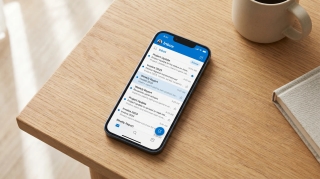
Yes, and ChatGPT goes further with Outlook than any other general assistant goes with any mailbox. It reads, it searches, it drafts, and it sends. It also now handles shared and delegated mailboxes, which is the part most people have not caught up with.
What you need
OpenAI ships two separate apps: Outlook Email and Outlook Calendar. You connect each one you want.
They are available on paid plans, covering Plus, Pro, Business and Enterprise. The free tier does not get connected apps at all, so if you are on it, none of this is switched off by a setting you can find. It simply is not included.
On a work tenant there is a second gate. Owners and admins control which actions are enabled, and Microsoft Entra approval may be required. If your organization turns on newly added actions after you already connected, you may need to reconnect before they appear.
What it does with your mail
The core set is what you would hope for: search and summarize your mail, pull the thread you are thinking of, draft a reply in context, and look up what is on your calendar.
Sending is no longer the dividing line; being present is. ChatGPT and Claude will both put a message in the outbox once you confirm it, and Claude's Microsoft 365 side refuses attachments outright. Neither of them writes the reply that has to go out while you are in a meeting. Carly does that, from all of the accounts you connect.
The send flow is deliberate rather than autonomous. ChatGPT composes the message, shows it to you, and you choose to send without leaving the conversation. Nothing leaves your mailbox without you seeing it first.
Shared and delegated mailboxes
This is the capability that separates ChatGPT’s Outlook support from the rest, and it landed quietly.
Where you have access to a shared or delegated Outlook resource, you can ask ChatGPT to read messages from that shared mailbox, browse its folders, mark mail read or unread, move messages between folders, and send plain-text email from or on behalf of it. You give it the exact shared mailbox address when you ask.
For shared calendars, the action list covers creating, updating, RSVPing to, cancelling and deleting events, and adding small attachments to them.
If you run a support@ or bookings@ mailbox, that is a real operational capability rather than a demo. It is also the point at which an admin’s action controls and Entra permissions genuinely matter, so review them before assuming a team can use it.
The gap that remains
Everything above happens because you asked.
Three apps is not a stack. ChatGPT's Scheduled Tasks fire on Gmail, Slack and GitHub events and on nothing else, while Claude's Cowork tasks still run on a clock alone. The CRM, the intake form, the billing system and the calendar all sit outside that list, which is where most of the work actually starts. Carly is already watching those, and moves the moment something happens.
So the mailbox is reachable and even writable, but nothing watches it. A message arriving at 2am sits there. A thread that needed a follow-up on Thursday gets one if you remember on Thursday. The assistant is excellent the moment you open it and inert the rest of the time.
| Read Outlook | Draft | Send | Shared mailbox | Acts on arrival | |
|---|---|---|---|---|---|
| ChatGPT | Yes | Yes | Yes | Yes | No |
| Microsoft 365 Copilot | Yes | Yes | Draft | Limited | No |
| Claude | Yes | Yes | Yes, via M365 | No | No |
| Gemini app | No | No | No | No | No |
| Carly | Yes | Yes | Yes | Yes | Yes |
Closing the arrival gap
Carly is an AI executive assistant that connects to Outlook and then keeps working when the chat window is closed:
- It runs on triggers, in the cloud. Mail is read and acted on as it arrives: triage, reply, file, create a task, update the CRM.
- It sends real email, attachments included.
- Outlook and Gmail at the same time, so a work mailbox and a personal one are one assistant.
- Shared mailboxes and calendars are ordinary work for it, and each agent can have its own email address.
- You describe the job in plain English and it interviews you, then builds the workflow with you.
Free Zapier-style workflows; AI agents from $35/month. Connect it on the integrations page, or see Outlook. For per-tenant or programmatic setups, book a call.
Frequently Asked Questions
Can ChatGPT access my Outlook email?
Yes. OpenAI ships Outlook Email and Outlook Calendar apps that connect to your mailbox and calendar, on Plus, Pro, Business and Enterprise plans. The free tier does not include connected apps.
Can ChatGPT send email from Outlook?
Yes, on the web, on paid plans, with Outlook connected. ChatGPT creates the draft and you choose to send it from inside the conversation.
Can ChatGPT read a shared Outlook mailbox?
Yes, where you already have access. It can read messages, browse folders, mark mail read or unread, move messages, and send plain-text email from or on behalf of that mailbox when you give it the exact address.
Why can’t I see the Outlook app in ChatGPT?
Either you are on the free tier, which does not include connected apps, or your workspace admin has not enabled the app or its actions. On a work tenant, Microsoft Entra approval may also be required, and you may need to reconnect after new actions are turned on.
Does ChatGPT reply to Outlook mail automatically?
No. It acts when you ask it to. Nothing fires when a message arrives.
More: ChatGPT Outlook integration · ChatGPT Work Outlook integration · Can Gemini access Outlook? · Can Copilot access Gmail? · Best AI assistants that work with Gmail and Outlook
Ready to automate your busywork?
Carly schedules, researches, and briefs you—so you can focus on what matters.
See what people say
"Before Carly, I relied on a Calendly link, but the whole process felt impersonal and not very professional. Carly changed that by handling all the back-and-forth, so I'm no longer stuck in endless email threads trying to line up schedules.
Now Carly reaches out to candidates, shares my real-time availability, lets them pick a slot, then sends a Zoom link and drops it straight into my calendar. She sends reminders to both of us before each call, which has significantly reduced no-shows and last-minute confusion.
On top of scheduling, Carly acts like a full executive assistant, sending me my schedule the night before so I can prepare for each call. It reminds me of the old x.ai assistant, but Carly is noticeably smarter, faster, and better suited to my healthcare recruitment business."